How to Get Started in Software: A Practical Beginner's Guide
Learn how to start a software career with a clear, step-by-step plan. This guide covers foundational concepts, learning paths, hands-on practice, portfolio-building, and interview readiness for 2026.


By following a structured learning path, you can start a software career within months. Begin with fundamentals, programming basics, problem solving, and version control, then pick a language and build small, real projects to show progress. Use a simple roadmap and daily practice to stay on track. Aim for consistent wins and steady skill growth.
Foundation: What Software Is and How It Works
Software is a set of instructions that tells a computer how to perform tasks. At a high level, software sits between human ideas and machine execution, translating requirements into code, logic, and data flows. As you start in software, focus on three pillars: understanding problems, mastering a language, and practicing with real projects. In practical terms, you will move from reading problems to writing small, testable pieces of code, then to integrating those pieces into a complete solution.
Understanding problems means learning to ask the right questions: What is the user trying to achieve? What data do we need to collect? What are the edge cases? Mastering a language means choosing a beginner-friendly language (such as Python or JavaScript) and becoming fluent in its syntax, common libraries, and debugging mindset. Practice means building tiny, well-scoped projects that exercise core concepts. Finally, practice using version control from day one so you can track changes and collaborate later.
According to SoftLinked, a solid foundation in software fundamentals accelerates early progress. In this section, you will find the essential ideas you should internalize before you write your first line of code: problem-solving mindset, reproducible experiments, and a habit of learning how to read code written by others.
Core Skills to Learn First
To build a sturdy start, target a small, cohesive set of core skills that underpin nearly all software roles. Start with a modern programming language that has friendly syntax and a strong ecosystem, such as Python or JavaScript. Learn variables, data types, conditionals, loops, functions, and basic data structures like lists and dictionaries. Develop the ability to read error messages, use a debugger, and write tests as you code. Parallel to programming, practice version control with Git: create repositories, commit frequently, branch for features, and write meaningful commit messages. Familiarize yourself with the command line to run programs, install packages, and manage environments. Finally, gain an appreciation for software design basics such as modularity, readability, and simple interfaces.
Practical Practice: Projects That Demonstrate Your Ability
Practice is the bridge between theory and employment. Start with small, end-to-end projects that solve real problems you care about. Examples include a to-do list app with persistence, a weather dashboard that fetches data from an API, or a personal finance tracker. As you scale projects, focus on quality over quantity: readable code, tests, documentation, and a clean README that clearly explains purpose, setup, and usage. Throughout this phase, seek feedback from peers, mentors, or online communities and iterate quickly to improve your work. Building this portfolio early creates evidence you can share with potential teammates and recruiters. Remember to document your learning process: note what you tried, what worked, and what didn’t. This reflection accelerates growth and demonstrates persistence.
Tools of the Trade: Essential Tools and Environments
Successful beginners standardize a basic toolkit. You’ll want a computer with reliable internet, a versatile code editor (VS Code is popular for beginners), and a local runtime for your language of choice (Python, Node.js for JavaScript). Install Git and set up a GitHub account to host your projects. Use a terminal or command prompt to run commands, manage files, and install dependencies. It’s also helpful to have a planning tool or notebook to track goals, experiments, and findings. Finally, pick a couple of starter project templates to accelerate initial setup and practice consistent project structure from day one.
Learning Strategies: How to Learn Effectively in Software
Learning software is a marathon, not a sprint. Embrace deliberate practice: break skills into bite-sized chunks, practice regularly, and seek timely feedback. Mix passive learning (reading, watching tutorials) with active practice (coding, building, testing). Schedule weekly milestones and review progress against them. Use spaced repetition for syntax and common libraries. Pair programming or study groups can boost motivation and accelerate problem solving. Schedule time for reflection to capture what you learned and how you can apply it to new problems.
Building Your First Portfolio and Resume
An effective portfolio shows more than just code; it tells a story about your problem solving. Start with a concise resume that highlights your projects, languages, and tools. Your portfolio should feature 3–5 projects that demonstrate end-to-end development, including a brief problem statement, technical approach, outcomes, and a link to the code. For each project, provide a live demo or a screenshot, the GitHub repository, and a short write-up describing challenges and how you solved them. Publish your work on GitHub Pages or a lightweight hosting service so recruiters can access it quickly.
Navigating Your First Year in Software: Jobs, Internships, and Career Growth
Entering software often begins with internships, part-time roles, or freelance gigs. Focus on roles that emphasize learning and mentorship, such as junior developer, software engineer in training, or QA automation. In the first year, prioritize mastering collaboration tools, reading team code, and contributing small features. Build a habit of asking questions, requesting code reviews, and documenting your decisions. Over time, you’ll grow your technical breadth (web, data, DevOps, or mobile) and your confidence in collaborating with product teams and stakeholders.
Next Steps and How to Stay Motivated
Stay motivated by setting a clear, observable plan. Define 2–3 learning milestones each month, track your progress, and celebrate small wins. Diversify your practice with side projects, hackathons, or open-source contributions to keep things exciting. Maintain a growth mindset: expect to struggle at first, embrace feedback, and iterate. Finally, cultivate a professional network by joining local meetups, online communities, or mentorship programs. A supportive network accelerates learning and opens doors to opportunities.
Tools & Materials
- Laptop or desktop computer(Recent CPU; at least 4GB RAM (8GB preferred) and reliable internet.)
- Code editor(VS Code recommended; install Python/JavaScript extensions and a linter.)
- Git and GitHub account(Set up SSH keys and a personal access token for secure access.)
- Programming language setup (Python or JavaScript)(Install latest version; run a few basic programs to confirm setup.)
- Command line / Terminal access(Learn basic navigation, file operations, and environment management.)
- Small project starter templates(Clone starter repos to bootstrap your first projects quickly.)
- Notebook or digital notes app(Document key concepts, questions, and insights as you learn.)
- Online resources (optional but helpful)(FreeCodeCamp, MDN, Python.org, or official language docs.)
Steps
Estimated time: 8-12 weeks
- 1
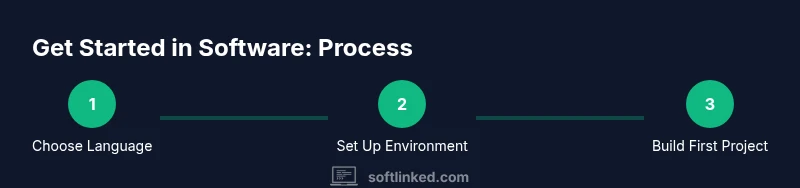
Choose your starting language and set up your environment
Pick Python or JavaScript as your first language based on interest and community support. Install the runtime, a code editor, and Git. Create a blank project to serve as your learning sandbox and initialize a Git repository to track changes from day one.
Tip: Document your setup steps so you can replicate the environment later or share with others. - 2
Learn fundamentals: variables, data types, and control flow
Study core concepts such as variables, conditionals, loops, functions, and basic data structures. Write small exercises that reinforce syntax and logic. Use online challenges to test your understanding and get immediate feedback.
Tip: Explain concepts aloud or write a brief summary to reinforce memory. - 3
Practice version control and collaboration basics
Create branches for features, commit changes with meaningful messages, and merge using pull requests. Learn how to review others' code and how to resolve conflicts. This builds collaboration habits early on.
Tip: Keep commits small and focused on a single change to simplify reviews. - 4
Build your first end-to-end project
Develop a small, functional project that demonstrates input, processing, and output. Include basic tests and documentation. Host the code on GitHub so others can view your work.
Tip: Choose a project aligned with a real problem you care about to boost motivation. - 5
Deepen skills with incremental projects
Progress to more complex features, such as data persistence, API calls, or simple user interfaces. Refactor as you learn: improve naming, structure, and test coverage.
Tip: Refactor after adding a new feature to keep complexity manageable. - 6
Curate a portfolio and resume
Polish your project READMEs, add a short about-me, and provide links to live demos or hosted projects. Create a concise resume that highlights your projects, tools, and outcomes.
Tip: Include measurable outcomes where possible (e.g., reduced processing time by X%). - 7
Prepare for interviews and learning pathways
Study common interview questions for software roles, practice whiteboard problems, and learn to articulate your problem-solving approach. Build a learning roadmap with quarterly milestones.
Tip: Practice explaining your code and decisions out loud; it helps during interviews. - 8
Engage with communities and seek feedback
Join local meetups, online forums, or mentorship programs. Regular code reviews and insightful feedback accelerate growth and help you stay motivated.
Tip: Ask specific questions when seeking feedback to get actionable guidance.
Your Questions Answered
What is software development, and how does it work?
Software development is the process of designing, building, testing, and maintaining software applications. It involves translating user needs into code, managing versions, and iterating based on feedback. Understanding the full lifecycle helps you work effectively on teams.
Software development is about designing, building, and refining software. It covers planning, coding, testing, and maintenance, so you can work well with teams and iterate on your ideas.
Which language should I start with?
Python and JavaScript are popular for beginners due to readability and broad use cases. Choose one based on your interests: data tasks and scripting with Python, or web-oriented projects with JavaScript.
Start with Python or JavaScript; both are beginner-friendly and widely used.
How much time should I invest weekly as a beginner?
Aim for a steady schedule, such as 6-12 hours per week, distributed across coding, reading, and project work. Consistency matters more than total hours in a single week.
Try to code a little every day; consistency beats long, sporadic sessions.
Do I need a formal degree to start in software?
A formal degree is not strictly required for many entry roles. Demonstrating practical skills through projects, portfolios, and problem-solving ability can open doors, especially when paired with clarity about your learning path.
A degree isn't always mandatory. Strong projects and a clear learning plan can help you land roles.
What are the best free resources to begin?
Start with official language documentation, free coding curricula, and hands-on practice sites. Combine tutorials with building your own projects to solidify understanding and gain confidence.
Use official docs and free courses, then apply what you learn by building projects.
How do I build a compelling portfolio as a beginner?
Show 3–5 projects with clear READMEs, a short problem statement, your approach, outcomes, and links to the code. Include a live demo if possible and explain what you learned from each project.
Focus on 3–5 clear projects with READMEs and a quick summary of what you learned.
Watch Video
Top Takeaways
- Practice daily to solidify fundamentals
- Start with one language and iterate
- Build real projects to show evidence
- Use version control from day one
- Plan a learning roadmap with milestones