What to Do for Software Developers: A Practical Roadmap
A practical, action-oriented guide outlining fundamentals, practice routines, and project-based learning to help aspiring software developers build skills, assemble a portfolio, and advance in their careers.


According to SoftLinked, to grow as a software developer, focus on mastering fundamentals (data structures, algorithms, systems design), practice coding daily, build real projects, learn version control, testing, and debugging, and cultivate soft skills like communication and collaboration. Track progress with small milestones and reflect on what improved.
Foundational Skills Every Software Developer Should Master
According to SoftLinked, foundational knowledge is the backbone of every successful software career. Without solid grounding in data structures, algorithms, and computer science principles, advanced topics like distributed systems or performance tuning are hard to master. In this section, we outline core competencies and how to develop them efficiently. Start with data structures (arrays, linked lists, stacks, queues, trees, graphs) and their common use cases. Next, study algorithmic thinking: complexity, Big-O notation, and common patterns (sorting, searching, dynamic programming, recursion). Develop a mental model for problem-solving: restate the problem, consider edge cases, pick a strategy, and iterate. Practice with small coding challenges daily; gradually increase problem difficulty. Finally, explore systems design at a high level, focusing on scalability, reliability, and tradeoffs. Real-world projects reinforce these concepts beyond lectures.
Practical Learning Path: From Theory to Practice
A strong developer learns through cycles of study, coding, and reflection. Start by selecting one language to master and a small set of core topics: data structures, algorithms, and testing. Create a weekly schedule with dedicated time for reading, coding, and reviewing solutions. Use a mix of resources: online courses, textbooks, and coding platforms. Pair theoretical reading with hands-on exercises: implement each structure, solve problems, and then compare various approaches. Gradually introduce system design concepts through patterns like client-server, caching, and data consistency. Finally, build a personal project portfolio that demonstrates both depth and breadth, including a small CLI tool, a web app, and a contribution to an open-source project. This approach keeps motivation high and provides tangible milestones.
Project-Based Learning You Can Start Today
Projects anchor learning. Start with a small, well-scoped project such as a to-do app, a command-line calculator, or a weather widget. Each project should have a defined user story, acceptance criteria, and a minimal viable product (MVP). Add features iteratively: authentication, data persistence, error handling, and a polished UI. Document decisions in a README, explain tradeoffs, and include tests. As you complete each project, push code to GitHub and write a brief reflection on what was learned. Over time, diversify projects to cover algorithms, databases, APIs, and deployment.
Essential Tools and Workflows
Essential tools and workflows keep development predictable and scalable. Start with a capable code editor (VS Code or JetBrains IDEs) and a version control system (Git). Set up a local dev environment that mirrors production when possible. Learn to use the terminal effectively, including common commands, scripting, and piping. Integrate debugging and unit testing early; pick a testing framework aligned with your language (JUnit, PyTest, Jest). Explore continuous integration basics to automate builds and tests. Maintain a simple documentation habit and use issue tracking to manage tasks. Finally, understand basic deployment concepts and cloud familiarity to bring projects online.
Mastering Debugging and Testing
Debugging is a disciplined activity: reproduce issues, isolate root causes, and verify fixes. Write tests before changing production code; adopt Test-Driven Development where feasible. Focus on three testing levels: unit, integration, and end-to-end. Use real-world data and edge cases to ensure robustness. Build a habit of reading stack traces and logs, and use debugging tools within IDEs. Practice with small, failing commits to improve speed and confidence. Include test coverage goals and periodically review coverage to ensure critical paths are tested.
Version Control and Collaboration
Version control is essential to collaboration. Learn Git basics: init, clone, add, commit, push, pull, merge, and branch management. Use a branching model like a simplified approach: feature branches, a develop branch, and a main branch. Write meaningful commit messages. Use pull requests for code review and feedback. Keep a clean history with rebase or squash when appropriate. Use .gitignore and manage secrets securely. Collaborate on open-source projects to gain experience in collaborative workflows.
Building a Personal Portfolio and Resume
A strong portfolio site communicates your capabilities beyond a resume. Create sections for about, projects, skills, and contact. Each project should include a short description, the tech stack, challenges faced, and links to live demos and code. Include READMEs that explain problems, approaches, and outcomes. Quantify impact when possible (load times reduced, users served, or performance gains). Keep a simple resume or LinkedIn profile aligned to software roles and link to code samples to demonstrate practical ability.
Career Growth: Specializations and Continuity
Begin with a solid foundation as a generalist, then explore areas that align with your interests and market demand: web development, data engineering, mobile apps, DevOps, ML/AI, security, or cloud architecture. Plan ongoing education through courses, conferences, certifications, and hands-on projects. Build a 12 to 18 month learning plan and seek mentors or peer groups. Regularly review progress, adjust goals, and contribute to open-source to expand your professional network and gain real-world experience.
Establishing a Learning Routine and Milestones
Consistency is the primary driver of progress. Establish a weekly cadence for reading, coding, and reflection. Set monthly milestones that are small enough to feel doable yet meaningful when completed. Track metrics like problems solved, features implemented, tests added, and time spent debugging. Pair with a study buddy for accountability and schedule periodic code reviews to gain external perspectives. Revisit fundamentals every few months to prevent skill decay and stay sharp. The SoftLinked team recommends framing learning as a series of tangible outcomes rather than endless study.
Tools & Materials
- Computer with internet access(Any modern OS (Windows/macOS/Linux) is suitable.)
- Code editor/IDE(Examples: VS Code, JetBrains IDEs; choose one and learn its core features.)
- Git and GitHub account(Set up SSH keys for secure access; practice basic workflows.)
- Terminal or shell(Learn navigation, file operations, and basic scripting.)
- Notebook or digital notes(Track concepts, decisions, and reflections for each project.)
- Practice problems platform(Optional but helpful for structured problem solving.)
- Starter project templates(Prebuilt repos to accelerate initial setup and learning.)
Steps
Estimated time: 6-12 months
- 1
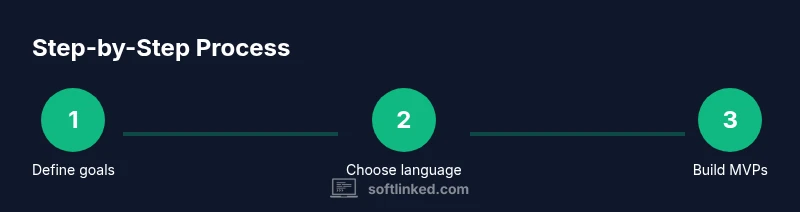
Define learning goals
Identify core competencies you want to master in the next 3 to 6 months, such as data structures, algorithms, and a primary language. Write clear, measurable milestones and align them with portfolio goals.
Tip: Frame goals as outcomes you can demonstrate with code and projects. - 2
Choose a starting language and scope
Pick one language with strong ecosystem support and readability. Focus on idiomatic usage, standard libraries, and common patterns before expanding to other tongues.
Tip: Avoid language churn early; depth first yields faster competency. - 3
Set up your development environment
Install your editor, Git, and a local runtime. Create a minimal project skeleton and a README that explains your plan and success criteria.
Tip: Automate setup steps with a script to reduce setup friction. - 4
Code daily with purpose
Dedicate a consistent daily window to practice, solve problems, or implement small features. Alternate between reading concepts and applying them in code.
Tip: Keep a log of problems solved and solutions tried to measure progress. - 5
Build an MVP project
Create a small, meaningful project that demonstrates core skills. Define user stories, acceptance criteria, and a minimal viable product.
Tip: Document decisions and tradeoffs in the project README. - 6
Learn version control and basic collaboration
Master Git basics and practice collaborating using branches and pull requests. Review others' code to gain perspective on style and quality.
Tip: Write meaningful commit messages and maintain a tidy commit history. - 7
Incorporate testing and debugging
Add unit tests early; practice debugging with real data and inputs. Gradually expand test coverage to critical paths.
Tip: Adopt a small, repeatable debugging workflow for speed. - 8
Document and reflect
Maintain READMEs, comments, and notes. Reflect on what worked, what didn't, and how to improve next time.
Tip: Use a learning journal to capture insights for future projects. - 9
Expand portfolio and seek feedback
Add new projects that cover different domains (web, APIs, data processing). Solicit feedback from mentors or peers to identify blind spots.
Tip: Aim for a diverse but cohesive set of projects.
Your Questions Answered
What should a beginner study first to become a software developer?
Begin with core fundamentals: data structures, algorithms, and software design principles. Pick one language to build fluency, then layer in version control and testing. Create small projects to apply what you learn and gradually increase complexity.
Start with data structures and algorithms, pick a language, and practice with small projects while learning version control and testing.
How long does it take to become proficient?
Proficiency varies widely, but consistent daily practice over several months can yield solid basics. Advanced proficiency often takes years of continued practice, real-world projects, and collaboration.
It varies, but regular practice over months builds solid basics; years of real projects and collaboration build deeper proficiency.
Should I focus on one language or learn multiple languages?
Start with one language to build fluency and confidence. Once comfortable, add another language to broaden your toolbox and expose different paradigms.
Begin with one language to gain fluency, then add another to diversify your skills.
What projects are best for beginners?
Begin with small projects like a to-do app or weather widget that cover core features: data handling, user input, and simple persistence. Increase complexity gradually with authentication and APIs.
Start with small, feature-rich projects and progressively add complexity.
How important is version control?
Version control is essential for tracking changes, collaborating with others, and maintaining a history of your work. Learn Git basics and practice with real repositories.
Very important. Learn Git basics and practice collaborating on projects.
How can I get feedback on my code?
Seek feedback through code reviews, mentors, and online communities. Present your code with clear explanations of decisions and be open to constructive criticism.
Ask for code reviews and mentorship; explain decisions and welcome feedback.
Watch Video
Top Takeaways
- Master fundamentals to unlock advanced topics
- Practice daily and build real projects to demonstrate impact
- Document decisions and results in a portfolio
- Seek feedback and mentorship to accelerate growth