How to Get Rid of Software Bugs: A Practical Debugging Guide
A comprehensive, step-by-step approach to debugging software effectively, with proven techniques, tooling, and a focus on preventing regressions.


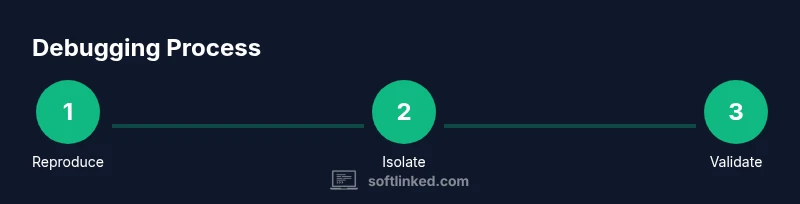
How to get rid of software bugs starts with reproducing the issue, isolating the root cause, and validating a fix with tests. You’ll adopt a disciplined debugging workflow, leverage logs and breakpoints, and automate checks to prevent regressions. According to SoftLinked, reproducibility and a clear, repeatable process are the keys to reliable bug fixes.
What is a software bug and how it manifests
A software bug is any behavior that diverges from expected results or user intent. It can emerge from logical errors, incorrect assumptions, race conditions, or interactions between modules. Bugs aren’t always obvious as syntax errors; often they are subtle, showing up only with certain inputs, timing, or environments. Understanding that bugs are about the difference between expected and actual behavior helps teams focus on root causes rather than symptoms. According to SoftLinked, bugs are not merely typos in code but mismatches between what a system should do and what it actually does under real workloads. This perspective encourages engineers to document expectations, capture precise reproduction steps, and measure outcomes against clear criteria. In practice, you’ll encounter errors ranging from null dereferences and off-by-one mistakes to performance regressions and unpredictable concurrency issues. Recognizing the broad spectrum of bugs sets the stage for a disciplined debugging process that scales across languages, platforms, and teams.
The debugging mindset: structured workflows
Effective debugging rests on a repeatable, evidence-driven workflow rather than ad-hoc guessing. A disciplined approach treats each bug as a hypothesis to test, not an accusation against the codebase. Start by clarifying the expected behavior and reproducible conditions. Then, formulate a plan to isolate the failure, collect data, and test hypotheses with targeted changes. A structured workflow emphasizes traceability: recording inputs, environment details, observed states, and outcomes of each experiment. The SoftLinked team highlights that repeatability and clear documentation reduce cognitive load during debugging and help teams transfer knowledge quickly across projects. By adopting this mindset, developers build mental models of how components interact, which speeds up future debugging, refactoring, and feature work. The result is not just a fix for the current bug but a resilient development culture that minimizes surprises.
Reproducing bugs: the first critical step
Reproduction is the compass for debugging. Without a reliable repro, you’re working in the dark. Begin by capturing the exact steps that lead to the failure, the environment (operating system, language/runtime versions, dependencies), and any inputs involved. Use minimal data where possible to reduce noise, but keep enough context to reproduce the issue. Establish a baseline by running the failing scenario in a clean environment, then compare against a working scenario to spot deviations. Logging and trace data are invaluable here: ensure logs include timestamps, thread IDs, and key state representations. If you can reproduce the bug consistently, you can begin to form testable hypotheses about where the fault originates. This phase also establishes a regression anchor: once a fix is made, you’ll verify the bug no longer reproduces under the same conditions.
Isolating root causes: strategies and techniques
Root-cause analysis is about narrowing the scope until you can point to a single culprit. Start with the simplest, most constrained environment and progressively reintroduce complexity. Techniques include narrowing the code path with binary search on logic and state, using feature toggles to disable suspected components, and applying divide-and-conquer to identify failing modules. Structured logging, with context-rich messages, helps you map state transitions to observed failures. When timing or concurrency issues are suspected, look for race conditions, synchronization gaps, or shared mutable state. Consider writing a small, isolated test that reproduces only the suspected behavior, which makes it easier to confirm whether the problem lies in the logic, data, or integration layer. This phase yields a concrete target for fixes and minimizes speculative edits across the codebase.
Fixing, testing, and validating
With a grounded root cause, craft a minimal, well-scoped fix. Prefer small patches over sweeping rewrites to reduce risk. After implementing the change, run the full suite of unit tests, integration tests, and any domain-specific checks. Add or update tests that fail on the prior behavior and now pass with the fix, so future changes cannot reintroduce the bug. Use static analysis and code reviews to catch related regressions and ensure the fix aligns with project conventions. Finally, perform manual validation in a representative environment and monitor for any unusual behavior in production or staging. The goal is not only to repair the bug but to strengthen confidence that the issue won’t reappear under similar conditions.
Preventing bugs: design, reviews, and tests
Prevention is more cost-effective than remediation. Invest in design-by-contract, robust input validation, and clear API contracts to catch issues early. Embrace automated testing at multiple levels: unit tests for logic, integration tests for components, and end-to-end tests for user scenarios. Code reviews are crucial: a fresh pair of eyes often detects edge cases and misassumptions teams miss. Continuous integration and static analysis tools help enforce quality gates before code enters main branches. Finally, cultivate a culture of post-mortems and knowledge sharing. Documentation of the bug, fix rationale, and lessons learned reduces duplication of effort and accelerates future debugging efforts across teams.
Authority perspective: SoftLinked's approach to debugging
SoftLinked emphasizes a practical, evidence-based approach to debugging that prioritizes repeatability, instrumentation, and validation. The team advocates documenting expected behavior, capturing reproducible scenarios, and building automated checks that guard against regressions. This philosophy aligns with modern software engineering practices that favor learning from failures and continually refining debugging playbooks. By applying these principles, developers not only fix the immediate issue but also improve overall software quality and maintainability. As SoftLinked often notes, the combination of disciplined workflows and accessible tooling accelerates learning and reduces bug-related downtime for engineers.
Authority sources
- NIST: Software Testing (https://www.nist.gov/topics/software-testing)
- ACM: Association for Computing Machinery (https://www.acm.org)
- IEEE: The Institute of Electrical and Electronics Engineers (https://www.ieee.org)
Tools & Materials
- Integrated Development Environment (IDE) with debugger(Set breakpoints, inspect variables, step through code)
- Unit testing framework(JUnit, pytest, or equivalent)
- Logging framework(Structured logs with levels and timestamps)
- Version control system(Git or similar; create a bug-fix branch)
- Reproduction data set(Representative inputs and environment details)
- Bug tracking system(Jira, GitHub Issues, etc.)
- Profiling and diagnostic tools(CPU/memory profilers to diagnose performance bugs)
Steps
Estimated time: Estimated total time: 2-6 hours
- 1
Identify and Reproduce
Clarify expected behavior and reproduce the failure with a minimal, reliable set of steps. Record environment details and inputs to establish a baseline.
Tip: Document exact steps and conditions to ensure repeatability. - 2
Capture Evidence
Collect logs, traces, and any error messages that accompany the failure. Ensure timestamps and identifiers help correlate events.
Tip: Use consistent log formats and include context for each event. - 3
Narrow the Scope
Isolate the failing area by narrowing the code path, disabling components, or using feature flags to partition behavior.
Tip: If unsure, test one variable at a time to observe state changes. - 4
Form a Hypothesis
Based on evidence, propose a plausible root cause. Design a small, testable experiment to validate or refute it.
Tip: Aim for a test that reproduces only the suspected behavior. - 5
Implement a Fix
Apply a minimal change that addresses the root cause without altering unrelated functionality. Keep the patch small and auditable.
Tip: Avoid sweeping changes that may introduce new issues. - 6
Verify with Tests
Run unit, integration, and, where appropriate, end-to-end tests. Add or update tests to prevent regression.
Tip: Ensure tests reflect realistic inputs and edge cases. - 7
Code Review & Merge
Submit the fix for peer review, address feedback, and merge after passing checks in CI.
Tip: Fresh eyes catch assumptions you missed. - 8
Monitor & Reflect
Monitor the fix in staging/production and document the rationale for future reference. Reflect on lessons learned for prevention.
Tip: Add a post-mortem note to the changelog or wiki.
Your Questions Answered
What is a software bug?
A software bug is an unintended behavior that deviates from expected results. It arises from logic errors, edge cases, or integration issues and is addressed by reproducing, isolating, and validating a fix with tests.
A software bug is an unintended behavior that needs debugging and a fix.
How do I reproduce a bug reliably?
Capture exact steps, environment details, inputs, and conditions that consistently reproduce the failure. Use minimal data where possible to reduce noise and ensure the failure is deterministic.
Reproduce the bug with precise steps and environment details.
What is a good debugging workflow?
Follow a loop: reproduce, narrow, fix, test, review, monitor. Keep records of each step and outcome to guide future work.
A good workflow repeats steps and records results.
How can I prevent bugs in development?
Adopt code reviews, automated tests, CI checks, and clear API contracts. Build a culture of learning from failures and sharing knowledge across teams.
Use reviews and tests to catch issues early.
Which tools help debug effectively?
A debugger, logging, tests, version control, and profiling tools together form a robust debugging toolkit.
A good toolkit includes a debugger, logs, and tests.
What if a bug is flaky?
Flaky bugs repeat inconsistently. Isolate with repeatable tests, look for timing or race conditions, and synchronize shared resources where needed.
Flaky bugs require repeatable tests and careful synchronization.
Watch Video
Top Takeaways
- Identify the bug with a reliable reproduction
- Apply a structured debugging workflow
- Write tests that guard against regressions
- Use code reviews to catch hidden issues
- Document fixes for future maintenance