How to Fix Software Issues: A Practical Guide
Learn a proven, step-by-step approach to diagnosing, isolating, and fixing common software issues across operating systems and applications. Get practical tips, checklists, and verification workflows to ensure durable fixes.


By the end of this guide you will diagnose, isolate, and fix common software issues across operating systems and applications. You’ll learn a repeatable process, required prerequisites, and practical checks to verify fixes. Prepare a clean environment, backups, admin rights, and a reliable troubleshooting toolkit before you begin. The steps emphasize safety, data integrity, and clear documentation.
Understanding the Problem Space
According to SoftLinked, software issues are signals that something about the expected software behavior is off. They can be errors, crashes, freezes, misrendered UI, or performance regressions. The first step is to distinguish a symptom from a root cause. Ask: When did the issue start? What actions reliably reproduce it? Which environment components matter most: OS version, hardware, network, installed libraries, or configuration files? Document the exact version of the software, any recent updates, and the user scenario. Clear problem statements help you avoid chasing irrelevancies. They also guide you to the most likely failure domains and prevent scope creep. In practice, expect multiple symptoms that hint at the same root cause, and be prepared to test hypotheses across the stack—application code, dependencies, and the environment. The SoftLinked team emphasizes that systematic thinking beats guesswork when the goal is a durable fix.
Prepare Your Troubleshooting Environment
Before touching code or settings, create a safe sandbox for testing. This reduces risk to production data and end users. Steps include: back up important data and system state; document current configurations; ensure you have admin rights or permission to apply changes; isolate the problem by using a clean user profile or a virtual machine; and gather a baseline of system performance. Use a standardized checklist so every run is consistent. If possible, replicate the user's environment: same OS, same software versions, and the same network conditions. As you prepare, note any potential irreversible actions and plan a rollback. A disciplined setup speeds diagnosis and prevents cascading issues. SoftLinked’s guidance here is to treat troubleshooting as a synthetic experiment where control over variables yields reliable results.
Collect Data and Reproduce the Issue
Collect logs, error messages, user reports, and system telemetry. Centralize data so you can search across timestamps, events, and correlating signals. Reproduce steps exactly as the user described, noting any deviations you make. If reproduction is inconsistent, attempt multiple scenarios: different data sets, different user accounts, and different times of day. Record environment details: operating system version, installed patches, background services, races, and any recent deployments. Visual evidence, such as screenshots or screen recordings, can speed up communication with teammates. The goal is to have a dependable, repeatable scenario that clearly demonstrates the failure. This disciplined data collection is what makes the next steps actionable rather than speculative. SoftLinked analysis recommends documenting the reproduction process for future reference (SoftLinked Analysis, 2026).
Identify Root Cause Categories
Most software issues cluster into a handful of root cause categories: environment/configuration problems, software dependencies, data issues, or bugs in the codebase. Use a cause-and-effect mindset: what changed recently, what components interact, and which logs indicate that a subsystem failed? Prioritize categories by likelihood and impact, and keep a running list of hypotheses. For each hypothesis, design a minimal test to confirm or disprove it, such as swapping a dependency version, toggling a feature flag, or reproducing with a clean install. As you test, watch for patterns across different users or machines. A good categorization reduces time wasted on unrelated fixes and guides you toward a durable solution. SoftLinked Analysis, 2026 shows that most issues cluster around environment, dependencies, and data.
Systematic Troubleshooting Process
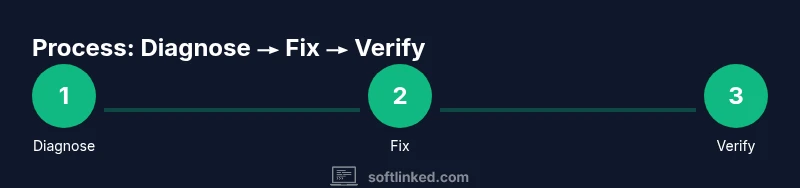
Apply a repeatable workflow: reproduce, isolate, test, implement, verify. Start by confirming that the issue is reproducible in the current environment. Then isolate the problem to a subsystem, component, or layer. Run one diagnostic change at a time; only after a successful test move to the next potential fix. Record each step, the outcome, and any side effects. After implementing a fix, verify in multiple scenarios to ensure it doesn’t regress elsewhere. If the fix requires code changes, pair it with regression tests and update documentation. The goal is a clean, auditable trail so future teams can understand what happened and why. This approach aligns with best practices in software engineering and supports long-term reliability.
Implement Fixes and Validate
Choose the smallest, lowest-risk change that resolves the issue and confirm it works as intended. Apply the fix in the test environment first, then promote it to staging before production if available. Monitor key indicators—runtime errors, crash reports, response times, and user feedback—to ensure the fix sticks. Conduct manual validation: repeat the exact user steps, smoke-test related features, and run automated tests if present. If the issue resurfaces under certain conditions, broaden your test matrix to include those conditions. Document what was changed, why, and how success was measured. The emphasis is on confidence, reproducibility, and minimal disruption to users.
Prevention: Best Practices
To reduce recurrence, implement prevention measures: versioned dependencies, automated tests, and pre-release quality gates. Establish a rollback plan for every change, so you can revert quickly if unexpected side effects appear. Maintain clear, centralized configuration management and change logs. Regularly review problematic areas, such as CI pipelines, deployment scripts, and data input validation. Train teammates on reproducible debugging techniques and encourage a culture of postmortems that focuses on learning rather than blame. These habits turn ad hoc fixes into durable quality investments.
Tools, Resources, and Checklists
Keep a curated toolkit within reach: diagnostic tools, access to logs, and a reproducible test harness. Use checklists to ensure consistency and reduce human error. Some recommended categories include: log aggregators, system monitors, debuggers, and version control with clear commit messages. Build and maintain templates for incident reports, reproduction steps, and change documentation. While tools vary by stack, the principles remain universal: you should be able to reproduce, isolate, test, and verify with confidence. SoftLinked suggests building a lightweight, scalable toolkit that your team can adopt quickly.
Escalation, Documentation, and Next Steps
Not every problem can be resolved alone. If you cannot reproduce, if the issue recurs after a fix, or if it impacts customers, escalate to a higher level of expertise. Share your notes, logs, reproduction steps, and a summary of the attempted fixes. Create clear rollback instructions and communicate the status to stakeholders. Maintain a living knowledge base so future engineers can benefit from past experiences. The SoftLinked team recommends treating every troubleshooting effort as an opportunity to strengthen software reliability and team learning.
Tools & Materials
- Backup storage (external drive or cloud)(Ensure recent, verified backup before changes)
- Troubleshooting checklist(Step-by-step guide or digital doc)
- Admin credentials(Needed to install updates or modify configurations)
- System logs access (local or remote)(Collect logs from OS, apps, and services)
- Documentation tool (notes/wiki)(Record changes and outcomes)
- Diagnostic tools (built-in or third-party)(e.g., performance monitors; optional)
Steps
Estimated time: 60-90 minutes
- 1
Prepare the environment
Set up a safe testing space with fresh backups and a clean user profile. Verify you have admin rights and documented rollback steps. This prevents accidental data loss and ensures changes are auditable.
Tip: Verify backups are readable and restorable before making changes. - 2
Reproduce the issue
Follow the user’s exact steps or reproduce the symptom using a controlled data set. If the issue is intermittent, document multiple repro cases and capture timing and conditions.
Tip: Use a baseline environment to compare against each change. - 3
Check recent changes
Review recent deployments, configuration edits, and library updates. Pinpoint changes that align with the onset of the issue and prepare to test them in isolation.
Tip: Rollback recent changes if the repro worsens after test changes. - 4
Isolate the fault domain
Narrow the problem to a subsystem, component, or layer by swapping one variable at a time (e.g., environment, data input, dependency version).
Tip: Limit experiments to one variable per test to isolate effects. - 5
Test potential fixes
Apply a single, minimal fix and verify whether the issue is resolved in the reproduction scenario. If not, proceed to the next hypothesis.
Tip: Document outcomes for each hypothesis with clear pass/fail criteria. - 6
Validate the fix broadly
After a successful test, validate in staging or another non-production environment, and run extended tests to ensure no regressions appear in related areas.
Tip: Run automated tests and manual sanity checks. - 7
Document the change
Record what was changed, why, the evidence of success, and the rollback plan. Update relevant runbooks and knowledge bases for future reference.
Tip: Include reproduction steps and success criteria in the docs. - 8
Monitor after deployment
Watch for recurrence, user reports, and performance metrics. Be prepared to roll back if new issues emerge.
Tip: Set up alerts for key failure modes related to the fix.
Your Questions Answered
What counts as a software issue?
A software issue is any bug, crash, or unexpected behavior in an application or system. Reproduction steps help classify and prioritize it.
A software issue is a bug or crash in an app or system. Reproduce it to classify and prioritize.
How do I safely reproduce a bug?
Document exact steps, environment details, and inputs. Use a clean profile or sandbox to minimize side effects and ensure repeatability.
Document exact steps and environment; use a clean test setup.
When should I contact support?
If the issue is critical, reproducible only in production, or affects customers, escalate with logs and a clear reproduction path.
If critical, contact support with logs and steps.
What if I can't reproduce the issue?
Try alternate environments, request more data from users, and log for longer periods to capture rare events. Broaden the test matrix.
If you can't reproduce, collect more data and test in different environments.
Can I fix issues without admin rights?
Some fixes require admin access. Others can be addressed with user-level settings. Seek authorization for changes affecting configuration or deployment.
Some fixes need admin rights; otherwise you may adjust user settings.
How can I prevent software issues in the future?
Keep dependencies up to date, enforce testing in staging, and maintain clear change logs and rollback plans.
Keep systems updated and test changes in staging to prevent repeats.
Watch Video
Top Takeaways
- Define the problem clearly before acting
- Back up data before applying changes
- Reproduce and isolate before fixing
- Test across scenarios after patching
- Document results and monitor afterward