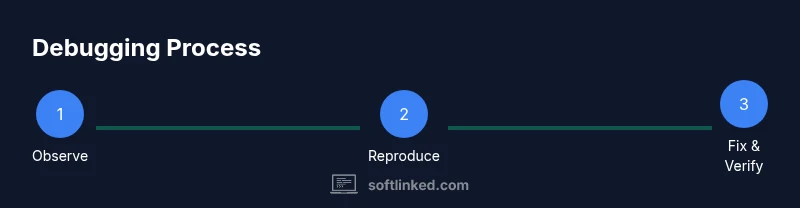
How to fix software glitch: A practical, step-by-step guide
A comprehensive, developer-focused guide to diagnosing and resolving software glitches with safe containment, thorough testing, and durable fixes.


Learn how to fix a software glitch quickly with a structured, reproducible approach. This guide covers how to reproduce the issue, contain the impact, diagnose the root cause, apply a patch or rollback, and verify the fix to minimize downtime and prevent recurrence across environments. It emphasizes practical steps, tooling, and careful testing to avoid cascading problems.
What is a software glitch and how to recognize it
A software glitch is an unexpected, undesired behavior that deviates from the software’s intended contract. It may manifest as a crash, a freeze, incorrect calculations, or intermittent failures that appear without a clear pattern. For developers, the challenge is not just identifying that something is broken, but understanding when the observed symptom qualifies as a glitch versus a feature edge case. When you ask how to fix software glitch, you first need a precise description of the problem, the reproducible conditions, and the impact on users. Good examples include an API returning the wrong status code under load, or a UI component misrendering after a deployment. By labeling the symptom clearly, you create a testable hypothesis and a path toward a fix. In some teams, glitches arise after environment changes, such as library updates, configuration drift, or cache invalidation strategies. Building a shared mental model early saves hours later.
Reproduce the glitch safely: steps to observe and document
Reproduction is the backbone of debugging. Start by defining the exact steps that lead to the glitch, including inputs, timing, and user actions. Capture the software version, environment (OS, container, cloud region), and any data subsets involved. Use a controlled replica of production data where possible, and ensure you have a read-only baseline to compare against. Create a reproducible script or checklist that others can run to observe the same behavior. Collect initial logs, metrics, and any error messages; note the presence of race conditions, timeouts, or resource contention. Document the observed latency, failure rate, and any non-deterministic behavior. The goal is to have a precise bug report that you can test against later.
Contain impact with temporary workarounds
Containment prevents user impact while you investigate. Common tactics include feature flags to disable a problematic path, short-circuiting non-critical flows, or routing traffic away from the affected module. If possible, implement rate limiting or circuit breakers to stabilize the system under test. Communicate with stakeholders about expected behavior and the temporary workaround duration. Remember, containment should be reversible and low-risk, not a permanent fix. Maintain clear changelogs and versioned rollbacks so you can revert quickly if the workaround causes new issues. The objective is to buy time for a robust fix without breaking existing users or data integrity.
Diagnostic toolkit: logs, metrics, traces
A robust diagnostic toolkit combines logs, metrics, and traces to surface root causes. Begin with correlated logs across components and time windows around the glitch. Enable or retrieve stack traces, request/response pairs, and database query details. Look for error codes, exception messages, or unusual resource usage. Instrument critical paths with lightweight tracing to capture causality chains without overwhelming the system. Review recent deployments, configuration changes, and dependency updates to spot drift. Use versioned releases and compare healthy versus failing runs to spot divergent behavior. A disciplined approach to data collection accelerates hypothesis testing later in the process.
Isolation and replication: controlled test case
Isolation creates a safe testbed to verify theories without risking production. Clone the production environment in a staging or sandbox space, maintaining parity in versions, configs, and data shapes. Create a minimal, deterministic test that reproduces the glitch with the smallest possible changes. If the glitch is data-dependent, seed the test with representative datasets; if timing is a factor, simulate load patterns to reproduce race conditions. Document every assumption and ensure tests are repeatable by others. The aim is to convert a vague symptom into a concrete reproduction, so you can isolate the root cause.
Fix strategies: patch, rollback, and configuration changes
Fix strategy choices depend on the root cause and risk tolerance. Start with the smallest, reversible change: a configuration tweak, a patch to a non-critical module, or an updated dependency with a safe lock version. If the change is risky or unproven, prefer a rollback to a known-good state and deploy a temporary hotfix. In a few cases, refactoring or adding guards around the failing path is necessary. Always test changes in the replica environment first and ensure that data integrity remains intact. Keep a clear record of what was changed, why, and the expected outcome to facilitate review.
Validation and testing: regression checks
Validation confirms the fix works and does not introduce new problems. Run end-to-end tests, unit tests, and integration tests that cover the previously failing scenario plus related paths. Use synthetic and real-world data to verify the fix’s robustness under load and edge cases. Include regression tests to prevent future recurrences. Monitor for performance impacts and resource usage, ensuring the system remains within acceptable thresholds. If tests fail or new issues appear, iterate quickly on the fix and retest until stable.
Deployment and rollout: canaries, feature flags, and rollback plans
A careful rollout strategy minimizes risk. Start with a canary or staged rollout to a small subset of users, closely watching error rates, latency, and user experience. Use feature flags to enable or disable the fix without redeploying. Prepare a rollback plan with explicit criteria for when to roll back and how to restore the previous version. Communicate progress to stakeholders and provide a clear escalation path if metrics deteriorate. Post-deployment validation should compare post-fix data to the baseline and confirm that the glitch is resolved across monitored segments.
Preventing future glitches: monitoring and best practices
Prevention combines proactive monitoring, robust testing, and disciplined release practices. Invest in observability: comprehensive logs, metrics, and traces tied to business outcomes. Strengthen configuration and data drift controls to catch changes before they cause issues. Build automated tests that cover the glitch scenario, edge cases, and real-world usage. Implement blue/green or canary deployments to reduce blast radius. Regularly review incident post-mortems to identify process gaps and update runbooks accordingly.
Common pitfalls and how to avoid them
Common pitfalls include attempting large-scale fixes without sufficient data, neglecting rollback planning, and skipping staging tests. Avoid misattributing symptoms to the wrong component; always seek corroborating evidence across logs and traces. Do not rush patches that could affect data integrity or security. Maintain clear communication with stakeholders and ensure documentation is up to date. By anticipating these pitfalls, you can streamline future recoveries and raise overall system reliability.
Tools & Materials
- Logs access(Include error, warning, and info logs for the timeframe around the glitch.)
- Debugger/trace tooling(Enable instrumentation to collect stack traces and function call paths.)
- Staging environment with production-like data(Replicate production data shape and load patterns safely.)
- Rollback/patch deployment capability(Ensure you can revert changes quickly if needed.)
- Monitoring dashboards(Track key metrics and alerts post-fix to detect regressions.)
- Documentation of changes(Record rationale, changes, and expected outcomes.)
- System state snapshot(Capture versions, configs, env, and runtime details.)
Steps
Estimated time: 60-90 minutes
- 1
Prepare the workbench
Set up a safe, isolated workspace that mirrors production. Gather logs, environment details, and baseline metrics. Confirm access rights and backup plans before touching any code or config.
Tip: Create a check-in sheet with what you will change and why. - 2
Reproduce the issue
Execute the exact steps that trigger the glitch in the replica environment. Record results precisely, including timing, inputs, and observed outputs. Ensure the reproduction is deterministic or document non-deterministic factors.
Tip: Automate reproduction when possible to ensure consistency. - 3
Collect evidence
Aggregate logs, traces, metrics, and recent deployment data around the glitch. Correlate events across services to identify which component first deviates from expected behavior.
Tip: Label data with timestamps and environment identifiers. - 4
Formulate a hypothesis
Based on evidence, propose the most plausible root causes and testable hypotheses. Prioritize changes that are reversible and low-risk to validate early.
Tip: Use a checklist to constrain bias during hypothesis testing. - 5
Test minimal changes
Apply the smallest, verifiable change in a controlled setting. Rerun the reproduction to assess whether the glitch disappears without introducing new issues.
Tip: Prefer config/flag changes before touching core logic. - 6
Validate the fix
Perform thorough validation across staging and production-like data. Run full test suites, performance checks, and user-visible scenarios.
Tip: Document validation criteria and pass/fail thresholds. - 7
Plan deployment
Draft a rollout plan with canary steps and rollback criteria. Communicate the plan and expected outcomes to stakeholders.
Tip: Define rollback thresholds before deployment begins. - 8
Document and monitor
Update runbooks and incident post-mortems with the root cause, fix details, and validation results. Monitor after deployment to ensure stability.
Tip: Set up alerts for any reoccurrence or performance drift.
Your Questions Answered
What counts as a software glitch?
A glitch is an unexpected software behavior that deviates from intended functionality, causing errors, crashes, or incorrect results. It is typically reproducible under defined conditions and observable across stakeholders.
A software glitch is when the program behaves unexpectedly, causing errors or crashes that you can observe under certain conditions.
How long does debugging typically take?
Time varies with reproducibility, data availability, and system complexity. A well-documented reproduction and a safe testbed significantly shorten the debugging cycle.
Debugging time depends on how easy it is to reproduce and isolate the cause; good setup helps a lot.
Should I patch or rollback first?
Start with the smallest, reversible change if feasible (e.g., a config toggle). If the change is risky or unproven, rollback to a safe state and plan a longer-term fix.
Begin with a reversible change, and only rollback if the risks are too high.
How can I prevent similar glitches?
Improve observability, add targeted tests for edge cases, and enforce configuration drift controls. Regular post-incident reviews help refine prevention strategies.
Make observability and testing stronger to stop glitches from reoccurring.
What documentation should accompany the fix?
Record symptoms, the reproduction steps, root cause analysis, the exact fix applied, and validation results. This builds a reliable knowledge base for future incidents.
Document what happened, what you changed, and how you verified it.
Watch Video
Top Takeaways
- Reproduce precisely to diagnose effectively
- Contain risk before digging into root causes
- Test fixes in safe environments before production
- Document changes and validation to prevent regression
- Use controlled rollouts to minimize user impact