How Software Is Created: A Practical Step-by-Step Guide
Learn how software is created from idea to deployment. This SoftLinked guide covers the SDLC, roles, tools, testing, and real-world steps for aspiring developers.


Software is created by turning ideas into working code through iterative cycles. You will learn the major stages of the software development lifecycle, the roles involved, and the essential tools and practices that bring a project from concept to reality. This guide helps aspiring developers plan, build, and maintain software with confidence. It also explains how to apply fundamentals to real projects in 2026.
What is software creation and why it matters
According to SoftLinked, software creation is the disciplined process of turning ideas into executable programs that solve real problems. It answers how is software created by combining user research, design, coding, testing, and continuous improvement. The SoftLinked team found that most successful software projects start with clear goals and measurable outcomes, then move through iterative cycles that accommodate learning and changing requirements. By framing software creation as a series of repeatable activities rather than a single milestone, developers can manage risk, align stakeholders, and deliver value faster. In this section you’ll learn the core concept and how it connects to everything that follows in this guide. This framing helps you see software creation as a journey with repeatable steps, not a one-time event.
The software development lifecycle (SDLC) explained
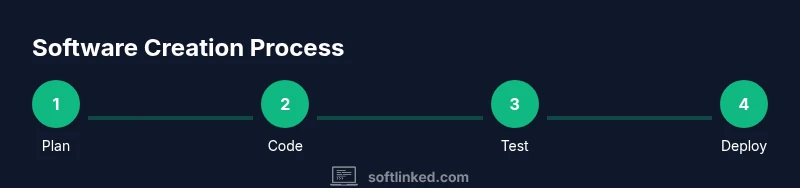
The SDLC is a repeating set of activities used to plan, build, test, and deploy software. The core idea is to break work into distinct phases with gates to review progress. Common models include waterfall, iterative, and agile approaches; modern teams typically favor agile methods that emphasize collaboration, rapid feedback, and incremental delivery. Understanding the SDLC helps you set realistic timelines, communicate with stakeholders, and measure progress using concrete artifacts such as user stories, design diagrams, and test results. When asked how software is created, think of SDLC as the backbone that guides every decision from concept to production. The SoftLinked team emphasizes using lightweight processes that fit your team and project size.
Core phases in detail: planning, design, implementation
Planning establishes what to build and why. Design translates requirements into architecture, data models, and interfaces. Implementation is the actual coding and integration of components. In practice these phases are not strictly linear; teams revisit early work as new information emerges. Clear acceptance criteria, lightweight prototypes, and architectural decisions guide the flow from concept to a tangible product. Throughout these steps, maintain traceability between requirements, design decisions, and test cases to prevent drift and rework, a common source of delays.
Teams, roles, and collaboration patterns
A typical software project involves product managers, designers, software engineers, testers, and operations staff. Collaboration is fostered through regular ceremonies, lightweight documentation, and shared tooling. Clear ownership and defined handoffs reduce confusion, while cross-functional squads help align technical decisions with user value. For beginners, understanding who does what helps you participate effectively in meetings, contribute code early, and learn how decisions ripple through the product.
Tools, languages, and architectural patterns
Developers choose languages and frameworks based on project requirements, team expertise, and long-term maintainability. Common patterns include monolithic, microservices, and serverless architectures, each with trade-offs in deployment, scaling, and complexity. Version control, continuous integration, and automated testing are essential to keep code healthy as the system grows. Language and tool choices should align with your goals: speed to market, reliability, and maintainability over the long term.
Quality assurance, deployment, and maintenance
Testing spans unit, integration, and user acceptance testing to catch issues early. Continuous integration and delivery pipelines automate builds, tests, and deployments, shortening feedback loops. After release, monitoring, logging, and regular maintenance keep software reliable and secure over time. Documentation and post-release reviews help teams learn from production incidents and plan meaningful improvements for the next iteration.
Common challenges and how to overcome them
Scope creep, unclear requirements, and unrealistic timelines are frequent obstacles. Mitigate these by investing in up-front discovery, maintaining a living backlog, and enforcing small, testable increments. Communication gaps between teams can be bridged with shared dashboards and regular reviews. Embrace experimentation with safe bets and incremental changes to reduce risk and accelerate learning.
Tools & Materials
- Development computer with internet access(Modern workstation with at least 8 GB RAM)
- Integrated development environment (IDE) such as VS Code(Install extensions for language support and debugging)
- Version control system (Git) + remote repository(Git workflow and access to GitHub/GitLab)
- Build and dependency management tools(Choose based on language (npm, Maven/Gradle, pipenv/poetry))
- Automated testing tools(Unit and integration tests with test data setup)
- Documentation tooling(Markdown editor or wiki platform)
- Project management/communication tools(Jira, Trello, Slack/Teams)
Steps
Estimated time: 4-12 weeks
- 1
Define the problem and gather requirements
Identify user needs, pain points, and success criteria. Collect stakeholders' goals, create concise user stories, and document acceptance criteria. This foundation guides design decisions and prevents scope creep later in the project.
Tip: Write user stories with clear acceptance criteria and prioritize by value. - 2
Design the solution and plan architecture
Translate requirements into architectural sketches, data models, and component interfaces. Decide on a technology stack, data flows, and how modules will interact. Create lightweight prototypes to validate concepts early.
Tip: Use diagrams (flowcharts, component diagrams) to communicate design choices. - 3
Implement core features
Start with a small, testable core feature set. Write clean, modular code with clear interfaces. Integrate components gradually, validating each addition against acceptance criteria.
Tip: Commit often with meaningful messages and keep functions small. - 4
Test thoroughly and gather feedback
Run unit, integration, and user-acceptance tests. Collect feedback from stakeholders and adjust requirements or designs as needed. Document test results to guide future work.
Tip: Automate tests where feasible to accelerate feedback. - 5
Deploy and monitor in production
Set up a deployment pipeline, monitor health signals, and log incidents. Use feature flags to release gradually and verify behavior in production.
Tip: Define rollback procedures and alerting thresholds ahead of time. - 6
Maintain, reflect, and iterate
Review usage data, fix bugs, and plan improvements. Prioritize work based on impact and feasibility, maintaining a healthy backlog for future cycles.
Tip: Schedule regular retrospectives to learn and adapt.
Your Questions Answered
What is the first step in software creation?
Identify user needs and set clear goals. Define success criteria to guide design and implementation.
Identify user needs and set clear goals to guide the project.
What is the software development lifecycle (SDLC)?
SDLC is a framework of phases that guide development from planning to maintenance. It helps organize work and measure progress.
SDLC is a framework of phases guiding development from planning to maintenance.
Which roles are typically involved?
Product managers, designers, developers, testers, and operations teams collaborate across phases.
Product managers, designers, developers, testers, and operations teams work together.
How long does software creation take?
Duration varies with scope and team size; plan milestones and adjust as needed.
It varies based on scope and team size; plan milestones.
What is MVP and why is it useful?
A Minimum Viable Product delivers core value quickly to test assumptions and learn from users.
An MVP delivers core value quickly to test assumptions.
What should beginners focus on to learn?
Master fundamentals, practice small projects, read open-source code, and seek feedback from peers.
Master the fundamentals, practice by building small projects, and seek feedback.
Watch Video
Top Takeaways
- Define user needs before writing code
- Follow a repeatable SDLC model
- Automate tests and deployments
- Iterate on feedback to improve