How to Make Software: A Practical Step-by-Step Guide
A thorough, beginner-friendly guide to turning ideas into working software, covering goals, planning, design, implementation, testing, deployment, and maintenance.


To make software, you start with a clear goal, gather user needs, pick a tech stack, plan a minimal viable product, implement with clean code, test thoroughly, and deploy with monitoring. This guide outlines practical steps, essential tools, and best practices to help you turn ideas into working software.
What it means to make software
According to SoftLinked, making software is a structured problem-solving process that begins with a clear purpose and ends with a running, maintainable product. When you ask how to make software, you are really asking how to translate user needs into a dependable system. This is not about writing code in isolation; it is about aligning people, processes, and technology to deliver value. A successful software project starts with a well-defined problem statement, explicit success criteria, and a plan to validate assumptions early. The goal is to create learning loops that surface feedback quickly and steer the product in the right direction. As you explore, you will see how requirements, design, implementation, testing, and deployment fit together as a cohesive cycle rather than isolated tasks. The SoftLinked team emphasizes that clarity at the start saves time later and reduces rework. Remember: the objective is to ship value, not perfect code on day one, and to improve through rapid iteration.
Clarifying purpose and stakeholders
Before any line of code is written, identify who benefits from the software and why. Work with stakeholders to define the primary user personas, the top pain points, and the measurable outcomes you want to achieve. Create a simple problem statement that everyone agrees on, and translate it into a shared long-term vision. This phase reduces ambiguity, aligns priorities, and establishes the evaluation criteria for success. It also helps you resist scope creep by distinguishing essential needs from nice-to-haves. A clear purpose acts as a compass during later decisions about architecture, features, and timelines.
The mindset: learning loops and validation
Building software is as much about learning as it is about coding. Plan small experiments to validate assumptions early, such as a lightweight prototype, a user interview, or a mock API. Incorporate feedback loops at every major milestone to confirm you’re solving the right problem. This approach reduces risk and accelerates delivery by validating critical choices before scaling. The process fosters a healthy culture of experimentation, collaboration, and continuous improvement, which is essential for sustainable software outcomes.
How to structure your plan: from idea to MVP
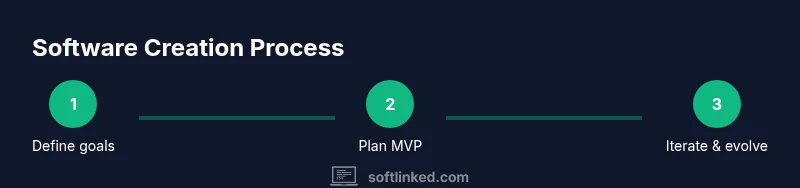
Turn the high-level goal into a concrete plan with milestones, responsibilities, and a minimum viable product (MVP). Outline core features that deliver value with the lowest possible effort. Define acceptance criteria for each feature, decide on a reasonable release cadence, and establish a simple backlog you can refine over time. Guard against over-engineering by prioritizing essential functionality and leaving room for learning from real users. A well-scoped MVP reduces risk and provides a tangible platform for feedback.
Choosing a tech stack and tooling
The choice of languages, frameworks, and tools should reflect the problem domain, team skills, and long-term maintenance considerations. Pick a language that accelerates learning for beginners while remaining scalable for future needs. Select frameworks and libraries that minimize boilerplate and promote best practices. Establish a lightweight tooling ecosystem for version control, testing, and deployment. This phase is not about chasing novelty; it’s about selecting stable, well-supported options that enable you to deliver value quickly.
Design principles that guide quality
Adopt design principles that promote maintainability, readability, and robustness. Favor modular architectures with clear interfaces, separation of concerns, and well-defined data flows. Use patterns that fit the problem space, such as component-based UI or service-oriented design, without over-complicating the system. Document decisions to aid future contributors and reduce the cost of handoffs. Good design reduces technical debt and makes it easier to adapt as requirements evolve.
Implementation from MVP to robust product
Start by implementing the MVP with clean, testable code and automated checks. Embrace small, incremental changes and frequent commits to a shared repository. Establish a code review culture to improve quality and knowledge transfer. As you evolve beyond the MVP, refactor only when needed to accommodate new requirements, and maintain a balance between velocity and reliability. A disciplined implementation phase sets the stage for sustainable growth and easier maintenance.
Quality through testing and feedback
Testing is a first-class part of software development, not an afterthought. Combine unit tests, integration tests, and user-focused validation to cover critical paths. Use test-driven development where it makes sense, and maintain a fast feedback loop through automated test runs. Collect user feedback after every release and translate insights into concrete improvements. The goal is to detect issues early, reduce regressions, and ensure the software behaves as users expect.
Deployment, monitoring, and maintenance
Plan deployment with automation and repeatable processes, so each release is predictable and safe. Set up monitoring to observe uptime, errors, and performance, and establish a rollback plan in case of issues. Maintain the software with regular updates, security patches, and documentation improvements. A successful deployment strategy balances speed with reliability, ensuring users receive updates without disruption. Maintenance is ongoing learning: adapt to new requirements, fix defects, and improve user experience over time.
Tools & Materials
- Computer with internet access(A modern machine with enough RAM for development tasks)
- Integrated Development Environment (IDE)(Examples include VS Code, JetBrains IDEs, or Eclipse)
- Version control system (Git)(Familiarize with branching, commits, and pull requests)
- Build and automation tools(Depends on stack (e.g., npm, Maven, Gradle, Make))
- Unit testing framework(Choose one aligned with the language (e.g., Jest, PyTest, JUnit))
- Documentation platform(Lightweight docs help maintainability)
Steps
Estimated time: 4-6 weeks
- 1
Define purpose and success criteria
Articulate the problem you are solving and quantify what success looks like. Create a brief problem statement and list 3-5 measurable outcomes that matter to users and stakeholders.
Tip: Keep the scope small and focused on delivering value quickly. - 2
Gather requirements and create user stories
Interview potential users or stakeholders and translate insights into user stories. Prioritize features by impact and effort, and establish a minimal viable set.
Tip: Write acceptance criteria for each story to avoid ambiguity. - 3
Design architecture and data flows
Draft a simple architecture diagram showing components, data flow, and integration points. Choose patterns that fit the problem without over-architecting.
Tip: Focus on modularity and clear interfaces for easier maintenance. - 4
Plan the MVP and backlog
Define the MVP scope, create a prioritized backlog, and assign responsibilities. Establish a release cadence aligned with feedback cycles.
Tip: Revisit backlog after user feedback to prune or reprioritize. - 5
Implement with quality in mind
Write clean, readable code with tests. Commit frequently, review code, and ensure error handling and logging are consistent across modules.
Tip: Automate repetitive tasks to reduce human error. - 6
Test early and often
Execute unit, integration, and end-to-end tests to validate core flows. Use automated tests in your CI pipeline for fast feedback.
Tip: Catch regressions early before they reach users. - 7
Deploy with confidence
Automate deployment, run smoke tests, and monitor health post-release. Prepare rollback plans and versioned releases.
Tip: Keep deployments small and reversible whenever possible. - 8
Monitor, learn, and iterate
Track usage, performance, and errors. Use insights to inform the next set of improvements and new features.
Tip: Treat every release as an opportunity to learn.
Your Questions Answered
What does it mean to define an MVP in software?
An MVP (minimum viable product) is the smallest set of features that delivers value to users and validates core assumptions. It focuses on learning and feedback rather than perfecting every edge case.
An MVP is the smallest feature set that proves the idea works and starts the learning loop.
Which programming language should I learn first?
There isn't a single best language. Start with a language that has abundant learning resources, strong community support, and aligns with your goals (web, mobile, systems).
Choose a language with strong community and solid tutorials to build confidence quickly.
How long does it typically take to make software?
Timelines vary by scope and team size. Start with an MVP and plan iterations; your first version can arrive in weeks, with ongoing improvements over months.
It depends on scope, but you can ship an MVP in weeks and improve steadily after feedback.
What is the role of testing in the development process?
Testing confirms that the software behaves as intended and helps prevent regressions. Include unit, integration, and user-acceptance tests where feasible.
Testing is essential to catch issues early and maintain quality over time.
How do I avoid scope creep during a project?
Keep a clearly prioritized backlog, set guardrails for feature growth, and revisit scope at fixed milestones based on feedback.
Sticking to a prioritized plan helps you deliver value without overloading the project.
Should I use open source components?
Using open source can accelerate development, but assess licenses, quality, and maintenance. Choose reputable, well-supported options.
Open source components can speed things up if you vet licenses and reliability.
Watch Video
Top Takeaways
- Define goals before development to guide choices.
- Prioritize an MVP and validate with real users.
- Automate tests and deployments for reliability.
- Iterate based on feedback to improve value.