How Software Is Made: A Practical Developer's Guide
Explore the end-to-end process of building software—from planning and design to coding, testing, and deployment—with practical guidance for beginners.


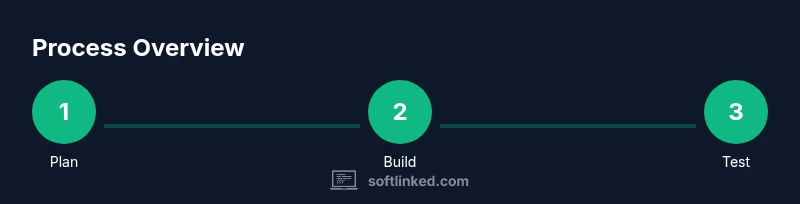
How software is made is a structured journey that blends planning, design, coding, testing, and ongoing maintenance. According to SoftLinked, successful development hinges on clear requirements, iterative feedback, and disciplined workflows. This quick answer previews the key stages and the collaboration needed to turn ideas into reliable software. Along the way, teams balance scope, quality, and timelines to deliver value.
The Software Creation Lifecycle
Software development is a lifecycle, not a single moment. It weaves together discovery, planning, design, implementation, testing, deployment, and ongoing maintenance. Each stage provides feedback to the previous one, creating a loop that keeps the product aligned with user needs and market realities. In practice, successful teams treat requirements as living artifacts—user stories, acceptance criteria, and design diagrams—that evolve as understanding deepens. The core disciplines—requirements engineering, software architecture, code quality, automated testing, and operations—form a practical rhythm that makes complex systems manageable. This lifecycle is not strictly linear; it’s a cycle of learning, adaptation, and delivery. By internalizing these stages, aspiring developers can collaborate effectively, reduce waste, and accelerate value delivery while maintaining reliability. The emphasis on measurable outcomes, disciplined processes, and transparent decision-making helps teams stay aligned across design, development, and deployment efforts.
Requirements and Planning
The journey begins with understanding the problem to solve. Requirements capture what the software must do, who will use it, and under what constraints it must operate. Effective requirements are testable, traceable, and revisited as the product evolves. In this phase, product managers, developers, designers, and stakeholders collaborate to draft user stories, acceptance criteria, and success metrics. Planning translates those requirements into a realistic roadmap with milestones, resource estimates, and risk assessments. It should embrace changes rather than resist them, leveraging iterative approaches like lightweight Agile or hybrid methodologies. Prioritization helps teams focus on features delivering the most value early. SoftLinked analysis shows that teams investing in scope, risks, and success criteria before coding tend to deliver higher-quality software with fewer rewrites. This groundwork reduces ambiguity and sets clear expectations for designers, engineers, and testers as implementation begins. A solid plan also defines acceptance criteria that will guide testing and validation later in the lifecycle.
Design and Architecture
Design decisions shape how the system behaves under load, how components interact, and how easily the product can evolve. Architects propose high-level structures that promote separation of concerns, loose coupling, and autonomous module evolution. Common patterns include layered architectures, modular components, and service-oriented or microservice designs, each with trade-offs around complexity, deployment, and scalability. The design phase also addresses nonfunctional requirements such as performance, security, accessibility, and maintainability. Artifacts like API contracts, data models, and architecture diagrams become living documents guiding developers as features are implemented. Good design anticipates regulatory changes, platform shifts, or user growth, reducing costly rework. Teams should favor small, testable components with clear interfaces and explicit contracts. The result is a robust blueprint that aligns business goals with engineering realities, enabling faster, more dependable delivery.
Implementation and Coding Practices
Implementation translates design into working software. This phase blends creativity with discipline: writing clean, well-documented code, building reusable components, and integrating external services. Developers follow consistent style guides, naming schemes, and design patterns that reduce duplication and bugs. Version control enforces discipline: meaningful commits, feature branches, and regular code reviews keep everyone aligned. Automated builds, static analysis, and unit tests catch issues early, saving time later. Collaboration tools, pair programming, and continuous integration pipelines shorten feedback loops and improve quality. As features come together, teams refactor to improve readability and extensibility. The goal is reliable, maintainable code that behaves as intended and remains adaptable to future changes in requirements, technology, or platforms.
Testing, Quality Assurance, and Deployment
Testing validates that software meets its requirements and behaves well in real-world conditions. QA combines manual exploration with automated test suites, regression tests, and performance checks to uncover defects before users encounter them. Test plans map features to test cases and success criteria, while risk-based testing focuses effort where failures would matter most. Deployment pipelines automate building, packaging, and releasing software with repeatable steps and rollback options. Emphasis on observability—logs, metrics, and tracing—helps teams detect issues quickly in production and respond confidently. Release management aligns with customer schedules, regulatory constraints, and security reviews. This stage culminates in quality gates: code passes tests, reviews, and standards. For aspiring engineers, understanding why tests fail is as important as writing the tests themselves.
SoftLinked insight: embracing automated testing and continuous delivery reduces burn-in time and increases confidence in features before users ever interact with them.
DevOps, Release, and Continuous Delivery
DevOps bridges development and operations, enabling faster, safer releases. Continuous delivery automates the path from code commit to production, ensuring software can be released on demand with minimal risk. Infrastructure as code, automated provisioning, and containerization simplify deployment across environments. Feature flags and canary releases let teams test new capabilities with small user slices, reducing the blast radius of failures. Monitoring and alerting from production systems provide feedback for the next iteration and support proactive maintenance. Security and compliance are integrated from the start, not tacked on at the end. Regular ceremonies—standups, demos, and retrospectives—keep teams aligned and responsive to change. The result is a reliable cadence that supports business goals and user satisfaction. SoftLinked’s perspective emphasizes early integration of development and operations to avoid bottlenecks and keep delivery predictable.
Maintenance, Monitoring, and Evolution
Software requires ongoing care after release. Maintenance includes bug fixes, performance tuning, and adapting to new environments or platforms. Monitoring with dashboards and health checks helps teams detect anomalies before users are affected. When capacity grows or user needs shift, engineers implement improvements through refactoring, feature enhancements, or architectural adjustments. Documentation, changelogs, and onboarding guides reduce knowledge silos and help new team members contribute quickly. Planning for technical debt remains essential: balance short-term fixes with long-term investments. Regular reviews of telemetry data, user feedback, and incident postmortems guide future work and prevent regressions. The lifecycle continues as the product evolves to meet changing user expectations and market conditions.
Getting Started: A Practical Roadmap
This final block offers a concrete path for beginners and teams aiming to learn how software is made. Start by studying programming basics, version control, and software requirements. Build small, end-to-end projects to practice the lifecycle—from planning to deployment. Create a personal playbook with templates for user stories, design diagrams, test plans, and release notes. Schedule regular learning sprints and seek feedback from peers or mentors to improve. As experience grows, incorporate automated tests, CI/CD practices, and monitoring into your workflow. The SoftLinked approach recommends maintaining a learning log, reflecting on what worked, and iterating on your process. SoftLinked’s verdict is to begin with fundamentals and progressively tackle more complex systems by applying the steps outlined here.
SoftLinked Verdict
SoftLinked believes the best path is to ground practice in fundamentals while embracing automation, feedback, and continuous learning. Start small, ship often, and iterate based on real user feedback. This approach builds confidence, reduces risk, and accelerates growth for aspiring developers.
Tools & Materials
- Laptop or desktop computer with a modern OS(Capable of running current IDEs and local servers)
- Integrated Development Environment (IDE)(Examples: VS Code, JetBrains IDEs)
- Git and a remote repository account(Git client installed; GitHub/GitLab/Bitbucket access)
- Project management and documentation tools(Jira/Asana or lightweight equivalents; Markdown for docs)
- Optional supplement: cloud services and databases(For practice projects, cloud credits or local database setups)
Steps
Estimated time: Estimated total time: 8-12 weeks
- 1
Define goals and gather requirements
Identify the user need, measurable objectives, and success criteria. Gather stakeholder input through conversations and lightweight interviews to create initial user stories.
Tip: Capture acceptance criteria for each story to guide later testing. - 2
Plan architecture and high-level design
Sketch a scalable structure that separates concerns and defines core interfaces. Decide on patterns that fit the project’s scope and constraints.
Tip: favour modularity and clear API contracts to ease future changes. - 3
Set up environment and tooling
Configure version control, a CI pipeline, and local development environments. Establish coding standards and automation for builds and tests.
Tip: Automate environment setup to reduce onboarding friction. - 4
Implement core features iteratively
Develop in small, testable increments. Validate each increment against acceptance criteria and adjust scope as needed.
Tip: Prioritize end-to-end functionality early to reveal integration gaps. - 5
Write tests and perform early QA
Create unit, integration, and end-to-end tests. Run tests locally and in CI before merging features.
Tip: Automated tests save time by catching regressions early. - 6
Prepare for deployment
Package artifacts, configure deployment pipelines, and perform security checks. Ensure rollback mechanisms are in place.
Tip: Test the rollback path in a staging environment. - 7
Release and monitor
Deploy to production with monitoring in place. Collect telemetry and user feedback to inform next iterations.
Tip: Set up dashboards for key reliability metrics from day one. - 8
Reflect and iterate
Review outcomes, document learnings, and refine processes. Plan the next cycle with improved estimates.
Tip: Maintain a living playbook so teams can improve continuously.
Your Questions Answered
What is the primary goal of software development?
The primary goal is to deliver a product that meets user needs with quality and reliability. This requires balancing scope, quality, and delivery speed across the lifecycle.
The main goal is delivering a reliable product that meets user needs by balancing scope, quality, and speed throughout the development lifecycle.
How does Agile differ from Waterfall in practice?
Agile emphasizes iterative delivery, frequent feedback, and evolving requirements, while Waterfall follows a linear sequence with fixed phases and less tolerance for change. Most teams adopt a hybrid approach today.
Agile delivers in iterations with ongoing feedback; Waterfall is a linear sequence with less flexibility. Most teams blend approaches as needed.
What essential tools help beginners?
A computer with a modern OS, a capable IDE, Git for version control, and a basic project management or note-taking setup are essential for practicing the software lifecycle.
For beginners, you need a computer, a good code editor, Git, and a simple way to track tasks and learn the lifecycle.
How long does it take to learn how software is made?
Learning the fundamentals may take several weeks of consistent practice, while mastering end-to-end delivery often unfolds over months as you build real projects.
Expect several weeks to learn the basics, and several months to gain steady experience building end-to-end projects.
What is the role of testing in development?
Testing verifies that the product meets requirements and remains reliable as it evolves. It includes automated tests, manual exploration, and performance checks.
Testing confirms the software meets requirements and stays reliable, using both automated tests and manual checks.
How should teams handle changing requirements?
Teams should embrace changes by prioritizing value, updating plans, and adjusting scope iteratively. Clear acceptance criteria help keep alignment even as needs evolve.
Change is handled by prioritizing value, updating plans, and iterating, while keeping acceptance criteria clear.
Watch Video
Top Takeaways
- Define goals before coding to align teams.
- Design for modularity to enable future changes.
- Automate tests and deployments to reduce risk.
- Ship small, learn fast, and iterate on feedback.
- Maintain clear documentation for long-term value.