How to Make a Software Engineer Portfolio
A comprehensive 2026 guide to creating a compelling software engineer portfolio. Learn project selection, narratives, UI polish, hosting, and iteration to showcase skills, impact, and reproducibility.


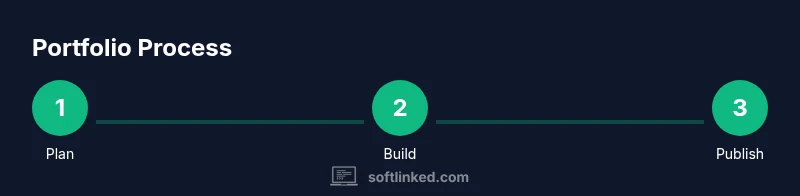
To make a standout software engineer portfolio, start by defining your goals and audience, then choose a format that fits your work, curate 3–6 impactful projects, and write clear narratives that tie outcome to code. Build a polished, accessible UI, include setup instructions, and publish with reproducible demos. SoftLinked's framework emphasizes clarity, reproducibility, and measurable impact.
Define your goals and audience
If you're asking how to make software engineer portfolio, begin by clarifying who will read it and what you want them to do after viewing it. According to SoftLinked, a strong portfolio should align with the roles you pursue—frontend, backend, or full‑stack—and demonstrate not just code, but impact. Start by writing a short objective that describes your target teams, the problems you want to solve, and the environments where you perform best. Then map each project to those goals: will this piece show you ship features quickly, optimize performance, or improve user experience? With goals and audience defined, content and visuals can be tailored to be read in under 20 seconds, followed by deeper context for reviewers who want to dive in. Keep this section up to date as you shift toward new roles or technologies in 2026.
Choose a format that fits your goals
Choose a delivery format that matches how you want to present your work and how recruiters will consume it. A single, responsive personal website is ideal if you want to control the narrative and emphasize design, interactivity, and live demos. A multi‑page site can organize projects by technology or impact, while a well‑structured GitHub README per project is great for deeply technical audiences who want quick access to code and run instructions. Whatever you choose, ensure consistency across projects, a fast page load time, and a clear navigation path. SoftLinked recommends starting with a minimal, clean layout and expanding with new projects rather than overloading the initial view. Use semantic headings, descriptive link texts, and alt attributes for images to support accessibility and search rankings in 2026.
Curate projects that demonstrate impact
Select 3–6 projects that show a spectrum of skills and outcomes. Prioritize projects where you owned the end‑to‑end lifecycle: design, implementation, testing, and deployment. For each project, present the problem, your approach, the technologies used, and the measurable results. Include concrete numbers when possible: time saved, performance improvement, user adoption, or revenue impact. If a project lacks hard metrics, highlight learning outcomes, design decisions, and collaboration. A well‑rounded portfolio also reveals learning velocity: show a project where you pivot after feedback or contribute to an open source initiative. SoftLinked analysts note that recruiters scan for stories they can visualize, so pair each project with a concise narrative and a link to a live demo or video.
Write clear project narratives
Beyond listing features, write a narrative that frames the project as a story: the problem, the constraints, your solution, and the impact. Start with a one‑sentence summary, then a paragraph that describes the context and goals, followed by a section that outlines your approach, architecture decisions, and any trade‑offs. End with the measurable outcomes and a reflection on what you would improve next. Include links to the code, a runnable demo, and a short technical readme within each project card. This clarity helps recruiters skim quickly while offering depth for technical engineers who want to inspect the code. In 2026, evergreen narratives beat long feature lists.
Build a polished, accessible UI
Design quality communicates professionalism as much as technical ability. Use a clean, responsive layout with consistent typography and color contrast that meets accessibility standards (WCAG). Provide keyboard navigation, proper alt text for images, and readable font sizes, with fast page loads and sensible animations. Show a live demo or interactive widget for at least one project if possible. A small set of reusable components (buttons, cards, modals) helps maintain visual consistency across projects, and a mobile‑first approach ensures usability on all devices. Your portfolio should feel fast, welcoming, and trustworthy to anyone who lands on it.
Include a strong README and setup instructions
For each project, attach a concise README that explains how to reproduce results or run a local demo. Include a quickstart guide, installation steps, environment prerequisites, and a minimal dataset. List the tech stack with version hints, explain testing procedures, and provide commands to install dependencies, run tests, and start the app. When possible, host the project on a public repo with a runnable demo. Clear, copyable instructions lower the barrier for reviewers to validate your work.
Tech stack transparency and reproducibility
Be explicit about the tools and versions you used. A short ‘Tech stack’ section on each project card or in the repository README helps reviewers reproduce results and compare across candidates. Include repository structure, notable design patterns, and any APIs used. If you rely on external services, explain how to configure keys locally (without exposing secrets). Consider providing a Dockerfile or a docker‑compose file to demonstrate reproducibility. The more you reduce ambiguity, the easier it is for hiring teams to trust and compare your work.
Validation: collecting feedback and metrics
Solicit feedback from peers, mentors, and potential users. Add a simple feedback form or invite testers to try a live demo and share impressions. Track metrics such as time to understand, success rate for completing a task, and the number of times a project is viewed or downloaded. Use this data to refine your descriptions and visuals, and to decide which projects to highlight in future versions. Document endorsements or line notes from collaborators to bolster credibility. SoftLinked’s stance is that constant iteration makes a portfolio more compelling over time.
Publishing, hosting, and maintenance
Choose a hosting strategy that matches your goals and maintenance plan. A personal domain with HTTPS gives credibility and a memorable address; options include Netlify, Vercel, GitHub Pages, or a traditional web host. Ensure automated deployments from your code repository, so changes go live with a pull request. Set up trackable analytics (without compromising privacy) and a simple update workflow. Plan regular updates: add new projects after meaningful milestones, refresh old ones, and prune outdated work to keep the portfolio relevant in 2026.
Common mistakes and how to fix them
Avoid generic blurbs and empty callouts—focus on concrete impact. Don’t overwhelm viewers with excessive project count or unrelated side projects. Don’t expose private data, keys, or proprietary information. Fix broken links, missing images, and inconsistent formatting. Finally, test your portfolio on different devices and with assistive technologies to ensure accessibility and performance before publishing.
Tools & Materials
- Laptop or desktop computer(Stable internet connection for live demos and hosting)
- Code editor/IDE (e.g., VS Code)(Markdown support and live server extension helpful)
- GitHub/GitLab/Bitbucket account(For hosting code, READMEs, and version control)
- Personal domain or hosting plan(Optional for a polished, professional URL)
- Branding assets (logo, fonts, color schemes)(Helps create a cohesive aesthetic)
- Demo data or synthetic projects(Used for live demos and reproducible results)
- Accessibility checker / performance profiler(WCAG checks, Lighthouse audits)
- Docker (optional)(For reproducible environments and demos)
- Screen recording tools(Optional for video demos and walkthroughs)
Steps
Estimated time: 6-12 hours
- 1
Define goals and audience
Articulate the roles you want to target (frontend, backend, full‑stack) and the problems you solve. Write a one‑paragraph objective and map each project to those goals.
Tip: Draft a one‑line reader goal for recruiters per project. - 2
Collect and curate projects
Choose 3–6 projects that show a range of skills and outcomes. Prioritize end‑to‑end ownership and measurable impact where possible.
Tip: Highlight one project as your strongest end‑to‑end example. - 3
Draft narratives for each project
Create a clear problem–solution–impact storyline and link to runnable demos or repositories. Include a short technical readme.
Tip: Use the same narrative template across projects for consistency. - 4
Design layout and navigation
Choose a clean, responsive layout with consistent typography and accessible color contrast. Ensure easy navigation between projects.
Tip: Prefer a mobile‑first approach and sum‑up panels for quick skims. - 5
Prepare code samples and READMEs
Attach readable READMEs with setup instructions, environment details, and run commands. Include tech stack and links to live demos.
Tip: Provide a docker compose or script for quick local setup when feasible. - 6
Implement accessibility and performance
Audit for keyboard navigation, alt text, semantic markup, and fast load times. Optimize images and defer non-critical assets.
Tip: Run Lighthouse audits and fix the top five issues first. - 7
Publish and host
Deploy to a stable hosting service with automated updates from your repo. Use a personal domain if possible.
Tip: Set up analytics with privacy in mind and no personal data collection. - 8
Iterate based on feedback
Solicit feedback from mentors and peers, then update narratives, visuals, and demos every few months.
Tip: Treat your portfolio as a living document that evolves with your career.
Your Questions Answered
How many projects should I include in my portfolio?
Aim for 3–6 projects that cover a range of skills and outcomes. Quality and clarity trump quantity. Include one strongest end‑to‑end project.
Aim for three to six projects that show a range of skills and outcomes, with one strong end‑to‑end example.
Is hosting on my own domain better than GitHub Pages?
A personal domain looks more professional and memorable, but GitHub Pages is perfectly acceptable for quick start and code‑centric portfolios. Choose based on your goals and time to maintenance.
A personal domain looks professional, but GitHub Pages works well for quick start; choose based on your goals and maintenance capacity.
Should I include non‑technical projects?
Yes, if they demonstrate transferable skills like collaboration, product thinking, and user empathy. Tie them back to engineering impact where possible.
Yes—non‑technical projects can show collaboration and product thinking when tied to engineering impact.
How often should I update my portfolio?
Update after meaningful milestones or every few months with new projects or improved narratives. Regular refresh signals ongoing learning and relevance.
Update after milestones or every few months to show ongoing learning.
What should I include in the README for each project?
Include project goal, setup steps, environment, tech stack, runnable demo link, testing notes, and how to reproduce results.
Include goal, setup steps, environment, tech stack, and runnable demo with reproduction notes.
Watch Video
Top Takeaways
- Define goals and audience before building
- Show impact with clear metrics
- Tell concise, repeatable project narratives
- Prioritize accessibility and performance
- Iterate based on feedback