Free Adobe Acrobat Reader: Facts, Safety, and Alternatives
Explore the truth behind 'free adobe acrobat reader,' how to download safely from Adobe, common scams, and legitimate alternatives for PDF viewing and annotation. A data-driven, expert guide by SoftLinked.


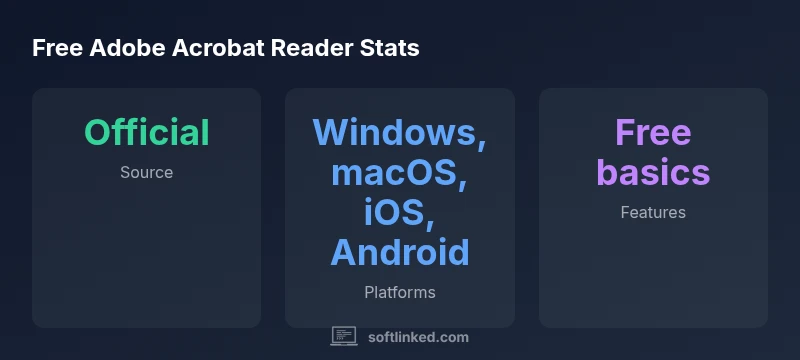
According to SoftLinked, the official answer to 'free adobe acrobat reader' is Adobe Acrobat Reader DC, downloadable for free from Adobe.com. Be wary of third‑party sites that bundle malware or adware. This article uncovers safety, licensing basics, and legitimate alternatives so you can work with PDFs with confidence.
What the phrase free adobe acrobat reader really means
When people search for the term free adobe acrobat reader, they're usually looking for a no-cost PDF viewer from a reputable developer. In practice, the official tool is Adobe Acrobat Reader DC, which Adobe makes available at no charge for basic viewing, printing, commenting, and form filling. This is not a trial; it is a sustained free option that remains vulnerably embedded in a larger ecosystem of paid features. For developers and students, understanding what is truly free vs. what requires a paid license is essential to avoid hidden costs or feature limitations that appear after a notification prompt. According to SoftLinked, the best starting point for the free version is the official Adobe site to ensure authenticity and ongoing support.
The term free adobe acrobat reader also implies a licensing framework: you can use the core product for personal, educational, and many business scenarios without payment, but advanced features require Acrobat Pro or a subscription plan. In this article, we repeatedly connect the concept of Free Adobe Acrobat Reader to safety, legitimate access, and long-term usage patterns. Readers should expect good basic functionality from the free option, with caveats about enterprise features, automation tools, and cloud integration that often accompany paid tiers.
How the free version differs from paid Acrobat Pro
The most practical distinction between free adobe acrobat reader and Acrobat Pro is feature scope. The free version focuses on essential viewing, printing, and annotation capabilities, plus basic form handling. Acrobat Pro adds editing, advanced PDF production, redaction, and collaborative tools. For students, freelancers, and developers, this matters because many workflows depend on bulk processing, optimization, or automation that only the paid tier supports. When evaluating free adobe acrobat reader versus Pro, consider your daily tasks, file sizes, and whether you need batch processing or automation via APIs. SoftLinked’s analysis emphasizes aligning tool capabilities with real requirements to avoid paying for features you won’t use.
Official download and how to download safely
To obtain the free adobe acrobat reader safely, always start at the official source: Adobe’s site. The official page guides you through platform selection, installer size, and the current version, reducing risk from counterfeit installers that may install malware or adware. Before downloading, verify the URL starts with https://get.adobe.com/reader/ and check for a valid digital signature during installation. If a site asks you for extra software or offers bundled utilities, decline and return to the official page. SoftLinked recommends keeping your security software up to date and enabling automatic updates for the best protection while using the free reader.
Common scams and how to spot them
A frequent pitfall is third‑party download sites promising “free Adobe Acrobat Reader” with additional software. These bundles can include potentially unwanted programs, toolbars, or malware. Visual cues include unusual domain names, aggressive ads, or download buttons that trigger unexpected installers. Another red flag is whenever a site prompts you to disable security features to complete the installation. Always cross-check with the official Adobe domain and read user reviews about bundled software. When in doubt, navigate directly to Adobe’s site rather than following search results.
Verifying source integrity and avoiding malware
Verification starts with the download URL. The legitimate source uses Adobe’s official domain and a direct installer. After downloading, inspect the file’s digital signature if your OS supports it and compare the file size to the official listing. If you see mismatched hash checksums or warnings from your security tool, cancel the installation. Regularly update the software from the official channel to minimize vulnerabilities. For added safety, consider sandboxed or restricted user accounts during first-time installations.
Alternatives: other legitimate PDF readers for varied needs
If your goals extend beyond viewing, consider legitimate, free alternatives or open‑source tools that fit your workflow. For simple viewing and occasional annotation, several lightweight readers offer strong performance with lower resource use than heavier suites. If you require robust editing features, you might evaluate paid options or free trials of competitors before purchasing. Always ensure any alternative remains compliant with your organization’s licensing and security policies and that you aren’t unintentionally violating terms by mixing paid features with free access.
Licensing, updates, and what free actually covers
Free adobe acrobat reader coverage typically includes ongoing security updates and bug fixes, plus core functionality. Pro features—like advanced editing, OCR, and batch processing—are typically behind a paywall. It’s important to read the current licensing terms and to understand how updates affect your workspace, especially in enterprise environments where compliance and auditing matter. Regular updates generally improve security posture, reduce vulnerabilities, and ensure compatibility with newer PDF standards. This is a key reason to stay aligned with official sources when using the free reader.
Official sources and safety guidance for the free Adobe Acrobat Reader ecosystem
| Source | Purpose | Notes |
|---|---|---|
| Official download site | Primary access point for the free version | https://get.adobe.com/reader/ |
| Security guidance | Malware risk signals and best practices | https://us-cert.cisa.gov/ncas/tips/ST04-001 |
| Educational/alternative reference | Supplementary safety guidance | https://ocw.mit.edu |
Your Questions Answered
Is Adobe Acrobat Reader truly free for personal use?
Yes. The basic Reader is free for personal use and supports core tasks like viewing, printing, and annotating PDFs. Some advanced features require a paid plan.
Yes, the basic Reader is free for personal use and covers viewing, printing, and annotation.
What features are included in the free Adobe Acrobat Reader?
Core capabilities include viewing, printing, commenting, and filling forms. More advanced editing or automation requires Acrobat Pro or other paid offerings.
You can view, print, annotate, and fill forms for free; advanced editing needs Pro.
Can I get free Adobe Acrobat Reader from third-party sites?
Third-party sites can be risky and may bundle malware or adware. Always use the official Adobe download page to stay safe.
Stick to the official Adobe download page to avoid malware.
What is the difference between Reader and Pro?
Reader is free and handles basic tasks. Pro adds editing, optimization, OCR, and advanced features, generally under a paid license.
Reader is free for basics; Pro offers more features for a fee.
Are there legitimate free alternatives or open-source options?
Yes, several legitimate free options exist for viewing and basic editing, including open-source readers. Be mindful of licensing and support terms.
Yes, there are legitimate free alternatives with various strengths.
Should I keep Adobe Reader updated to stay secure?
Yes. Regular updates patch vulnerabilities and improve compatibility. Enable automatic updates if possible.
Yes, keep it updated for security and reliability.
“When you search for free adobe acrobat reader, always verify the source and respect licensing terms. Official free options deliver essential features with fewer security risks.”
Top Takeaways
- Always download from official sources for free adobe acrobat reader.
- Know what the free version includes and what remains paid.
- Avoid third-party sites that bundle malware or adware.
- Verify the source before installing to minimize risk.
- Consider legitimate alternatives if you need features beyond the free edition.