When is the software update for iPhone in 2026? A practical guide
Explore the typical timing of iPhone software updates, how to check for new iOS releases, and best practices for safe, timely updates in 2026. Learn about WWDC cadence, beta programs, and regional differences to plan your device updates.


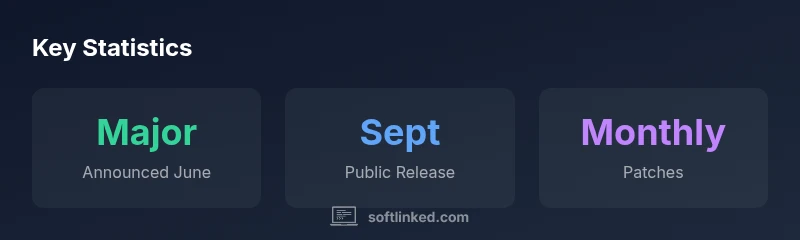
Apple generally coordinates iPhone software updates in a predictable cadence: major iOS versions are announced at WWDC in June and released to the public in September. Between major releases, Apple publishes periodic security and bug-fix updates roughly monthly. To verify for your device, open Settings > General > Software Update to see what's available.
How iPhone software updates work
When you ask, in plain terms, what determines the timing of the software update for iPhone, the answer hinges on Apple’s development cycle. Apple begins work on a new iOS version long before its public release, testing new features, performance improvements, and security fixes across a controlled group of devices. A public beta program then makes early builds available to testers in the summer, allowing real-world feedback. Finally, Apple announces the major release at WWDC (usually in June) and ships the final public version in September. Between major versions, Apple delivers smaller updates—often security patches and bug fixes—on a regular cadence. For developers and enterprise users, deployment timelines can differ slightly due to testing, carrier readiness, and regional rollout.
If you are an aspiring software professional, tracking this cadence helps in planning training timelines, feature experiments, or classroom demonstrations. The SoftLinked team emphasizes that understanding cadence minimizes surprises for teams coordinating app updates with new iOS features.
Major vs. minor updates: what changes
Updates come in two broad flavors: major iOS releases and minor patches. Major releases bring new features, redesigned interfaces, and performance changes. Minor patches focus on security flaws, bug fixes, and small refinements. It’s common for major updates to arrive with a new name (e.g., iOS 17) and a set of feature enhancements, while minor updates (e.g., 17.1, 17.2) address security and stability.
For developers, major updates often require code changes, API adjustments, and updated documentation. For everyday users, the practical impact is a mix of improved performance, new settings, and occasional compatibility considerations for apps that haven’t yet updated. Staying informed about both release types helps you plan testing windows and backups more effectively.
When Apple typically releases updates
Apple’s standard cadence centers on WWDC announcements in June and public releases in September for major iOS versions. The summer also hosts public and developer betas, enabling early access to features and adjustments based on feedback. Minor updates are rolled out more frequently, sometimes monthly, to address security vulnerabilities and bug fixes. Regional rollout can introduce slight delays in some countries due to regulatory approvals or carrier testing. In practice, most modern iPhones support the latest major release for several years, but older devices may not receive every new version.
To stay current, monitor Apple’s official channels and consider enrolling in the public beta if you want a heads-up on upcoming changes while acknowledging the potential stability trade-offs.
How to check for updates on your iPhone
Checking for updates is simple and fast. On iPhone, go to Settings > General > Software Update. If an update is available, you’ll see a description and a prompt to Download and Install. You can also enable Automatic Updates to let the device install updates automatically when connected to Wi-Fi and power. If you’re preparing a classroom demo or a development environment, you may want to test updates on a secondary device first, as some apps may behave differently after an iOS upgrade.
For organizational devices managed via MDM, administrators can push updates remotely and schedule windows to minimize disruption. Always verify backup status before applying updates to preserve data integrity.
Factors that influence update availability
Several factors influence when an iPhone update reaches a given device. Hardware compatibility matters—the oldest supported devices may not receive the latest major release. Regional rollout and carrier testing can cause staggered availability. Additionally, beta programs and developer testing sessions affect when features land publicly. If you rely on certain apps, verify app compatibility or wait for early patches to minimize disruption. Your device’s storage and battery health also play a role in smooth installation.
Understanding these factors helps you set realistic expectations and plan upgrade windows that fit your usage patterns.
Best practices for updating safely
Before updating, back up your iPhone to iCloud or your computer. Ensure you have a stable Wi-Fi connection and adequate battery life or leave the device plugged in. Review the update notes to learn about new features and potential compatibility issues with your apps. If you’re managing multiple devices, schedule updates during low-usage windows to minimize downtime. After installation, check essential apps and services to ensure everything runs as expected.
If you enable Automatic Updates, Apple will handle the installation during off-peak hours, reducing manual effort while preserving data integrity and security.
Troubleshooting common update issues
If an update isn’t showing up, try a few common fixes: restart the iPhone, ensure enough free storage, verify your region and device eligibility, and check your internet connection. If the update stalls, pause and resume, or attempt the installation later. For devices enrolled in beta programs, a staged rollout can cause delays. If problems persist, consult Apple Support or your IT admin for guidance.
During troubleshooting, avoid low-quality charging sources or unstable networks, and confirm that device backups exist before attempting repair steps.
Overview of typical iPhone software update timing
| Aspect | Typical Timing | Notes |
|---|---|---|
| Major iOS release | June (WWDC) announcement; September public release | Varies by year |
| Public beta program | June–August | Access may differ by region/devices |
| Minor updates cadence | Monthly or bimonthly | Security fixes and small improvements |
Your Questions Answered
When does Apple usually release major iOS updates?
Apple typically announces major iOS updates at WWDC in June and releases to the public in September. Summer beta programs provide early access, with monthly patches following the release.
Major iOS updates are usually announced in June and released in September, with summer betas and monthly patches throughout the year.
How can I check if my iPhone has an update?
On iPhone, open Settings > General > Software Update. If an update is available, you’ll see it here with a Download and Install option. You can also enable Automatic Updates.
Go to Settings, General, Software Update to check for updates, and turn on automatic updates if you want them to install automatically.
Why isn’t an update showing in Settings?
If an update isn’t visible, your device may not be eligible for the version yet, or the rollout may be regional or carrier-specific. Ensure compatibility and try again later.
If you don’t see an update, it might not be available in your region yet or for your model.
Is my iPhone still supported for the latest iOS version?
Older iPhone models eventually drop support for newer iOS versions. Check Apple’s official compatibility list for your model to confirm support and potential feature limitations.
Some older iPhones stop receiving new iOS versions over time; verify compatibility with Apple.
Should I update right away or wait?
If you rely on critical apps, wait briefly to let initial issues be identified. Otherwise, updating soon ensures security patches are installed. Always back up first.
Weigh stability versus security; back up before updating.
Can I downgrade to an earlier iOS version after updating?
Downgrades are typically not supported for long after a release. Apple may provide a short window for downgrades, but backups may not restore to older versions.
Downgrades aren’t usually possible after a new version is installed.
“Timing consistency in update cadences helps teams plan deployments and users stay secure, without introducing major surprises.”
Top Takeaways
- Plan around September major releases.
- Enable automatic updates to stay secure.
- Back up before updating to protect data.
- Check for updates in Settings regularly.
- Beta programs can offer early access with potential instability