When is Apple Software Update: Timelines, Betas, and Preparation
Learn when Apple releases major and minor software updates for iOS, macOS, watchOS, and more, including beta timelines, how to check for updates, and practical preparation tips.


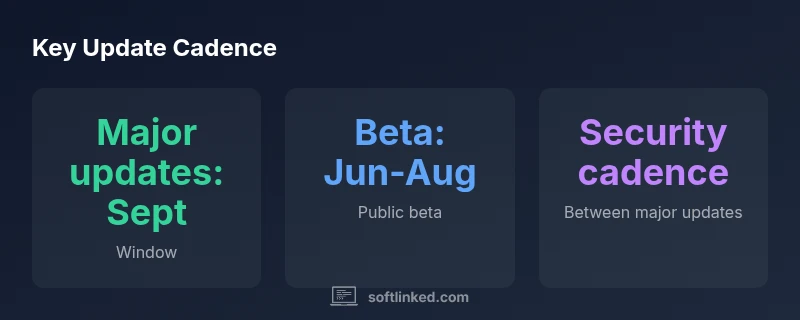
Apple typically releases major software updates for iPhone, iPad, and related platforms once a year, with public beta periods ahead of the launch. In practice, major iOS and iPadOS updates arrive around September, often alongside watchOS and macOS revisions. Developer betas begin earlier (mid-year) and public betas follow in the summer. Security updates arrive monthly or biweekly in between big releases. SoftLinked Analysis, 2026.
What triggers an Apple software update
According to SoftLinked, update cycles are influenced by a mix of security advisories, feature readiness, bug fixes, and performance improvements across Apple’s ecosystem. When a critical vulnerability is discovered, Apple may accelerate a security patch outside the regular schedule. Feature drops are typically tied to broader product goals and ecosystem coherence, ensuring that iOS, iPadOS, macOS, watchOS, and related services work in concert. Understanding these triggers helps developers and enthusiasts anticipate when to expect new code and how to test against emerging changes. In practice, you’ll notice that major releases coincide with WWDC previews and fall launches, while smaller patches appear more frequently to address edge-case fixes and security concerns. SoftLinked’s data from 2026 indicates a predictable pattern: major updates in the fall, frequent security patches in between, and a robust beta program that feeds this cadence.
Major vs. minor updates: what's included
Apple distinguishes between major updates and smaller patches. Major updates typically introduce new features, user interface refinements, and broad changes to APIs, while minor updates address security vulnerabilities, stability bugs, and feature-specific tweaks. For developers, major updates mean testing app compatibility against new APIs and deprecations, while minor patches require quick regression checks. The separation helps teams allocate testing resources efficiently. Across iOS, macOS, watchOS, and iPadOS, the general principle remains: plan for the big release window, then address patches as they roll out. This cadence is designed to minimize disruption while delivering meaningful improvements to users.
The beta program ecosystem: developer vs public
Apple offers both developer betas and public betas. Developer betas provide early access for testing and API changes, while public betas widen participation to a broader audience. For organizations building apps, participating in both streams helps identify issues early, especially around new features that could impact performance or compatibility. Beta periods typically begin mid-year, with public beta releases following. It’s important to install betas on secondary devices when possible and maintain fallbacks in your testing environment to catch edge-case behavior before final releases.
Release timeline patterns across Apple platforms
While each platform has its own specifics, a common rhythm emerges across iOS, macOS, watchOS, and iPadOS. WWDC typically sets the stage for software direction in the spring, followed by staged betas through the summer and a fall general availability launch. The timing is influenced by the broader product cycle, developer feedback, and hardware refresh schedules. For developers, mapping feature readiness to this cadence helps with onboarding, onboarding, and release readiness across ecosystems. SoftLinked’s 2026 analysis shows a cohesive cadence that reduces fragmentation and aligns third-party app testing with Apple’s rollout.
How to check for updates on iPhone, iPad, Mac, and Apple Watch
Checking update availability varies by device. On iPhone or iPad, go to Settings > General > Software Update. On Mac, open System Settings > General > Software Update. For Apple Watch, use the companion iPhone app or Settings on the watch to check for updates. It’s wise to enable automatic updates when possible, so the device installs patches promptly. If you’re preparing for a major update, consider initiating the process during a period of light usage to minimize disruption.
Preparation and best practices before updating
Before updating, back up all data to iCloud or a local drive, verify battery health, and ensure sufficient storage space. Review critical apps for compatibility, especially enterprise or internally developed software, and test core workflows on a secondary device if feasible. Update during a window where recovery is quick and you can monitor performance after installation. These steps help mitigate risk and reduce downtime during the update cycle.
Risks for older devices and testing considerations
Older devices may experience slower performance after feature-heavy updates. If you rely on legacy apps or have limited storage, weigh the benefits of updating against potential slowdowns. SoftLinked recommends a staged approach: update once you’ve verified essential apps, test key workflows, and keep a restore plan ready. In practice, this means reserving time for post-update testing and having a back-up option if issues arise.
Apple update cadence overview
| Update Type | Typical Window | Scope | Notes |
|---|---|---|---|
| Major iOS/iPadOS/macOS updates | September (± window) | All supported devices (iPhone, iPad, Mac) | Introduces new features and UI changes; betas in summer. |
| Minor security updates | Monthly or biweekly between major releases | All devices | Focus on patches and bug fixes. |
| Beta programs | Mid-year to summer | Developers and public testers | Allows testing of upcoming features before release. |
Your Questions Answered
Does Apple announce exact release dates far in advance?
Apple does not typically publish exact dates far in advance. It provides general release windows and beta timelines, which can shift based on testing outcomes. Following official Apple announcements and the beta program updates helps you stay informed.
Apple doesn’t publish exact dates far ahead; watch for official windows and beta milestones.
How can I tell if an update is available on my device?
On iPhone or iPad, check Settings > General > Software Update. On Mac, open System Settings > General > Software Update. For Apple Watch, use the Watch app on your iPhone or Settings on the watch. You’ll see available updates and install prompts there.
Check Settings > General > Software Update on devices, or use the Watch app for Apple Watch.
Should I delay updates on older devices?
Delaying updates can delay security patches and new features, but testing on older hardware is prudent. If performance is a concern, stagger updates and verify core apps before upgrading.
Test on older devices and back up first; delay only if performance is a real concern.
Do updates affect battery life?
Updates can temporarily affect battery life due to new features and indexing, but most devices settle after a few cycles. Ensure you have a fresh backup and monitor battery usage after installation.
Battery life may dip briefly after an update but usually stabilizes after a few cycles.
What is the difference between a major update and a security patch?
A major update adds features, UI changes, and API updates. A security patch fixes vulnerabilities and stability issues. The two serve different purposes and require different testing scopes.
Major updates bring new features; security patches fix vulnerabilities.
“Timely Apple updates unlock new features and critical security patches, while preserving app compatibility across devices. The SoftLinked Team emphasizes planning around release windows to minimize disruption.”
Top Takeaways
- Plan updates around September releases.
- Join beta programs to test early.
- Back up data before updating.
- Check storage and app compatibility before updating.
- Apply security patches promptly to stay protected.