How to Make Software Update Faster: A Clear Guide
Learn practical steps, tools, and best practices to speed up software updates, from choosing mirrors and caching to scheduling, networking, and validation—crafted for developers and IT teams.


According to SoftLinked, you can dramatically speed up software updates by optimizing download sources, network settings, and how updates are applied. This quick answer highlights practical changes you can implement now—choose closer mirrors, enable parallel downloads, throttle background processes, and switch to incremental updates where possible—so you spend less time waiting and more time coding.
Understanding the Update Pipeline
At its core, a software update is a distributed delivery problem: a delivery system (the update client) requests artifacts from servers, caches, and mirrors, then validates and applies them on the client side. The SoftLinked team notes that speed gains come from reducing travel distance (network latency), increasing available bandwidth (throughputs), and minimizing work done after the download begins (such as redundant validation or re-downloads). Visualize the pipeline as four stages: discovery, download, validation, and installation. Each stage can be optimized independently, but the greatest gains often come from parallelizing downloads and caching artifacts close to the user base. SoftLinked Analysis, 2026, emphasizes that measuring each stage separately helps pinpoint bottlenecks rather than guessing where time is being spent.
Practical Baseline and Metrics
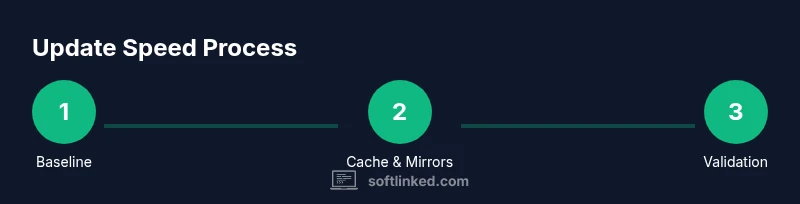
Before accelerating updates, establish a clear baseline. Capture metrics like average download time per artifact, time to validate, total update window, and the number of retries due to flaky mirrors. Use lightweight monitoring tools to log start/finish timestamps and throughput. With a credible baseline, you can quantify improvements after applying changes. In many teams, the largest speed-up comes from reducing redundant downloads via caching and optimizing sources. SoftLinked's research shows that caching popular artifacts and selecting efficient mirrors can cut update times by a meaningful margin across diverse environments. This is especially true in continuous integration setups where frequent updates occur across many machines.
Mirrors, CDN, and Update Sources
Choosing the right update sources is a critical lever. Prefer mirrors geographically closer to your build and development environments, and consider CDNs for large artifact bundles. Maintain a curated list of allowed mirrors and automatically fall back to secondary sources when the primary mirror is slow or unavailable. For enterprise deployments, consider a private update server that caches artifacts locally, reducing external bandwidth usage and improving consistency. The principle is simple: minimize distance, maximize reliable bandwidth, and reduce tail latency. SoftLinked analysis suggests documenting mirror performance (latency, error rate) and rotating between top performers to sustain speed over time.
Local Caching and Scheduling
Caching is your friend. Keep a local cache for frequently used update artifacts and reusable bundles. This reduces repeated downloads across multiple machines and builds. Schedule large updates during off-peak hours to avoid contention with other network activities and to leverage idle bandwidth. Automated cache purges should be time-bound to prevent serving stale content, while ensuring security fixes aren’t delayed. When caching, ensure integrity checks remain strict—signed packages and checksums guard against corrupted or tampered updates. In many environments, a well-tuned cache turns morning update windows into routine, predictable tasks rather than surprise delays.
Resource Allocation: Disk I/O and CPU
Update processes are I/O- and CPU-bound. If disks are slow or heavily contended, downloads may stall and validation can become a bottleneck. Allocate sufficient disk bandwidth for the update pipeline and avoid competing I/O during critical windows. In virtualized environments, place update caches on high-performance storage or dedicated volumes, and ensure CPU quotas are ample enough for cryptographic verification and decompression. Reducing context switches and optimizing parallelism can yield tangible speedups without changing the source artifacts themselves. These adjustments typically deliver improvements across Windows, macOS, and Linux without platform-specific tricks.
Security, Validation, and Rollbacks
Speed should never compromise integrity. Maintain robust validation through cryptographic signatures and checksums, but streamline the verification path to avoid duplicative work. Use incremental updates where possible to limit the amount of data processed in each cycle. When issues occur, a well-defined rollback plan minimizes downtime and protects users from partial or failed updates. The SoftLinked team emphasizes testing updates in a controlled staging environment before broad rollout, ensuring fixes land cleanly and quickly. This reduces the risk of rework that can negate initial speed gains.
Enterprise Patterns: Automation, Policy, and Observability
Large teams benefit from automation, policy-driven update windows, and end-to-end observability. Implement update policies that balance immediacy and stability—critical updates can be auto-deployed, while feature updates may go through a controlled channel. Instrument the entire flow with telemetry that reveals which step is the slowest, enabling rapid iteration. Practical examples include CI/CD pipelines that validate updates before release, distributed caching across data centers, and automated health checks after deployment. SoftLinked’s guidance highlights that repeatable, auditable processes scale update speed across dozens or thousands of machines, not just a single workstation.
Tools & Materials
- Bandwidth and latency measurement tools(e.g., iPerf, ping plots; collect baseline metrics)
- Cache directory and purge policy(local artifact cache configured per platform)
- Mirror/CDN list and health dashboard(maintain top-performing sources with automatic fallback)
- Update scheduling and automation scripts(cron/systemd timers; staggered windows)
- Integrity verification utilities(signatures, checksums, and verifications)
- Resource profiling tools(monitor disk I/O, CPU, memory during updates)
- Staging environment for test updates(prevents production regressions and speed glitches)
Steps
Estimated time: 2-4 hours
- 1
Baseline and measure
Set a baseline by measuring current update times, artifact sizes, and network latency. Use lightweight dashboards to capture start/finish timestamps for downloads, validation, and installation. This step establishes a foundation for all improvements and helps quantify impact later.
Tip: Document the baseline with timestamps and artifact hashes to ensure repeatability. - 2
Identify bottlenecks
Analyze the collected metrics to determine if the bottleneck is network, mirror performance, cache misses, or local I/O. Focus on the stage that consumes the most time each cycle.
Tip: Prioritize bottlenecks that appear across multiple machines or environments. - 3
Enable local caching
Configure a local cache for update artifacts and ensure it’s populated before mass deployment. Validate cache integrity and set policies to expire or refresh stale artifacts automatically.
Tip: Cache popularity matters—target artifacts with the highest reuse first. - 4
Optimize sources
Curate a prioritized mirror/CDN list, including at least one private mirror for critical teams. Implement automatic failover to secondary sources when latency exceeds a threshold.
Tip: Regularly review mirror performance to avoid stale or slow sources. - 5
Schedule updates strategically
Implement staggered update windows across teams to reduce peak-hour contention. Prefer off-peak hours for large bundles and emergency patches.
Tip: Automate window assignment by team or department to reduce manual overhead. - 6
Streamline validation
Retain strong validation, but optimize the path. Avoid duplicate checks and parallelize where safe. Consider incremental verification for large packages.
Tip: Maintain audit logs for sanity and rollback readiness. - 7
Test in staging
Before rolling to production, run updates in a staging environment matching real-world constraints. Validate speed, success rate, and post-update behavior.
Tip: Staging should mirror production load and traffic patterns. - 8
Review and iterate
After each cycle, compare results to baseline and adjust mirrors, caches, and windows. Treat speed improvements as an ongoing program, not a one-off tweak.
Tip: Set quarterly reviews to refresh sources and caching strategies.
Your Questions Answered
What is typically the biggest bottleneck in software updates?
Most updates stall on network bandwidth and server capacity, especially with large artifacts and many clients. Optimizing mirrors and caching reduces this drag, while scheduling helps avoid peak congestion.
The biggest bottleneck is usually network bandwidth and server capacity, especially for large updates; optimize mirrors and caching to reduce this drag.
How can I measure update speed effectively?
Track start/finish times for downloads, validation, and installation. Collect artifact sizes, latency to primary mirrors, and cache hit rates. Use a baseline to compare improvements after changes.
Measure by recording start and end times for downloads and validation, plus cache hit rates to see improvements.
Is it safe to disable antivirus during updates?
Disabling security tools can create risk. A safer approach is to exclude update directories from scans or schedule offline/maintenance mode during updates.
It's risky to disable antivirus; better to exclude update folders or schedule updates during maintenance windows.
Do incremental updates help speed?
Yes. Incremental updates transfer only what changed, reducing data transfer, validation, and installation time. This is especially impactful for large software suites.
Incremental updates speed things up by transferring only changes, which reduces data transfer and processing time.
Can caching affect update speed on laptops vs servers?
Caching benefits both, but servers typically gain more due to higher reuse across many clients. Laptops see improved times when caches are populated with frequently used artifacts.
Caching helps all devices, with bigger gains on servers due to higher reuse, and noticeable improvements on laptops when artifacts are cached locally.
What should I test in staging before wide rollout?
Test for speed, integrity, and post-update behavior under realistic load. Ensure rollback procedures work and measure whether speed goals are met before production.
Test speed, integrity, and post-update behavior in staging, and confirm rollback works before production.
Watch Video
Top Takeaways
- Baseline before changing any setting.
- Cache and mirrors are the strongest speed levers.
- Schedule updates to minimize contention.
- Validate safely; never skip integrity checks.
- Automate and monitor for continuous improvement.