How to deal with outdated software: a practical guide
A practical, educational guide to assess, upgrade, and secure systems when software is outdated, with step-by-step actions, risk considerations, and maintenance strategies.


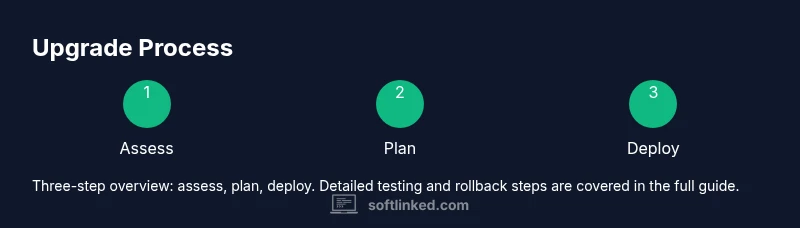
You will learn a phased approach to identify outdated software, prioritize upgrades by risk and impact, implement mitigations when upgrades aren’t immediate, and establish a repeatable maintenance routine to keep systems secure and efficient.
Why outdated software matters
Outdated software is more than a nuisance — it poses real risks to security, performance, and compliance. When vendors stop patching older versions, vulnerabilities linger and can be exploited by attackers. If you’re wondering how to deal with outdated software, you’re tackling risk, uptime, and long-term cost of ownership. The goal is not perfection but a deliberate, repeatable process for inventory, assessment, and timely upgrades. By treating software as an evolving part of your stack, teams reduce firefighting and improve reliability. SoftLinked’s approach blends proactive inventory hygiene with risk-based prioritization and clear upgrade pathways to minimize disruption while preserving security and productivity. Across industries, outdated software correlates with data exposure, slower incident response, and higher maintenance costs. Establishing a steady cadence for updates, testing, and verification is the practical path forward.
Inventory and assessment
Effective management starts with knowing what you have. Build a software inventory that captures every application, version, license status, and deployment scope. Include dependencies, data flows, and integration points. This baseline lets you answer critical questions: which components are end-of-life, which are critical for business, and where security patches are mandatory. A simple, auditable record enables quicker decision making and future audits. In practice, inventory should be updated quarterly, with a quarterly review focused on end-of-life notices, vendor support timelines, and compatibility with security controls. SoftLinked’s methodology emphasizes accuracy and traceability, so teams aren’t guessing about what’s running in production or on user devices.
Prioritize upgrades: security, compatibility, and cost
Prioritization balances risk, business impact, and resources. Start with critical systems handling sensitive data or exposed to the internet, then move to systems with known vulnerabilities or limited vendor support. Factor compatibility: will a patch affect integrations, custom scripts, or regulatory controls? Also evaluate total cost of ownership, including license renewals, migration effort, and potential downtime. A clear prioritization matrix helps stakeholders understand why some upgrades happen sooner than others. For teams using risk management frameworks, map each item to threat scenarios and business impact. This alignment reduces scope creep and clarifies trade-offs for leadership and users alike. The outcome is a realistic upgrade plan that advances security without forcing unrealistic disruption.
Mitigation strategies when upgrading isn’t immediate
Upgrades aren’t always instantly feasible. In these cases, implement mitigations to reduce exposure. Network segmentation and least-privilege access limit the blast radius of compromised components. Application whitelisting and stricter patch baselines reduce unnecessary risk. Disable or limit features that rely on unsupported modules, and apply compensating controls like enhanced logging, monitoring, and anomaly detection. Consider virtualization or containerization to isolate legacy software from newer systems. Finally, establish an interim maintenance window with explicit rollback plans and user communication. These steps buy time while keeping security posture reasonably strong and operations stable.
Migration planning and strategy
A formal migration plan outlines the end state, milestones, resources, and rollback options. Start with a target architecture diagram that shows updated software, data flows, and security controls. Define success criteria (functional tests, performance thresholds, and security checks) before you begin. Create a phased rollout with a sandbox environment for testing, a staging environment for integration validation, and a production window with downtime minimization. Document roles, responsibilities, and communication plans so stakeholders know when to expect changes and who to contact for issues. A well-structured plan reduces surprises and accelerates adoption.
Upgrade paths: on-prem vs cloud, vendor vs open-source
Choosing an upgrade path hinges on control, cost, and risk tolerance. On-prem upgrades offer maximum control but higher operational burden; cloud-based upgrades can simplify deployment and scale quickly but may introduce vendor lock-in. Evaluate whether you should migrate to a newer vendor product, switch to a supported open-source alternative, or adopt a hybrid approach. Open-source software often provides transparency and rapid security updates but requires in-house expertise for maintenance. For critical workloads, plan a parallel run where both old and new environments operate briefly to verify compatibility. The key is to align the path with business goals, security requirements, and internal capability.
Testing before deployment
Testing is non-negotiable when dealing with outdated software. Build a representative test suite that covers critical business workflows, data integrity, and security controls. Use a dedicated testing environment that mirrors production as closely as possible, including users and data samples. Validate integrations with downstream systems, assess performance under load, and verify that access controls function as intended. Automate regression tests where possible to catch unexpected side effects. Record results, issue tickets, and re-test as fixes are applied. Thorough testing reduces rollout risk and increases user confidence in the upgrade.
Deployment and downtime planning
Coordinate deployment windows to minimize business impact. Schedule upgrades during low-usage periods and communicate clearly with stakeholders. Prepare rollback procedures in case something goes wrong, including data recovery steps and contingency contacts. Monitor systems closely during and after the cutover, looking for anomalies in performance, logs, and security events. Maintain a contingency plan for hotfixes or reversion if necessary. A well-choreographed deployment minimizes downtime, preserves data integrity, and reassures users that governance processes are in place.
Documentation and change management
Maintain comprehensive documentation for every upgrade decision, including rationale, scope, and impact analyses. Update runbooks, admin guides, and dependency maps to reflect the new software state. Establish a change-management cadence that includes post-implementation reviews, lessons learned, and a living maintenance backlog. Documentation enables faster incident response, fosters knowledge sharing, and supports audits. Regularly refresh your inventory, patch levels, and security baselines to keep the lifecycle transparent and controllable.
Common pitfalls and how to avoid them
Avoid common traps such as skipping testing, underestimating downtime, and neglecting rollback planning. Do not assume that newer equals better for every component; compatibility is critical. Resist scope creep by setting clear upgrade boundaries and obtaining sign-off from stakeholders. Don’t neglect security basics like credential hygiene and monitoring after upgrade. Finally, ensure continuity by tying upgrades to a documented maintenance roadmap and ongoing reviews. Learning from missteps helps build a resilient, repeatable process for future software lifecycles.
Resources and continuing education
Learning to manage outdated software is an ongoing process. Seek out formal guidance on patch management, vendor lifecycle policies, and secure deployment practices. Build internal knowledge through cross-functional workshops, hands-on labs, and documentation reviews. SoftLinked recommends starting with foundational topics like inventory management, risk assessment, and testing methodologies, then expanding to advanced topics such as zero-downtime upgrades and incident response planning. Continuous education helps teams adapt to evolving threat landscapes and technology stacks.
Tools & Materials
- Software inventory spreadsheet(Capture application name, version, vendor, license status, and deployment scope)
- Backup storage (external HDD/SSD or cloud backup)(Ensure immutable backups and verified restore procedures)
- System access credentials (admin rights)(Keep credentials secure; use role-based access where possible)
- Test environment (sandbox or virtual machine)(Isolate upgrades from production to validate changes safely)
- Upgrade plan document(Outline scope, milestones, rollback, and communication plan)
- Change management log(Record decisions, approvals, and post-upgrade reviews)
Steps
Estimated time: 2-6 hours for initial audit and planning; ongoing maintenance cycles every 3-6 months
- 1
Assess current state
Inventory all software, versions, and lifecycles. Identify end-of-life components and critical systems. Establish baseline security and performance metrics to measure upgrade impact.
Tip: Start with the most critical systems to maximize risk reduction early. - 2
Map dependencies and plan upgrades
Document how software interacts with databases, APIs, and other apps. Create a dependency map to avoid breaking integrations during upgrades.
Tip: Prioritize components with the most dependencies first. - 3
Define upgrade paths and milestones
Choose between on-prem, cloud, or hybrid upgrades. Set clear milestones and a rollback plan for each phase.
Tip: Get stakeholder sign-off on each milestone before proceeding. - 4
Test in a sandbox environment
Replicate production data where permissible and run automated/regression tests to catch issues early.
Tip: Automate as many tests as possible to speed validation. - 5
Deploy with monitoring and a rollback option
Implement upgrades in production with a defined maintenance window. Monitor performance, security events, and user feedback; be ready to revert if needed.
Tip: Keep a hotfix queue and documented rollback steps. - 6
Verify security controls and data integrity
Post-upgrade checks should confirm patch levels, authentication flows, and data accuracy.
Tip: Run integrity checks against a known-good baseline. - 7
Document changes and update runbooks
Record decisions, configurations, and tested outcomes. Update playbooks to reflect the new state.
Tip: Make the documentation accessible to the whole team. - 8
Review and iterate
Schedule a post-mortem to capture lessons and adjust the maintenance plan for the next cycle.
Tip: Treat each upgrade as a learning opportunity.
Your Questions Answered
What qualifies as outdated software?
Outdated software typically means versions that no longer receive security patches, bug fixes, or official support. It may also refer to older software not compatible with current systems or compliance requirements. Regular assessment helps identify candidates for upgrade or mitigation.
Outdated software means versions that no longer get patches and support. Identify these during inventory to plan upgrades and mitigations.
Is upgrading always the best solution?
Upgrading is usually preferred for security and support, but it isn’t always the fastest or cheapest option. In some cases, mitigation, virtualization, or switching to a supported open-source alternative can reduce risk while controlling costs.
Upgrading is preferred, but not always the fastest or cheapest. Consider mitigations or alternatives when needed.
What are safer mitigations if upgrading isn’t possible?
Use network segmentation, least-privilege access, enhanced monitoring, and strict patch baselines to reduce risk. Isolate legacy components when possible and maintain thorough change logs to support rapid response if issues arise.
Mitigate with segmentation, access controls, and strong monitoring when upgrades aren’t feasible.
How do I test upgrades without disrupting users?
Create a sandbox that mirrors production, run automated tests, and validate key workflows. Use data anonymization and synthetic data where possible to protect privacy during testing.
Set up a parallel test env and automate tests to avoid user disruption.
How often should I review software inventory?
Review the software inventory quarterly and after major incidents or new deployments. Regular reviews catch end-of-life notices early and keep the maintenance backlog actionable.
Review inventory quarterly and after major changes.
What about end-of-life software with no upgrades?
If no upgrades are available, implement compensating controls, document risk, and plan a phased migration to supported alternatives. End-of-life software should ultimately be retired on a defined timeline.
Retire end-of-life software on a defined plan and migrate to supported options.
Watch Video
Top Takeaways
- Identify and inventory all outdated software first.
- Prioritize upgrades by risk, impact, and dependencies.
- Test thoroughly in a sandbox before production updates.
- Plan downtime and rollback options to minimize business impact.
- Document changes to enable ongoing maintenance and audits.