Writing Novel Software: A Practical Guide for Builders
Learn how to design, prototype, and ship writing-a-novel software that supports authors from outline to draft. This educator-focused guide covers problem definition, core features, data modeling, UX, tech choices, MVP building, testing, deployment, and accessibility.


By the end of this guide you will know how to plan, prototype, and launch writing a novel software that supports authors from outline to draft. You will define the problem, choose a tech approach, build an MVP, and iterate with user feedback. This is a practical, steps-first approach to turning a concept into a usable writing tool.
Why writing a novel software matters
For aspiring authors and developers alike, writing a novel software – a focused tool to help plan, draft, and organize long-form fiction – can dramatically improve consistency and productivity. According to SoftLinked, the most valuable writing tools emerge when they mirror storytellers’ workflows rather than forcing writers into rigid templates. The SoftLinked team found that writers juggle outlining, character development, scene planning, and revision feedback, which means a good tool should reduce context-switching and cognitive load.
When you design a dedicated solution for novelists, you’re not just building a text editor. You’re architecting a lightweight information graph that connects story arcs, scenes, and characters, and you’re providing affordances for collaboration, versioning, and goal tracking. This approach helps writers stay aligned with their narrative goals while giving editors and beta readers a clear, non-disruptive way to give input. In short, a well-considered novel-writing tool can accelerate creative flow, improve planning accuracy, and enable repeatable writing rituals that lead to polished manuscripts.
Defining the problem and audience
A successful novel-writing software project starts with a clear problem statement and a well-defined audience. Begin by identifying the kinds of writers you want to serve—indie authors, students, or professionals—and the pain points they face during planning, drafting, and revision. Map these concerns to concrete design goals such as reducing fragmentation between notes and chapters, supporting story structure, or enabling seamless collaboration with editors. Consider common writing contexts: long-form projects, episodic scenes, character arcs, and research notes. By centering user needs, you set constraints that prevent scope creep and keep the project focused on delivering measurable value to its target audience.
SoftLinked’s observations suggest that successful tools respect writers’ rhythms and avoid overcomplication. Your early research should capture user stories, not just feature lists. Favor scenarios like outlining a plot beat, drafting a scene, or revising a chapter after feedback. Each scenario becomes the seed for your MVP, helping you decide which features are essential and which can wait for later iterations.
Core features for novel-writing software
A robust novel-writing software should balance structure with flexibility. Typical core features include an outline board that supports story arcs and scene sequencing, a character and world-building module for consistency, a scene-level editor with revision history, and lightweight collaboration and feedback channels. Additionally, consider implementing search and tagging so writers can quickly locate notes, scenes, or character details. A minimal but useful feature set allows writers to adopt the tool without feeling constrained by it. Remember to design for portability—export formats should be flexible and future-proof, so manuscripts can travel with the author as they move between devices or platforms. A thoughtful onboarding flow helps new users find essential features without feeling overwhelmed.
Designing data models and user flows
Effective data modeling is the backbone of writing software. Core entities often include Story, Chapter, Scene, Outline, Character, and Note. Relationships among these objects should reflect how writers think about novels: a Story contains Chapters; a Chapter contains Scenes; Characters and Notes attach to Scenes or Chapters. User flows should cover typical paths: starting a new story, adding an outline, drafting a scene, revising a chapter, and sharing with a collaborator. Your data model should support versioning, so writers can track changes over time and revert when needed. To keep things approachable, implement lightweight validation that enforces sensible links (e.g., a Scene must belong to a Chapter) while staying flexible for experimental writing methods.
UI/UX principles for writers
Writers respond to clarity, focus, and minimal cognitive load. Favor a clean, distraction-minimized interface with a clear reading pane and contextual toolbars. Use progressive disclosure to hide advanced features until users need them. Good typography, comfortable line lengths, and accessible contrast are essential for long writing sessions. Provide keyboard-centric shortcuts for common actions and consider a distraction-free mode that hides nonessential panels. Accessibility should be baked in from the start, with proper semantic markup, keyboard navigation, and screen-reader compatibility. Remember: the best UI guides the writer gently toward their manuscript, not toward gimmicks or flashy widgets.
Choosing a tech stack and architecture
Select a tech stack that supports rapid iteration, offline-capable workflows, and scalable data storage. For web-first tools, a frontend framework with solid state management, real-time sync capabilities, and robust offline caching is valuable. On the backend, a modular architecture with clear API boundaries helps you evolve the product while protecting user data. Consider data sovereignty, encryption for sensitive notes, and role-based access controls for collaboration. A scalable architecture enables you to add features—like AI-assisted drafting or structured templates—without rebuilding core components from scratch. Prioritize maintainability, testability, and a philosophy of small, incremental improvements.
Building an MVP with safe, scalable foundations
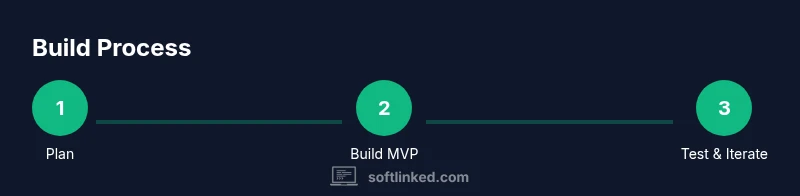
Start with an MVP that demonstrates the core value: helping writers outline, draft, and organize scenes with reliable data integrity. Focus on a minimal data model, a clean drafting interface, and a straightforward outline workflow. Establish a testing strategy early, including unit tests for data relationships and end-to-end tests for common user journeys. Build with an eye toward future extensibility: plug-in friendly features, export options, and an API layer that other tools can leverage. This approach reduces risk and accelerates learning from real user feedback, which is critical for a successful product in a creative domain.
Testing, feedback loops, and iteration
Iterative testing is essential for a writer-facing product. Collect qualitative feedback through usability sessions and guided beta tests, and pair it with lightweight analytics that respect user privacy. Test key journeys: creating a story outline, drafting a scene, and applying feedback to revision. Use findings to prune or refine features, re-prioritize backlog items, and adjust the UX. Ensure your release cadence grows boringly predictable, so writers know what to expect with each iteration. The goal is a stable, delightful tool that writers reach for daily, not just occasionally.
Deployment, maintenance, and future enhancements
Plan deployment with a focus on reliability, data security, and seamless updates. Provide clear versioning and migration notes so users can move between releases without losing work. Maintainable code, comprehensive docs, and a transparent roadmap help build trust with your user base. In future enhancements, consider capabilities that leverage AI-assisted drafting, enhanced templates for various genres, and deeper analytics on writing habits. Always balance innovation with accessibility and performance to ensure the tool remains approachable for writers at all levels.
Ethical considerations and accessibility
Ethical design begins with inclusive accessibility and privacy respect. Design for a wide range of devices, screen sizes, and input methods, and ensure features do not create unnecessary barriers for writers with disabilities. Protect user data with strong privacy practices and transparent policies about data use. Provide opt-in options for features that rely on external services, and be mindful of cognitive load. An accessible, privacy-conscious product not only broadens your user base but also aligns with responsible software development practices.
Tools & Materials
- Laptop or workstation(Current-gen hardware with reliable internet for collaboration)
- Design tool (Figma, Sketch, or similar)(Used for UI wireframes and prototype designs)
- Code editor/IDE(Popular choices include VS Code, JetBrains IDEs)
- API mock tool(Optional for simulating backend during early prototyping)
- Notes/research repository(Digital notes or physical notepads for user stories)
Steps
Estimated time: 4-6 weeks
- 1
Define scope and audience
Articulate who the software serves and what problems it solves for them. List core tasks writers perform and outline a minimal feature set that delivers immediate value.
Tip: Validate scope with at least one potential user persona and an example writing workflow. - 2
Map data and user flows
Draft data entities (Story, Chapter, Scene, Character, Note) and sketch user journeys from start to finish, including outline creation and scene drafting.
Tip: Create simple flow diagrams to visualize relationships and transitions. - 3
Sketch UI wireframes
Produce low-fidelity layouts for key screens: outline board, scene editor, and notes panel. Focus on readability and minimal distractions.
Tip: Prioritize keyboard shortcuts and a distraction-free mode. - 4
Choose tech stack and architecture
Select a frontend framework with strong state management and offline support, and design a modular backend for future features.
Tip: Document API contracts and data schemas early. - 5
Build a minimal viable product
Implement core capabilities: outline, draft editor, and basic persistence. Ensure data integrity and simple versioning.
Tip: Release with a simple onboarding flow to reduce friction. - 6
Enable collaboration and export
Add sharing, comment/inbox capabilities, and basic export formats to support editors and writers.
Tip: Keep collaboration permissions clear and privacy-respecting. - 7
Perform usability testing
Conduct sessions with target users to observe how they use the MVP and where friction occurs.
Tip: Capture both qualitative feedback and optional usage metrics. - 8
Plan iterative improvements
Prioritize enhancements based on feedback, focusing on features that significantly improve writing flow.
Tip: Maintain a visible backlog and communicate updates to users.
Your Questions Answered
What is the first step to building novel-writing software?
Define the target writer and outline the core problem you want to solve. This helps you scope the MVP and prioritize features that deliver immediate value.
Start by identifying your target writer and the main problem you’ll solve. This sets the direction for your MVP.
Which data models are essential for a novel-writing tool?
Common entities include Story, Chapter, Scene, Outline, Character, and Note. Establish relationships so writers can navigate from outline to draft smoothly.
Key models are Story, Chapter, Scene, and Notes with clear relationships to support drafting workflows.
Should collaboration be in the MVP?
Include basic collaboration features if they directly impact writing flow, but avoid complex permission systems in the earliest release.
Include simple sharing early if it helps writers get feedback; keep permissions straightforward.
How do you ensure accessibility from the start?
Design with readable typography, proper color contrast, keyboard navigation, and screen-reader compatibility.
Make accessibility a default, not an afterthought, so all writers can use the tool.
What is a good export strategy for manuscripts?
Offer flexible export formats that preserve structure, such as structured text or markup-friendly options, so manuscripts can be used elsewhere.
Export options should preserve structure and be easy to import into other tools.
Watch Video
Top Takeaways
- Define clear writer-centered goals and avoid overbuilding.
- Model data around Story, Chapters, Scenes, and Notes to reflect writing workflows.
- Iterate with real users to guide feature priorities.
- Design for accessibility and privacy from day one.
- Plan MVP with a tight scope and scalable architecture.