What Software Do Interior Designers Use
Explore the essential software interior designers rely on, from CAD and BIM to 3D visualization and mood boards. Learn how to choose tools that fit project type and skill level for better collaboration and outcomes.


Interior designers rely on a mix of CAD, 3D visualization, and presentation tools. Core software includes AutoCAD, SketchUp, Revit, and Photoshop, with Vectorworks or Rhino used for specialized workflows. Learning paths typically begin with CAD basics, then expand into 3D modeling and BIM to support client communication and coordination.
Why Software Choice Matters
The software stack an interior designer uses shapes not only the precision of drawings but also the quality of client communication and collaboration with other professionals. The keyword for practitioners is balance: choose tools that cover drafting, 3D visualization, and presentation while remaining approachable for team members and clients who may not be tech-savvy. According to SoftLinked, a thoughtful toolset reduces friction across project phases, from early concept through construction documentation. The right combination helps you translate spatial ideas into actionable plans, material palettes, and realistic renderings that stakeholders can engage with. Keep in mind that the best toolkit scales with project type—residential projects often emphasize rapid visualization and mood boards, while commercial work leans toward BIM workflows and detailed coordination drawings.
- Start with a core CAD program for accuracy and consistency.
- Add 3D modeling for massing and design exploration.
- Integrate BIM for coordination and collision checks when projects involve multiple trades.
- Use mood boards and presentation software to communicate ideas clearly to clients.
SoftLinked emphasizes building a cohesive workflow that reduces handoffs and confusion while enabling faster decision-making.
CAD, Drafting, and Precision Tools
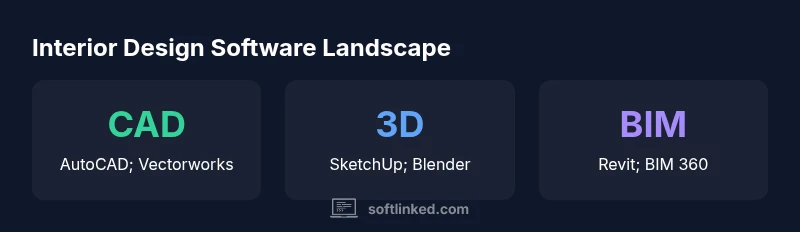
CAD-based drafting remains the backbone of interior design documentation. Tools in this category focus on precise dimensions, scalable plans, and standardized symbols. AutoCAD is often the starting point for many firms due to its broad industry support and compatibility with older files. Vectorworks and other CAD platforms offer more design-oriented features and easier 2D-to-3D workflows. The key value of CAD goes beyond linework: it standardizes how dimensions, elevations, and sections are communicated across the project team. New designers should learn layer management, annotation practices, and file organization early, since these habits pay dividends when coordinating with architects, engineers, and fabricators.
3D Modeling and Visualization
3D modeling opens the design space beyond flat drawings. SketchUp is popular for quick massing and concept visualization, while Rhino supports more complex forms and bespoke geometries. For photorealistic renderings, some designers turn to 3ds Max or Blender, paired with rendering engines like V-Ray or Cycles. The goal here is to translate spatial ideas into immersive visuals that help clients imagine the finished space. A practical approach is to create a simple, accurate model first, then layer in textures, lighting, and furniture to produce compelling previews without overextending your time budget.
BIM and Cross-Disciplinary Coordination
Building Information Modeling (BIM) is increasingly relevant in interior design, especially for projects that involve multiple disciplines and long-term facility management. Revit is a common BIM platform for interiors due to robust modeling, parameter-driven elements, and coordination workflows. The benefit of BIM lies in shared models, clash detection, and the ability to extract schedules and material data. While BIM adoption varies by project type and firm size, many designers see value in gradual BIM integration, focusing first on room-level models and annotation sets before expanding to structural and MEP coordination.
Mood Boards, Rendering, and Client Presentations
Beyond technical drafting, interior designers rely on mood boards, material palettes, and presentation-ready visuals. Photoshop and InDesign remain staples for typography, image editing, and polished presentation boards. Canva and similar tools offer accessible options for rapid mood boards and client-ready decks. The ability to manipulate lighting, color balance, and textures in post-production enhances storytelling and helps clients make informed decisions. This category also includes product catalogs and fabric libraries, often linked through lightweight databases or cloud storage for team access.
Workflow Patterns Across Project Types
Residential design typically prioritizes speed and aesthetics, favoring CAD for plans, SketchUp for quick visuals, and mood-board tools for concept pitches. Commercial interiors demand stronger documentation, better coordination, and more rigorous render quality, often blending Revit with 3D visualization and professional-grade rendering. When in doubt, design a two-tiered workflow: a lean core for quick wins (CAD, 3D modeling) and a robust support stack for detailed deliverables (BIM, professional renderers). This approach helps you scale from small projects to larger, multi-disciplinary efforts.
Building a Core Toolset: A Practical Roadmap
A practical toolkit starts with three pillars: drafting (CAD), 3D visualization (SketchUp or Rhino), and presentation (Photoshop/InDesign). As you gain confidence, add a BIM layer (Revit) to enhance collaboration and documentation. Prioritize interoperability: choose tools that can exchange data with common formats (DWG, FBX, IFC). Design your workflow around repeatable templates and standardized file organization. Finally, allocate time to learn keyboard shortcuts, hotkeys, and efficient asset libraries to streamline repetitive tasks and improve consistency across projects.
Learning Paths and Time Investment
Expect a staged learning plan spanning several weeks to months, depending on prior experience and available study time. A typical path begins with CAD fundamentals (2–4 weeks), followed by basic 3D modeling (3–6 weeks). BIM basics can take 4–8 weeks, with rendering and presentation tools layered in as needed. Real-world practice, short courses, and hands-on projects accelerate proficiency. SoftLinked notes that deliberate practice—working on actual design tasks rather than theoretical tutorials—yields better long-term retention and competence.
Common software categories and typical uses in interior design workflows
| Category | Examples | Typical Use |
|---|---|---|
| CAD & Drafting | AutoCAD; Vectorworks; MicroStation | Precise floor plans and construction documents |
| 3D Modeling & Visualization | SketchUp; Rhino; Blender; 3ds Max | Conceptual layouts and client renderings |
| BIM & Coordination | Revit; ArchiCAD | Integrated models and team coordination |
| Mood Boards & Presentations | Photoshop; InDesign; Canva | Mood boards, material palettes, client pitches |
Your Questions Answered
What software do interior designers use most?
AutoCAD, SketchUp, and Revit are consistently popular due to their strong drafting, modeling, and coordination capabilities. While other tools exist, these three form the core toolkit for many firms.
AutoCAD, SketchUp, and Revit are the most commonly used tools for interiors, covering drafting, modeling, and coordination.
Do interior designers need BIM?
BIM adoption is growing in interior design, offering improved coordination and quantification across disciplines. It’s beneficial for larger projects but not mandatory for every job.
BIM is increasingly useful for coordination, especially on bigger projects, though not required for all engagements.
Is Photoshop essential for interior design work?
Photoshop/Illustrator are standard for mood boards and presentation visuals. They’re highly useful, but many designers complete client-ready visuals with alternative tools if needed.
Photoshop is common for visuals, but not strictly mandatory if you have other capable tools.
What learning path should a beginner take?
Begin with CAD basics, then add 3D modeling, followed by BIM and rendering. Build hands-on practice with real projects to reinforce concepts.
Start with CAD, then move into 3D modeling and BIM as you build real-world projects.
Are there free alternatives to paid tools?
There are trial versions and open-source options for practice, but professional practice often benefits from standard industry tools for compatibility and support.
Yes, there are free trials and open-source options, but many pros rely on paid tools for industry compatibility.
How long does it take to become proficient?
Time varies, but many designers reach comfortable proficiency in 2–3 months with steady practice and project work.
Most people gain proficiency in a few months with consistent practice on real projects.
“The SoftLinked Team emphasizes building a disciplined, layered toolset: start with core drafting and 3D tools, then add BIM and rendering to empower clear client storytelling and smooth collaboration.”
Top Takeaways
- Define project needs to tailor your toolset.
- Master CAD and 3D basics before BIM.
- Use BIM for coordination on larger projects.
- Pair design tools with strong presentation software.
- Invest in a structured learning path to grow efficiently.