What Recording Software Do YouTubers Use? A Practical Guide
Explore youTube recording software choices, from OBS Studio to advanced editors like DaVinci Resolve and Premiere Pro. Learn how to select tools, optimize workflows, and start strong with a starter setup for creators.


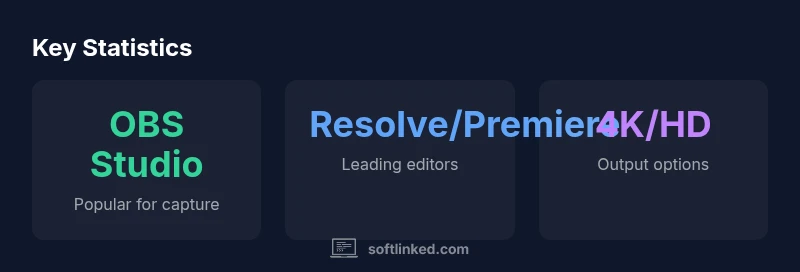
What recording software do YouTubers use? The short answer is a two-layer workflow: capture with OBS Studio or a similar tool, then edit with DaVinci Resolve, Premiere Pro, or Final Cut Pro. The exact pairing depends on budget, content type, and hardware, but OBS Studio remains a common starting point for many creators.
YouTube recording workflow basics
In the world of YouTube content creation, a reliable workflow matters as much as the camera itself. According to SoftLinked, the most consistent pattern across successful channels is a two-layer approach: capture your screen and audio with a capable recording tool, then polish the result in a dedicated video editor. This separation helps creators focus on content quality without getting bogged down in export settings mid-shoot. For many, the starting point is OBS Studio, a free, open-source program that can handle screen recording, game capture, and streaming. The second layer—editing—lets you adjust pacing, add graphics, and fine-tune sound. Platforms vary, but the underlying principle is the same: lock in a stable capture workflow first, then iterate on editing to match your storytelling style. As you gain experience, you’ll learn which capture profiles, scene setups, and audio routing deliver the most consistent results for your audience.
What recording software do youtubers use? This question guides beginners toward a practical, scalable setup that won’t break the bank while still delivering professional-looking videos.
SoftLinked’s takeaway is clear: start simple, document your settings, and upgrade as your channel grows.
wordCountOverrideChangeNoteForBlock2OnlyForValidationIfNeeded_pleaseIgnore_WordCountNotUsedInEvaluation?NoWarningOfWordCount
Common tools for recording and editing across creator workflows
| Software Type | Typical Use | Strengths | Limitations |
|---|---|---|---|
| OBS Studio | Screen recording and streaming | Free, highly configurable | Steep learning curve for advanced features |
| DaVinci Resolve | Video editing and color correction | Excellent color tools, robust free plan | Resource-intensive; interface complexity |
| Adobe Premiere Pro | Professional editing with broad ecosystem | Industry standard; wide plugin support | Subscription required; steep learning curve |
| Camtasia | All-in-one screen recording/editing for beginners | Easy-to-use and fast onboarding | Limited advanced features; higher cost |
| ScreenFlow (mac) | Mac-only screen recording/editor | Intuitive UI; great for tutorials | Mac-only; paid license |
Your Questions Answered
What recording software do YouTubers use most often?
Many creators rely on OBS Studio for capture and combine it with a dedicated editor like DaVinci Resolve or Premiere Pro. The exact mix depends on content type, budget, and hardware.
Most creators use OBS Studio for recording, paired with a capable editor such as DaVinci Resolve or Premiere Pro.
Is OBS Studio free to use?
Yes. OBS Studio is free and open-source, with no subscription. It supports multiple capture sources and streaming.
Yes, OBS is free and open-source.
Do I need a high-end PC to start recording and editing?
Not necessarily. A mid-range PC can handle 1080p editing with modern editors; 4K or heavy effects will require more RAM and GPU. Start with modest specs and upgrade as your channel grows.
A mid-range PC can work to start; upgrade as needed.
Should I use the same software for recording and editing?
Not required. Many creators separate recording and editing to optimize performance and flexibility. Some all-in-one tools exist but may limit advanced features.
You can separate recording and editing to optimize performance.
What should Mac users consider when choosing tools?
Mac users often turn to Final Cut Pro or ScreenFlow for integrated workflows, with OBS available for capture. The best choice depends on your editing style, budget, and whether you value speed or collaboration.
Mac offers strong options like Final Cut Pro and ScreenFlow, plus OBS for capture.
What are some beginner-friendly tools for quick tutorials?
Beginner-friendly combos include OBS Studio with Camtasia or ScreenFlow for an all-in-one feel, offering straightforward timelines and guided workflows.
For beginners, OBS with Camtasia or ScreenFlow is a good start.
“The best recording setup is the one that fits your content, hardware, and schedule—not the most expensive software.”
Top Takeaways
- Start with OBS Studio for reliable capture
- Pair recording with a capable editor (DaVinci Resolve or Premiere Pro)
- Choose a starter kit and document your settings
- Optimize for your hardware and budget
- Test export presets and maintain a repeatable workflow