What video editing software do YouTubers use: a guide
Discover which video editing software top YouTubers rely on, how choices differ by platform and budget, and practical tips to pick the right tool for your channel.


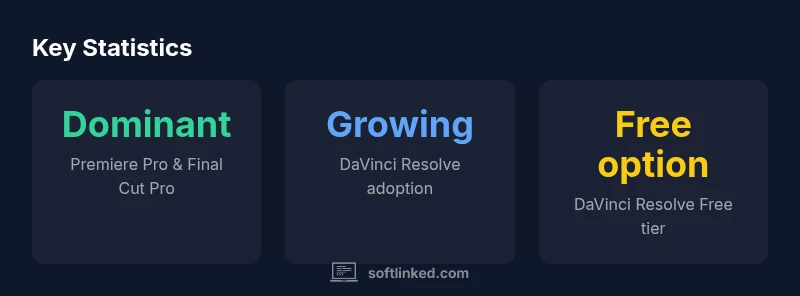
Most YouTubers rely on a small set of editors that fit their OS, budget, and workflow. The big three are Premiere Pro, Final Cut Pro, and DaVinci Resolve, with Resolve gaining ground thanks to a strong free tier and robust color tools. The best choice depends on your hardware, content type, and whether you work solo or with a team.
Why YouTubers care about the editing tool
The editing tool a creator chooses directly shapes production speed, consistency, and the final look of videos. For solo creators, a fast workflow and reliable export are mission-critical; for teams, collaboration features and project sharing matter just as much. Hardware compatibility—GPU acceleration, proxy workflows, and timeline performance—often determines what feels effortless and what becomes a bottleneck. In practice, most successful channels prioritize a toolchain that fits their operating system, budget, and existing creative habits. According to SoftLinked, the majority of creators begin with a familiar ecosystem and gradually expand as their channel grows, avoiding vendor lock-in while preserving room to experiment. The SoftLinked team found that the right editor also influences post-production speed, the ease of applying color grades, and the ability to reuse templates or assets across videos. In short, choosing the right tool is not just about features; it’s about sustaining momentum from the first cut to the final export.
The big three editors and why creators pick them
-
Adobe Premiere Pro: The de facto standard for many professional editors, with broad plugin support, cross-platform availability, and deep integration with the Adobe Creative Cloud. It shines when you edit long-form videos, incorporate motion graphics, and collaborate across a team. Its learning curve is steep, but the payoff is flexibility across different project types.
-
Final Cut Pro: A favorite among Mac users who value speed, an optimized timeline, and a one-time purchase model. It tends to deliver fast renders and snappy performance on Apple hardware, with strong media organization and magnetic timeline features that many creators love.
-
DaVinci Resolve: Known for top-tier color grading and a growing all-in-one editing suite. The free version covers most editing needs, and the Studio version adds advanced tools. It’s increasingly adopted by creators who prioritize color and post-production polish without a heavy software budget. SoftLinked analysis notes its growing community and affordability as drivers behind its rising popularity.
Other viable options worth knowing
-
iMovie: Free on macOS/iOS, it's approachable for beginners and a gentle introduction to timeline editing. It’s often used as a stepping-stone before moving to more feature-rich editors.
-
Open-source and budget-friendly editors: Tools like Shotcut or OpenShot offer cross-platform editing without ongoing costs, suitable for hobbyists or study projects. They may lack some advanced features but are valuable for learning core concepts.
-
Mobile-first editors: Apps on iOS and Android can handle rough cuts and quick social edits. They’re useful for creators who publish directly from a smartphone or tablet and want to maintain a lean setup while traveling. For many creators, mobile editing is a testbed before committing to a desktop workflow.
How to pick the right editor for your channel and hardware
-
OS and hardware: If you’re on macOS with a capable GPU, Final Cut Pro is compelling. If you’re on Windows or need cross-platform work, Premiere Pro remains a versatile option. DaVinci Resolve provides a balanced fit across platforms, especially for color-centric work.
-
Content type and workflow: Long-form tutorials or documentary-style videos benefit from robust timeline editing and captioning tools. Quick cuts for social clips may favor simpler interfaces and faster export times.
-
Budget and licensing: If you want to avoid ongoing costs, consider Final Cut Pro or DaVinci Resolve Free/Studio options. If you rely on a broader Creative Cloud workflow, Premiere Pro makes more sense.
-
Learning curve and support: Premiere Pro and Final Cut Pro have extensive tutorials and community forums; Resolve’s newer all-in-one approach has a growing library of learning resources as well.
Practical workflows used by successful YouTube channels
-
Preproduction: Plan scenes and storyboards to minimize reshoots; organize media with consistent naming and metadata.
-
Inline editing workflow: Use a lean rough cut to assemble the narrative, followed by a color-grade pass and audio mixing in a separate session.
-
Export strategy: Create delivery-ready presets for YouTube, including different aspect ratios and codecs; test on multiple devices to ensure color and audio balance translates well.
-
Version control and backups: Save incremental versions, store on a weekly cadence, and keep external backups to avoid data loss.
-
Efficiency tips: Learn keyboard shortcuts, customize panels, and use proxy media for high-resolution projects when working on limited hardware.
Practical decision path to choose your editing software
-
Start with your OS and budget. If you’re on Mac with a tight budget, try Final Cut Pro; otherwise, begin with Premiere Pro or DaVinci Resolve.
-
Stage your test project. Create a 2–3 minute sample video and edit with two editors you’re weighing to compare performance and comfort.
-
Compare export quality and time. Note render speed on your hardware and how easily you can apply color grades.
-
Decide and commit. Pick the tool that best fits your workflow, then invest in a few core plugins and a short training plan to accelerate your learning.
Quick comparison of popular editing software
| Software | Platform | Licensing | Key Strengths |
|---|---|---|---|
| Adobe Premiere Pro | Windows/macOS | Subscription | Broad ecosystem, industry-standard |
| Final Cut Pro | macOS | One-time license | Optimized for Mac, fast rendering |
| DaVinci Resolve | Windows/macOS/Linux | Freemium + paid Studio | Excellent color grading, all-in-one |
| iMovie | macOS/iOS | Free | Beginner-friendly, quick setup |
Your Questions Answered
Which software is best for beginners?
For beginners, iMovie and DaVinci Resolve Free offer approachable interfaces and guided workflows. Start with one of these to learn editing basics before moving to more feature-rich editors.
If you’re new to video editing, start with iMovie or DaVinci Resolve Free to learn the basics before upgrading.
Do YouTubers typically stick to one editor?
Many creators start with a single editor but may switch as their needs evolve or as they work with collaborators. The switch can be costly in terms of learning time and workflow integration.
Most creators pick one editor to get consistent results, then consider others if their needs change.
Is DaVinci Resolve suitable for all kinds of videos?
DaVinci Resolve covers editing, color, and audio in one program, making it versatile for many genres. Heavy color grading or Fusion effects may require a stronger GPU and more RAM.
Resolve is versatile, but it can be demanding on hardware.
Can you edit on a budget without compromising quality?
Yes. Free tiers and affordable licenses can deliver professional results if you optimize your workflow, use proxy editing, and invest in good audio and color basics.
Yes—great results are possible with budget-friendly tools if you focus on fundamentals.
What about mobile-first editing for YouTube?
Mobile editors are convenient for quick clips and on-the-go filming. They’re not always ideal for long-form videos, but can be a productive part of a broader workflow.
Mobile editors work for quick clips, but for polished videos you’ll likely move to desktop editors.
Are there lasting licensing changes I should watch for?
Software licensing shifts are common and can affect upgrade paths. Keep an eye on your tool’s licensing terms when a major update is released.
Licensing terms can change; review updates before upgrading.
“Editors who optimize for workflow over features finish sooner and with fewer revisions. The best choice is the tool that fits your process, not the most expensive one.”
Top Takeaways
- Start with an OS-compatible editor and test a short project
- Prioritize speed, color grading, and export settings
- Learn keyboard shortcuts to boost efficiency
- Consider hardware limits and proxy workflows
- Try free versions before buying licenses