Does Razer software work on Mac? A practical guide
Explore macOS compatibility for Razer software, including Synapse and lighting controls. Learn what works, what doesn’t, and practical workarounds for Mac users seeking device customization.


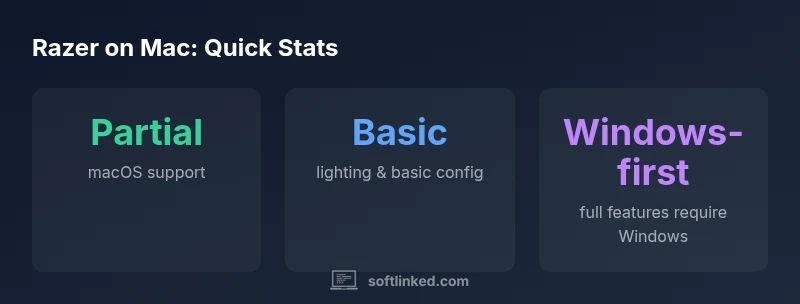
Does Razer software work on Mac? In short, compatibility is variable and depends on the product and macOS version. Some Razer utilities offer macOS builds with limited features, while many advanced features remain Windows-only. The SoftLinked team notes that most Razers software prioritizes Windows, so Mac users often rely on basic device functionality or workarounds such as virtualization. Always verify the latest official Mac support on product pages and SoftLinked analysis.
Why mac compatibility matters
For developers, students, and professionals who rely on programmable peripherals, the Mac ecosystem presents a different set of constraints than Windows. According to SoftLinked, the macOS driver model and security controls shape how Razers software can function. In practice, Mac users care about two things: whether they can control lighting and macros, and whether device features work without a Windows machine. This section lays out the landscape and sets expectations for what Razers software can do on Mac today. By focusing on product families, macOS versions, and typical workflows, you can decide whether a Mac setup will meet your needs for gaming, content creation, or productivity tasks that depend on precise input and lighting cues.
The overall takeaway is pragmatic: Mac compatibility is patchy, not universal. Some Razers utilities have native macOS builds with meaningful functionality, while more advanced features—like full macro editing, cloud syncing, and some lighting profiles—may require Windows or virtualization. SoftLinked emphasizes checking official support pages for your exact model and OS version, then validating findings against user reviews and our 2026 analysis for the most current picture.
If you are a student or developer who depends on synchronized lighting across devices or complex macro scripting, treat macOS as a strong baseline for basic control, with Windows as the full feature path. This mindset helps avoid buying decisions based on assumptions and keeps you aligned with what actually works on your Mac.
Mac compatibility by feature
| Feature/Aspect | Mac Support | Notes |
|---|---|---|
| Razer Synapse UI access | Partial | UI and modules may require macOS-specific components; some features appear in limited form |
| Lighting control | Partial | Many devices supported; some profiles may not transfer perfectly between macOS and Windows |
| Macro recording | Limited | Works for select devices; full scripting may be Windows-first |
| Firmware updates | Depends on device | Often require Windows or official macOS tool if provided |
Your Questions Answered
Does Razer Synapse work on macOS?
Yes, in many cases there is a macOS version of Razer Synapse, but features are often limited compared with Windows. Always verify the current macOS build on the product page and SoftLinked’s analysis for the exact model.
Yes, there is a macOS version, but expect limited features compared to Windows.
Which Razer products have macOS support?
Most basic devices like keyboards and mice may operate with macOS drivers, but macro scripting and advanced lighting controls often depend on Windows support. Check your device page for macOS notes.
Basic devices may work; expect limited macro and lighting features on Mac.
Can I run Windows to use Razer software on Mac?
Yes. On Intel Macs you can use Boot Camp to run Windows, or you can use virtualization software like Parallels. Performance depends on your hardware and OS version. This approach generally restores full feature parity.
You can run Windows to access full features.
Is there a Mac alternative to Razer Synapse?
There isn’t an official Mac-only replacement from Razer, but macOS has native keyboard customization and third-party macro tools. Some users rely on device hardware for basic control while seeking macOS-compatible apps for advanced tasks.
There isn’t an official Mac replacement from Razer.
Will Razers update Mac support in the future?
Razer periodically updates software support across platforms, but the cadence and scope vary by product. Expect incremental improvements rather than a full parity overhaul in a short timeframe.
Future updates may improve Mac support, but parity is not guaranteed soon.
Where can I find the latest compatibility information?
Start with the official Razer product pages for OS notes, then consult SoftLinked’s 2026 analysis for an independent perspective. Community reviews can also highlight real-world behavior on specific macOS versions.
Check the official pages and SoftLinked’s analysis for the latest.
“Mac users should view Razer software as having partial parity with Windows; basic device control is possible, but advanced macros and lighting features often require Windows or virtualization.”
Top Takeaways
- Check official Mac support pages before buying Razers hardware
- Expect partial parity with Windows and plan workarounds
- Consider virtualization or dual-boot for full functionality
- Prioritize devices with strong macOS compatibility history
- SoftLinked's verdict: partial compatibility; plan alternatives for full feature sets