What to Do When an Application Misbehaves: A Practical How-To
Learn a structured, safe approach to diagnose and fix common software issues when an application misbehaves. This guide covers reproducible steps, logs, environment checks, safe fixes, and escalation paths for reliable recovery.


This guide explains what to do when application misbehaves, outlining a clear, safe approach to diagnose and resolve common issues. You’ll perform quick sanity checks, gather logs, reproduce the problem, apply reversible fixes, and decide when to escalate. Following this steps-based method minimizes downtime and protects data integrity.
What to Do When an Application Misbehaves: Mindset and scope
When an application behaves unexpectedly, the best approach is methodical, not reactive. This guide helps you build a repeatable process that starts with quick checks and ends with documented outcomes. According to SoftLinked, most issues fall into a few categories: environmental changes, configuration drift, missing dependencies, or bugs in code. By approaching the problem with a clear plan, you reduce guesswork and preserve data. The goal is to restore functionality with minimal risk while learning from the incident to prevent recurrence.
Common root causes of application issues
At a high level, many problems trace back to environment and configuration, not just code. SoftLinked analysis shows that misconfigurations, stale dependencies, and insufficient permissions are frequent culprits. Other frequent causes include network instability, insufficient system resources (CPU, memory, disk I/O), and incomplete or failed deployments. Understanding these categories helps you triage faster and communicate findings clearly to teammates and support teams.
A structured troubleshooting framework you can rely on
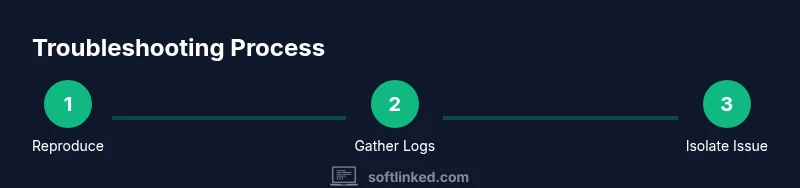
A reliable troubleshooting framework emphasizes reproducibility, observation, and containment. Start with a reproducible scenario, collect evidence, isolate the fault, apply a reversible fix, and verify the result. This approach reduces noise, prevents collateral damage, and creates a documented trail for future incidents. The framework supports collaboration by providing a shared language for engineers, operators, and stakeholders.
Step 1: Reproduce the issue reliably
The first actionable step is to reproduce the problem in a controlled way. Define the exact user actions, inputs, and system state that lead to the failure. Use a clean environment when possible to avoid contamination from previous runs. A reproducible scenario makes it far easier to verify a fix later and to communicate the problem to teammates or vendor support.
Step 2: Collect logs, errors, and contextual data
Collecting evidence is essential. Save console logs, crash dumps, stack traces, and timestamps. Capture screenshots or screen recordings of error messages and gather related metadata (user, role, environment, version, patch level). Centralize this information in a single ticket or shared document so everyone sees the same context. This helps with triage and reduces back-and-forth.
Step 3: Check the environment and prerequisites
Verify that the operating system, runtime, libraries, and services meet the application's requirements. Confirm that you have the correct version of dependencies and that permissions, network access, and storage quotas are adequate. Environment drift is a common cause of failures, so validating the baseline helps separate software defects from configuration issues.
Step 4: Isolate the problem area (code, config, data, or external service)
Use a process of elimination to determine whether the fault lies in the application’s code, its configuration, the data being processed, or an external service. Tools like feature flags, staged deployments, and error budgets can help. Narrowing the scope reduces the blast radius of any fix and clarifies next steps.
Step 5: Apply safe, reversible fixes first
Prioritize fixes that are easily reversible and low risk. For example, revert a recent config change, roll back a deployment in a staging environment, or patch a known dependency. Avoid sweeping changes in production without validation. Document each change and ensure you can undo it if needed.
Step 6: Validate the fix with tests and monitoring
After applying a fix, run targeted tests that cover the reproduction scenario and any related functionality. Use monitoring and metrics to confirm the issue is resolved and that there are no side effects. If tests pass but symptoms persist, broaden the test coverage or re-check the root cause.
Step 7: Review performance, memory, and resource usage
Performance regressions and resource exhaustion often underlie failures. Check CPU, memory, disk I/O, and network throughput during the incident. If resource constraints are detected, identify hot paths, optimize queries or code, and consider scaling or quotas to prevent recurrence.
Step 8: Networking, dependencies, and external services
Many issues hinge on external services, DNS, API limits, or network policies. Validate connectivity, credentials, and API endpoints. Ensure retry strategies, timeouts, and circuit breakers are configured correctly. Document any dependency flakiness and establish failure-handling procedures.
Step 9: Update, rollback, and backups
If a vulnerability or bug prompted the incident, consider applying an update or patch from trusted sources. If the fix introduces new risk, prepare a rollback plan and validate backups. Always confirm you can restore from backup if needed and test the restoration process.
Step 10: Document, communicate, and prevent recurrence
Conclude with a clear incident report: what happened, why, what was changed, and how to verify resolution. Share findings with stakeholders and update runbooks or playbooks to prevent recurrence. SoftLinked’s guidance emphasizes turning incidents into learnings that strengthen future resilience.
Step 11: Post-incident review and preventive measures
A formal post-incident review helps extract actionable insights. Identify process gaps, update checklists, and adjust monitoring alerts. Establish a plan for regular audits of configurations and dependencies to minimize future outages and improve incident response readiness.
Tools & Materials
- Access to logs and monitoring dashboards(Include time range before, during, and after the incident)
- Text editor or ticketing tool(For documenting findings and changes)
- Screenshots and screen recording tool(Helpful for error messages and UI behavior)
- Stable network connection and access to environment (prod/staging)(Avoid testing over unstable networks)
- Backup and rollback plan(Must be tested and documented)
- Access to relevant documentation (vendor docs, internal runbooks)(Helpful for reference)
Steps
Estimated time: Total time: 90-180 minutes
- 1
Reproduce the issue
Define the exact actions and state that cause the problem. Use a controlled environment to avoid interference from prior runs. Document inputs, user roles, and timing to enable exact replication.
Tip: Keep the original steps identical for re-testing later. - 2
Collect evidence
Save logs, error messages, and diagnostics. Include timestamps and relevant context such as user ID and environment. Centralize artifacts for quick review.
Tip: Label artifacts consistently by incident ID and scenario. - 3
Verify the baseline environment
Check OS, runtime, libraries, and permissions. Confirm dependencies match the required versions and network access is intact.
Tip: If baseline differs, note the delta as a potential cause. - 4
Isolate the fault domain
Determine whether the issue is in code, config, data, or an external service. Use reversible changes and feature flags to test hypotheses.
Tip: Limit changes to a single domain per test where possible. - 5
Apply a safe fix
Choose a fix that is reversible and low risk. If uncertain, emulate a temporary workaround in a staging environment first.
Tip: Document every change and why it was chosen. - 6
Validate the fix with tests
Run unit, integration, and end-to-end tests focused on the reproduction path. Observe system metrics during validation.
Tip: If tests fail, revert and reassess. - 7
Assess performance and resources
Monitor CPU, memory, disk I/O, and network usage during and after the fix to catch side effects or regressions.
Tip: Tune resource limits if necessary. - 8
Check dependencies and services
Validate connectivity and credentials to external services. Review API quotas, DNS, and retries.
Tip: Document any flaky dependencies and mitigation steps. - 9
Plan update or rollback
If you decide on an update, ensure a rollback path exists and backups are valid. Test rollback in a safe environment.
Tip: Never push a fix without a tested rollback path. - 10
Communicate and close the incident
Prepare a concise incident report with cause, fix, validation, and preventive actions. Share with stakeholders and update runbooks.
Tip: Capture lessons learned and assign owners for follow-up.
Your Questions Answered
What should I check first when an app crashes?
Start with reproducibility, check recent changes, review logs, and verify environment baselines. Confirm the failure path with concrete steps.
First check reproducibility, recent changes, and environment baselines, then review logs to confirm the failure path.
How do I collect and organize error logs?
Gather console output, crash dumps, stack traces, and timestamps. Store artifacts in a central ticket or shared document with clear labels.
Collect logs, crash dumps, and timestamps in one central place with clear labels.
When should I reboot or rollback a deployment?
If the change correlates with the incident and no safe fix exists, roll back in a controlled environment after confirming backups.
Roll back only when changes align with the incident and a safe rollback is verified.
Can I fix the issue without developer involvement?
Some issues are configuration or data-related and can be resolved with runbook steps. Persistent bugs typically require engineering input.
Some fixes are configuration-based and doable via runbooks, but complex bugs usually need engineers.
How do I communicate findings to a non-technical audience?
Explain the problem, impact, fix, and preventive actions in plain language. Use visuals or a concise incident summary.
Explain impact, fix, and preventive steps in clear language with a short summary.
What should be included in a post-incident review?
Document root cause, decision rationale, steps taken, metrics observed, and actions to prevent recurrence in the future.
Document root cause, fixes, metrics, and preventive actions for future prevention.
Watch Video
Top Takeaways
- Follow a reproducible, evidence-driven process.
- Isolate the fault domain before applying fixes.
- Prefer reversible fixes and tested rollbacks.
- Document outcomes and update playbooks.
- Escalate with clear context when needed.