How to Protect Software with License Keys
Learn step by step methods to safeguard software using license keys, covering design, secure generation, activation workflows, server validation, revocation, and monitoring for 2026.


According to SoftLinked, you will implement a robust license-key protection strategy that covers key generation, hardware-locked or time-limited licenses, online/offline validation, tamper-resistance, secure storage, and tamper checks. You'll set up a license server, integrate a crypto-signing process, and design graceful revocation. This quick guide highlights essential steps and risks to avoid for resilience.
Core goals of license-key protection
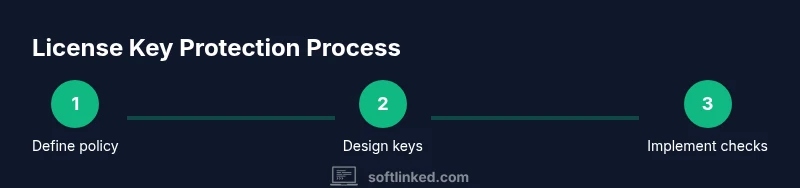
According to SoftLinked, protecting software with license keys begins by defining a clear threat model and licensing policy. The core goals are to reduce piracy, ensure fair revenue, and enable flexible license types such as trial, educational, or metered usage. A robust system should also minimize friction for legitimate users, support revocation, and deter tampering. When you plan your license strategy, map the user journey from install to activation to renewal, and identify where validation occurs, whether on the client, server, or a hybrid solution. By aligning technical controls with business rules, you create a defendable posture that scales as you grow. In 2026, treat license protection as an ongoing process that requires updating policies as markets and threats evolve.
License key design principles
License keys should be cryptographically strong and hard to predict. Use long, high-entropy keys combined with a signer to produce verifiable tokens. Avoid embedding sensitive data in the key itself and prefer reference data that is checked server side. Consider encoding the key in a standard format such as a signed token and separating the verification data from the key itself. Decide on your key length, the signing algorithm, and the scope of a key (which products, versions, regions, and seat counts it covers). Plan for revocation, rotation, and clear revocation messaging to users. Ensure that the key design supports offline or online validation as appropriate for your product and customer base.
Choosing licensing models
Start with a minimal viable licensing model and expand as needed. Common models include perpetual licenses with maintenance, subscriptions, metered usage, and educational or volume discounts. Each model has different activation and payment flows. Map each model to an activation workflow, including grace periods and renewal reminders. Consider how licenses will interact with your update cadence, enabling or restricting features based on license terms. A well chosen model reduces risk of revenue leakage while remaining user friendly.
Key generation and signing
Key generation should produce unique, unguessable keys tied to a publisher identity. Sign each key or token with a private key and verify with a public key in the application. Do not ship private signing material with the client software. Use a robust cryptographic library and rotate signing keys periodically. Store signing credentials in a secure key store and restrict access to only required services. Include a mechanism to verify the signature during activation or startup to prevent tampered keys from granting access.
Activation and validation architectures
Activation can be implemented on the client, server, or in a hybrid model. Client side validation offers speed but is more vulnerable to tampering. Server side validation provides higher security but introduces latency and network dependencies. A hybrid approach can balance both: perform lightweight checks on the client for responsiveness, and perform deeper validation on the server with rate limiting and anomaly detection. Use strong TLS for all communications and consider certificate pinning where appropriate. Plan for offline activation with a grace period to accommodate customers without reliable connectivity.
Storage, obfuscation, and anti tampering
Do not hard code license data or keys in executable binaries. Store keys or tokens in secure storage provided by the operating system, such as keychains or encrypted files. Obfuscate critical code paths responsibly to deter casual reverse engineering, not to rely on it as the sole protection. Implement integrity checks and tamper detection, and respond to detected tampering by revoking the license or requiring reactivation. Document your security assumptions to guide future updates and audits. Remember that no client side measure is foolproof; layered security is essential.
License server design and security
A central license server coordinates issuance, validation, and revocation. Use TLS with strong cipher suites and enforce strict authentication for all clients and services. Implement rate limiting, IP whitelisting, and anomaly detection to identify abuse. Use a robust database with tamper-evident logging and regular backups. Design the API to be versioned and backward compatible, so license checks remain stable across product updates. Prepare a clear incident response plan for compromised keys or server breaches.
Revocation, updates, and offline support
Revocation lists must be promptly distributed to clients and reflected in activation checks. Plan for regular updates to the license state and provide automated update mechanisms. When offline, provide a grace period that allows continued operation while still enforcing licensing rules upon reconnection. Keep customers informed about changes in license terms and ensure that major updates do not break legitimate activations. Use analytics to monitor license health and detect abuse patterns early.
Integration patterns and developer guidelines
Document integration points for developers, including initialization order, where to place activation checks, and how to surface licensing status to users. Provide sample code snippets for common languages and platforms. Enforce a minimum set of checks that must run at startup and during critical operations. Encourage automated tests that simulate valid and invalid license scenarios. Regularly review code paths that enforce licensing to reduce the chance of bypass via future exploits.
Testing, monitoring, and ongoing improvement
Test license checks under diverse environments and network conditions. Use synthetic transactions to simulate activation and revocation, and perform security testing to identify bypass attempts. Monitor license usage with dashboards that highlight anomalies, such as anomalous activation patterns or unexpected geographic regions. Schedule regular security reviews and policy updates to align with new threats and customer feedback. Continuous improvement is essential to maintain trust and protect revenue.
Tools & Materials
- Crypto signing library (Ed25519 or RSA)(Choose a well-vetted library with cross-language bindings)
- Key management service or secure key store(Separate storage for signing keys from deployed apps)
- License server or licensing service(Hosts activation, validation, and revocation logic)
- Secure storage for licenses on client(OS keychain or encrypted local storage)
- TLS-enabled API gateway(Protects all license related communications)
- Code signing certificate(Ensures authenticity of client side code)
- Obfuscation and anti-tamper tooling(Helps deter reverse engineering, not a sole defense)
- Testing and QA environment(Simulate activation, revocation, and offline flows)
- Monitoring and logging platform(Detect abuse and track licensing health)
- Legal and policy documents(Clarifies license terms and user obligations)
Steps
Estimated time: 4-6 weeks
- 1
Define licensing goals
Establish which products, versions, and regions require licensing. Decide on allowed usage, renewal terms, and how violations will be handled. Align licensing with business goals and customer expectations.
Tip: Document policy changes to prevent scope creep. - 2
Choose licensing models
Select models such as perpetual with maintenance, subscription, or metered usage. Map each model to activation flows and revenue recognition rules. Consider hybrid models for mixed customer segments.
Tip: Start simple and scale models as needed. - 3
Design key format and signing
Create high-entropy keys or tokens signed with a private key. Implement verifiable signatures using a public key. Do not embed sensitive data in the key itself.
Tip: Plan key rotation and long-term verification strategy. - 4
Set up activation workflow
Implement client and server interactions for activation. Include offline modes with grace periods where connectivity is limited. Ensure secure transmission with TLS.
Tip: Provide clear activation error messages to users. - 5
Implement client side checks
Add checks that verify license state at startup and before critical actions. Use obfuscation where appropriate, but rely on server validation for security.
Tip: Keep critical logic on the server side when possible. - 6
Implement server side validation
Validate licenses on the server with rate limiting and anomaly detection. Keep revocation lists synchronized and enforce real-time checks when feasible.
Tip: Audit server access controls regularly. - 7
Enable revocation and updates
Provide a quick revocation mechanism and regular license state updates. Ensure customers can upgrade licenses smoothly after changes.
Tip: Communicate revocation policies clearly to customers. - 8
Test end-to-end flows
Run comprehensive tests for activation, deactivation, renewal, and offline scenarios across platforms. Use automated tests to catch regressions.
Tip: Automate tests to run on every release. - 9
Document integration for developers
Provide sample code, integration points, and troubleshooting tips. Keep documentation up to date with product changes.
Tip: Include versioned samples for different platforms. - 10
Monitor, analyze, and improve
Set up dashboards for licensing health, abuse patterns, and renewal rates. Regularly review and adjust policies based on data.
Tip: Schedule quarterly reviews of licensing metrics.
Your Questions Answered
What is the main purpose of license key protection?
License key protection restricts software use to authorized customers and prevents widespread piracy. It also provides a basis for auditing and enforcing license terms.
License keys help ensure only paying customers can activate and use the software, while enabling you to enforce terms and track licensing.
Should checks occur on the client, server, or both?
A layered approach is best. Do quick client checks for responsiveness and robust server side validation for security. Hybrid models balance speed and protection.
Use a mix of client side checks for speed and server side checks for security to deter tampering.
What license formats are common?
Common formats include single-use keys, multi-seat licenses, time-limited trial licenses, and metered usage licenses. Hardware dongles are used for high value products.
Typical formats are single-use, multi-seat, time-limited trials, and metered licenses with optional hardware dongles.
How can offline activation be secure?
Offline activation relies on cryptographic signatures and a trusted grace period. Validate signatures when possible and reconnect to verify status during online windows.
Offline activation uses signatures and grace periods, with periodic online checks when possible.
What are signs of license key compromise?
Signs include unusual activation patterns, spikes in geographic activity, repeated validation failures, and anomalies in license usage data.
Look for abnormal activation bursts and unexpected regions or times showing up in license checks.
How often should I revoke compromised keys?
Revocation should occur promptly after abuse detection. Maintain revocation lists and push updates to clients quickly to minimize impact.
Revoke compromised keys as soon as abuse is detected and distribute updates to clients.
Watch Video
Top Takeaways
- Define a threat model before implementing licensing.
- Use cryptographic signing for license keys.
- Combine client and server validation for layered security.
- Plan revocation and offline activation from the start.
- Test thoroughly and monitor licensing health.