How to Program with AI: A Practical Beginner's Guide
Learn practical, step-by-step methods to program with AI, from fundamentals to building real AI-powered applications. Clear guidance for beginners by SoftLinked.


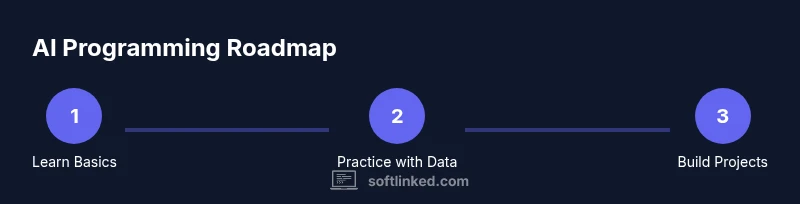
According to SoftLinked, you can start programming with AI by grounding yourself in fundamentals, selecting a practical goal, and using beginner-friendly tools. Begin with Python, small datasets, and prebuilt models or APIs, then iterate with simple experiments to observe results. This guide outlines the steps, tools, and best practices you need to confidently build AI-powered software.
Foundations: What to Learn Before You Code
To start how to program with ai, you first build a solid foundation. This means strengthening core programming skills, mathematics, and an understanding of how data flows through algorithms. For beginners, the recommended path is to learn Python, practice coding daily, and study basic statistics and linear algebra. You should also become comfortable with data handling, version control, and an experimental mindset. According to SoftLinked, AI programming success hinges on combining theory with hands-on practice, not simply reading books.
-
Core skills to cover:
- Python syntax, functions, and data structures
- Basic probability, statistics, and linear algebra concepts
- Data wrangling with pandas, cleaning messy datasets
- Reading model outputs, confusion matrices, and evaluation metrics
- Version control using Git and basic software tooling
-
Learning approach:
- Start tiny: small exercises that produce tangible results
- Reuse and remix: work with existing datasets and prebuilt models
- Iterate and reflect: note what works, what fails, and why
SoftLinked emphasizes pacing: schedule short, focused sessions and reinforce concepts with a project. A gradual buildup keeps you motivated while preventing burnout. The goal is not to memorize every detail, but to understand how inputs become predictions and how to interpret results.
Selecting Tools and Frameworks for AI Programming
Choosing the right tools accelerates learning and reduces frustration. Start with Python as the primary language, then pick an environment you like (Jupyter Notebook, VS Code, or PyCharm). Install essential libraries: numpy and pandas for data handling, matplotlib or seaborn for visualization, and scikit-learn for classical ML. For deep learning or large models, you can choose PyTorch or TensorFlow. If you want to experiment quickly, consider API-based models from providers like OpenAI or Hugging Face. These allow you to prototype without building complex architectures from scratch.
-
Environment setup:
- Create a dedicated virtual environment (venv or conda)
- Keep dependencies isolated per project
- Use a lightweight dataset initially to reduce compute costs
-
Practical guidance:
- Start with a basic pipeline: data loading → preprocessing → model training → evaluation
- Use notebooks for exploration; switch to scripts for reproducibility
-
Project considerations:
- Open-source vs API-based solutions: open-source gives control and learning depth; APIs reduce setup time but introduce runtime costs and latency
- Document your decisions and results to track progress
Remember: tools are a means to an end. The goal is to learn concepts and build usable AI-powered features, not to master every library at once.
The Core Concepts You Need
AI programming blends software engineering with data science. Focus on the following core concepts:
-
Data, features, and labels: good data quality is the foundation; features are the inputs your model uses to learn patterns.
-
Train vs. inference: training tunes model weights on data; inference applies the trained model to new inputs.
-
Evaluation metrics: accuracy, precision, recall, F1 score, ROC-AUC help you gauge performance and bias.
-
Overfitting and underfitting: too-closely fit training data loses generalization; underfitting means the model fails to capture patterns.
-
Model selection: simple baseline models (linear regression, logistic regression) teach intuition before diving into deep networks.
-
Pipelines and reproducibility: reproducible workflows with version control and fixed seeds improve reliability.
-
Prompt design and ergonomics (if using NLP APIs): craft prompts that elicit desired outputs, and test prompts iteratively.
Best practice: start with a baseline to establish a reference, then incrementally increase complexity. Always separate training data from evaluation data to avoid optimistic estimates. With AI, you’re not just coding; you’re shaping how a machine perceives and responds to the world. With the SoftLinked framework, you’ll learn to combine software design patterns with data science thinking to produce robust, maintainable AI features.
Practical Projects to Build Your Skills
A hands-on approach accelerates learning. Start with small, focused projects that demonstrate core AI concepts and reinforce good software practices. Example project ideas include a sentiment analysis tool that classifies short texts, a basic image classifier using transfer learning, or a recommendation system that suggests items based on user behavior. Each project should have a clear success criterion, such as achieving a target accuracy on a held-out test set, or delivering a runnable demo.
-
Project scaffolding:
- Define input/output, success metrics, and user flow
- Keep data handling explicit: document preprocessing steps and feature engineering
- Build incrementally: begin with a simple model and gradually add complexity
-
Evaluation and iteration:
- Compare multiple models to establish a baseline
- Track experiments with simple notebooks or version-controlled scripts
- Refactor code into reusable components for future projects
-
Learning through reflection:
- Record what surprised you, what failed, and why
- Archive model parameters and training configs for reproducibility
These projects create tangible milestones and help you translate theory into functioning AI-powered features.
Debugging and Ethical Considerations
Debugging AI systems requires thinking beyond traditional software bugs. When things go wrong, verify data quality, feature handling, and the training/inference pipeline. Visualize data distributions, inspect model outputs, and test with edge cases. Consider bias and fairness: examine whether your model underperforms for any subgroup and implement safeguards or alternative approaches.
Ethics and safety are integral to AI programming. Always comply with privacy regulations, avoid collecting unnecessary data, and document consent and data governance practices. Prompt engineering should emphasize clarity, avoid harmful content, and respect user expectations. Keep security in mind: protect API keys, enforce least privilege, and monitor usage to prevent abuse.
Pro-tip: start with a small, contained problem and deploy only a minimal, auditable model before expanding to more complex tasks. Regularly review data sources and model behavior to prevent drift over time.
Integrating AI into Your Apps: A Simple Example
A practical way to learn is by embedding AI into a small application. Imagine building a lightweight API using Flask that answers user questions with a pretrained NLP model or a live API. Start by defining the API endpoints, input validation, and a simple response structure. Then integrate a model loading step, process incoming text, and return predicted results. You will learn about latency, error handling, and user experience design as you add features.
-
Step-by-step scaffold:
- Create a minimal Flask app with one endpoint /predict
- Load a pretrained model in memory at startup for faster responses
- Validate input data and handle errors gracefully
- Return structured JSON with predictions and confidence scores
-
Deployment considerations:
- Use a lightweight server for prototyping; plan for scaling if needed
- Log requests and outcomes to monitor model health
- Include a README detailing how to run locally and test the API
This concrete example helps you move from theory to a tangible, testable AI-powered app.
Data, Ethics, and Responsible AI
Responsible AI practices start with data governance. Document data provenance, storage practices, and permissions. Use synthetic or de-identified data when possible to minimize privacy risks. Implement data minimization and access controls, and consider impact assessments for high-stakes applications. Regularly audit your models for bias, explainability, and fairness. Promote transparency by sharing model limitations and expected behavior with users.
-
Data quality controls:
- Validate input data formats and ranges
- Implement data versioning to track changes
- Monitor data drift and retrain when necessary
-
Responsible development:
- Design with user safety in mind; provide opt-out and override options
- Respect copyright and licensing for data and models
- Prioritize explainability where appropriate to help users understand decisions
SoftLinked’s guidance emphasizes a principled approach: build reliable, auditable AI that serves users ethically and responsibly.
Roadmap for Mastery
Mastery comes from deliberate practice and long-term involvement with real projects. After you’ve built a few basics, create a personal learning roadmap that blends theoretical study with hands-on work. Schedule recurring time for coding, reading research, and experimenting with new tools. Contribute to open-source projects to gain exposure to different codebases and testing practices.
-
Milestones to aim for:
- Complete 3-4 small AI projects with end-to-end pipelines
- Experiment with at least two ML libraries or APIs
- Document every project with notes on what worked and what didn’t
- Share a portfolio of code and demos to showcase your growth
-
Next steps:
- Explore domains like NLP, computer vision, or structured data modeling
- Learn model evaluation, deployment, and monitoring
- Pursue a structured curriculum or certifications if desired
With persistence, you’ll move from a beginner to a capable AI programmer capable of delivering reliable AI-powered features.
Tools & Materials
- Computer with internet access(At least 8GB RAM; a modern CPU; consider 16GB for heavier workloads)
- Python 3.x(Install via official Python website or Anaconda)
- Integrated development environment(Jupyter Notebook, VS Code, or PyCharm)
- Git(Version control for code and experiments)
- Data science libraries(numpy, pandas, matplotlib/ seaborn, scikit-learn)
- Deep learning framework (optional)(PyTorch or TensorFlow if tackling deep learning)
- API access (optional but recommended)(OpenAI API or Hugging Face for rapid prototyping)
- Dataset (starter)(A small, clean dataset for experiments)
Steps
Estimated time: 6-8 hours
- 1
Define your objective
Clarify the AI task you want to accomplish and how you will measure success. Write a one-sentence goal and two success criteria to keep you focused.
Tip: Keep the goal narrow and testable to avoid scope creep. - 2
Set up your environment
Create a virtual environment and install essential libraries. Configure your editor and version control to support reproducible experiments.
Tip: Use a project template to save time and ensure consistency. - 3
Choose a baseline model or API
Pick a simple, well-documented model or API to establish a learning baseline before experimenting with complexity.
Tip: Document why you chose this baseline and what you expect from it. - 4
Load and preprocess data
Load your dataset, handle missing values, normalize features, and split data into training and test sets.
Tip: Keep a fixed random seed for reproducibility. - 5
Train or run inference
Train the model on the training set or call the API for inference. Monitor basic metrics and log results.
Tip: Start with a small subset to iterate quickly. - 6
Build a simple app
Wrap your model in a small application (CLI, web API, or UI) to demonstrate end-to-end usage.
Tip: Focus on a clean input/output interface and simple error handling. - 7
Evaluate and iterate
Assess performance on the test set, compare with baselines, and refine features or model choice as needed.
Tip: Document what changed and why in each iteration.
Your Questions Answered
What does it mean to program with AI?
AI programming combines software engineering with data science to create systems that learn or reason from data. It involves selecting tools, preparing data, training models, and integrating AI into applications.
AI programming blends software skills with data science to build learning-enabled applications. Start with data, then train and deploy models.
Do I need to be an expert to start?
No. Start with fundamentals, practice small projects, and progressively tackle more complex tasks. A strong base in Python and basic ML concepts is enough to begin.
You don’t need to be an expert to start. Begin with basics and grow by building small projects.
Which language should I learn first?
Python is the de facto starting language for AI due to its readability, ecosystem, and community support. You can later explore other languages as needed.
Python is the best starting language for AI because of its simplicity and robust libraries.
Can I rely only on APIs for learning?
APIs are excellent for rapid prototyping and learning, but you should also study traditional ML concepts and data handling to build deeper understanding and control.
APIs are great for quick results, but don’t skip the fundamentals if you want real mastery.
How long does it take to become proficient?
Proficiency comes with consistent practice and projects over months, not days. Start with a stable routine and gradually raise the project complexity.
It takes consistent practice over months; set a steady learning schedule.
What about ethics and safety?
Consider data privacy, bias, and explainability from day one. Build responsible AI practices into your workflow and document limitations.
Ethics and safety matter from the start; design with responsibility in mind.
Watch Video
Top Takeaways
- Build strong foundations before coding with AI.
- Start with Python and simple models or APIs.
- Prototype end-to-end with small projects and iterate.
- Document decisions and monitor AI behavior continuously.