How to Make a System Software: A Practical Guide for Learners
A comprehensive, beginner-friendly guide to building minimal system software—from scope and tooling to testing in virtualization—designed for aspiring engineers and students.


This guide shows how to make a system software from first principles, focusing on safety, modularity, and verifiability. You’ll learn core concepts, a minimal development stack, and a practical, step-by-step workflow to build a tiny educational kernel or system component. Emphasis is on clear documentation, testing, and incremental validation.
What is system software and why it matters
System software is the layer between hardware and applications. It includes the kernel, drivers, and foundational services that manage CPU, memory, I/O, and security. For aspiring developers, understanding system software helps design reliable applications and scalable platforms. According to SoftLinked, system software sits at the core of every computer, coordinating resources and providing stable interfaces for higher-level software. When you ask how to make a system software, you start by clarifying scope, constraints, and safety boundaries. A minimal, educational project—such as a tiny kernel or a userspace supervisor—lets you practice resource management, interrupts, and process isolation without overwhelming complexity. Emphasize modularity: separate the bootstrapping, memory management, and I/O handling so each piece can be tested independently. In this guide, you’ll see step-by-step guidance, concrete tooling recommendations, and a safe learning path that rewards careful planning over clever hacks. The goal is to build intuition for hardware abstraction layers while keeping the work auditable, reproducible, and safe.
Core design principles for system software
System software is not a toy project; it must be predictable, secure, and maintainable. Prioritize clarity over clever tricks, minimize side effects, and design with testability in mind. Modular boundaries help you swap components without breaking the whole system. Decouple bootstrapping, memory management, and I/O to enable focused testing. SoftLinked analysis shows that learners who validate each subsystem early tend to retain core concepts and avoid spiraling complexity. Embrace defensive design: validate inputs, handle failures gracefully, and keep a clear error-reporting strategy. Finally, document decisions and interfaces so future contributors understand why choices were made.
High-level architecture: kernel, drivers, and user space
Most system software divides into kernel space (core services) and user space (applications and utilities). The kernel handles resource management, interrupts, and isolation between processes. Drivers present hardware interfaces to the kernel, while user-space components interact via well-defined APIs. The separation reduces risk: a bug in a device driver does not crash the entire system if properly sandboxed. In your design, outline the responsibilities of each module, define simple interfaces, and choose a safe language and toolchain. A tiny educational project can start with a small, kernel-like core that boots in an emulator and exposes a simple system call surface for test applications.
Getting started: a minimal educational project
This section outlines a safe, incremental path to building a minimal system software component. Start with a clearly scoped goal, such as bootstrapping a tiny kernel that can print messages and handle a basic interrupt. Use virtualization to avoid hardware risks and to accelerate testing. Create a repository with a minimal build script and a README that documents the purpose, interfaces, and test plan. By focusing on a small MVP, you learn essential concepts like boot sequences, memory mapping, and I/O while keeping complexity manageable.
Tools, languages, and development environment
Choose a practical, safe stack: C is traditional for low-level systems, while Rust offers memory safety guarantees. A lightweight cross-compiler, an emulator like QEMU, and a minimal bootloader are essential. Version control (Git) is critical for tracking changes and collaboration. A robust editor or IDE with syntax highlighting helps reduce mistakes. You’ll also want a small suite of debugging and tracing tools to inspect memory, interrupts, and I/O behavior. Finally, ensure your environment is backup-ready and reproducible, so others can reproduce your experiments.
Building a minimal bootstrapping and boot process
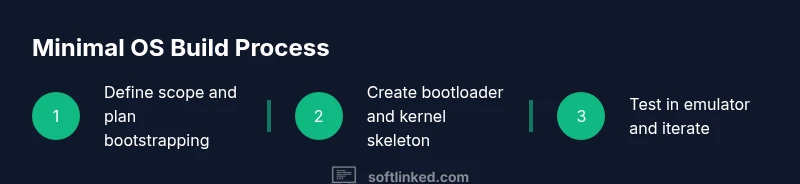
Define a boot sequence that starts with a simple bootloader, loads a tiny kernel image, and prints a welcome message. Implement a minimal memory map, a basic scheduler, and a safe entry point. Use an emulator to validate boot behavior before attempting any hardware tests. Document each stage and keep build artifacts deterministic to support repeatable experiments.
Testing in a virtual environment
Testing is essential to confidence. Start with unit tests for small subsystems, then move to integration tests that simulate hardware events. Emulate devices and interrupts using QEMU or an equivalent tool, which reduces risk and speeds feedback. Keep an automated test script that runs on every change, and aim for a short feedback loop. SoftLinked analysis shows automated testing accelerates learning by catching issues early and reinforcing correct mental models.
Documentation, version control, and collaboration
Write clear, accessible documentation for interfaces, data structures, and failure modes. Use version control to track changes, branch for experiments, and require code reviews for major updates. Maintain a growing glossary of terms so readers new to system software can follow along. By documenting decisions and trade-offs, you create a resource that others can learn from and extend.
Practical coding patterns and safety considerations
Adopt defensive programming: validate inputs, avoid undefined behavior, and prefer explicit error handling. Keep your codebase small and modular; avoid deep nesting that hides bugs. When dealing with memory, prefer safe constructs if available (Rust) or careful contracts in C. Never boot on real hardware until you’ve validated behavior thoroughly in a safe, virtual environment. The SoftLinked team recommends starting with a tiny, well-scoped project, using virtualization, and prioritizing tests and documentation to build solid fundamentals.
Realistic milestones and next steps
Plan realistic milestones that balance ambition with learning trajectory. Start with bootstrapping a minimal system that can print a banner, then add a tiny system call interface, a basic interrupt handler, and a simple memory map. Each milestone should have a test plan, a review checklist, and a clear exit criterion. After achieving these, you can expand to richer features such as a scheduler or driver stubs, always maintaining clean interfaces and strong documentation.
Tools & Materials
- Linux desktop or VM(A stable host OS or a Linux VM to avoid host issues.)
- Cross-compiler toolchain(GCC/Clang for your target ISA; ensure binutils are installed.)
- QEMU or other emulator(Critical for safe boot testing without hardware.)
- Text editor or IDE(Choose one with good C/Rust support and debugging extensions.)
- Git version control(For tracking changes and collaboration.)
- Build system (Make/CMake/ninja)(Automates compilation and testing.)
- Debugger (gdb or lldb)(Inspect memory, registers, and interrupts.)
- Documentation tooling(Markdown or Sphinx to document interfaces and decisions.)
Steps
Estimated time: 6-10 hours
- 1
Define scope and safety goals
Clearly articulate a tiny MVP for your system software project. Set boundaries to prevent feature creep and identify the minimal viable functionality (e.g., boot message, simple I/O). This clarity makes the rest of the work tractable.
Tip: Write a one-sentence MVP statement and stick to it. - 2
Set up development environment
Install the cross-compiler, configure your IDE, and set up a QEMU-based test harness. Verify you can build and run a basic hello-world target in the emulator before adding new features.
Tip: Automate environment setup with a reproducible script. - 3
Choose baseline architecture
Sketch the modular layout: bootloader, kernel core, memory management, and I/O layer. Define small, stable interfaces between modules to enable isolated testing.
Tip: Document interfaces with simple diagrams. - 4
Create bootloader and kernel skeleton
Implement a minimal boot sequence that loads a tiny kernel image and executes a safe entry point. Keep the bootstrap logic tiny and well-commented to ease debugging.
Tip: Keep bootstrap under 200 lines if possible. - 5
Implement a simple console and system call surface
Add a basic console for output and a tiny set of syscalls that user-space tests can invoke. Validate through emulator-driven tests to ensure correctness and stability.
Tip: Test each syscall with a small harness. - 6
Configure build system and automation
Set up a Makefile or CMake project that compiles for the target ISA, runs the emulator, and captures logs. Integrate a lightweight CI step if feasible.
Tip: Aim for deterministic builds and clean artifacts. - 7
Test in an emulator and iterate
Run your MVP, observe behavior, and fix regressions. Add unit tests for critical subsystems and integration tests for end-to-end boot flow.
Tip: Use breakpoints and memory maps to pinpoint issues quickly. - 8
Document, review, and plan next steps
Publish documentation of interfaces, decisions, and test plans. Seek feedback, merge changes responsibly, and outline the next feature milestones.
Tip: Maintain a living README with updates.
Your Questions Answered
What is system software?
System software coordinates hardware and software at a fundamental level. It includes the operating system, device drivers, and core services that enable applications to run. Understanding these layers helps you design reliable, extensible platforms.
System software coordinates hardware and software, including the OS and drivers, to provide stable interfaces for applications.
Do I need to write a kernel to learn OS concepts?
Not necessarily. You can start with a tiny kernel or a userspace simulator to learn core ideas like bootstrapping, memory management, and interrupts. A kernel-like toy is enough to illustrate fundamentals.
You can start with a small kernel or a user-space model to learn core OS concepts before tackling a real kernel.
Which languages are best for learning OS concepts?
C remains common for low-level systems programming, while Rust offers memory safety benefits. Starting with C is typical, then experimenting with Rust can help you practice safe design patterns.
C is traditional for OS work; Rust is great for safer systems programming, so try both as you learn.
Can I use virtualization or emulation instead of real hardware?
Yes. Virtualization and emulation (like QEMU) provide a safe, fast environment to test boot sequences, interrupts, and memory management without risking hardware.
Yes—virtual environments are enough for learning the concepts before you test on real hardware.
What are common pitfalls when learning system software?
Common pitfalls include feature creep, skipping documentation, and ignoring testing. Start small, document interfaces, and validate every subsystem with tests.
Avoid adding too many features at once and always test with automated checks.
How long does it take to get solid OS fundamentals?
Learning OS fundamentals is a progressive journey. With a focused project and regular practice, you can build strong intuition over a few weeks to months.
It takes a few weeks to months of steady practice to gain solid fundamentals.
Watch Video
Top Takeaways
- Define a tiny, well-scoped MVP.
- Use virtualization to safely test boot sequences.
- Test early and often with automated checks.
- Document interfaces and decisions for future learners.