How to Fix Software Conflicts: A Practical Guide
Learn a practical, repeatable approach to diagnosing and resolving software conflicts. Master isolation, dependency pinning, and environment strategies to keep builds stable and predictable.


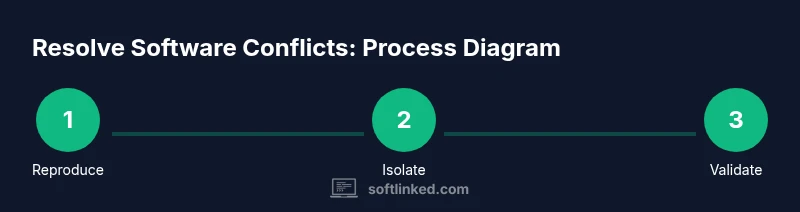
To fix software conflicts, start by reproducing the issue and then isolate the affected components in a clean environment. Pin dependencies, update compatible versions, and verify changes with targeted tests. Use containers or virtual environments to prevent cross-project interference, and document every change to enable quick rollback if needed. Prepare a rollback plan before applying fixes to minimize risk.
Understanding Software Conflicts
How to fix software conflicts begins with a clear definition and practical mindset. Software conflicts occur when two or more components rely on incompatible assumptions about versions, APIs, or runtime behavior. This guide explains how to fix software conflicts in practical terms and shows a disciplined approach: isolate, reproduce, and verify each change independently. The scenarios we cover include DLL version mismatches on Windows, shared library conflicts on Linux, and conflicting runtime environments in Node or Python. Recognizing root causes helps you target the right remedy instead of chasing symptoms. For example, when an application loads a module that depends on a libX version but the system provides libX version 2.0, you may see symbol resolution errors or runtime crashes. Similarly, multiple versions of the same library on PATH can lead to inconsistent behavior across runs. By spotting patterns—such as errors that appear only after a fresh install or only with a particular plugin—you’ll set up a debugging workflow for quick wins. This foundation is essential before moving to diagnostics and fixes.
Why Conflicts Happen: Common Causes
Conflicts arise from several recurring patterns. First, mismatched dependencies: a project requires library A at version 1.x while a sub-dependency pulls in version 2.x. This can lead to symbol collisions, broken APIs, or runtime crashes. Second, differing runtimes or interpreters: Python 3.11 vs 3.12, Node.js 18.x vs 20.x, or Java runtimes with incompatible classpaths can cause subtle failures only after an upgrade. Third, environment pollution: regional install paths, user vs system installations, or leftover global packages create conflicting path precedence. Fourth, platform-specific quirks: Windows DLL loading order, Linux linker behavior, or macOS library signing can change how modules are resolved. Fifth, build artifacts and caching: stale caches, prebuilt binaries, or compiled extensions not rebuilding after a change can mask the actual fault. Lastly, permissions and access control: insufficient rights to read a required file, or sandbox restrictions in containerized environments, can appear as if the code is defective when the problem is actually a policy issue. Recognizing these causes helps you narrow your troubleshooting focus, avoiding blind updates that introduce new risks. When you encounter a failure, write down the exact error message, the affected component, and the sequence of steps that reproduce it. This record becomes the backbone of your diagnostic log and helps teammates understand the problem quickly.
Diagnosing Conflicts with a Systematic Approach
Begin with a controlled, reproducible scenario. Capture logs, error codes, and stack traces, then create a minimal reproduction: strip the system down to the smallest set of components that still triggers the fault. Gather environment metadata: PATH order, environment variables, container image tags, and server roles. Compare working and failing configurations side by side to identify divergences. Tools like process monitors, dynamic linker checks, and package managers reveal where the divergence occurs. For example, in a Node.js project, run npm ls to inspect the dependency graph and identify duplicate versions. In Python, run pip check and review installed wheels. On Linux, use ldd or readelf to inspect shared libraries and note version mismatches. If the problem persists after a fresh install, isolate by clearing local caches and global packages, then re-run to see if the conflict remains. Document every difference, because a single variance can explain the failure. Finally, validate the fix locally before pushing changes to CI. Establish a rollback point and confirm the baseline remains healthy after each test iteration.
Practical Resolution Strategies
Adopt a strategy that emphasizes isolation, deterministic builds, and careful versioning. Environment isolation: use virtual environments for languages like Python (venv) or Node (nvm, npm ci) and consider containerization (Docker/Podman) to reproduce issues across machines. Dependency management: pin versions with lockfiles (package-lock.json, poetry.lock, Pipfile.lock) and prefer compatible ranges rather than open-ended. If a conflict involves a binary library, build from source or switch to a compatible binary distribution. Gradual changes: update one dependency at a time, test, then move to the next change; this makes it easier to attribute regression to a specific modification. Dependency deduplication: identify and remove duplicate versions that cause symbol clashes. Platform-specific workarounds: on Windows, ensure correct DLL order; on Linux, confirm the loader can locate the right shared object. Caching and artifacts: clear stale caches and force rebuilds when necessary. Rollback readiness: maintain a clearly documented rollback plan with a tested revert path. Finally, establish a cross-functional review so that code, packaging, and deployment teams align on the resolution and prevent reintroduction of a similar conflict.
Step-by-Step Troubleshooting Scenarios
Scenario A: Node.js project with duplicate dependencies. Scenario B: Python project with conflicting library versions. Scenario C: Linux service failing after system upgrade. Each scenario follows a consistent pattern: reproduce, isolate, audit dependencies, apply targeted fixes, and validate across environments. In each case, start with a minimal repro, then progressively reintroduce features while monitoring for regressions. The goal is to strike a balance between stability and feature delivery, using a controlled, documented change log.
Tools and Environments: Practical Setup
Build a safe, repeatable testing ground by leveraging isolation strategies and documented workflows. Use virtual environments for language-specific isolation (venv, pyenv, npm ci) and containerization to reproduce issues on clean sandboxes. Maintain a known-good baseline image or environment snapshot, and keep a changeset log to track every adjustment. Configure CI to run deterministic builds with exact dependency pins and verified test suites. Regularly refresh containers and sandboxes to ensure findings hold across updates. Finally, ensure access to logs, metrics, and tracing capabilities so you can quantify impact and verify fixes with evidence.
How to Fix Software Conflicts: Best Practices to Prevent Recurrence
To prevent future conflicts, adopt a proactive, disciplined approach to software engineering. How to fix software conflicts becomes easier when you enforce reproducible builds, strict dependency management, and automated tests. Establish lockfiles for every language, run deterministic install pipelines in CI, and automate regression tests that cover common conflict scenarios. Documenting architecture decisions, environment configurations, and upgrade notes reduces guesswork during maintenance. Regularly audit dependencies for security advisories and deprecations, and encourage cross-team reviews of packaging and deployment changes. By investing in repeatable environments and clear rollback plans, teams minimize disruption and accelerate delivery. The SoftLinked team recommends integrating environment isolation into your standard development workflow to ensure resiliency against conflicts in complex software ecosystems.
Tools & Materials
- Computer with internet access(Ensure you can install/modify software and run commands.)
- Access to the affected environment(Local dev machine or server with permission to install packages.)
- Package manager (npm, pip, mvn, etc.)(Know which tool your project uses and ensure it’s up to date.)
- Virtual environment tooling(Python venv, Node version managers, or Docker/Podman for isolation.)
- Version control system(Git or similar to track changes and roll back if needed.)
- Rollback plan(Prepare a tested, clearly labeled rollback path.)
- Log files and monitoring(Have access to application logs, system logs, and metrics.)
Steps
Estimated time: 1-2 hours
- 1
Reproduce the issue
Capture the exact steps that trigger the fault in a controlled environment, including relevant commands, user actions, and expected vs. actual results. Collect initial error messages and logs to guide later fixes.
Tip: Document the failure sequence and capture logs as the first action. - 2
Create a clean environment
Set up a fresh workspace using a container, VM, or isolated virtual environment to remove stale state that could mask the root cause.
Tip: Avoid reusing the original environment for the initial diagnosis. - 3
Identify the affected component
Determine whether the conflict originates from a library, a runtime, or an OS-level component by testing each layer in isolation.
Tip: Test each layer independently to narrow the scope. - 4
Inspect dependency graphs
Review the dependency graph for duplicates or incompatible versions using language-specific tools (e.g., npm ls, pip check, mvn dependency:tree).
Tip: Look for transitive versions that can cause clashes. - 5
Pin versions and stabilize
If possible, pin or lock dependency versions with official lockfiles and avoid wide-open version ranges.
Tip: Prefer fixed, compatible ranges over floating versions. - 6
Test with a minimal repro
Run a pared-down version of the project with only essential components to verify the fault is tied to a specific dependency or configuration.
Tip: Add one variable at a time to isolate the cause. - 7
Validate across environments
Execute fixes in multiple environments (different OSes or container runtimes) to ensure reproducibility and avoid environment-specific surprises.
Tip: If applicable, test Windows and Linux builds. - 8
Apply changes incrementally
Implement fixes in small, verifiable steps to simplify attribution of any regressions.
Tip: Commit small, well-commented changes. - 9
Document changes and rollback
Record every modification and ensure a tested rollback path before deployment.
Tip: Keep a changelog and tag the rollback procedure in version control.
Your Questions Answered
What is a software conflict?
A software conflict happens when two or more components rely on incompatible versions, APIs, or runtime assumptions, causing errors or crashes.
A software conflict occurs when parts of your software rely on incompatible versions or interfaces, leading to errors.
How can I reproduce conflicts reliably?
Create a minimal, clean environment and repeat the exact steps that trigger the failure, capturing logs and environment details for comparison.
Make a minimal setup and repeat the steps to see the failure, noting the environment.
Should I always use virtual environments?
For most language ecosystems, virtual environments isolate dependencies and prevent system-wide changes from causing conflicts.
Yes, virtual environments help keep dependencies separate and conflicts away.
What if conflicts persist after updates?
Review the dependency graph, check for transitive versions, and consider pinning versions or switching to compatible alternatives. If needed, escalate to containerized environments.
If updates don’t fix it, inspect the graph and pin versions or switch to compatible options, possibly using containers.
Can containerization help with conflicts?
Yes. Containers reproduce issues consistently and prevent host system state from affecting results.
Containers let you isolate and reproduce conflicts reliably.
Watch Video
Top Takeaways
- Isolate first to reveal root cause
- Pin dependencies with lockfiles for repeatable installs
- Test changes in a clean environment before shipping
- Document fixes and rollback plans for safety
- Prevent regressions with reproducible builds and clear reviews