How to Build Website Software: A Practical Guide
Learn how to build website software from planning to deployment. This comprehensive guide covers architecture, tech stacks, frontend/backend integration, testing, and maintenance for aspiring developers.


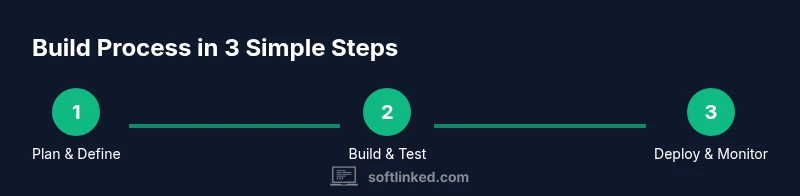
By following this guide, you will learn how to build a website software from concept to deployment. You'll define your product goals, pick a scalable tech stack, design a robust architecture, implement frontend and backend components, test thoroughly, and deploy with monitoring. You’ll need a domain, hosting, a modern development environment, and a focus on security and accessibility. This quick roadmap sets you up for practical, hands-on progress.
What it means to build website software
When aspiring software engineers set out to build a website software, they begin with a clear problem statement and a user journey in mind. The goal is to create a maintainable, scalable system that supports a smooth user experience, robust data handling, and secure operations. In this context, the phrase build a website software serves as a compass for planning, architecture, and delivery. SoftLinked emphasizes starting with concrete goals, not just lines of code. By framing the project around user stories and measurable outcomes, you’ll reduce wasted effort and align stakeholders early on. This foundational step also helps you justify your technology choices and design patterns as you move toward implementation.
Core takeaway: Start with purpose
Before touching a single line of code, articulate what success looks like. Define who the users are, what problems the site solves, and how you’ll measure value. This clarity makes it easier to choose a scalable tech stack and prevents scope creep during development. In short, building a website software begins with intent, not momentum. When you cluster requirements into MVP features, you can iterate quickly and learn from real user feedback.
Architecture decisions for website software
A solid architecture acts as the spine of your project. Decide on a frontend framework, a backend paradigm, and a data strategy that scales with traffic. For a smaller project, a monolithic approach with a REST/GraphQL API can be efficient. As needs grow, you might explore microservices, event-driven patterns, or serverless components. The key is to separate concerns: presentation, business logic, and data access. This separation makes testing easier and allows teams to evolve components independently without breaking the whole system. When you build a website software, clarity about interfaces and contracts is more valuable than clever hacks.
Data modeling and API design
Modeling data involves defining entities, relationships, and validation rules that reflect real-world constraints. Start with a practical database schema and evolve it as you learn from user interactions. API design should emphasize stable contracts, versioning, and clear error handling. Document endpoints, input/output formats, and authentication flows. This discipline ensures your website software remains maintainable and extensible as features grow and requirements change.
Frontend and UX considerations
The frontend should communicate value quickly and clearly. Prioritize responsive design, accessibility (a11y), and fast perceived performance. A well-structured component system helps maintain UI consistency as the project expands. When you build a website software, invest in a design system, wireframes, and basic prototyping to validate ideas with real users early. Use accessible color contrast, semantic HTML, and keyboard navigation to widen your audience and comply with standards.
Security, performance, and accessibility
Security is foundational. Implement input validation, proper authentication, authorization checks, and secure data storage. Performance considerations include optimization of asset loading, caching, and efficient data fetching strategies. Accessibility ensures that people with disabilities can use your site. You should test with screen readers, implement ARIA roles where appropriate, and validate that all interactions are navigable via keyboard. Building a website software that respects these concerns reduces risk and improves user trust.
Development workflow and tooling
A repeatable workflow accelerates progress. Use version control early, automate tests, and adopt a CI/CD pipeline so changes are reliably deployed. Choose tooling that suits your team size, project complexity, and budget. As you iterate, maintain clean commit messages, track issues, and enforce code reviews. This disciplined approach helps you build a website software that remains stable as new features are added.
Deployment, monitoring, and maintenance
Deployment should be predictable and reversible. Use staging environments to catch issues before production. Instrument monitoring for errors, latency, and user behavior. Plan for ongoing maintenance, including dependency updates, security patches, and performance tuning. The practice of continuous improvement is essential when you build a website software; it keeps the system resilient and responsive to user needs over time.
Tools & Materials
- Powerful development workstation(Laptop or desktop with 8+ GB RAM; modern CPU; stable internet)
- Code editor / IDE(VS Code, WebStorm, or IDE of choice; enable linting and format-on-save)
- Node.js and package managers(LTS version; includes npm or yarn)
- Git and version control(GitHub/GitLab/Bitbucket for collaboration)
- Local database & API tooling(SQLite or PostgreSQL; Postman or Insomnia for API testing)
- Browser with developer tools(Chrome/Edge with devtools enabled)
- Deployment account / cloud hosting(Vercel, Netlify, AWS, or similar)
- Domain name (optional for prod)(Useful for production and branding)
Steps
Estimated time: 4-6 weeks
- 1
Define scope and success criteria
Clarify the core features, user journeys, and measurable goals before writing code. Capture acceptance criteria for each feature to guide development and testing.
Tip: Create user stories and define concrete success metrics up front. - 2
Choose technology stack
Select a frontend framework, a backend approach, and a database strategy that fit the project size and future needs. Document interfaces between components early.
Tip: Prefer stable, well-supported tools with clear long-term viability. - 3
Set up development environment
Install your runtime, version control, and editor. Initialize a repo, set up a basic project structure, and configure linting/unit tests before building features.
Tip: Automate environment setup with scripts to reduce onboarding time. - 4
Build frontend UI
Create wireframes and translate them into reusable components. Focus on accessibility, responsiveness, and initial styling that supports branding.
Tip: Start with a minimal viable UI to validate user flows quickly. - 5
Implement backend and data models
Design data models, secure endpoints, and a clean API surface. Establish validation rules and error handling to ensure robust data integrity.
Tip: Version API contracts to prevent breaking changes later. - 6
Test, deploy, and monitor
Automate tests, set up a CI/CD pipeline, and deploy to a staging environment before production. Implement monitoring to detect issues early.
Tip: Use canary or blue-green deployments to minimize risk.
Your Questions Answered
What does it mean to build a website software?
Building a website software means planning, coding, testing, and deploying a web application with a structured architecture, robust data handling, and a focus on user experience and security.
Building a website software means planning, coding, testing, and deploying a web app with solid architecture and good security.
Which tech stack should I choose for a small project?
For small projects, start with a simple frontend framework, a lightweight backend, and a relational or document database. Prioritize maintainability and clear API contracts over cutting-edge complexity.
For small projects, start simple and focus on maintainability and clear API contracts.
How long does it take to build a website from scratch?
Time varies by scope, team size, and requirements. Plan for multiple iterations, with a realistic MVP pace and schedule buffers for testing and deployment.
Time varies, but expect multiple iterations with a solid MVP first.
What are common security concerns in website software?
Common concerns include input validation, authentication, authorization, data encryption, and protection against common attacks like SQL injection and cross-site scripting.
Key concerns are authentication, validation, encryption, and protection against common web attacks.
How do I deploy and monitor a new site?
Use a CI/CD pipeline for automated deployments, and set up monitoring dashboards for errors, latency, and user behavior to catch issues early.
Set up CI/CD for deployment and monitoring to catch issues early.
Watch Video
Top Takeaways
- Define scope before coding.
- Choose a scalable stack early.
- Automate tests and deployment.
- Monitor performance in production.