How to program with Java: A practical step-by-step guide
Learn how to program with Java from setup to advanced topics. This step-by-step guide covers installation, syntax, OOP, collections, and best practices for building reliable Java applications.


By the end of this guide you will be able to install Java, write your first programs, and build small projects using core Java concepts. You’ll learn syntax, object-oriented fundamentals, and practical tools like Maven/Gradle and JUnit. This step-by-step approach keeps explanations concrete and code-focused, helping aspiring software engineers start coding confidently with Java.
Introduction to Java programming
According to SoftLinked, Java remains a robust starting point for beginners due to its portability, safety, and vast ecosystem. In this guide on how to program with java, you will learn a structured path from setup to modern language features, with concrete examples and tasks. You will build confidence by writing small programs, understanding the Java Virtual Machine, and applying best practices in real projects. This article is designed for aspiring software engineers, students, and tech professionals who want clear fundamentals, practical tooling, and steady progress. Java's cross-platform nature lets you run the same code on Windows, macOS, and Linux with minimal changes, which is highly beneficial for students and teams. By focusing on fundamentals first—syntax, data types, classes, and basic APIs—you create a solid foundation that supports more advanced topics like generics, streams, and architecture. How to program with java is not about memorizing trivia; it’s about building a mental model you can apply to real problems.
Getting started: setup and your first program
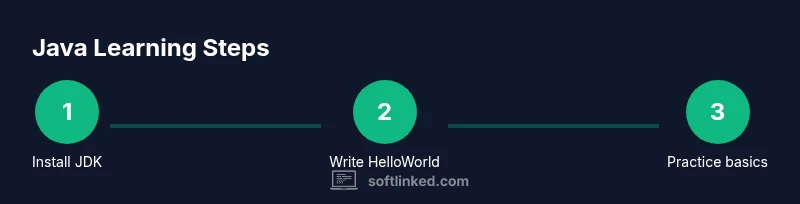
To begin, install the Java Development Kit (JDK) and set your PATH so you can run javac and java from the command line. Pick an IDE (IntelliJ IDEA Community, Eclipse, or VS Code with Java extensions) to speed up coding and debugging. Create a new project, write a simple Hello World program, and run it. See the output on the console to confirm your environment is ready. If you see errors like 'javac not found', re-check your PATH and JDK installation. This early success builds momentum and motivates you to tackle the next steps. For your Hello World, you might use: public class HelloWorld { public static void main(String[] args) { System.out.println("Hello, world!"); } }
Core language concepts you must master
This section covers the essentials: data types, variables, operators, control flow, and methods. Java uses strong, static typing, so declarations like int age = 25; are standard. Practice arithmetic, relational, and logical operators, and learn how to use if-else, switch, and loops (for, while, do-while) to control program flow. Methods help you encapsulate behavior; learn how to declare and call methods, pass parameters, and return values. Arrays and the Collections framework provide foundational data storage; start with basic arrays and move to ArrayList for dynamic sizing. Remember null safety and exception handling patterns; catch blocks and finally clauses help you manage errors gracefully.
Object-oriented fundamentals in Java
Java is built around objects. Start with defining a class as a blueprint (class Person { String name; int age; void speak() { ... } }). Create objects using new, access fields and methods, and understand the difference between instance and static members. Learn about constructors, overloading, and the this keyword. Inheritance lets you reuse code, while polymorphism enables dynamic method dispatch. Interfaces define contracts without implementation, enabling loose coupling and testability. Composition over inheritance is a common design principle in Java, and design patterns such as strategy and factory can help structure your code. A solid grasp of OOP makes it easier to scale projects and tackle more advanced topics later.
Working with collections, generics, and streams
The Java Collections Framework provides lists, sets, maps, and queues with varying performance and behavior. Start with ArrayList and HashMap to store and retrieve data, then explore LinkedList and TreeSet for specific scenarios. Generics enforce type safety, e.g., List<String> names = new ArrayList<>();; learn wildcards and bounded types to write flexible code. Streams enable functional-style operations on data, such as filtering, mapping, and reducing, often with lambdas. Practice with examples like counting unique words in a text or sorting objects by a property. Handling exceptions and I/O streams completes the picture of practical Java data processing.
Tools, workflows, and best practices
Modern Java development relies on robust tooling. Use a build tool like Maven or Gradle to manage dependencies, compile, and test your code. Choose an IDE with strong Java support, such as IntelliJ IDEA or Eclipse, to improve productivity with code completion, refactoring, and inline documentation. Adopt a test-driven mindset with JUnit, write unit tests for methods, and run tests automatically as part of your build. Version control with Git is essential for collaboration. Follow clean code practices: meaningful names, small methods, consistent formatting, and comprehensive comments. Finally, profile and debug your code to optimize performance and locate issues quickly.
Common pitfalls and how to avoid them
Be mindful of null references and prefer optional or explicit checks to prevent NullPointerExceptions. Avoid overusing static state; it makes testing harder and can cause memory leaks. Don't neglect error handling; catch specific exceptions rather than swallow them. Keep performance in mind: avoid unnecessary object creation in hot loops and prefer modern APIs like streams for bulk data processing. Remember to use version control and maintain a clean project structure to stay scalable as your codebase grows.
Authoritative sources and further reading
To deepen understanding, consult official documentation and reputable educational resources:
- Oracle Java Tutorials: https://docs.oracle.com/javase/tutorial/
- OpenJDK Project Pages: https://openjdk.java.net/
- MIT OpenCourseWare Java course: https://ocw.mit.edu/courses/electrical-engineering-and-computer-science/6-092-introduction-to-programming-in-java-january-i-april-2010/
These sources provide fundamentals, API references, and practical examples to reinforce what you learn here. According to SoftLinked, leveraging official docs alongside hands-on practice accelerates mastery of Java fundamentals.
Tools & Materials
- Java Development Kit (JDK)(Download from Oracle or OpenJDK; choose the latest LTS version.)
- Integrated Development Environment (IDE)(Examples: IntelliJ IDEA Community, Eclipse, or VS Code with Java extensions.)
- Build tool (Maven or Gradle)(Recommended for dependency management and reproducible builds.)
- Command line / Terminal(Used to compile with javac and run with java during learning.)
- Sample project skeleton(A simple Hello World project is enough to start.)
- JUnit library(For unit testing small components.)
Steps
Estimated time: 90-150 minutes
- 1
Install the JDK and configure your environment
Download and install the JDK, then set your PATH so you can run javac and java from any folder. Verify installation with java -version and javac -version. This step ensures your development environment is ready for code compilation and execution.
Tip: Open a new terminal window after installation to refresh your PATH and avoid old session issues. - 2
Create and run your first Java program
Create a new file named HelloWorld.java with a simple class and a main method. Compile with javac HelloWorld.java and run with java HelloWorld. Seeing Hello, world! confirms the toolchain works correctly.
Tip: Keep the HelloWorld program small and readable to avoid confusion as you add features. - 3
Explore basic syntax: variables and types
Declare primitive types (int, double, boolean) and reference types (String). Practice assigning, printing, and manipulating values. This builds intuition for how Java represents data in memory.
Tip: Use meaningful variable names and comment your code to track what each variable represents. - 4
Define a class and create objects
Create a simple class (Person) with fields and a constructor. Instantiate objects with new, access fields, and call a method. This demonstrates how objects model real-world concepts in Java.
Tip: Prefer constructors that initialize essential fields to avoid partially initialized objects. - 5
Write methods and use control flow
Add methods to encapsulate behavior, use parameters, return values, and apply if/else and switch statements. Practice looping with for and while to process data repeatedly.
Tip: Keep methods small and focused; if a method grows beyond ~20 lines, refactor into helpers. - 6
Work with arrays and collections
Create arrays and then shift to ArrayList for dynamic sizing. Explore HashMap for key/value storage and iterating with enhanced for-loops. This introduces common data structures used in real apps.
Tip: Prefer the enhanced for-loop for readability, but use iterators when you need to modify the collection during iteration. - 7
Set up a small build and simple tests
Configure a basic Maven/Gradle project, add a dependency, and write a couple of unit tests with JUnit. Run tests as part of your build to ensure changes don’t break existing behavior.
Tip: Automate tests early; failing tests should guide you to fix root causes rather than patching symptoms.
Your Questions Answered
What is Java and why learn it?
Java is a general-purpose, object-oriented programming language that runs on the Java Virtual Machine (JVM). It emphasizes portability, security, and a large ecosystem of libraries. Learning Java provides a solid foundation for many domains, including web services, Android, and enterprise systems.
Java is a cross-platform, object-oriented language that runs on the JVM, with a huge ecosystem. It’s a solid base for many kinds of software.
Do I need to learn Java to develop Android apps?
Historically Android apps were written in Java, but Kotlin is now commonly recommended. Knowing Java remains valuable for understanding Android concepts and for maintaining legacy apps. The core Java skills transfer to Kotlin and other JVM languages.
Android started with Java, but Kotlin is now popular. Java knowledge still helps with fundamentals and legacy projects.
What is the difference between Java SE and Java EE?
Java SE (Standard Edition) covers core language features and standard libraries. Java EE (now Jakarta EE) extends SE for enterprise features like servers, APIs, and web services. For most learning paths, starting with SE is sufficient before exploring enterprise technologies.
SE covers core Java; EE adds enterprise features for servers and web services.
How long does it take to learn Java?
Learning Java depends on effort and goals. With consistent practice and projects, you can reach a solid beginner level in a matter of months, then progressively master advanced topics like concurrency and APIs over time.
It varies, but steady practice over a few months can establish a solid foundation, with deeper topics over time.
What are best practices for debugging Java applications?
Start with reading stack traces carefully, reproduce the issue in isolation, and write a small failing test. Use a debugger to step through code and inspect variables. Add targeted logging to understand runtime behavior without overwhelming output.
Read errors, reproduce, test, and use a debugger to inspect state while narrowing down causes.
Is Java memory management automatic?
Java handles memory management through garbage collection, which frees unused objects automatically. You still optimize memory by avoiding unnecessary object creation, choosing appropriate data structures, and understanding scope and lifetimes.
The JVM garbage collector frees unused objects, but you still must write memory-efficient code.
Watch Video
Top Takeaways
- Install the JDK and pick an IDE to begin coding.
- Write and run a Hello World to verify setup.
- Master core syntax: variables, types, and control flow.
- Learn OOP foundations: classes, objects, and interfaces.
- Adopt tools and testing early for reliable development.
- SoftLinked's verdict: consistent practice with fundamentals builds lasting Java fluency.