What Software Are Movies Edited With? A Practical Guide
A practical guide to the main editing software used in films and TV, including Avid, Premiere Pro, and DaVinci Resolve, with pipeline tips and learning paths.


What software are movies edited with? In professional film editing, the workhorse tools are non-linear editors (NLEs) such as Avid Media Composer, Adobe Premiere Pro, and DaVinci Resolve. Studios may run bespoke pipelines, but these three dominate mainstream post-production because they balance robust media management, collaboration, and color-workflows. For aspiring editors, learning any of these three opens doors to most modern film and television workflows.
What software are movies edited with in modern post-production?
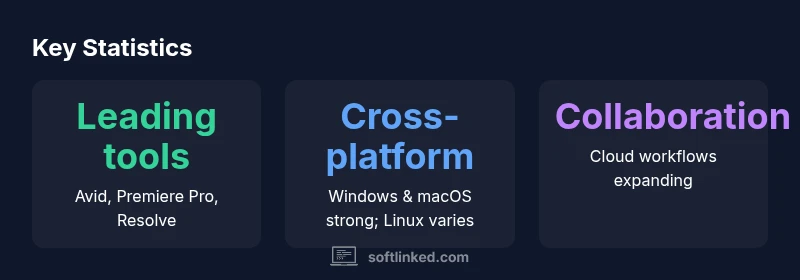
According to SoftLinked, the answer to what software are movies edited with in modern post-production centers on three non-linear editors (NLEs) that have become almost ubiquitous in studios and independent teams alike: Avid Media Composer, Adobe Premiere Pro, and DaVinci Resolve. This trio supports the full range of post activities from offline editing to final color grading and audio mixing, and each tool has developed specific strengths that lead studios to prefer one over another depending on pipeline, budget, and talent. While some projects experiment with lesser-known or open-source options, the bulk of professional work uses these three due to robust media management, strong collaboration features, and mature ecosystem of plugins and export options. In short, the landscape has crystallized around these editors, even as teams tailor workflows to fit their unique requirements.
Avid Media Composer: the backbone of many studios
Avid Media Composer has long been considered the industry standard for large-scale productions, especially in television and feature films. Its media management, project organization, and bin-based workflow align well with long-form content and complex collaboration. For editors, the timeline model and robust AAF/XML import/export options keep compatibility with legacy workflows intact. While the learning curve is steep, studios value Avid for predictable performance across multi-user environments, reliable conform, and deep integration with tape-based or legacy ingest pipelines. For aspiring editors, familiarity with Avid can be a powerful credential when joining post houses or large teams.
In practice, many productions run Avid as the master editing timeline, then use downstream tools for color, effects, and finishing. Knowing where Avid excels helps you plan your own projects: ingest media with accurate timecode, manage revisions with bins, and leverage Avid’s newsroom-like metadata support for efficient review cycles.
Adobe Premiere Pro: flexibility and collaboration
Premiere Pro has gained widespread ground due to its flexible, cross-media workflows and strong collaboration capabilities via the Creative Cloud ecosystem. It supports a broad range of file formats, multi-user projects, and seamless handoffs to After Effects, Audition, and Premiere Rush for lighter workflows. For teams, Premiere Pro’s integration with shared libraries, Team Projects, and cloud-based asset management can accelerate review cycles, especially for smaller studios or freelance editors who need fast iteration. For learners, Premiere Pro offers a gentler entry point relative to some traditional Avid workflows while still delivering robust professional results. When what software are movies edited with becomes a question of collaboration debt and project velocity, Premiere Pro often wins on speed and accessibility.
DaVinci Resolve: editing, color, and Fusion in one app
Resolve began as a color grading powerhouse and has evolved into a comprehensive all-in-one solution for editing, color, VFX, and audio post. Its node-based color tools offer a depth that rivals standalone color suites, while the Edit page remains familiar to editors who come from other NLEs. The Fusion page provides labeled, composited effects capabilities, and Fairlight handles audio post with professional-grade tools. The all-in-one approach minimizes round-tripping between applications, streamlining the pipeline for indie features and commercials transitioning toward full production value. As Resolve grows in popularity, more shops adopt it as their primary editing and finishing suite, particularly when color is a differentiator for the project.
How color grading, sound, and VFX influence tool choice
Color grading, sound design, and VFX integration are not afterthoughts; they often determine which NLE a project uses as its hub. Resolve’s integrated color tools and Fusion/VFX workflows make it attractive for projects where color is central to storytelling. Premiere Pro’s ecosystem shines when teams rely on external third-party plugins and multi-branch workflows that require rapid interchange with After Effects and audio tools. Avid remains preferred where heavy editorial control, team-based review, and complex media management are non-negotiable. Consider not only editing speed but how your chosen tool plays with color pipelines, audio post, and VFX integration when evaluating which software are movies edited with for your context.
Practical decision framework for choosing an NLE
A practical framework starts with project scope and team structure. If you’re working in a large, multi-department studio with strict conforming and archival needs, Avid’s ecosystem may be worth the investment. If you require fast prototyping, broad file format support, and frequent collaboration with external vendors, Premiere Pro can be more efficient. For projects where top-tier color and consolidated finishing are essential, Resolve offers a compelling, cost-conscious path. Always test the workflow: can your editors access media easily, can artists share feedback efficiently, and can the project export cleanly to your finishing suite? Build your decision around your pipeline, not just the feature list of the editor.
Getting hands-on: learning paths and project setups
Begin with guided tutorials that mirror real-world tasks: ingest, rough cut, select, track, and finalize. Create sample projects in each tool to compare performance, keyboard shortcuts, and memory usage. Practice importing common camera codecs and test exporting to common delivery formats (web, broadcast, cinema masters). Consider pairing with a colorist or sound designer early in the process to understand dependencies across the pipeline. Whatever tool you choose, the most valuable skill is consistency: stable project structure, well-organized media, and clear notes for the next editor stepping in.
Common workflow patterns across budgets
Low-budget indie projects often favor Resolve or Premiere Pro for their cost efficiency and rapid iteration. Mid-budget productions may standardize on Avid for its corporate-grade media management and collaboration features, while some high-end studios maintain a hybrid workflow that uses Avid for offline editing and Resolve for color finishing. Across budgets, robust media management, clear project architecture, and reliable exchange formats (XML/AAF/EDL) are the pillars of a smooth post-production process. Regardless of price, the ability to onboard new editors quickly and maintain consistent deliverables remains the most important outcome.
Comparison of leading film editing software
| NLE | Core Strengths | Ideal Use Case | Color Workflow | Licensing |
|---|---|---|---|---|
| Avid Media Composer | Robust media management; long-form editing; collaboration | Large-scale productions; episodic TV | External color tools via Symphony; integrated options | Subscription/licensing varies by region |
| Adobe Premiere Pro | Flexible editing; strong cross-format support; cloud collaboration | Multi-format projects; mixed-media workflows | Lumetri color panel; broad plugin ecosystem | Subscription-based pricing |
| DaVinci Resolve | All-in-one editing, color, and VFX; strong color grading | Indie features to mid-size productions | Integrated color and Fusion tools | Free tier + Studio version, licensing varies |
| Final Cut Pro | Fast Mac-only editing; magnetic timeline; efficient workflow | Indie films and certain TV workflows on Mac | Built-in color tools with strong media management | One-time purchase |
Your Questions Answered
What software are commonly used to edit movies today?
The industry centers on Avid Media Composer, Adobe Premiere Pro, and DaVinci Resolve. Each offers strong editing, media management, and finishing capabilities, with project needs guiding the best fit.
Avid, Premiere Pro, and Resolve are the go-to tools for most films and TV projects.
Can Final Cut Pro be used for feature films?
Yes, Final Cut Pro is used in some indie features and television workflows, but many studios standardize on Avid or Resolve for larger pipelines and color finishing.
Final Cut Pro can be used, especially in indie projects, but many big studios prefer Avid or Resolve for its pipeline fit.
Is cloud-based editing viable for blockbusters?
Cloud collaboration is increasingly common for dailies, reviews, and wrapouts, but security, bandwidth, and licensing considerations shape its use in large productions.
Yes, cloud workflows are increasingly used for collaboration, with careful planning around security and bandwidth.
What is the learning curve for these editors?
All three major editors have substantial learning curves. Avid is traditional and formal, Premiere Pro is broadly approachable, and Resolve emphasizes color and finishing workflows.
All three have a learning curve, with varying emphasis on editing, color, and collaboration.
How important is color grading when choosing an NLE?
If color is a core differentiator, Resolve often takes precedence due to its deep color tools. Others integrate color through plugins and built-in panels.
Color tools and finishing workflows strongly influence tool choice; Resolve is favored for color, others offer strong integrated options.
Are there open-source options suitable for film editing?
Open-source editors exist but are rarely used for major productions due to pipeline and support limitations. They can be valuable for student projects or experimental work.
Open-source editors exist, but for major productions, mainstream tools are preferred for pipeline support.
“In film editing, the choice of NLE often defines your pipeline as much as your storytelling. The best tool is the one that fits your team's workflow and resourcing.”
Top Takeaways
- Learn the tool your team already uses to maximize collaboration
- Avid, Premiere Pro, and Resolve dominate; choose based on pipeline needs
- Assess color, VFX, and audio workflows before picking an editor
- Start with a hands-on trial to compare performance on your projects