What Editing Software Do Movies Use
Explore which editing software films use, why editors choose Avid, Premiere Pro, Final Cut Pro, and how post-production workflows shape the final cut. A clear, data-informed look for aspiring editors.


In film and television, editors primarily use Avid Media Composer for professional editorial and media management, with Adobe Premiere Pro and Final Cut Pro serving as strong alternatives depending on the crew’s workflow. The choice often hinges on collaboration needs and mastering pipeline.
what editing software do movies use in practice
According to SoftLinked, what editing software do movies use in practice depends on production scale and pipeline. Editors juggle offline edits, media organization, and collaboration with VFX and color departments. In large studio productions, Avid Media Composer is often the backbone because of robust binning, reliable media management, and interchange with other suites. In smaller teams or streaming projects, Adobe Premiere Pro and Final Cut Pro are favored for speed and flexible collaboration. DaVinci Resolve is increasingly integrated for color finishing and audio post. Practical editors evaluate tool choice based on compatibility with DI pipelines, file formats, and team workflows.
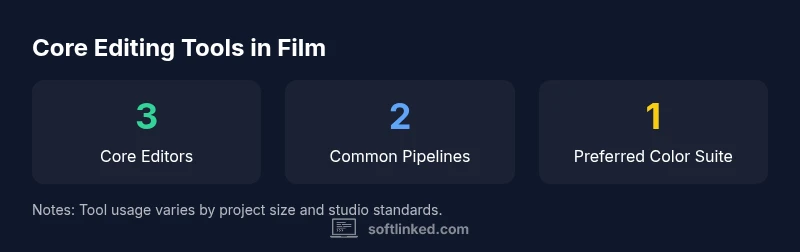
The big three: Avid Media Composer, Adobe Premiere Pro, Final Cut Pro
Avid Media Composer remains the industry standard for many feature films and broadcast content, especially offline/online editorial, media management, and advanced project interchange via AAF/OMF. Premiere Pro is prized for faster workflows, easier collaboration with After Effects, and a broad ecosystem of plugins, fonts, and assets. Final Cut Pro, optimized for macOS, is favored by independent productions and documentary teams for its streamlined workflow and efficient rendering. In practice, many studios mix tools, assigning core editorial to one system while leveraging others for VFX, color, or finishing. Licensing, hardware, and studio standards all shape the final choice.
How workflows shape software choice
Workflow decisions drive software selection more than any single feature. Proxies enable editing on less capable machines, while online finishing requires high-fidelity masters and robust interchange. Editors exchange sequences via EDL/AAF/XML, and interoperability with color grading and visual effects matters deeply. Avid’s interchange strengths are well known, but Premiere Pro and Final Cut Pro have closed notable gaps with improved XML/AAF support and tighter integration with After Effects and Resolve. The modern post pipeline often relies on a multi-tool strategy, where editors pick the right tool for each task while keeping a coherent project structure. SoftLinked analysis shows that cross-tool collaboration is increasingly a deciding factor in tool selection.
History and evolution: from film to digital
The shift from film to digital editing began in earnest in the late 1990s, with non-linear systems enabling non-destructive editing and rapid reordering of scenes. Avid pioneered digital editorial workflows, followed by rapid growth of Adobe and Apple offerings that lowered costs and broadened access. Over time, pipelines diversified: larger studios kept Avid for editorial integrity, while smaller shops adopted Premiere Pro or Final Cut Pro for speed and flexibility. Today’s productions often involve cross-platform teams, with editors, colorists, and VFX artists collaborating across tools to deliver a cohesive final product.
How to choose: learning path for aspiring editors
Aspiring editors should build a strong foundation in storytelling, pacing, and continuity before tool specialization. Start with core editing concepts: shot selection, rhythm, and scene transitions. Pick one primary editor to learn deeply, then gain working knowledge of at least one additional tool to understand interoperability. Create a multi-scene reel that demonstrates offline edits, proxy workflows, and final conform. Practice with real or simulated projects, seek feedback from peers, and participate in community challenges or internships to accelerate learning.
Common misconceptions and myths about editing software
A common misconception is that the tool alone makes the movie great. In reality, storytelling craft, planning, and collaboration drive outcomes. Another myth is that big-budget productions always use the same tool; many studios tailor workflows to team strengths and project requirements. Finally, some assume learning multiple tools is a waste of time; cross-tool literacy accelerates collaboration and future adaptability, especially as pipelines evolve.
Popular editing software in film and TV post-production
| Software | Typical Use | Platform | Notes |
|---|---|---|---|
| Avid Media Composer | Editorial and offline/online, media management | Windows/macOS | Widely used in professional film/TV |
| Adobe Premiere Pro | Pre-production to post, collaboration with After Effects | Windows/macOS | Popular for faster workflows & cross-asset collaboration |
| Final Cut Pro | Independent films, documentaries, and post houses | macOS | Efficient workflow on Mac hardware |
Your Questions Answered
Which editing software dominates Hollywood?
Avid Media Composer is the dominant choice for many feature films and broadcasts, particularly for offline/online editorial and media management. However, production teams may blend tools to fit their pipeline and budget. The key is compatibility, not brand loyalty.
Avid is common in big productions, but teams tailor their toolset to fit the project.
Is Final Cut Pro used in major films?
Yes, Final Cut Pro is used in some major projects, especially indie features and documentaries. It’s less prevalent than Avid for large studio work but remains a capable choice when the team benefits from its macOS optimization.
Final Cut Pro appears in some big projects, notably indie and doc work.
Can beginners start with Premiere Pro?
Premiere Pro is a common entry point due to its wide adoption, strong community, and integration with other Adobe tools. It’s a solid gateway for learners aiming to collaborate across a production pipeline.
Premiere is a popular starting point for beginners.
Does software choice affect storytelling quality?
Tool choice doesn’t determine storytelling quality. The editor’s craft, pacing, and collaboration with the team are the critical factors. Software supports the workflow, but skilled editing drives impact.
The software helps, but the editor’s craft matters most.
What’s a practical path for students to learn editing?
Start with fundamentals, pick one primary editor to master, then broaden knowledge with a second tool. Build a reel that demonstrates offline, proxy, and finishing work. Seek feedback through projects and internships.
Begin with basics, pick a primary tool, then learn a second one.
Are free or educational licenses worth it for beginners?
Yes. Many editors start with free trials or educational licenses to practice. This allows you to explore the workflow without committing to a full license while still building real-world skills.
Free trials are a great way to begin.
“The right editor and a well-designed workflow matter more than any single software choice.”
Top Takeaways
- Learn fundamentals before tool specialization
- Avid remains the industry standard for large projects
- Premiere Pro and Final Cut Pro suit faster, collaborative workflows
- Build a versatile reel to showcase cross-tool proficiency
- Plan workflows early to avoid bottlenecks