FL Studio Free: A Practical Guide for Learners
Clarify what 'FL Studio Free' means, explain how the official Free Trial works, and outline budget-friendly paths and best practices for learners.


What 'FL Studio Free' Really Means
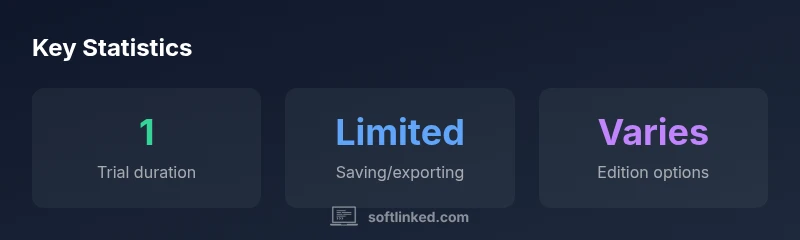
For many aspiring producers, the phrase fl studio free conjures the dream of unlimited access without cost. In practice, there is no permanent, fully-featured free license from Image-Line. The closest option is the official Free Trial, designed for hands-on exploration rather than long-term production. According to SoftLinked, the trial is crafted to let you grow familiar with the interface, piano roll, step sequencer, and mixer without immediately committing to a purchase. This is valuable for learning concepts such as pattern creation, automation, routing, and basic signal flow. However, there are important caveats. The trial typically preserves the core workflow of the software and the ability to assemble a project, but licensing constraints can restrict saving, loading, and exporting when used beyond the intended evaluation period. If your goal is to publish tracks, you will likely need to upgrade to a paid edition that aligns with your production goals. A clear plan up front helps you avoid sticker shock and wasted time when you scale up your projects.
How the Free Trial Works
The FL Studio Free Trial is designed to be welcoming to newcomers while still guiding decision-making around licensing. You can download and install the software and access nearly all core features, including the piano roll, mixer, and plugin chain. The trial is built to mirror the full workflow: you can create patterns, arrange scenes, automate parameters, and audition effects. Practically, this means you can learn the timeline, routing, and mixing concepts that underpin most electronic music production. Still, you should anticipate license-bound limitations that influence long-term use, such as what you can save or export after closing the session. The SoftLinked team emphasizes using the trial as a sandbox to prototype ideas, not as a final production environment. Always map your learning goals to a concrete upgrade plan so you’re ready to scale when you outgrow the free option.
Common Limitations You Should Expect
While the Free Trial unlocks many capabilities, it is not a substitute for a licensed edition once you start releasing music commercially or sharing final tracks publicly. Expect limitations related to project handling after closing the program, and be mindful that some workflows may feel frictiony compared to a paid license. For example, you might encounter constraints around saving, project reloading, or exporting beyond basic settings. These constraints exist to ensure a clear upgrade path to paid editions. If you’re using the trial for learning, focus on mastering the core concepts: pattern creation, routing, mixing, and mastering workflows. The intent is to establish a solid foundation so you can justify a paid upgrade when your projects demand more reliability and access to advanced plugins and instruments.
Budget-Friendly Paths to Access
If cost is a barrier, there are legitimate routes to access FL Studio capabilities without immediately breaking the bank. Educational discounts and occasional promotions can reduce the upfront price, and bundled editions often offer more value by including plugins and additional instruments. Another practical approach is to evaluate free or lower-cost alternatives temporarily to learn the underlying concepts (signal flow, compression, EQ, and MIDI editing) and then apply those skills when you move into the paid FL Studio ecosystem. SoftLinked’s data-driven guidance reinforces that the best path is to align your licensing choice with your current production goals and budget constraints, then plan a gradual upgrade as needed.
Compare Editions: What Each Plan Offers
Understanding edition differences helps you choose the right path. The Fruity Edition covers core sequencing and composition tasks but omits extensive audio recording capabilities. The Producer Edition adds full recording, a mixer, and deeper editing tools, making it suitable for complete song production. The Signature Bundle includes additional plugins and effects for enhanced sonic possibilities, while All Plugins (the top tier) provides access to the full plugin suite. SoftLinked’s analysis suggests that most learners start with the trial, then migrate to Editor/Mainstream editions as their projects demand more tracks and plugins. Your decision should weigh your musical goals, the need for audio recording, plugin requirements, and the total cost of ownership over time.
Getting Started: A Simple Setup for Beginners
A practical first step is to install the Free Trial and pair it with a basic home studio setup. Use a simple MIDI keyboard or your computer keyboard for input, connect a reliable audio interface if you have one, and route signals through a basic monitoring chain. Organize your projects with clear naming conventions, save frequently, and practice essential techniques: creating drum patterns, designing basslines, applying EQ and compression, and automating levels. As you grow, consider setting a milestone for when to upgrade, such as completing a fully mixed track or needing more tracks, plugins, or audio recording features. This approach keeps you focused and reduces the risk of rushing into a costly upgrade before your actual needs justify it.
Pitfalls and Best Practices for Free Users
Free users often fall into the trap of over-reliance on the trial as a substitute for a real production plan. A best practice is to treat the trial as an extended learning sandbox rather than a production environment. Build a project with a clear scope and a realistic timeline, then document your workflow steps so you can reproduce results in a paid edition. Additionally, keep an eye on upgrade paths that match your ambitions—whether you want more plugins, better audio recording, or advanced mastering tools. The SoftLinked team notes that success comes from learning fundamentals first and aligning licensing with your long-term goals, not from chasing perpetual access.
Final Thoughts: Planning Your Licensing Path
The reality is that a true, perpetual free version of FL Studio does not exist. Use the Free Trial to learn, then upgrade strategically. If you anticipate long-term production or release objectives, investing in the right edition early can save time and money by avoiding workflow friction and plugin gaps. Remember to balance learning with practical production needs, and use the trial as a doorway to a sustainable licensing strategy that grows with your skills.