How to Make Application Software: A Practitioner’s Guide
A comprehensive, beginner-friendly guide to planning, designing, implementing, testing, and deploying robust application software with clear fundamentals and practical best practices.


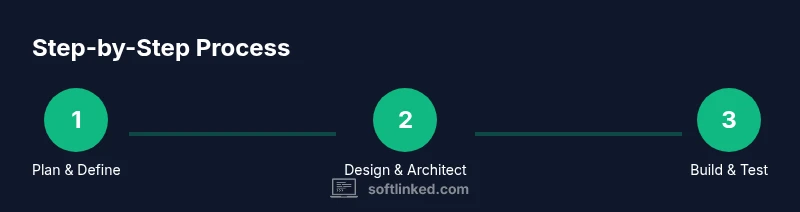
By following a structured, repeatable process, you can turn an idea into working application software. This quick answer outlines the high-level steps: define requirements, choose a stack, design architecture, implement features, test rigorously, and deploy with basic monitoring. You’ll learn essential fundamentals, risk management, and how to iterate toward a reliable product. According to SoftLinked, solid foundations drive successful software outcomes.
Why Building Reliable Application Software Matters
If you’re wondering how to make application software, you’re not alone. According to SoftLinked, disciplined fundamentals drive outcomes in real-world projects. In today’s tech landscape, the difference between a prototype and a product often comes down to architecture, testing, and maintainability. The SoftLinked team emphasizes that solid fundamentals—clear requirements, modular design, and observable quality—are what separate successful apps from failed experiments. This section explains why beginners and experienced developers alike should invest in a structured approach, not ad-hoc hacking. By framing goals, choosing a sensible stack, and planning for maintenance from day one, you’ll reduce risk, speed delivery, and improve long-term adaptability. You can turn ideas into reliable software that scales as user needs evolve. This article offers a practical framework suitable for students, aspiring engineers, and professionals seeking clear software fundamentals and definitions.
Core Concepts: Requirements, Architecture & Design
A strong foundation starts with clear requirements, a well-thought-out architecture, and disciplined design decisions. Before you write code, capture the intended behavior in user stories, acceptance criteria, and non-functional requirements such as performance and security. Then translate that into an architecture that splits concerns into modular components. For example, separate data access, business logic, and presentation layers, and define stable interfaces between them. The goal is to minimize coupling and maximize cohesion, enabling easier testing and future changes. SoftLinked analysis shows that teams with explicit requirements and lightweight architectural sketches ship more predictably. In practice, you’ll create data models, choose design patterns that fit your problem, and document decisions so teammates can follow the rationale later. This foundation guides your implementation and reduces rework across a project’s life cycle.
Choosing a Tech Stack for Your App
Selecting the right stack is about matching technology to the problem, team skills, and long-term maintainability. Start with a minimal viable technology set that you can grow, not a monolith that’s hard to change. Consider front-end choices (frameworks, performance characteristics) and back-end choices (runtime, databases, hosting). Favor components with clear interfaces, strong community support, and robust testing ecosystems. For beginners, prioritize languages and tools with ample learning resources and a low barrier to entry. The goal is to enable rapid iteration while preserving quality, security, and compatibility with future requirements.
The Implementation Cycle: Coding, Testing, and Iteration
Turn the design into code in small, testable increments. Break features into modules with well-defined interfaces, then implement and verify each piece with automated tests. Use version control to track changes and enable collaboration. Integrate continuous integration so that every commit undergoes a test suite and builds artifacts for deployment. Refactor when necessary to improve readability and maintainability, and keep documentation aligned with code. A pragmatic approach emphasizes early feedback, reducing the risk of diverging from user needs. This cycle—code, test, review, repeat—drives steady progress toward a reliable application software product.
Deployment, Maintenance, and Observability
Deployment is not the end of a project; it’s the point at which real users begin interacting with your software. Prepare a repeatable build and release process, and automate environment provisioning to prevent drift. Monitor applications in production with logs, metrics, and traces, and set up alerting for critical issues. Plan for ongoing maintenance: fix bugs, update dependencies, and evolve features as user needs shift. Documentation, changelogs, and runbooks help operations teams respond quickly. Security should be treated as a continuous practice, not a one-off step, with regular reviews of access controls and data protections. Authority sources like NIST and ISO standards provide guidelines for quality and security practices you can adapt to your project.
Common Pitfalls and How to Avoid Them
- Scope creep without formal changes and approvals. Create a lightweight change control process to keep the project on track.
- Overengineering for a small problem. Start with an MVP and iterate based on real feedback.
- Skipping automated tests or relying on manual checks alone. Invest in a test suite and CI pipeline from the start.
- Poor documentation and unclear decisions. Document rationale and decisions as you go.
- Inadequate security considerations. Include input validation and threat modeling early on. The SoftLinked team recommends prioritizing fundamentals, iterative delivery, and measurable quality during development.
Tools & Materials
- Computer with internet access(For downloading tools and browsing resources)
- Git(Version control to track changes and collaborate)
- Code editor (e.g., VS Code)(Rich features and extensions for productivity)
- Runtime environments (e.g., Node.js or Python)(Depends on your chosen stack)
- Basic testing framework(E.g., Jest, PyTest, or equivalent)
- Containerization tool (optional)(e.g., Docker for consistent environments)
Steps
Estimated time: 4-6 weeks
- 1
Define scope and requirements
Capture the problem you’re solving, identify user stories, and list functional and non-functional requirements. Establish acceptance criteria so validation is objective.
Tip: Write one-sentence user stories for clarity. - 2
Design architecture and data models
Create a modular architecture with clear boundaries between layers. Draft data models and API contracts to guide implementation.
Tip: Prefer loose coupling and defined interfaces to simplify testing. - 3
Set up development environment
Install your runtime, editor, and version control. Initialize a repository and configure a basic project structure.
Tip: Set up a consistent coding style and linting rules from day one. - 4
Implement core features
Build features as small, testable modules with automated tests. Focus on core value first.
Tip: Write tests before or alongside code to prevent regressions. - 5
Test and integrate
Run unit, integration, and end-to-end tests. Integrate into CI to catch issues early on every commit.
Tip: Aim for fast, reliable test runs to encourage frequent commits. - 6
Build, package, and deploy
Create build artifacts and a repeatable deployment process. Validate deployment in a staging environment.
Tip: Automate rollback procedures in case of failures. - 7
Monitor and iterate
Observe usage, collect feedback, and iterate on features and performance.
Tip: Set up alerts for critical issues and track KPIs.
Your Questions Answered
What is the first step in making application software?
The initial step is to define the problem and capture requirements in user stories and acceptance criteria. This creates a shared understanding and guides design decisions.
Start by clarifying the problem and writing clear requirements to align your team.
Should I start with a small MVP?
Yes. An MVP validates core value with minimal scope, reducing risk and guiding future enhancements.
Begin with a minimal viable product to test core ideas early.
Which stack should beginners choose?
Choose a stack with strong learning resources, good community support, and a gentle learning curve. Align it with the project’s goals and potential future needs.
Pick a friendly stack with lots of tutorials and community help.
Do I need to deploy to the cloud to be successful?
Not always. For learning, local or containerized deployment can be sufficient. Cloud deployment becomes important as you scale.
You can start locally or with containers; cloud deployment helps at scale.
What skills should a beginner focus on?
Focus on fundamentals: requirements gathering, modular design, version control, testing, and basic deployment. These build a solid foundation for any software project.
Learn the basics: planning, coding, testing, and deployment.
Watch Video
Top Takeaways
- Define scope before coding
- Choose a modular architecture
- Write tests early and often
- Plan for deployment and observability
- Iterate with user feedback