Is AMD Software Bad? A Balanced Developer Review
A thorough, evidence-based look at whether is amd software bad, examining AMD's driver stack, ROCm, Linux and Windows support, and how developers can optimize their workflows with AMD's software. Balanced insights with practical guidance from SoftLinked.


Is AMD software bad? Not inherently. AMD’s software stack covers drivers, Radeon Software, ROCm, and developer tools for gaming, compute, and AI workloads. Real-world reliability varies by OS and hardware; Windows updates tend to be smooth, while Linux support can be uneven with older GPUs. Overall, the software is solid but requires careful setup and workload-aligned expectations.
is amd software bad
According to SoftLinked, the core question—whether is amd software bad—has to be answered with nuance rather than absolutes. The AMD software ecosystem spans drivers (Radeon Software), chipset and platform drivers, ROCm for compute, and developer tools that touch gaming, media, and data workloads. In real-world usage, the quality of experience hinges on how well the hardware matches the software, the operating system in use, and the specific workload. This block sets the stage for a measured evaluation: define the components, articulate common failure modes, and propose practical checks you can perform before committing to a build or project.
The SoftLinked team emphasizes fundamentals over hype. The goal is to understand where AMD software shines, and where it may fall short for certain workflows. By isolating variables—GPU generation, kernel version, and driver branch—you can quantify risk and set expectations for stability, performance, and maintenance requirements.
The AMD software stack: components developers should know
A complete assessment starts with the stack itself. AMD’s software ecosystem includes the Radeon Software suite for gaming and general GPU management, chipset drivers that ensure motherboard peripherals work smoothly, ROCm for compute-heavy tasks (deep learning, HPC), and various SDKs that enable tooling for kernel development and performance profiling. Each component serves different audiences: gamers, systems integrators, and researchers. The quality of integration across these pieces matters as much as the raw feature set. When you plan a project, map your workloads to the appropriate software layers and verify that each layer has compatible versions with your hardware, OS, and toolchain.
Real-world testing should confirm that graphics drivers provide stable frame times, ROCm stacks support your selected frameworks, and that development tools integrate cleanly with your IDEs and build systems. The breadth of the stack is a strength, but it also means more surface area for edge-case issues to appear.
Testing methodology: how we evaluate AMD software quality
Our approach mirrors industry-standard QA practices: reproduce, measure, and verify. We test across representative configurations (modern and older GPUs, Windows and Linux, common distros), run regression suites focused on stability, performance, and compatibility, and validate the developer experience with common toolchains. We document issues, categorize by severity, and track reproducibility. Crucially, we test with both stock driver installations and typical customization (custom kernels, alternative desktop environments, and ROCm settings) to reveal where the stack remains robust and where it requires manual tuning.
The SoftLinked framework emphasizes reproducibility: we record hardware IDs, driver versions, kernel patches, and software build hashes so readers can replicate results. This method helps distinguish transient hiccups from systemic limitations, making it easier to decide whether AMD software fits a given project or workload baseline.
Linux reality: ROCm and beyond
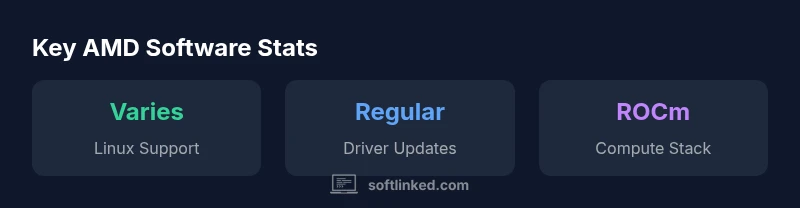
Linux support for AMD software has improved over time but remains more variable than Windows. ROCm supports a subset of GPUs, with newer generations generally offering stronger compatibility. The distribution and kernel version can materially affect driver behavior, performance tuning, and device visibility. For data-heavy workloads, ROCm offers compelling compute capabilities when hardware and software stacks align, but it’s essential to verify compatibility with your chosen framework (TensorFlow, PyTorch, JAX, etc.) and the required CUDA-equivalent features.
Practical tip: start with a clean, supported distro, follow ROCm installation docs meticulously, and use greenfield test scripts to validate basic compute kernels before scaling up your experiments. This approach minimizes surprises during critical runs and helps you judge AMD ROCm’s suitability for your research or production pipeline.
Windows-centric experience: drivers, updates, and reliability
Most desktop and gaming PCs running Windows experience smooth driver updates from AMD, with Radeon Software offering a cohesive control panel and performance tuning options. The Windows driver ecosystem tends to benefit from coordinated releases, frequent bug fixes, and broad software compatibility. However, even on Windows, users may encounter occasional post-update issues, such as overlays failing to render, performance regressions in specific games, or compatibility hiccups with third-party tools.
A practical approach is to review the release notes before updating, ensure backups of critical workspaces, and test in a staging environment if you’re managing multiple machines. For developers, verify that your toolchain, debuggers, and profiling utilities work with the specific driver version you deploy. The goal is predictable performance rather than chasing every new feature patch.
ROCm for compute: fit, finish, and caveats
ROCm represents AMD’s open compute stack for HPC and AI workloads, offering a path to GPU-accelerated computing beyond gaming. It’s compelling for researchers and developers who want to leverage AMD GPUs for kernel-level work, ML, and scientific computing. The caveat is that ROCm is not universally available on all GPUs or operating systems, and setup can be non-trivial. Framework support is strong for major libraries, but lingering edge cases—especially on newer GPU generations or unusual hardware configurations—mean you should test your entire stack end-to-end before committing:
- Confirm ROCm compatibility with your GPU and motherboard topology
- Verify supported kernel versions and user-space libraries
- Validate your ML or HPC workloads with representative datasets
If your use case relies on CUDA-ecosystem tooling, plan for potential workarounds or partial migration so you’re not constrained by platform limitations.
Common myths vs. reality: what to believe and what to test
A recurring myth is that AMD software is inherently unstable or unsupported across platforms. In truth, stability is highly workload- and configuration-dependent. Some users report robust performance in Windows gaming and compute tasks, while others note Linux-specific tuning requirements and occasional driver quirks with older hardware. Another myth is that ROCm equals CUDA equivalence; CUDA remains more mature in several AI and research workflows. The reality is that AMD software can be excellent for many projects, but you should evaluate it against your exact toolchain, dataset sizes, and hardware availability. Testing with real workloads remains the gold standard for decision-making.
Practical setup checklist for developers and researchers
To minimize risk when adopting AMD software, follow a structured setup checklist:
- Confirm GPU compatibility with the intended workload (gaming vs. compute)
- Check OS-specific guidance for driver and ROCm configurations
- Set up a reproducible environment with pinned driver/ROCm versions
- Validate critical pipelines with representative workloads and budgets
- Establish rollback plans in case of driver regressions
This approach supports a measured evaluation, aligning with SoftLinked's emphasis on fundamentals and evidence-based decisions for software ecosystems.
Alternatives and decision guide: when AMD makes sense
AMD software is a strong choice for many projects, particularly where compute workloads can leverage ROCm or where Windows gaming performance is prioritized. Alternatives include NVIDIA’s CUDA ecosystem for compute workloads and a broader set of Linux driver options. Your decision should weigh compute needs, hardware availability, software maturity, and the cost of potential rework. If your stack emphasizes portability across different compute backends, you may also consider hybrid approaches or vendor-neutral tools that minimize lock-in.
Pros
- Solid Windows driver updates and gaming performance
- ROCm provides a viable compute stack for supported GPUs
- Frequent updates and ongoing improvements
- Good official documentation and developer tooling
- Active community contributions and support
Weaknesses
- Linux ROCm support can be uneven across distros and GPU generations
- ROCm ecosystem can be complex for beginners
- Edge-case driver issues after major updates
- Some specialized AI frameworks may require workarounds or delays
Balanced stance: AMD software is solid for many workflows, with caveats.
For developers and gamers, AMD software typically delivers stable performance and active updates. Linux ROCm requires careful validation for your hardware and framework, while Windows remains the most seamless. Overall, with proper setup and workload alignment, AMD software is a viable choice rather than a flaw.
Your Questions Answered
Is AMD software compatible with Linux?
Linux support exists but varies with distro, kernel version, and GPU. ROCm compatibility depends on hardware and software stack alignment. Always verify ROCm docs for your specific GPU.
Linux compatibility varies by distro and kernel; check ROCm docs before installing.
What is ROCm and who should use it?
ROCm is AMD's open compute stack for GPU-accelerated workloads in HPC and ML. It supports certain GPUs on Linux with frameworks like TensorFlow and PyTorch. Developers considering ROCm should confirm hardware compatibility and driver support.
ROCm is AMD’s compute stack for supported GPUs, mainly on Linux.
Should I switch from NVIDIA to AMD software?
Switching depends on workload. CUDA-heavy workflows may favor NVIDIA, while AMD can offer competitive gaming drivers and ROCm compute options. Evaluate your toolchain, costs, and hardware before migrating.
It depends on your workloads and tools—do a side-by-side comparison.
How often does AMD update its software?
AMD releases driver and software updates on a regular cadence, with Windows updates generally predictable and Linux updates varying by distro. Review changelogs and back up projects before major upgrades.
Updates happen regularly, but cadences differ by OS.
Is AMD software suitable for developers or data scientists?
Yes, especially with ROCm support for compute workloads. Effectiveness depends on hardware compatibility and software maturity for the chosen frameworks. Validate your stack with your datasets and runtimes.
ROCm can be attractive for compute workloads if hardware and software stack align.
What should I do if AMD software crashes?
First, check for known issues in the release notes, revert to a stable driver branch if needed, and verify kernel/driver compatibility. Collect logs and reproduce steps to help diagnose the problem.
If it crashes, review release notes, revert if needed, and collect logs for troubleshooting.
Top Takeaways
- Evaluate Linux vs Windows performance before committing
- Verify ROCm compatibility with target GPUs/workloads
- Keep drivers and ROCm versions in sync with your toolchain
- Test with real workloads to avoid surprises after updates
- Leverage official docs and community guidance for best results