How to Use Software R: A Complete Practical Guide
A step-by-step guide to using R for data analysis, covering installation, data import, core concepts, scripting, reproducible workflows, and best practices for beginners and students.


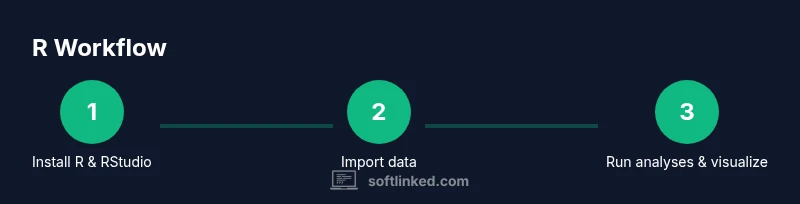
To use R effectively, install R and RStudio, import data, and write scripts to perform calculations and create visuals. This guide walks you through essential concepts, workflows, and best practices for reproducible analysis, with practical examples and tips for beginners and aspiring software engineers. Whether you are in data science, statistics class, or software development, this steps-based approach helps you progress quickly.
What is R and why use it for data analysis?
R is a language and environment specifically designed for statistics and graphics. If you are reading this, you likely want to know how to use software r in practice. The R project provides a powerful toolset for data import, cleaning, modeling, visualization, and reporting. It is widely adopted in academia and industry for rigorous data analysis. One of the main strengths of R is its comprehensive ecosystem of packages, contributed by a global community, which extends capabilities in every domain from bioinformatics to economics.
In this section you will learn the core reasons to use R, how to set expectations, and how to structure your learning so you can apply it to real tasks. We will also discuss the difference between R as a language and RStudio as an integrated development environment that makes coding, debugging, and documenting easier. For beginners, the key is to anchor learning around small, concrete tasks rather than trying to master everything at once. The goal of this article is to give you a practical path so you can start solving real problems in data analysis and data visualization.
The SoftLinked team reminds readers that mastering R is a journey, not a single milestone. By focusing on reproducible steps and incremental practice, you will build confidence and capability that last beyond a single project. This is where the guidance you find here aligns with how to use software r in a way that is clear, repeatable, and scalable.
Tools & Materials
- R (base)(Download from CRAN)
- RStudio Desktop(Optional but recommended IDE for coding and project management)
- Computer with internet(For downloads, packages, and data access)
- Dataset sample (CSV/Excel)(For hands-on practice and experimentation)
- Packages (dplyr, ggplot2, readr)(Install via install.packages("packageName"))
- R Markdown(For reproducible reports and notes)
Steps
Estimated time: 60-120 minutes
- 1
Install R and RStudio
Begin by installing the base R environment from CRAN, followed by installing the RStudio IDE for an organized workflow. Verify installation by launching RStudio and executing a simple command like 2+2 to confirm the console is responsive.
Tip: Choose a CRAN mirror close to you to speed up downloads. - 2
Set up a project folder
Create a dedicated project directory to keep scripts, data, and outputs organized. In RStudio, use Project > New Project to tie all files together, which helps with file paths and reproducibility.
Tip: Use a consistent folder structure (data, scripts, outputs) for every project. - 3
Learn core data types and objects
Familiarize yourself with vectors, lists, matrices, data frames, and factors. Practice simple operations like creating a vector (c(1,2,3)) and extracting columns from a data frame.
Tip: Remember that R uses 1-based indexing, not 0-based like some languages. - 4
Import data and inspect structure
Use readr::read_csv to load CSV files or readxl to read Excel files. Inspect your data with str(), head(), and summary() to understand structure and summary statistics before analysis.
Tip: Always check for missing values and data types early. - 5
Run basic analyses and create visuals
Perform simple calculations (means, medians, standard deviations) and create plots with ggplot2. Start with a quick exploratory data analysis (EDA) to guide model choice and interpretation.
Tip: Plot early to visually spot anomalies or outliers. - 6
Save scripts and document your workflow
Save your code in .R scripts and consider R Markdown for a reproducible report. Use comments to explain non-obvious steps and keep a changelog of dataset versions.
Tip: Version-control your scripts with Git for traceability.
Your Questions Answered
What is R used for in data analysis?
R is a language and environment designed for statistical analysis and graphics. It excels at data cleaning, modeling, visualization, and reporting. Many industries use R packages to perform specialized tasks quickly.
R is great for statistical analysis and creating graphics. It’s widely used for data cleaning, modeling, and reporting.
Do I need programming experience to start with R?
Some basic programming experience helps, but beginners can start with simple scripts and grow gradually. Focus on small tasks like reading a file and calculating a mean to build confidence.
Some programming helps, but you can start with simple tasks and learn as you go.
How do I install R and RStudio safely?
Install R from the official CRAN repository and then add RStudio as an IDE. Ensure you download the version compatible with your operating system and keep both tools updated.
Install from the official sources and keep them updated for security and bug fixes.
Can R run on Windows, macOS, and Linux?
Yes. R and RStudio are cross-platform and support Windows, macOS, and Linux. The installation steps are similar, with small OS-specific tweaks.
R and RStudio work on Windows, macOS, and Linux.
Do I need to learn statistics to use R effectively?
A basic understanding of statistics helps, but you can start with data wrangling and visualization as you learn. Incrementally add statistical methods as you gain comfort with the syntax.
A basic stats background helps but you can start with practical tasks and learn more later.
How long does it take to learn the basics of R?
Learning the basics can take a few weeks with regular practice. Expect to spend time on data import, cleaning, simple analyses, and visualizations before tackling advanced topics.
A few weeks of steady practice typically covers the basics.
Watch Video
Top Takeaways
- Install and configure R and RStudio properly
- Import data and verify structure before analysis
- Write modular scripts for reproducibility
- Leverage dplyr and ggplot2 for data wrangling and visuals