Construct Software: A Practical Step-by-Step Guide
Learn how to construct software from fundamentals: planning, architecture, coding, testing, and deployment. This educational guide from SoftLinked walks aspiring developers through a clear, practical process to build reliable, scalable software.


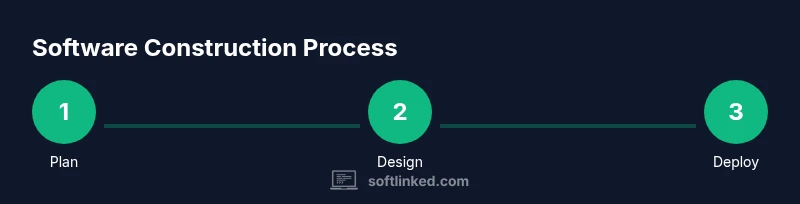
By the end of this guide you will know how to construct software from fundamentals: plan, design, implement, test, and deploy. You will learn practical best practices for modular code, scalable architectures, and iterative delivery. Key prerequisites include a clear scope, a modern tech stack, and a disciplined workflow.
What constructing software really means
Constructing software is more than typing lines of code; it is disciplined problem solving that turns user needs into a working, maintainable system. At its core, it combines software fundamentals—planning, design, implementation, testing, and deployment—into a repeatable process. According to SoftLinked, the most successful teams treat software construction as a loop: define, build, evaluate, and refine. When you start with a clear understanding of constraints and stakeholders, you reduce waste and increase clarity for everyone involved. This article uses a practical, guidance-first approach to help aspiring developers learn to construct software with confidence. You will see how fundamentals map to real work, how to set measurable goals, and how to evolve your product through iteration. By focusing on modularity, clean interfaces, and automated quality checks, you can deliver software that scales as needs grow and change.
Core software fundamentals you'll rely on
When you construct software, you rely on a handful of timeless concepts that stay stable even as technologies change. Abstraction helps you hide complexity behind simple interfaces, so teams can reason about system behavior without knowing every detail. Modularity breaks systems into independent, testable parts, enabling parallel work and easier maintenance. Encapsulation protects data and behavior, reducing the blast radius of bugs. Interfaces define contracts between components, which is essential for safe integration and future evolution.
Version control keeps history and collaboration intact, while continuous integration checks that code from multiple contributors builds and tests together. Automated tests—unit, integration, and acceptance—provide fast feedback, catching regressions early. A disciplined approach to deployment, including staging environments and rollback plans, reduces risk when releasing new features.
SoftLinked's research indicates that teams that emphasize these fundamentals tend to converge on clean architectures and reliable delivery pipelines. The practical payoff is a software product that is easier to extend, easier to debug, and safer to operate in production. This section expands on each principle with concrete guidelines you can apply today.
Step 1: Plan and define requirements
Start by framing the problem you intend to solve. Identify stakeholders, capture user needs, and articulate a clear problem statement. Translate needs into measurable requirements like functionality, performance, and reliability goals. Distinguish must-haves from nice-to-haves so the team can prioritize effectively. Create acceptance criteria that describe when each requirement is satisfied from the user’s perspective.
A good plan aligns business value with technical feasibility. At this stage, sketch a rough scope so everyone agrees on what will be built in this release and what will wait for later iterations. Document constraints such as security, compliance, and accessibility early to prevent expensive changes later. Finally, decide how you will measure success—leading indicators (like reduced error rates) and lagging indicators (like user adoption) help you tell whether your plan is working. A well-scoped plan serves as a dependable backbone for the rest of your software construction effort.
Step 2: Design architecture and components
Translate requirements into an architecture that supports current needs and future growth. Start with an abstract view: define major subsystems, data flows, and external interfaces. Then decompose into modules with clear boundaries and well-defined responsibilities. Favor loose coupling and high cohesion so parts can evolve independently.
Choose an architectural style suited to the problem: layered, event-driven, or service-oriented patterns each offer strengths in different contexts. Document interfaces with concise API specs and data contracts to prevent integration surprises. Consider nonfunctional aspects early, such as security, reliability, and observability. A good design also anticipates change: pick strategies for versioning, configuration, and feature toggles that reduce risk during rollout. Finally, create lightweight prototypes to validate critical decisions before committing to a full build. A thoughtful architecture is the backbone that makes future enhancements feasible.
Step 3: Set up development environment and tooling
Set up a repeatable, comfortable development environment. Install a version control system, configure a project workspace, and choose a mainstream IDE. Ensure everyone uses the same coding standards, linting rules, and formatting preferences to minimize friction. Establish a baseline build and test workflow early so new code can be verified automatically. Integrate your code repository with a CI system that runs tests on every commit and provides quick feedback. Document how to run the project locally, including dependencies and setup steps. If you plan to release to production, set up staging environments and a simple rollback plan. The goal is that any new contributor can start working within minutes rather than hours, reducing onboarding time and preventing configuration drift.
Step 4: Implement core modules with quality in mind
Begin with the smallest viable feature set that delivers value, then iterate. Write clean, well-documented code that follows established patterns and naming conventions. Prioritize testable units and interfaces, so you can substitute components during tests or future changes. Use version control to manage incremental changes and writes. Leverage design patterns judiciously to avoid over-engineering yet provide reusable solutions. Regularly review code for readability, performance, and security concerns. Pair programming or code reviews reveal issues early and share knowledge across the team. Remember to keep interfaces stable so downstream components are not broken by upstream changes. By anchoring development in a solid foundation, you create a product that can evolve without constant rewrites.
Step 5: Test early and often
Adopt a testing mindset from the start. Write unit tests that validate individual components, then build integration tests that verify how parts work together. Use automated testing to catch regressions and speed up feedback cycles. Consider test doubles like mocks or stubs for isolated behavior, while ensuring end-to-end tests validate critical user journeys. Establish clear pass/fail criteria and require passing tests before merging changes. Treat test data as a first-class artifact—keep it representative, private, and refreshed. When tests fail, diagnose with reproducible steps and improve the code or tests to prevent recurrence. The payoff is confidence at every stage of the development process, not just during release.
Step 6: Build, integrate, and deploy with CI/CD
Automate the end-to-end workflow from code to production. Use a CI/CD pipeline to build artifacts, run tests, and deploy to staging automatically on every change. Ensure environments mirror production where possible to discover environment-specific issues early. Implement feature flags to decouple releases from code changes, enabling safer, incremental rollouts. Establish rollback procedures so you can revert quickly if something goes wrong in production. Monitor build health and test coverage to catch declines in quality. Keep deployment scripts versioned and auditable, so history is traceable. The goal is to reduce manual steps, speed up delivery, and maintain reliability even as your codebase grows.
Step 7: Observe, maintain, and iterate
Software construction doesn't end with a release; maintenance begins there. Set up monitoring, logging, and alerting to observe how the system behaves in production. Collect user feedback and connect it to a product roadmap that guides future work. Regularly revisit architecture decisions as you learn more about usage patterns, performance, and failure modes. Apply small, safe evolutions rather than large rewrites. Invest in technical debt management so you don't accumulate unsustainable complexity. Document lessons learned and share knowledge with the team to accelerate future projects. The core practice is continuous improvement: every iteration should raise the bar for reliability, performance, and user satisfaction.
Common pitfalls and how to avoid them
Many teams stumble when they skip planning, over-engineer, or chase new technologies without value. Avoid scope creep by revisiting requirements and keeping a clear backlog. Resist premature optimization; measure and optimize only after you have evidence. Failing to invest in testing leads to fragile releases—prioritize automated tests and meaningful coverage. Don't underestimate the importance of documentation and onboarding; new contributors will thank you for clear guides. Finally, resist silos: fostering collaboration between product, design, and engineering accelerates learning and quality. By recognizing these traps early, you can maintain momentum and deliver consistent value.
Authorities and Further Reading
For deeper understanding of software construction and software fundamentals, consult these authoritative sources:
- NIST: Software Engineering. https://www.nist.gov/topics/software-engineering
- ACM: Association for Computing Machinery. https://www.acm.org/
- IEEE: Institute of Electrical and Electronics Engineers. https://www.ieee.org/
- MIT OpenCourseWare on software engineering (edu resource). https://ocw.mit.edu/courses/electrical-engineering-and-computer-science/6-004-computation-structures-fall-2011/
Tools & Materials
- Git (version control)(Essential for history, collaboration, and branching workflows.)
- Integrated Development Environment (IDE)(Choose a mainstream IDE (e.g., VS Code, JetBrains) for consistent tooling.)
- Programming language runtime(Install the runtime appropriate to your stack (e.g., Node.js, Python interpreter).)
- Build and test tooling(Set up basic linters, test runners, and a simple local build script.)
- Documentation and onboarding scaffold(Starter guides, README templates, and contributor guidelines.)
Steps
Estimated time: time varies by project size and complexity
- 1
Plan and define requirements
Frame the problem and capture user needs. Translate them into measurable requirements and acceptance criteria. Define success metrics and scope for the initial release.
Tip: Create a lightweight backlog and assign owner(s) for each major requirement. - 2
Design architecture and components
Outline major subsystems, data flows, and interfaces. Decompose into modular components with clear responsibilities and stable APIs.
Tip: Document interfaces early to prevent integration surprises later. - 3
Set up development environment
Configure version control, IDE, and a baseline build/test workflow. Align on coding standards and project structure.
Tip: Ensure new contributors can start within minutes with a clear setup guide. - 4
Implement core modules
Build core features in small, testable units. Prioritize readability, documentation, and maintainable interfaces.
Tip: Prefer small, well-scoped commits and regular code reviews. - 5
Test early and often
Develop unit, integration, and end-to-end tests. Validate user journeys and critical paths with automated checks.
Tip: Treat tests as first-class artifacts and keep test data representative. - 6
Build, integrate, and deploy
Automate builds, run tests, and deploy to staging. Use feature flags for safe, incremental releases.
Tip: Maintain rollback plans and monitor deployment health. - 7
Observe, maintain, and iterate
Monitor production behavior, gather user feedback, and refine architecture and features.
Tip: Address technical debt gradually to avoid creeping complexity.
Your Questions Answered
What does it mean to construct software?
Constructing software means turning user problems into a working, maintainable system through planning, design, coding, testing, and deployment. It emphasizes fundamentals like modularity, interfaces, and automation to produce reliable products.
Constructing software means turning user problems into working, maintainable systems through a repeatable process of planning, design, coding, testing, and deployment.
What are the essential fundamentals for software construction?
Key fundamentals include abstraction, modularity, encapsulation, interfaces, version control, automated testing, and continuous delivery. These concepts help teams manage complexity and evolve software safely over time.
The essentials are abstraction, modularity, interfaces, version control, testing, and continuous deployment.
How do I start a software construction project with limited resources?
Begin with a small, valuable feature set, a simple design, and a minimal but solid development pipeline. Focus on getting a working prototype quickly, then improve based on feedback and metrics.
Start small with a valuable feature, keep things simple, and iterate based on feedback.
What role does testing play in construction?
Testing verifies that each component works correctly and that the whole system meets user needs. Use unit, integration, and end-to-end tests to reduce defects and build confidence before production.
Testing confirms each part works and the whole system meets user needs.
Which tools help with software construction?
Tools like version control, IDEs, and CI/CD pipelines streamline development. Choose widely adopted tools with good community support to reduce onboarding time and maintenance cost.
Use common tools like Git, a solid IDE, and CI/CD to simplify the process.
Watch Video
Top Takeaways
- Plan with clear scope and measurable goals
- Design modular architectures for maintainability
- Automate testing and deployment for reliability
- Iterate based on feedback to reduce risk
- Document decisions to accelerate future work