What Software Was Used to Make Avatar: A VFX Toolchain Guide
Explore the software behind Avatar's groundbreaking visuals, including Maya, Houdini, RenderMan, Nuke, and Mari, and learn how studios blend tools to build cinematic CGI.


Avatar’s visuals weren’t created by a single program. The production used a blend of industry-standard tools and studio-specific software to build its immersive world. Widely cited components include Autodesk Maya for modeling and animation, Houdini for simulations, Pixar’s RenderMan for rendering, The Foundry’s Nuke for compositing, and Mari for texture painting. This multi-tool approach enabled the team to iterate quickly while maintaining cinematic quality.
Why the Question Matters for Aspiring Professionals
When people ask what software was used to make Avatar, they’re really probing how a modern blockbuster builds its look. The short answer is: there isn’t a single tool, but a carefully chosen mix that plays to each stage of production. According to SoftLinked, the strength of a VFX pipeline lies in interoperability: modeling, shading, simulation, rendering, and compositing must exchange data smoothly. The goal is a cohesive workflow where artists can iterate rapidly without bottlenecks. For students and early-career engineers, this means learning a core toolbox and then expanding into studio-specific pipelines. Understanding the typical tool roles also demystifies the field and helps you plan a focused learning path that aligns with real-world jobs.
In practice, most big projects rely on a blend of established software plus tailor-made in-house utilities. This balance lets studios scale up for high-resolution frames while maintaining artistic control. The learning takeaway is not to chase every tool, but to master the ones that enable efficient collaboration and high-fidelity visuals. The SoftLinked team emphasizes building a strong foundation in fundamentals—geometry, shading, lighting, and compositing—then layering in tool-specific skills as you gain experience.
The Common Toolchain in Big-Scale VFX
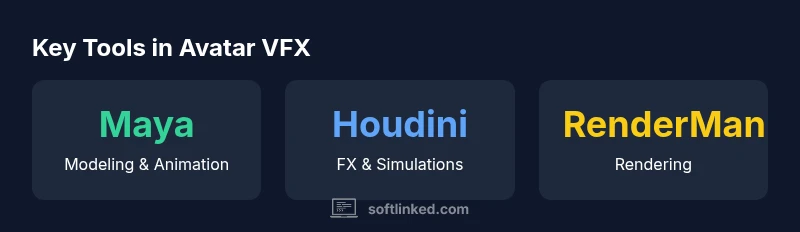
For the kind of production that Avatar represents, several industry-standard tools form the backbone of most pipelines. Autodesk Maya is widely used for modeling, rigging, and animation due to its robust toolset and long industry history. Houdini provides procedural generation and FX capabilities that excel at simulations, weather systems, and large-scale environments. For final image quality, RenderMan serves as a production renderer that supports physically-based lighting and complex shading networks. Nuke handles compositing, color grading, and integration of layers from multiple passes, while Mari is the go-to for high-resolution texture painting and seamless texture maps. Together, these tools create a flexible, scalable workflow where teams can split work efficiently, maintain high artistic control, and iterate quickly. Beyond these, many studios supplement with ZBrush for sculpting, Substance Painter for texture workflow, and various renderers or in-house tools that optimize the end-to-end process. This multi-tool approach is not unique to Avatar; it represents the current standard in high-end visual effects, where the best result emerges from well-structured pipelines and clear data exchange between software components.
Rendering, Lighting, and Shading in Avatar-Scale Work
Rendering is the heartbeat of any CGI-heavy production. In a film like Avatar, rendering workstations run long, complex shading networks to achieve believable skin, environments, and atmosphere. The industry often leverages physically-based rendering (PBR) principles, where materials, lighting, and volumetrics interact in photorealistic ways. A production renderer like RenderMan facilitates multi-pass rendering, enabling compositors to separate lighting, shadows, reflections, and atmosphere passes for precise control in post. Lighting teams develop look-dev libraries that define how surfaces respond to light, while shading artists build complex node graphs to simulate subsurface scattering, translucency, and motion blur. The pipeline also relies on efficient data management: scene graphs, caches, and proxies reduce memory usage and speed up iteration. The takeaway for learners is to study how look-dev, render passes, and lighting pipelines are organized and how they communicate with compositing tools to create the final image.
In-House Tools and Custom Pipelines
A distinctive aspect of Avatar’s production was the blend of off-the-shelf software with studio-specific tools. Many facilities develop in-house utilities to automate repetitive tasks, streamline data exchange, or implement proprietary shading and simulation workflows. In-house tools can integrate with standard packages via custom plugins or middleware that translate data formats, manage asset pipelines, or optimize render submission queues. For students, this highlights a key principle: you don’t need to reinvent the wheel, but you should understand how custom pipelines extend the capabilities of mainstream software. Learning how to build a small, reproducible automation script or a data pipeline (e.g., asset import, validation, and caching) can set you apart in internship and early-career roles.
How to Approach Modern Avatar-Style Projects as a Learner
If your goal is to emulate Avatar-like visuals, start with a core toolbox and a clear pipeline plan:
- Learn Maya for modeling and animation basics; build a few clean rigs.
- Explore Houdini for FX work and procedural effects; practice creating a simple crowd or environment FX.
- Practice shading and rendering with a renderer like RenderMan or a similar PBR-based engine; render test scenes with multiple passes.
- Get comfortable with compositing in Nuke or After Effects; learn to combine passes into a cohesive frame.
- Build texture workflows with Mari or Substance Painter; create texture maps that respond well to lighting.
- Finally, learn basic pipeline concepts: asset management, data exchange formats (FBX, USD), and version control practices.
A practical plan is to complete a small, end-to-end shot—from modeling to final composite—so you can see how ideas translate into a finished frame.
A Practical Example Pipeline for a Student Project
This is a compact, end-to-end example you can study and reproduce:
- Concept and storyboard: define camera, lighting, and mood.
- Asset creation: model a simple character and environment in Maya; sculpt details in ZBrush if desired.
- Textures and shading: paint textures in Mari or Substance Painter; set up materials in a shading network.
- FX and dynamics: simulate a simple particle effect or environment FX in Houdini.
- Layout and animation: animate the character and move the camera to frame the shot.
- Lighting and rendering: set up a coherent lighting rig, render passes, and test renders.
- Compositing: assemble passes in Nuke; color-grade and finalize the shot.
This flow mirrors real-world pipelines and demonstrates how tools interact in practice.
How the Industry Has Evolved Since 2009
Avatar arrived at a time when the convergence of powerful GPUs, sophisticated renderers, and flexible compositing made large-scale CGI more feasible. Since then, the industry has seen a shift toward real-time and near-real-time workflows, cloud render farms, and more extensive use of AI-assisted tools for tasks such as upscaling, denoising, and procedural content generation. The core principle remains: a strong foundation in modeling, shading, lighting, and compositing—paired with a well-designed pipeline—still yields the best results. For learners, this means embracing both traditional software mastery and an openness to new tools that accelerate iteration and creativity.
Common tools used in Avatar-scale VFX pipelines
| Tool/Software | Role in VFX Pipeline | Notes |
|---|---|---|
| Autodesk Maya | Modeling & Animation | Industry-standard across pipelines |
| Houdini | Procedural FX & Simulations | Excellent for complex FX and environments |
| RenderMan | Rendering | Production renderer with advanced shading |
| Nuke | Compositing | Final assembly, color grading, and passes |
| Mari | Texture Painting | High-resolution textures and maps |
Your Questions Answered
Was there a single software used to create Avatar?
No. Avatar’s visuals were produced with a blended toolchain that combines industry-standard software with studio-specific tools. The most commonly cited components include Maya for modeling, Houdini for FX, RenderMan for rendering, Nuke for compositing, and Mari for texture work.
No single program did it all; a coordinated suite did the job.
Which tools are most commonly used in big-budget VFX?
Industry-standard packages such as Maya, Houdini, RenderMan, Nuke, and Mari are staples in large productions, often augmented with proprietary pipelines. Mastery of these tools helps you understand how modern shots are built from assets to final output.
Big productions rely on a core toolbox and custom pipelines.
Did Avatar rely on in-house software?
Yes, studios frequently supplement commercial software with in-house tools to optimize pipelines, automate tasks, and tailor workflows to their assets and render farms. This blend is common across major films and isn't unique to Avatar.
In-house tools usually augment standard software to fit a studio’s needs.
How has software for Avatar evolved since 2009?
Since 2009, rendering, shading, and real-time preview capabilities have advanced significantly. Real-time engines, improved denoising, AI-assisted upscaling and texture work, and more powerful cloud rendering have changed how teams approach projects today.
Technology has advanced, but the core pipeline concepts stay the same.
Can modern teams replicate Avatar’s visuals with off-the-shelf tools?
Parts of Avatar’s look can be emulated with current off-the-shelf tools, but achieving true fidelity often requires a well-tuned pipeline, asset quality, and, in many cases, studio-specific optimization. Focus on fundamentals first, then progressively add tools.
You can approach Avatar-like results by mastering fundamentals first.
“Avatar’s groundbreaking visuals came from a carefully crafted pipeline that blends industry-standard tools with studio-specific software, enabling artists to push the boundaries of CGI.”
Top Takeaways
- Master core tools (Maya, Houdini, RenderMan, Nuke, Mari) for a solid foundation
- Understand how shading, lighting, and rendering integrate in a pipeline
- Study the data exchange between stages to improve collaboration
- Learn to build and adapt studio-specific pipelines with automation
- Practice end-to-end projects to replicate real-world workflows