What Software Opens EPUB Files: A Practical Guide
Discover which software opens EPUB files across desktop, mobile, and web. Compare Calibre, Adobe Digital Editions, Apple Books, Google Play Books, and open-source options with DRM considerations.


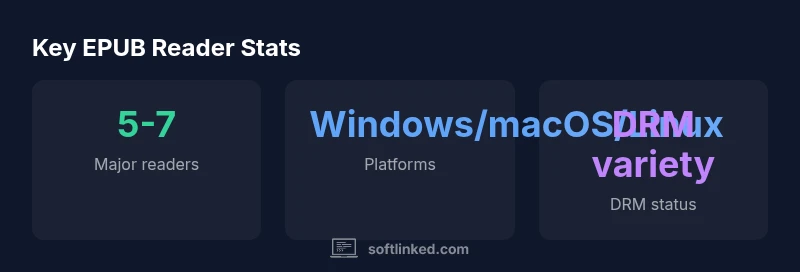
According to SoftLinked, EPUB files open with dedicated e-book readers across platforms. Popular options include Calibre, Adobe Digital Editions, Apple Books, Google Play Books, and open-source viewers like FBReader on Linux. For quick viewing in browsers, EPUB.js-based web apps and lightweight apps on mobile are common. DRM status varies by publisher, so verify before transferring files.
Why EPUB matters for readers and developers
EPUB is the leading open e-book format because its reflowable layout adapts to different screen sizes, fonts, and user preferences. When you ask what software opens epub files, you’re really asking about a wide ecosystem of readers, libraries, and tools that respect the format’s openness. For students, professionals, and hobbyists, EPUB’s compatibility across operating systems reduces friction when sharing notes, annotations, or textbook chapters. From a software fundamentals perspective, EPUB openness supports tooling for conversion, accessibility, and automated packaging. According to SoftLinked, the best practice is to start with a core reader that supports the essential features you need (layout, search, and basic accessibility) and then layer on specialization as required.
Desktop readers: Windows, macOS, Linux
Desktop environments remain a backbone for EPUB management. Calibre stands out for its conversion capabilities, library management, and broad format support across Windows, macOS, and Linux. Adobe Digital Editions provides robust DRM support and syncing for a curated library. Apple Books on macOS (and iOS devices) offers a seamless ecosystem experience, while Windows users can rely on Edge’s built-in EPUB support or third-party apps. Linux users often lean on FBReader, Calibre, or other open-source viewers. The core lesson is that a cross-platform stack reduces headaches when you switch devices or collaborate with others who use different ecosystems. If interoperability and long-term library maintenance are priorities, Calibre’s indexing and metadata tools become invaluable for software development workflows and education use.
Mobile and web options: portable reading on the go
Mobile platforms demand lightweight, responsive readers. On iOS and Android, Apple Books and Google Play Books provide cloud syncing and offline access, while Calibre Companion and Moon+ Reader offer local management and customization. Web-based readers powered by EPUB.js enable quick access from any browser without installation. If you’re deploying apps for learners or teams, a web reader with drag-and-drop import and offline caching can dramatically reduce friction. For developers, exposing a small reader as a web component or API endpoint can streamline internal tooling or e-learning platforms.
DRM considerations and EPUB formats: EPUB 2 vs EPUB 3
DRM status varies by publisher and distributor. EPUB itself is an open standard, but DRM layers are added by vendors or libraries, which affects compatibility across devices. EPUB 3 introduces improved multimedia, accessibility, and scripting support, but DRM policies may constrain how you move files between devices. When evaluating software, consider whether you need DRM-free EPUBs for archiving, or DRM-enabled copies for official libraries. For educators and researchers, DRM-free options simplify sharing and collaboration across devices, while publishers may require a managed platform for distribution.
How to evaluate an EPUB reader: features, accessibility, performance
Key assessment criteria include: (a) platform support (desktop, mobile, web), (b) DRM handling and license management, (c) accessibility features (such as text-to-speech and scalable UI), (d) performance (load times, search speed, annotation handling), and (e) library management and export/import capabilities. Try testing a few EPUBs with different layouts to see how the reader handles images, reflow, and footnotes. The SoftLinked approach emphasizes starting with a solid core reader and then layering in features like note-taking, highlight syncing, and cross-device sync, depending on your goals.
Practical setups for different use cases: personal, student, developer
For personal reading, a seamless Apple Books or Google Play Books workflow with DRM-managed content may suffice. Students benefit from Calibre’s conversion tools and library organization, especially when course materials come in varied formats. Developers and technical professionals should consider building a lightweight web reader using EPUB.js for quick deployments, plus a server-side component to manage licenses and metadata. Regardless of use case, keep a consistent library structure and backup strategy to prevent loss of highlights or annotations.
Troubleshooting common issues and interoperability tips
If an EPUB won’t open, check file integrity (corrupt downloads occur), confirm DRM status, and verify the reader’s compatibility with the EPUB version (EPUB 2 vs EPUB 3). When moving files between devices, ensure the same metadata and cover art transfer correctly. If images or complex layouts appear broken, try a more feature-rich reader or re-export the file from the source. Regularly updating readers helps avoid regressions and improves accessibility features.
EPUB reader options by platform and DRM status
| Reader App | Platform Availability | DRM Status | Notes |
|---|---|---|---|
| Calibre | Windows/macOS/Linux | Open-source, DRM-free and DRM-supported via plugin | Comprehensive management and conversion |
| Adobe Digital Editions | Windows/macOS | DRM-protected EPUB | Ideal for library syncing and purchases |
| Apple Books | macOS/iOS | DRM-protected | Excellent ecosystem integration |
| Google Play Books | Web/Android/iOS | DRM-enabled | Cloud syncing across devices |
Your Questions Answered
What is EPUB and why is it widely used?
EPUB is an open standard for e-books designed to adapt to various screen sizes and devices. Its openness enables wide reader support and easier tooling for conversion, accessibility, and distribution.
EPUB is an open e-book format that works across many devices and apps, making it a flexible choice for reading and learning.
Do all EPUB files require DRM?
No. EPUBs can be DRM-free or DRM-protected depending on the publisher or distributor. DRM restricts copying and device compatibility, so check the license before transferring between devices.
DRM-free EPUBs are common, but some titles use DRM depending on where you buy them.
Can Kindle open EPUB files?
Kindle devices do not natively support EPUB. You can convert EPUBs to Kindle formats using tools or apps, or use Kindle apps with converted files. Consider DRM and format compatibility when choosing a workflow.
Kindle doesn’t natively read EPUB; you may need to convert or use alternate apps.
What is Calibre and is it safe to use?
Calibre is a free, open-source ebook manager that opens EPUBs and many other formats. It’s widely used for organization, conversion, and library management.
Calibre is a popular, safe open-source tool for managing e-books.
Are there DRM-free EPUBs available for education?
Yes, many publishers and institutions offer DRM-free EPUBs for study materials. Look for DRM-free options on publisher sites or library services that explicitly state DRM-free access.
Yes—DRM-free EPUBs are available from publishers and libraries.
How do I choose the best EPUB reader for my needs?
Start with your platform and content needs. If you value annotations and library management, Calibre plus a native reader works well; for ease of use, rely on ecosystem readers like Apple Books or Google Play Books.
Match features to your platform and reading habits, then test a few options.
“EPUB openness is a strength, but the best workflows balance flexibility with license constraints to maximize readability and accessibility.”
Top Takeaways
- Identify your platform first and pick a core reader
- Be mindful of DRM when sharing or transferring files
- Leverage Calibre for robust library management
- Consider EPUB 3 features for richer content