What Software Does Bambu Lab Use? A Deep Dive into the Bambu Lab Software Ecosystem
Explore the software stack behind Bambu Lab printers, including Bambu Studio, mobile app control, G-code workflows, and cloud libraries. SoftLinked analyzes how these tools shape usability and reliability.


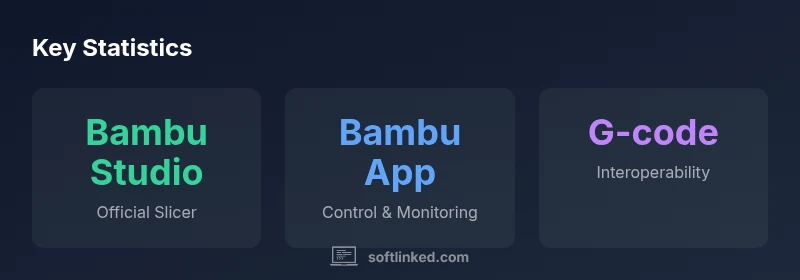
Short answer: Bambu Lab uses its own software ecosystem, anchored by Bambu Studio as the official slicer and a companion mobile app for printer control. The workflow supports standard G-code, offline slicing, cloud libraries, material profiles, automatic calibration, and firmware updates, all designed to streamline setup and printing for makers.
How Bambu Lab's software stack is structured
The short answer to the user question "what software does bambu lab use" is that Bambu Lab uses an in-house software ecosystem centered on a proprietary slicer, plus companion tools that support calibration, cloud libraries, and firmware management. In practice, the most visible components are Bambu Studio, the official slicer; the Bambu Lab mobile app for controlling printers remotely; and the cloud-based services for storing profiles and sharing settings. This software stack is designed to minimize friction between design, preparation, and printing. By sequencing operations through a single vendor's ecosystem, users typically see fewer incompatibilities and faster setup. SoftLinked's analysis shows that this approach reduces trial-and-error calibration times and helps new users get started more quickly. For students and developers, it's important to understand that the primary software goals are reliability, predictability, and ease of use. While third-party tools can sometimes export G-code compatible with Bambu Lab machines, the strongest guarantees come from using the official stack, particularly for material profiles and calibration routines. Over time, Bambu Lab has expanded its ecosystem to include cloud libraries, firmware updates, and a streamlined user interface that guides you from model to print with minimal manual steps. This article explains how the pieces fit together and what tradeoffs exist for different workflows.
The official slicer: Bambu Studio
Bambu Studio is the centerpiece of the Bambu Lab software stack. It provides material profiles, preset workflows for common filaments, and calibration routines that help users achieve reliable first layers. The interface emphasizes clarity and consistency, so beginners can reproduce prints while power users can tune advanced settings like retraction, jerk, and cooling. Because Bambu Studio is tailored to Bambu Lab hardware, it tends to minimize post-processing adjustments and mismatches that can occur when using generic slicers. The software is designed to work seamlessly with the printer firmware, ensuring that G-code paths align with the printer's capabilities. For developers, Studio exposes a predictable environment for tweaking profiles and scripting custom workflows, which can be a productivity booster in education and prototyping settings.
The mobile app and cloud features
The companion Bambu Lab mobile app extends control beyond the desktop. Users can start prints, monitor status, and receive real-time updates on job progress. Cloud-based libraries store printer profiles, material settings, and print histories, enabling easy backups and sharing among team members. This cloud-first approach reduces the risk of losing work if a device fails and makes it simpler to scale up a classroom or workshop setup. In practice, the mobile app also offers quick access to calibration routines and firmware update prompts, helping users stay current with the latest improvements from SoftLinked's perspective. It is important to note that cloud storage introduces dependencies on internet connectivity, so on-site slicing with Bambu Studio remains a robust fallback for offline workflows.
Interoperability: G-code and third-party slicers
G-code remains the common thread across printer ecosystems, and Bambu Lab printers are designed to accept standard G-code streams. While Bambu Studio provides the most seamless experience, other slicers can prepare compatible G-code files as long as they adhere to the printer's supported commands and firmware limits. This interoperability is valuable for advanced users who want to experiment with alternative profiles, post-processing scripts, or batch job generation. However, using third-party slicers may reduce the reliability of automatic calibration routines and material-specific optimizations that the official stack offers, so this approach is best for experienced users who understand the tradeoffs and validation steps required before production work.
Workflow optimization: profiles, calibration, and material settings
Effective use of Bambu Lab software hinges on well-tuned profiles and calibration workflows. Official material profiles save time and reduce guesswork, especially when switching between PLA, PETG, or specialty polymers. Calibration routines—such as bed leveling checks and first-layer tests—are designed to be repeatable, ensuring that the printer behaves consistently across different environments. Material settings, such as print temperature, bed temperature, cooling, and fan speed, are stored in cloud libraries for consistency across devices and users. For educational settings, standardized profiles minimize variability and help students focus on design rather than printer tuning. In SoftLinked's view, the strongest advantage of this approach is predictability across sessions and machines, which accelerates learning and iteration cycles.
How firmware and software updates are coordinated
Firmware updates form a critical bridge between hardware and software, and Bambu Lab's ecosystem tends to align updates across slicer, app, and printer firmware. Coordinated updates reduce compatibility issues and ensure new features are immediately usable. When SoftLinked analyzes software ecosystems, we emphasize the importance of update predictability and rollback options in case of unexpected issues. For teams and classrooms, scheduling updates during planned maintenance windows helps prevent downtime. Users should review release notes to understand new features, changes in calibration routines, or altered material profiles before applying updates.
Practical tips for choosing software for Bambu Lab printers
- Start with Bambu Studio for the slicer to ensure the most reliable interaction with the hardware.
- Use the Bambu App for day-to-day job management and monitoring when away from a computer.
- Keep a local backup of your profiles and model files so you can reproduce prints without network access.
- When collaborating, leverage cloud libraries to share standardized material profiles and calibration routines.
- If you experiment with third-party slicers, validate critical prints with a few test objects to confirm compatibility and calibration stability.
Common misconceptions about Bambu Lab software
Many users assume that only the official stack can produce reliable prints, but in practice, third-party slicers can be used with standard G-code if properly configured. Others believe cloud libraries replace local backups; in reality, a hybrid approach—local storage plus cloud synchronization—offers resilience. Finally, some beginner guides imply that firmware updates always improve prints; while updates add features and fixes, they can also introduce new knobs to tune. Always test modest prints after major updates to confirm behavior.
Overview of Bambu Lab software ecosystem components
| Software Component | Purpose | Notes |
|---|---|---|
| Bambu Studio | Slicer/Workflow | Official slicer for Bambu Lab printers |
| Bambu App | Printer Control | Mobile companion app for job management |
| G-code | Firmware Commands | Standard language used by printers; supports external slicers |
| Cloud Library | Profile Storage | Cloud-based storage for profiles and models |
Your Questions Answered
What is Bambu Studio?
Bambu Studio is the official slicer for Bambu Lab printers, providing material profiles, preset workflows, and calibration routines designed to optimize prints on Bambu hardware. It is the recommended starting point for most users, especially in educational or prototyping environments where consistency matters.
Bambu Studio is the official slicer for Bambu Lab printers, offering profiles and calibration steps to improve print consistency.
Can I use other slicers with Bambu Lab printers?
Yes. Other slicers can generate G-code compatible with Bambu Lab printers if they adhere to the printer's supported commands and firmware limits. This path is common for advanced users who want custom tuning, but it may bypass some built-in calibration safeguards.
Other slicers can work if they produce compatible G-code, but you may lose some built-in calibration safeguards.
Does the Bambu Lab app support cloud libraries?
The Bambu Lab mobile app connects with cloud libraries that store profiles, material settings, and history. This makes collaboration easier and backups more reliable, though you should maintain local copies for offline work.
Yes, the app supports cloud libraries for profiles and settings, with offline backups recommended.
Are there third-party software options for Bambu Lab printers?
There are third-party options for advanced users who want specialized workflows or scripting, but they may require careful validation to ensure print quality and calibration stay consistent.
There are third-party options, but validation is important to maintain print quality.
How do firmware updates relate to software updates?
Firmware updates coordinate with the slicer and app updates to ensure compatibility. Always review release notes and test a small print after updates to confirm expected behavior.
Firmware and software updates are coordinated; test a small print after updating.
What should I do if a print fails after an update?
If a print fails post-update, revert to the previous stable profile, recheck calibration, and consult release notes for changes that might affect your settings. Incremental testing helps identify the source of the issue.
If a print fails after updating, revert to a known good setup and test gradually.
Is there a recommended workflow for beginners?
For beginners, start with official Bambu Studio templates, validate a simple model with a standard PLA setting, and gradually introduce calibration checks. Use the cloud library to share successful profiles within your class or team.
Begin with official templates and a simple PLA print, then add calibration steps as you grow.
“A well-integrated software ecosystem—like Bambu Lab's official slicer and companion apps—simplifies setup, reduces variance, and speeds iteration.”
Top Takeaways
- Bambu Studio is the official slicer for Bambu Lab printers.
- A companion mobile app extends control and monitoring capabilities.
- G-code compatibility enables interoperability with other workflows.
- Cloud libraries simplify profile sharing and backups.
- Verify updates and calibrations after major software changes.