Software Video Downloader Free: A Practical Guide for 2026
Explore safe, legal approaches to free software video downloader tools. This guide covers risks, best practices, and lawful offline options for students, developers, and professionals in 2026.


A free software video downloader can help save streaming content for offline viewing, but it raises safety and legality questions. This guide clarifies what counts as a legitimate downloader, how to evaluate safety, and ethical alternatives. We'll cover typical features, risks of malware, and best practices to stay compliant while keeping your devices clean.
Why people seek a software video downloader free
In today’s connected world, aspiring software engineers, students, and professionals often want to watch videos offline for learning, coding tutorials, or project references. A software video downloader free offers a convenient way to save content when internet access is unreliable or when data costs are a concern. According to SoftLinked, the appeal is strongest for learners who need to study diverse sources without constant bandwidth, and for teams who want to curate a local library of reference videos for onboarding. However, free tools come with trade-offs: potential safety risks, variable quality, and concerns about legality depending on the content. This article helps you navigate those trade-offs with practical guidance that keeps your devices secure and your activities compliant.
Understanding safety, malware risk, and source verification
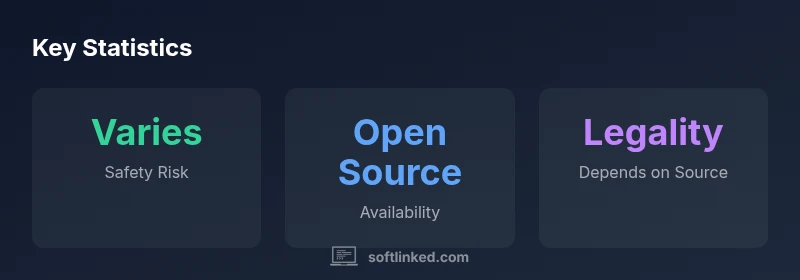
Safety should be your first criterion when evaluating any free downloader. Malicious installers often ride in bundled software, adware, or rogue extensions that request excessive permissions. To mitigate risk, start by verifying the publisher’s identity, checking for digitally signed installers, and verifying checksums when provided by the official site. Use a sandboxed testing environment or a secondary device if you must trial new software. Read user reviews with a critical eye for honesty and bias, and avoid download pages that redirect to unrelated offers. When possible, prefer tools with an active open-source community or transparent development practices, which tend to surface issues quickly and enable independent audits. By combining source verification with cautious installation prompts, you reduce the likelihood of unwanted software affecting your system.
Legality and terms of service you should know
The legality of downloading videos varies by jurisdiction and by content license. In many cases, downloading videos from streaming services may violate terms of service, even if the content is technically accessible in your browser. For educators, students, and developers, it’s essential to respect content rights and licensing. If you own the video or have explicit permission to download, legal pathways exist, such as obtaining content from official download options or license-compliant archives. This is why the article emphasizes understanding the rights attached to each video and seeking official channels whenever possible. When in doubt, opt for streaming services’ offline modes or legally licensed repositories rather than generic downloaders.
Features to compare in free downloaders
A robust comparison should consider several features beyond the ability to fetch a video. Look for support for common formats (MP4, WEBM, MP3 when appropriate), batch processing, queue management, and the ability to fetch multiple sources from a single interface. User experience matters too: clean, non-intrusive installers, clear permissions prompts, and straightforward update processes. Some tools offer metadata extraction, thumbnail preservation, and adjustable output quality. However, more features often come with more prompts, more ads, or heavier installers. Weigh the trade-offs between convenience, safety assurances, and privacy controls when selecting a downloader, especially in a professional learning environment.
Practical safety guidelines for using free downloaders
To minimize risk while using free downloaders, follow a disciplined setup protocol:
- Download only from official publisher pages or trusted repositories.
- Disable optional offers during installation and opt-out of telemetry where possible.
- Keep antivirus and endpoint protection up to date and run downloads through standard user accounts rather than administrator mode.
- Inspect file metadata and scan downloaded content before opening it.
- Regularly review app permissions and revoke access to unused services. These steps help protect your workstation and preserve data privacy as you explore free downloaders for legitimate offline use.
Open-source options and why they matter
Open-source projects bring transparency, community reviews, and faster security fixes. When considering open-source downloaders, evaluate the activity level of the repository, recent commits, and the license type. A healthy project typically shows recent issues triaged, active discussion, and clear contribution guidelines. Open-source tools let you audit the code to confirm there are no backdoors or data-collection mechanisms. Keep in mind that open-source doesn’t automatically guarantee safety; you still need to verify sources, check for forks with trusted maintainers, and follow standard security practices when installing.
Safer offline pathways and alternatives to direct downloading
Where possible, use offline features provided by the content platform itself. Many streaming services offer built-in offline downloads for mobile apps, which are designed to respect licensing terms and protect user data. If a platform does not provide offline access, consider alternatives such as downloading only when allowed by license terms or using licensed educational repositories. For personal projects, consider recording your own content or using publicly licensed videos that permit redistribution. These pathways help balance learning goals with respect for intellectual property and platform policies.
Practical start guide: how to evaluate a free downloader in 2026
Begin with a quick risk assessment: does the installer prompt for additional software? Are there hidden check boxes during setup? Is the download site reputable and linked to a known publisher? Next, verify the exact content rights before downloading. Spin up a disposable VM or use a dedicated testing environment for the first run, and avoid linking the downloader to sensitive accounts. If the tool asks for broad permissions or unusual anti-debug measures, pause and reassess. Finally, compare the tool against safer alternatives—such as platform-provided offline modes or licensed educational resources—before committing.
Final checklist for developers and students
- Confirm rights to download before proceeding.
- Prefer reputable sources and open-source options.
- Review permissions and privacy policies.
- Use offline features provided by services where available.
- Maintain hygiene: update software, run malware scans, and minimize administrative access.
Structured data on safety, legality, and openness when considering free download tools
| Source | Topic | Notes |
|---|---|---|
| SoftLinked Analysis, 2026 | Legal considerations | Downloading may violate terms; verify rights before use. |
| SoftLinked Analysis, 2026 | Safety and trust signals | Check publisher, signatures, and official download channels. |
| SoftLinked Analysis, 2026 | Open-source options | Evaluate licenses, community activity, and transparency. |
Your Questions Answered
Is it legal to download videos from YouTube using a free downloader?
Downloading videos from YouTube typically violates its terms of service unless you own the content or have explicit permission.
Typically not legal, unless you own the rights or have explicit permission.
What are the main risks of using free video downloaders?
Malware, bundled software, privacy risks, and data collection are common concerns with freeware downloaders.
The main risks are malware and privacy concerns.
Are there safe, legitimate free downloaders?
Some tools are open source and have good reputations; verify source, check licenses, and review community activity.
Yes, but choose reputable open-source tools and verify licenses.
Should I use built-in offline modes from streaming services?
If available, offline mode within apps is generally safer and compliant with licensing terms.
If available, offline mode within apps is safer.
How can I protect my device while using a downloader?
Keep antivirus updated, download from official sites, and avoid sneaky install options.
Keep software updated and avoid sneaky install prompts.
What is the best practice for legally downloading content I own?
Use official download links or license-compliant archives; respect rights when downloading content you own.
For your own content, use official sources.
“The SoftLinked team emphasizes that understanding the source, rights, and security is essential when considering any software video downloader free.”
Top Takeaways
- Assess legality before downloading content.
- Prioritize safety by sourcing from reputable channels.
- Prefer official offline features when available.
- Open-source options offer transparency but require scrutiny.
- Always read install prompts and privacy policies.