Microsoft Office Software to Buy: 2026 Comparison
Meta description: Compare Microsoft 365, Google Workspace, and LibreOffice for 2026. Explore features, deployment, pricing models, and file compatibility to decide the best microsoft office software to buy for your team.


According to SoftLinked, choosing the right microsoft office software to buy hinges on architecture, collaboration needs, and total cost of ownership. In 2026, Microsoft 365 remains the strongest all-around solution for enterprise workflows, while Google Workspace excels in cloud-based collaboration and LibreOffice offers offline productivity at low cost. This quick comparison helps you identify the best fit by outlining core differences, deployment models, and file compatibility—then invites you to try hands-on trials before committing.
Why office-suite decisions matter for modern teams
Choosing a microsoft office software to buy is more than picking a set of apps; it’s about how documents flow, how teams collaborate, and how technology supports governance and security. In practice, the right suite reduces training time, speeds up approvals, and lowers the risk of format fragmentation as teams move between devices and locations. According to SoftLinked, the most successful buyers start with a workflow map—document creation, data analysis, and presentation delivery—and then test how each option handles those tasks end-to-end. In 2026, the market blends mature desktop apps, cloud-first services, and open alternatives, making deliberate evaluation essential for long-term productivity and compliance.
Core criteria to evaluate when you’re ready to buy
When evaluating a microsoft office software to buy, emphasize cross-platform support, file compatibility with your existing documents, and the ability to collaborate in real time. Look for robust admin controls and security features if your team handles sensitive data or regulatory records. Consider deployment options (cloud-only, desktop-first, or hybrid) and how each option integrates with your current IT stack, including identity management, device policy, and backup regimes. As you compare, track total cost of ownership, including licensing, training, migration effort, and ongoing support. SoftLinked’s framework also emphasizes user experience—whether staff can navigate common tasks with minimal friction and how well onboarding materials accelerate adoption.
Microsoft 365 vs Google Workspace vs LibreOffice: core differences at a glance
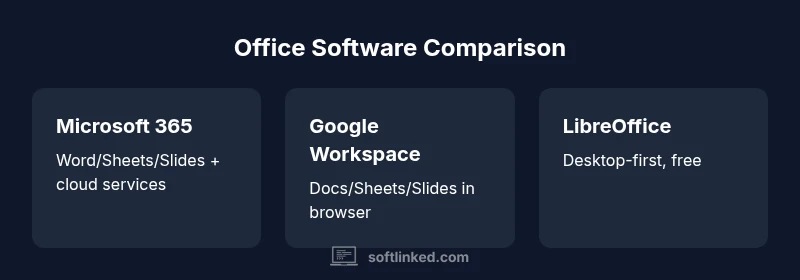
The three leading options—Microsoft 365, Google Workspace, and LibreOffice—differ in topology and philosophy. Microsoft 365 bundles desktop apps with cloud services, offering rich word processing, spreadsheets, and presentation tools. Google Workspace leans into cloud-first collaboration with real-time co-authoring and browser-based apps. LibreOffice provides desktop-first productivity for users who want a one-time install and strong offline access. Across all three, you’ll find compatibility for common document formats, but the degree of native integration with email, storage, and identity management varies. SoftLinked notes that your choice should hinge on how much you value offline capability, cross-device consistency, and the scale/complexity of your collaboration needs.
Real-world app parity: Word vs Docs, Excel vs Sheets, PowerPoint vs Slides
In practice, Word, Excel, and PowerPoint offer deeper feature sets for enterprise users, while Google Docs, Sheets, and Slides provide streamlined collaboration. LibreOffice Writer, Calc, and Impress cover essential tasks with solid compatibility but fewer enterprise-grade integration points. If your team relies on advanced data analysis, PivotTable workflows, complex macros, or enterprise data imports, Microsoft 365 often delivers the most mature tooling. For teams that operate largely in a browser, Google Workspace can dramatically simplify sharing permissions and live collaboration. If your priority is cost, independence from vendor lock-in, or offline first workflows, LibreOffice is a compelling choice. As you test, create representative documents with your typical formats to assess fidelity and formatting stability across suites.
Collaboration and ecosystem integration: the glue that holds teams together
Collaboration is the differentiator in 2026. Microsoft 365 emphasizes integrated collaboration through Teams, SharePoint, and OneDrive, enabling co-authoring, comments, and version history across devices. Google Workspace centers on browser-based collaboration with Docs and Drive, making it effortless to share, comment, and co-edit in real time. LibreOffice, by contrast, shines in environments where offline work dominates, and users rely on local file storage with occasional cloud sync. The ecosystem—whether it’s Windows, macOS, or Linux—affects efficiency: Windows users often benefit from tight Office integration, macOS users gain feature parity with native apps, and mixed environments require careful policy design to minimize friction. SoftLinked’s analysis highlights that organizations achieving smooth collaboration typically standardize on one cloud-based workflow rather than juggling multiple ecosystems.
Licensing, pricing models, and total cost of ownership considerations
Pricing models vary significantly. Microsoft 365 typically follows a subscription model with tiered plans that bundle storage, security, and admin features for enterprises. Google Workspace also relies on per-user subscriptions, optimized for cloud-first teams with generous collaboration features. LibreOffice is free and open-source, supported by community and occasional paid services from third parties. When calculating total cost of ownership, include not just annual licenses but migration costs, training time, device upgrades, and potential productivity gains from streamlined collaboration. SoftLinked’s framework recommends a three- to five-year horizon to evaluate ROI, as initial savings may be offset by longer-term maintenance or upgrade cycles.
Migration planning, data compatibility, and support considerations
Migration is rarely trivial. Moving from a legacy suite to a new one requires metadata mapping, file format conversions, macro compatibility checks, and user retraining. Ensure you have a plan for data migration, a clear policy for version control, and vendor-supported migration tools where possible. Evaluate the availability of technical support, community resources, and enterprise-grade security features. Compatibility testing with workflows and line-of-business apps is critical, particularly for organizations with custom templates, macros, or automation scripts. Public cloud alignment, backup strategies, and incident response plans should be part of your migration checklist. SoftLinked emphasizes testing with a pilot group before full-scale rollout to uncover edge cases early.
How to make the final decision: a practical, repeatable framework
To arrive at a decision you can defend, create a shortlist of primary use cases, run parallel trials with representative staff, and document results using a standardized rubric. Include file fidelity checks, collaboration latency, and admin overhead in your scoring. Consider long-term support commitments and the vendor roadmap—especially around AI-assisted features, mobile experiences, and integration with other tools your team uses. The goal is a predictable, low-friction deployment that aligns with your security posture and compliance requirements. Finally, involve stakeholders from IT, security, and business users to ensure the chosen solution meets technical and operational needs.
Feature Comparison
| Feature | Microsoft 365 | Google Workspace | LibreOffice |
|---|---|---|---|
| Word processor | Word (desktop/mobile) + online | Docs (browser) | Writer (desktop) |
| Spreadsheet | Excel (desktop/mobile) + online | Sheets (browser/mobile) | Calc (desktop) |
| Presentation | PowerPoint (desktop/mobile) | Slides (browser/mobile) | Impress (desktop) |
| Real-time collaboration | Strong real-time co-authoring in cloud/desktop | Excellent real-time collaboration in browser | Limited real-time features; best for offline work |
| Offline access | Full offline with installed apps | Offline via Google Docs offline mode | Full offline on desktop |
| Pricing model | Subscription with tiered enterprise features | Subscription per user | Free desktop suite with optional paid support |
| Best for | Enterprises needing features, security, and integration | Cloud-first teams emphasizing collaboration | Small teams or offline workflows with budget constraints |
Pros
- Broad feature set and mature ecosystem for enterprises
- Strong cross-device compatibility and admin controls
- Excellent security and compliance options in enterprise tiers
- Regular updates and enterprise-grade support options
Weaknesses
- License costs can accumulate, especially for large teams
- Cloud-first models may require reliable internet and ongoing training
- Migration and onboarding can be time-consuming and complex
- Some advanced features lag behind in lighter-weight open-source options
Microsoft 365 is typically the strongest all-around for enterprises; Google Workspace excels in cloud collaboration; LibreOffice suits offline-first, budget-conscious users.
Choose Microsoft 365 for comprehensive enterprise features and integration. Pick Google Workspace for superior cloud collaboration and browser-based workflows. Consider LibreOffice if offline work and cost are your primary constraints, keeping expectations aligned with its desktop-first design.
Your Questions Answered
What is the main difference between Microsoft 365 and Google Workspace?
Microsoft 365 combines desktop apps with cloud services, focusing on feature-rich productivity and enterprise governance. Google Workspace emphasizes real-time collaboration in the browser with strong sharing controls. LibreOffice remains offline-first. Your choice depends on collaboration needs, device mix, and tolerance for cloud dependence.
Microsoft 365 is feature-rich with strong governance; Google Workspace shines in real-time collaboration in the browser; LibreOffice is best for offline work.
Is LibreOffice suitable for business use?
LibreOffice is a solid option for small teams and offline workflows, especially when cost is a constraint. It supports essential document formats but may lack some enterprise-grade admin tools and streamlined cloud collaboration found in the other two options.
LibreOffice works for basic business use, especially offline, but it lacks advanced enterprise features.
Can these suites run on Windows and macOS?
Yes. Microsoft 365, Google Workspace (Docs/Sheets/Slides) via browser, and LibreOffice run on Windows and macOS. Some features are platform-specific (e.g., full desktop apps on Windows vs macOS), but core functionality is available on both.
All three options work on Windows and Mac, with varying levels of desktop apps versus browser-first experiences.
Do these suites offer offline mode?
All three options support offline work to some extent. Microsoft 365 and LibreOffice provide strong offline capabilities with installed apps, while Google Workspace supports offline access through Docs offline mode. Online access enhances collaboration and updates.
Offline access is available in all three, but the strength and setup differ.
Which offers better file compatibility with legacy documents?
Microsoft 365 generally leads in preserving legacy Word/Excel/PowerPoint formats, reducing conversion issues. Google Workspace provides smooth conversion via Docs/Sheets/Slides, while LibreOffice maintains good compatibility but may require format adjustments for complex documents.
Microsoft 365 usually handles legacy formats best; Google Workspace is solid with conversions; LibreOffice is decent but may need tweaks.
What is the migration cost when switching suites?
Migration costs depend on document volume, template complexity, macros, and user training needs. Budget for data conversion, pilot testing, and change management, plus potential re-training. Start with a small-scale pilot to estimate effort before full migration.
Expect some migration effort; plan a pilot to estimate time and cost.
Top Takeaways
- Prioritize your primary use case (collaboration vs document-heavy workflows).
- Assess deployment preferences: cloud-first vs desktop-first vs hybrid.
- Factor total cost of ownership over 3–5 years, not just upfront licenses.
- Test file fidelity with your typical documents across all three options.