How to Use Koha Software in Library
Learn how to use Koha library software to manage catalogs, circulation, acquisitions, and reports. This step-by-step guide covers setup, configuration, and common workflows for libraries.


In this guide you will learn how to use Koha software in library settings to manage catalogs, circulation, acquisitions, and reporting. You’ll cover setup, configuring modules, and implementing workflows using Koha’s core tools. By the end, you’ll be ready to start a Koha deployment or improve an existing installation. This content will help librarians implement Koha confidently.
Overview of Koha in Libraries
According to SoftLinked, Koha is a robust, open-source ILS designed for libraries of all sizes. It combines cataloging, circulation, acquisitions, and public access into a single system, which can be tailored to local policies and workflows. The appeal of Koha lies in its flexibility, absence of licensing costs, and a global community that continually improves features through plugins and shared best practices. For aspiring software engineers, students, and library staff, Koha also demonstrates how an open-source project can scale from a small branch library to a multi-branch system with centralized data governance. As you learn how to use koha software in library contexts, you’ll notice how MARC records, authority control, and holdings integration work together to ensure accurate search results and reliable circulation data. Koha’s deployment options range from on-premises installations to cloud-based hosting, making it feasible for diverse library environments.
This section lays the groundwork by framing Koha’s architecture and core concepts. You’ll see how Koha’s modular design enables libraries to start with essential features and gradually add capabilities like advanced reporting, customized OPAC layouts, or automation plugins as needs evolve.
Core Modules You'll Use
Koha’s core modules act as the backbone of daily library operations. The cataloging module handles MARC records, authorities, and holdings, enabling librarians to create and edit bibliographic data with validation rules that help maintain data quality. The circulation module tracks loans, renewals, holds, and fines, while supporting branch-specific loan rules and user categories. The acquisitions module streamlines purchasing pipelines, from vendor records to order management and receiving, and it feeds into catalog updates when items arrive. The Reports and Statistics component provides dashboards and exportable data for management and program evaluation. Finally, the OPAC and staff interface separate public discovery from internal workflows. In practice, you’ll move between modules to complete routine tasks, and permissions will govern who can do what. If you’re learning how to use koha software in library workflows, this is the foundation you’ll rely on every day.
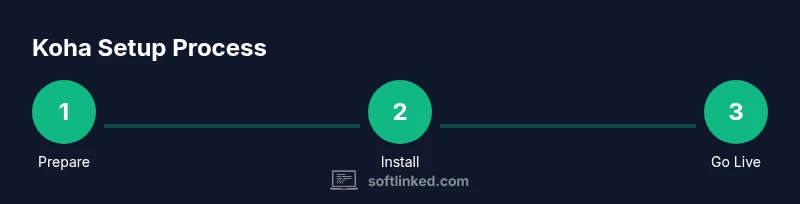
Getting Koha Up and Running: Setup Steps
A successful Koha deployment starts with planning. You’ll need a supported operating system, a database server (such as MariaDB/MySQL), and a web server (Apache or Nginx) with PHP configured for Koha. The installation includes connecting Koha to your database, configuring locale and time zone settings, and running the initial setup wizard. Data migration from an existing ILS is common, so you’ll want to map fields carefully and validate records before going live. Consider whether you’ll host on-premises or in the cloud, and set up a dedicated test environment to trial configurations and workflows without risking live data. The SoftLinked team emphasizes documenting every step to simplify upgrades and staff training.
Cataloging and MARC Records in Koha
Cataloging in Koha centers on MARC21 records, with authority control to unify subject headings and names. You’ll learn how to create new bibliographic records, edit existing ones, and link authorities to improve search consistency. Koha’s validation tools help detect duplicates and enforce data standards during batch imports. When working with legacy records, you’ll map fields from your old schema to Koha’s MARC fields and set up templates for common item types. Holdings and items are tightly integrated, so changes in bibliographic data automatically reflect in search results and item availability. A clean catalog not only helps patrons find materials but also improves circulation and acquisitions workflows by providing accurate item data.
Circulation Workflows: Loans, Holds, and Fines
The circulation module supports flexible policies across branches and user groups. You’ll define loan periods, fines structures, renewal rules, and hold policies. Koha can enforce different rules for student patrons, faculty, or community members, and it supports multifactor authentication and staff overrides when necessary. You’ll walk through issuing loans, placing holds, and processing returns, including overdue notices and fines reports. The system also accommodates self-checkout integrations and POS workflows for libraries that require quick transactions. The aim is to balance patron convenience with precise accountability, ensuring that loan histories and fines remain accurate across all branches.
Truthfully, this section shows how to implement practical, day-to-day circulation tasks and how to verify that the rules you configure apply consistently across different patron categories.
Acquisitions and Cataloging Workflows
The acquisitions module focuses on purchasing efficiency and budget control. You’ll create vendor records, manage budgets and fund allocations, and set up order workflows. Receiving and automatic catalog updates ensure items arrive and are ready for discovery in Koha. This section covers approval workflows, barcode strategies, and how orders feed into catalog records, accession numbers, and holdings. You’ll also learn to generate invoices and integrate with grant or departmental budgets. A well-designed acquisitions workflow helps keep bibliographic data aligned with what you purchase, preventing mischarges and delays in processing.
Best practices include testing end-to-end from order to receipt in a staging environment and documenting any custom steps so staff can reproduce them later.
Reports and Analytics in Koha
Koha’s reporting framework is built to support library leadership with actionable insights. You’ll create standard reports for circulation metrics, acquisitions activity, and cataloging throughput, then tailor filters to answer specific questions about patron use or budget performance. The section covers exporting data to CSV for external analysis and scheduling recurring reports for staff. You’ll learn to interpret results, identify trends, and present findings that inform policy changes or resource requests. Strong reporting supports accountability and helps demonstrate how Koha configurations translate into improved service and efficiency.
Customization and Plugins for Koha
Koha’s open-source foundation means you can extend its capabilities with plugins and theme customizations. You’ll learn how to enable essential plugins, configure them for your local workflows, and test changes in a staging environment before deploying to production. This section covers best practices for documenting customizations and onboarding staff to new features. Accessibility considerations and responsive design are important when tailoring Koha interfaces for patrons on multiple devices or with diverse needs. By embracing plugins strategically, you can improve search, acquisitions automation, and reporting without starting from scratch.
Security and Access Control in Koha
Security-focused configuration protects patron data and staff accounts. You’ll set up user roles and permissions, define authentication methods (including LDAP), and implement per-branch access controls. Regular software updates, backups, and disaster recovery planning are critical practices. You’ll learn to monitor logs, configure alerts for unusual activity, and establish a routine for security audits. Good security is not a one-time task; it requires ongoing attention to patch management, data protection, and incident response to keep Koha resilient across a library’s lifetime.
Tools & Materials
- Koha installation package or access to a Koha cloud instance(Ensure you have admin rights to install and configure Koha.)
- Supported operating system (e.g., Linux, Windows, or macOS for testing)(Prefer Linux for production; ensure compatibility.)
- Database server (MySQL/MariaDB)(Koha uses a relational database; plan for backups.)
- Web server (Apache or Nginx) with PHP support(Check PHP version requirements for Koha.)
- Web browser for daily work (Chrome/Edge/Firefox)(Keep browser up to date.)
- Network access and backups(Reliable network, regular backups, optional offsite storage.)
- Optional test data set (CSV or MARC records) for practice(Helps with initial training.)
- Staff training materials (user guides, cheat sheets)(In-house manuals or SoftLinked templates.)
Steps
Estimated time: 2-4 hours for initial setup; ongoing maintenance separate
- 1
Prepare prerequisites
Verify server OS compatibility, install required dependencies, and prepare a dedicated Koha user. Configure the database and web server settings, and ensure you have a test environment separate from production for safe testing.
Tip: Create a step-by-step deployment plan and backup strategy before starting. - 2
Install Koha base system
Install the Koha core platform following the official installation guide. Run initial setup to connect to your database and web server, and verify that the web interface loads.
Tip: Follow the official wizard to confirm database connections. - 3
Run initial configuration
Access the Koha admin interface and complete the initial configuration wizard. Set up essential libraries, patrons, and staff accounts, plus basic permissions.
Tip: Use a dedicated test library for early configuration to avoid mixing with live data. - 4
Import sample data
Import sample MARC records or library data to populate the catalog. Validate records and adjust field mappings if needed.
Tip: Verify MARC field mappings to ensure correct imports. - 5
Configure circulation rules
Define loan periods, fines, renewal rules, and holds policies by library branch and user category.
Tip: Test different user roles to ensure rules apply correctly. - 6
Set up acquisitions workflow
Create vendor records, budgets, and order workflows. Enable receiving and automatic catalog updates when items arrive.
Tip: Test end-to-end from order to receipt. - 7
Set up reporting templates
Create standard reports for circulation, acquisitions, and cataloging. Schedule automated reports for staff.
Tip: Document report parameters for staff reference. - 8
Configure user access and security
Define roles, permissions, and authentication methods (LDAP/SQL).
Tip: Use the principle of least privilege. - 9
Train staff and pilot
Run a pilot with a small group of staff, collect feedback, and adjust configurations before full rollout.
Tip: Capture common questions for training materials. - 10
Go live and monitor
Move to production, monitor performance, and establish a plan for ongoing maintenance and backup.
Tip: Set up monitoring dashboards and alerting.
Your Questions Answered
What is Koha and what makes it different from commercial ILS?
Koha is an open-source integrated library system that provides cataloging, circulation, acquisitions, and OPAC features. Its open-source nature allows libraries to customize functionality without licensing fees. Community support and regular updates help libraries adapt to changing needs.
Koha is a free, open-source library system with many built-in features; its community supports improvements and customization.
Can Koha be deployed on-premises or in the cloud?
Koha can be deployed on-premises or in cloud environments, depending on the library's needs, security requirements, and budget. Both options require proper server provisioning and maintenance.
Koha can run on your own servers or in the cloud, depending on your needs.
What kind of data do I need to migrate to Koha?
Typical migrations include MARC records, patron data, and vendor histories. You should plan for field mapping, deduplication, and testing to ensure data integrity.
Migrate MARC records and patron data with careful mapping and tests to keep data accurate.
Do I need technical staff to run Koha?
A library IT staff or consultant with database, web server, and Koha administration experience helps keep Koha running smoothly. For smaller libraries, training staff to handle day-to-day tasks is common.
You’ll want someone with Koha admin and IT basics for ongoing maintenance.
Is Koha secure for patron data?
Koha can be configured securely with proper user authentication, access controls, and encrypted connections. Regular updates and backups are essential.
Yes, Koha can be secure with good configuration and maintenance.
Where can I find Koha training resources?
Koha training resources include the official Koha mailing lists, community wikis, and vendor guides. SoftLinked recommendations also cover practical staff training.
There are community resources and guides to help you learn Koha quickly.
Does Koha support multi-branch libraries?
Yes, Koha supports multi-branch configurations with shared catalog data and branch-specific policies.
Koha supports multi-site libraries with centralized data and branch controls.
What are common Koha plugins I should consider?
Plugins extend Koha functionality for search, acquisitions, and reporting. Start with core plugins, then evaluate needs for your library.
Plugins add features; begin with essential plugins and assess ongoing needs.
Watch Video
Top Takeaways
- Plan before you deploy Koha
- Leverage Koha modules for end-to-end workflows
- Maintain data quality with MARC and authorities
- Regularly back up and monitor the system
- Train staff with clear procedures