How to Program ONN Universal Remote
Learn how to program your ONN universal remote to control TVs, streaming devices, and more using code-entry or auto-search. This SoftLinked guide covers practical steps, troubleshooting, and best practices for reliable setup.


Understanding ONN universal remote compatibility
Programming an ONN universal remote hinges on compatibility with the devices you own. ONN remotes are designed to work with a wide range of popular brands through two main mechanisms: a list of codes and an auto-search feature. While the goal is broad support, real-world results depend on the specific device model, the firmware version of the remote, and whether the IR receiver on the device is responsive. According to SoftLinked, these remotes typically perform best with standard TVs, DVD/Blu-ray players, streaming devices, and set-top boxes when the correct code or a compatible auto-search sequence is used. Having a current manual or online reference helps, and keeping device names visible during setup makes the process smoother.
Understanding the fundamentals of IR remotes and learning the two core methods will save time later. The SoftLinked team emphasizes that preparation—gathering your devices, fresh batteries, and a quiet setup space—reduces retries and frustration. The goal is to establish a reliable control loop where the ONN remote can power on the device, adjust volume, and switch inputs without switching between multiple remotes.
Choosing the right method for your setup
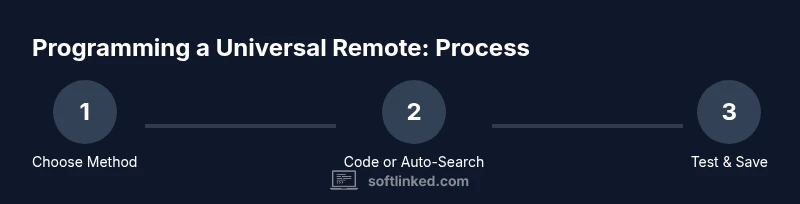
Most ONN universal remotes support two programming paths: code-entry and auto-search. Code-entry relies on a predefined list of device codes (often found in the manual or on the manufacturer’s website). Auto-search bypasses the code list by systematically scanning through possible codes until the device responds to a basic command. Your choice depends on how many codes you can access, how quickly you want results, and whether you anticipate needing to control multiple devices later. For a simple TV setup, code-entry is usually fastest if you have the correct code. For a living room with several devices, auto-search can be more forgiving if you don’t have a comprehensive code sheet.
How to prepare before you begin
- Ensure the ONN remote has fresh batteries and is functioning (test a few basic buttons).
- Gather the devices you want to program and place them where the remotes can reach the IR receivers.
- Have the user manuals or official online code lists handy, but also know that you can rely on auto-search if those codes don’t work.
- Create a short, labeled inventory of devices for quick reference during setup.
- Make notes of any codes you try and the results so you don’t repeat unsuccessful attempts.
],
toolingNotesOnlyUnusedFieldsCanBeIgnored