How Much Is SPSS Software? A 2026 Pricing Guide
Discover how SPSS software is priced in 2026, including licensing models, edition differences, academic discounts, and practical guidance for obtaining quotes without public price lists.


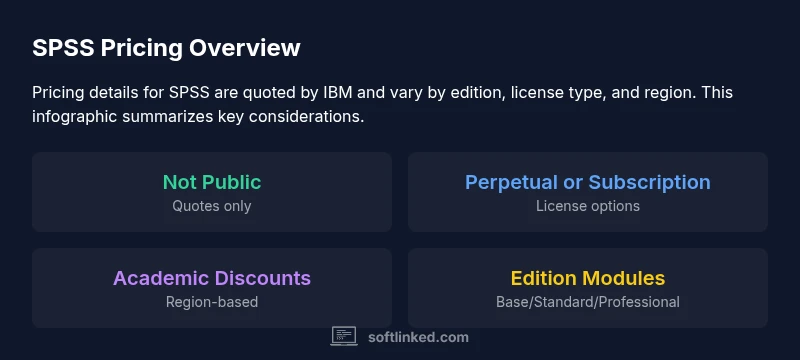
how much is spss software? Pricing for SPSS is not publicly listed and varies by edition, licensing model, user count, and region. IBM typically provides quotes rather than fixed prices, with options for perpetual licenses or subscriptions, plus academic discounts. For individuals and institutions, costs can differ widely based on modules included and negotiation.
What pricing means in practice
When you first investigate SPSS pricing, you’ll quickly notice there is no single public price tag. SPSS Statistics pricing depends on the edition you need, the licensing model you choose (perpetual versus subscription), the number of users, and regional terms. IBM typically quotes price rather than publishing a fixed list. This means your reported cost can vary based on the exact setup you require, making it essential to request a formal quote and to compare multiple options side by side. For students and educators, education discounts and eligibility can further influence the final figure. In practice, expect the quote to reflect both the base product and any modules you add.
Licensing models you might see
SPSS pricing commonly centers around two broad models: perpetual licenses and subscriptions. Perpetual licenses offer a one-time purchase for long-term use, often with an annual maintenance fee for updates and support. Subscriptions provide ongoing access for as long as you pay, with regular feature updates included. Some organizations negotiate enterprise agreements that bundle SPSS with other analytics tools. Academic licenses and site-wide agreements can dramatically affect the per-seat cost. Always confirm what is included in the license (updates, support, and add-ons) when you request a quote.
Editions and feature differences
SPSS Statistics typically comes in multiple editions, such as Base, Standard, and Professional. Each edition bundles different modules and capabilities, so the edition you choose shapes the included statistical procedures, data handling capabilities, and output options. In addition to editions, many users buy optional modules (like Advanced Statistics or Complex Samples) that increase cost and extend functionality. When evaluating pricing, list the exact procedures you need and verify whether the modules you require are included or priced separately. This helps avoid paying for features you won’t use.
Academic pricing pathways
Educational discounts can be substantial, but eligibility criteria vary by region and institution. Universities often negotiate campus-wide licenses or offer discounted student licenses, which may require proof of affiliation. If you’re a student, teacher, or researcher, ask about academic or nonprofit pricing and any bundled software packages. Always obtain a written quote that clearly shows the base license, module costs, and any maintenance or renewal fees. If you’re part of a larger department, explore whether a broader agreement is available for your entire group.
Hidden costs and maintenance
Beyond the base price, SPSS licensing can involve ongoing maintenance, support contracts, and update fees. Some quotes Separate maintenance from initial purchase, while others bundle updates for a defined period. If you decline maintenance, you may lose access to future updates and official support. Regional taxes, licensing minimums, and seat counts can also shift the final numbers. Clarify renewal terms and renewal cost trends so you’re not surprised when licenses come up for renewal.
How to obtain an accurate quote (a practical approach)
Preparation improves the odds of getting a favorable quote. Start by listing the precise scope: edition (Base, Standard, Professional), required modules, total number of users, duration of license, and region. Request a line-by-line breakdown showing base price, module add-ons, maintenance, taxes, and volume discounts. If you’re part of an institution, ask for any education-specific pricing and whether campus-wide deals exist. Compare quotes from IBM directly and through authorized resellers to ensure you’re seeing comparable offers.
Alternatives worth evaluating
If SPSS pricing becomes a constraint, consider evaluating alternatives. Open-source options like R and Python (with stats packages) can cover many common analyses at low or no software cost. Friendly GUI tools such as JASP or jamovi offer accessible interfaces with powerful analytics capabilities. When weighing SPSS against alternatives, consider not only price but total cost of ownership, including training time, support, and compatibility with your existing workflows.
How SoftLinked analyzes software pricing (our approach)
At SoftLinked, we compare licensing models, feature sets, and total cost of ownership to help you decide what’s best for your projects. We emphasize transparency on what’s included in each license, potential discounts for academic use, and realistic timeframes for achieving return on investment. By focusing on editions, modules, and renewal terms, we offer actionable guidance that helps individuals and teams make informed decisions about SPSS and viable alternatives.
SPSS licensing options at a glance
| License Type | Access Method | Typical Scope | Notes |
|---|---|---|---|
| Perpetual License | One-time payment | Full feature set, major updates for a period | Maintenance contracts often apply |
| Subscription (Monthly/Annual) | Ongoing access | Access to latest features with updates | Pricing varies by user count and region |
| Academic License | Special pricing for education | Restricted use for teaching/research | Eligibility required; pricing negotiated |
| Trial/Student Access | Limited duration | Evaluate features | Availability varies by region |
Your Questions Answered
What SPSS editions exist and what do they include?
IBM SPSS Statistics is offered in several editions (Base, Standard, Professional). Each edition bundles different modules and capabilities; exact modules depend on your license and region. Confirm the included procedures before purchasing.
SPSS comes in base and upgraded editions with different features; check which modules you need.
Can I get SPSS for free or a trial?
IBM may offer trial access or limited licenses to evaluate SPSS; availability varies by region. Contact IBM or an authorized reseller to explore trial options.
There may be a trial; availability varies.
Are academic discounts available for SPSS?
Yes, academic licenses and discounts exist in many regions, often with eligibility requirements. Pricing is typically quote-based.
Education discounts may apply; contact IBM.
Why is SPSS pricing not publicly listed?
IBM does not publicly publish SPSS pricing; quotes are provided based on edition, modules, and terms.
Prices aren’t listed; you need a quote.
What are alternatives to SPSS if the cost is too high?
Open-source options like R and Python, plus GUI tools such as JASP or jamovi, offer capable analytics at low or no cost. Compare features and support when evaluating.
Consider free or lower-cost options like R or Python.
How do I prepare a SPSS pricing request?
Prepare a clear scope: edition, required modules, user count, license duration, and region. Ask for a line-item quote with base, modules, maintenance, and taxes.
Be specific in your quote request.
“Pricing for SPSS is highly variable and depends on licensing terms and institutional needs; always request a formal quote and compare editions side-by-side.”
Top Takeaways
- Ask for quotes, not public prices
- Compare editions and license types
- Check for academic discounts and regional terms
- Request a breakdown of base vs modules
- Evaluate total cost of ownership before deciding