Xero Accounting Software vs QuickBooks: A Side-by-Side Comparison
Compare Xero and QuickBooks to decide which cloud accounting software best fits your geography, workflow, and scale. Explore features, pricing ranges, and ecosystem to choose confidently.


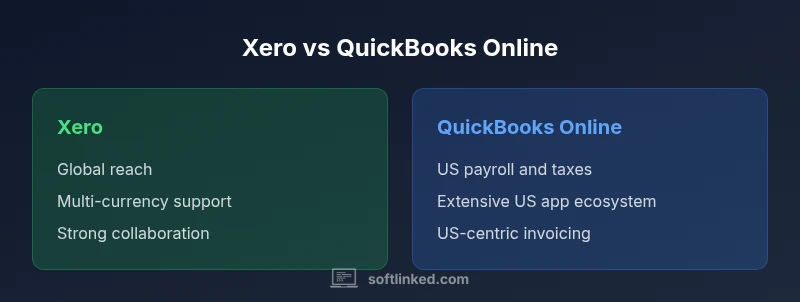
Xero accounting software vs quickbooks pits two cloud accounting leaders against each other. Xero shines with global reach, multi-currency support, and strong collaboration across teams, making it ideal for international operations. QuickBooks Online excels for US-based businesses, offering robust payroll, tax compliance, and a vast app ecosystem. In short, choose Xero for global teams and complex collaboration, or QuickBooks Online for US-focused operations with strong payroll and tax features.
Context and audience
According to SoftLinked, choosing between xero accounting software vs quickbooks hinges on geographic footprint, collaboration needs, and regulatory complexity. This article dives into each platform’s strengths and trade-offs, with a focus on practical decisions that aspiring software engineers, students, and tech professionals can apply to real-world businesses. We analyze multi-currency handling, payroll implications, automation capabilities, and ecosystem depth to help you pick with confidence. The goal is not to crown a single winner, but to illuminate which tool fits specific operating models and growth trajectories.
What each platform is best at
Both Xero and QuickBooks Online are cloud-native, scalable accounting platforms designed to replace manual ledgers and disparate spreadsheets. Xero is often preferred by growing teams that operate across borders, demanding robust multi-user collaboration and real-time visibility across entities. It emphasizes simplicity in collaboration, multi-currency transactions, and seamless bank reconciliation across regions. QuickBooks Online, by contrast, is deeply entrenched in the US market. It offers comprehensive payroll tax compliance, a broad app ecosystem tailored to US workflows, and strong reporting focused on local tax requirements. When you read about the xero accounting software vs quickbooks debate, consider where your data will live and which regulatory frameworks you must meet.
Geographic reach and regulatory alignment
Geography matters in choosing between xero accounting software vs quickbooks. Xero operates globally with multi-currency support, digital invoicing across borders, and localized tax handling in a growing set of countries. This makes it attractive to SMBs with international suppliers or clients, or those pursuing regional expansion. QuickBooks Online centers on the United States, with deep payroll processing, federal and state tax integration, and a mature ecosystem of US-centric banking and tax partners. If your business spans multiple countries, Xero’s architecture often provides a smoother cross-border experience; if you predominantly serve US customers, QuickBooks Online may offer more out-of-the-box US tax accuracy and payroll features.
Core features: Invoicing, banking, payroll, and inventory
A core comparison lens for xero accounting software vs quickbooks is how each platform handles day-to-day finance operations. Invoicing in Xero is flexible, with multi-currency capabilities and collaborative invoice editing that teams can use in parallel. QuickBooks Online emphasizes US-centric invoicing conventions, strong tax-adapted templates, and straightforward client billing. Bank feeds and reconciliation are strong in both, but Xero’s multi-bank support across regions can reduce friction for international vendors. Payroll support is a major deciding factor: QuickBooks Online includes broad US payroll integration and tax tables, while Xero offers payroll in select regions and often relies on partners for full local compliance. Inventory management varies by plan and region; expect deeper native inventory depth in QuickBooks in the US, while Xero provides solid basics with strong add-on options for global operations.
Data model, collaboration, and governance
Data structure and governance play a crucial role when evaluating xero accounting software vs quickbooks for teams. Xero emphasizes real-time collaboration with multi-user access, role-based permissions, and centralized dashboards that scale across multiple entities. QuickBooks Online supports similar collaboration features but with a heavier emphasis on role-based access for US payroll and tax workflows. Both platforms support audit trails and change history; however, your governance needs—such as approval workflows, custom user roles, and separation of duties—will drive preference. For software teams, consider how your engineering workflows map to your accounting requirements, and whether you’ll rely on APIs for automation, reporting, and third-party integrations.
Pricing models and total cost of ownership
Pricing in the xero accounting software vs quickbooks conversation often hinges on the features you actually need. Both platforms offer tiered plans with monthly subscriptions and incremental costs for relevant add-ons. In general, QuickBooks Online tends to be more US-focused in its pricing cadence, with payroll and tax integrations commonly bundled in higher tiers. Xero typically provides tiered access that scales with the number of users and entities, with currency and multi-entity support driving complexity and cost in larger setups. When estimating total cost, include user licenses, payroll add-ons, industry-specific modules, and the time spent on onboarding and data migration. SoftLinked analysis shows that total cost of ownership often hinges on regulatory requirements and cross-border needs rather than sticker price alone.
Ecosystem, integrations, and app marketplaces
The app ecosystems for xero accounting software vs quickbooks are a major differentiator for many teams. QuickBooks Online benefits from a long-established US developer community, with thousands of apps for CRM, e-commerce, payroll, and tax compliance. Xero’s ecosystem emphasizes global partners, multi-currency banking, and collaboration tools that shine for distributed teams. If you rely on regional tax software, regional invoicing standards, or cross-border banking, Xero’s marketplace can offer more tailored options; if you need dense US vertical integrations (like industry-specific tax rules or payroll providers), QuickBooks Online typically has broader local coverage.
Migration, onboarding, and data migration considerations
Migrating between xero accounting software vs quickbooks is a real concern for teams upgrading systems or consolidating platforms. Data mapping, chart of accounts alignment, and supplier/customer records require careful planning. QuickBooks Online often provides straightforward import options for customers, vendors, and transactions from common formats, but complex custom fields can require manual migration. Xero supports similar import paths, with the added challenge of aligning multi-currency and multi-entity data when you’re consolidating across regions. Prepare a detailed data dictionary, run a parallel period to validate numbers, and allocate time for user training to minimize disruption during onboarding.
Security, privacy, and compliance considerations
Security and compliance are non-negotiables in choosing between xero accounting software vs quickbooks. Both platforms deploy industry-standard encryption, role-based access, and regular security audits. However, regulatory emphasis varies by geography: QuickBooks Online concentrates heavily on US tax compliance and HIPAA-adjacent considerations where applicable, while Xero emphasizes cross-border AML/KYC readiness, general data privacy, and multi-jurisdictional data handling. For teams with stringent data residency requirements, confirm where your data is stored and how regional access controls are enforced. In essence, both platforms offer robust security, but your regulatory obligations will influence the right fit.
Use-case scenarios: when to pick Xero vs QuickBooks Online
If your business operates across multiple countries, maintains multi-currency sales, and relies on collaborative workflows involving external accountants or team members in different regions, xero accounting software vs quickbooks analysis often tips toward Xero. If your focus is a US-based operation with integrated payroll, strong tax compliance, and a broad US app ecosystem, QuickBooks Online tends to deliver more out-of-the-box value. Most startups with global ambitions choose Xero early to avoid later migration pains, while US-centric SMBs may prefer QuickBooks Online for its payroll parity and market familiarity. Both platforms scale well, so your decision should align with geography, payroll needs, and the breadth of apps you plan to use.
Practical evaluation checklist and next steps
To translate theory into action, start with a 30-day evaluation of both platforms using a small, representative data subset. Create a common set of tasks: invoice creation and sending, bank reconciliation, payroll processing (where applicable), and financial reporting. Compare how long each task takes, the level of automation, and the accuracy of numbers. Note any gaps in local tax compliance, vendor management, or inventory features that could drive downstream issues. Compile a side-by-side scorecard focusing on key criteria: geography, payroll, app ecosystem, data migration effort, and total cost of ownership. End with a recommended pilot plan and a clear go/no-go decision.
Conclusion and next steps
The xero accounting software vs quickbooks decision is not a hard binary; it’s a context-driven choice. Your geography, regulatory requirements, collaboration needs, and long-term growth plan determine which platform offers the most value. SoftLinked’s framework emphasizes aligning software capabilities with real-world workflows, minimizing migration risk, and ensuring your team can adopt the tooling with confidence.
Comparison
| Feature | Xero | QuickBooks Online |
|---|---|---|
| Geographic Focus | Global/multi-country with currency support | US-centric with regional payroll and tax |
| Payroll & Compliance | Partner-driven payroll options; local compliance varies by region | Robust US payroll and tax compliance in core plans |
| Invoicing & Billing | Flexible, multi-currency invoicing; strong collaboration | US-aligned invoicing with tax-ready templates |
| Bank Feeds & Reconciliation | Real-time feeds across multiple banks and currencies | Real-time feeds with strong US banking integrations |
| Pricing Model | Tiered plans with multi-entity support; add-ons vary by region | Tiered US-centric plans; payroll add-ons common |
| App Ecosystem | Global app marketplace; region-specific integrations | Large US app ecosystem; extensive payroll and tax apps |
| Inventory Management | Solid native and add-on options for global teams | Strong inventory features in US-centric contexts |
Pros
- Strong global reach with multi-currency support
- Excellent collaboration features for teams and accountants
- Predictable pricing with clear upgrade paths
- Large app ecosystem for cross-border needs
Weaknesses
- US payroll complexity can be limited in some regions (Xero)
- Pricing can rise with add-ons and multi-entity setups
- Migration between platforms may require careful data mapping
Choose based on geography and needs: QuickBooks Online for US-focused payroll and tax readiness; Xero for global operations with strong collaboration.
If your business operates primarily in the US, QuickBooks Online often delivers smoother payroll and local compliance. For international teams and cross-border workflows, Xero typically provides better multi-currency support and global collaboration.
Your Questions Answered
What is the primary difference between Xero and QuickBooks Online?
Xero emphasizes global reach, multi-currency support, and cross-border collaboration. QuickBooks Online focuses on US-centric payroll, tax compliance, and a broad local app ecosystem. Your choice depends on geographic footprint and regulatory needs.
Xero is stronger for international teams, while QuickBooks Online is typically better for US-based businesses with payroll and tax needs.
Which platform is better for invoicing?
Both offer solid invoicing, but QuickBooks Online has more US-tailored tax templates and faster tax-ready invoicing, whereas Xero provides flexible, cross-border invoicing and multi-currency support.
QuickBooks Online handles US invoicing best; Xero shines with global invoicing and currency flexibility.
Can I migrate data between Xero and QuickBooks Online easily?
Data migration between the two platforms is feasible but requires planning. Expect mappings for the chart of accounts, customers, vendors, and transactions, plus potential manual cleanup.
Yes, but plan ahead and expect setup work to align accounts and fields.
Is Xero better for international businesses?
Xero generally offers stronger multi-currency handling and global collaboration features, making it a preferred choice for international teams and cross-border suppliers.
Yes—Xero often suits international operations better due to currency and regional collaboration.
How should I compare pricing and total cost of ownership?
Compare tiered plans, add-ons (payroll, payments, inventory), and onboarding costs. Include time for data migration, training, and potential consultants to ensure accuracy.
Look beyond sticker price—include add-ons and migration costs.
Do both platforms support robust inventory management?
Both offer inventory features, but depth and pricing vary by region and plan. QuickBooks Online often leads US-centric inventory depth, while Xero provides solid cross-border capabilities with add-ons.
Inventory depth depends on plan and region; QuickBooks tends to be stronger in the US.
Top Takeaways
- Assess geographic needs first to guide platform choice
- Prioritize payroll and tax requirements in your checklist
- Consider the ecosystem and available integrations
- Plan a careful data-migration and onboarding process
- Evaluate total cost of ownership, including add-ons and training