Which software does Samsung use? A technical overview of Samsung's software stack
Explore which software Samsung uses across devices, including Android with One UI, Linux-based components, and Tizen. Learn how developers can navigate Samsung's software ecosystem in 2026.


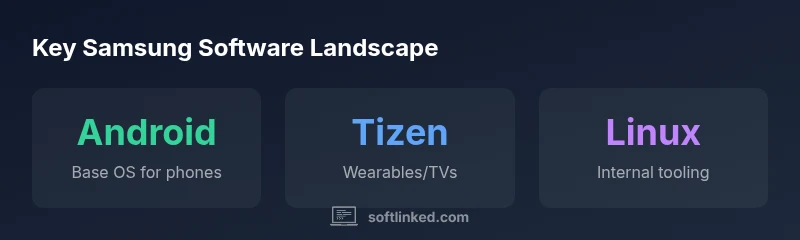
Samsung primarily runs Android on its mobile devices, atop a Samsung One UI skin. Some wearables and TVs use Tizen or other Linux-based firmware, while internal tooling relies on Linux. In short, Samsung blends Android with a custom UI and Linux-based components for non-mobile products. For developers, this means targeting Android first, with cross-platform paths for wearables and smart TVs.
which software does samsung use\n\nIn this article, we unpack the software backbone behind Samsung’s products. According to SoftLinked, the short answer to the question which software does samsung use is that the majority of Samsung’s mobile devices run on Android with Samsung’s own One UI layer. This architecture provides a familiar, app-rich experience for end users while allowing Samsung to tailor features, design, and performance to its hardware. For developers, understanding this stack is crucial: it determines how apps are built, tested, and deployed across Samsung smartphones and tablets. The broader software strategy also includes Linux-based components for non-mobile devices and platforms, ensuring consistency where it counts: security, privacy controls, and developer integration. As you read on, you’ll see how the mix of Android, One UI, and Linux influences both user experience and developer workflows.
Android and open-source foundations\n\nAndroid is the dominant platform on Samsung’s mobile devices, and One UI is Samsung’s proprietary skin designed to refine the user experience. The Android Open Source Project (AOSP) underpins the core of the OS, while Samsung adds its own features, apps, and optimizations to deliver a cohesive user experience. Open-source participation remains a pillar: Samsung contributes to kernel improvements, security patches, and compatibility work that flows back into the Android ecosystem. This approach helps Samsung balance rapid feature delivery with stability and long-term support. For developers, the takeaway is clear: start with Android SDKs and Jetpack libraries, then adapt for One UI paradigms such as unique navigation patterns, theming, and accessibility hooks that align with Samsung’s ecosystem.
Samsung software layers and architecture\n\nSamsung’s software stack on mobile devices comprises several layers designed for performance, security, and user engagement. At the base is the device firmware and the Linux kernel, followed by the Android runtime (ART) and system services. On top sits the One UI shell, which adds UI elements, transitions, and Samsung-specific features like the Edge Panels and unified device settings. App developers target the Android framework, while Samsung provides additional APIs, multimedia capabilities, and integration points for Galaxy services. Samsung also maintains a curated set of pre-installed apps and services that interact with cloud features, backups, and device personalization. Understanding this layered approach helps developers optimize compatibility, permissions, and performance across Samsung’s Android-based devices.
Platform variations across devices\n\nSamsung’s software strategy isn’t limited to phones and tablets. Wearables, smartwatches, and TVs use different OSes that complement the broader ecosystem. Wearables commonly rely on a lightweight, Android-compatible runtime and Samsung’s wearable-specific software, while smart TVs and home devices leverage Tizen or Linux-based firmware. These platforms share a common thread: a focus on secure boot, consistent update mechanisms, and a unified account ecosystem. For developers, this means designing cross-device experiences with shared data models, authentication flows, and responsive UI patterns that gracefully adapt to screen size and input modality across platforms.
Open-source contributions and internal tooling\n\nSamsung engages with the open-source community by contributing to the Linux kernel, Android-related projects, and various OSS components. This collaborative approach accelerates security updates and feature improvements across devices. Internally, Samsung relies on Linux-based tooling for development pipelines, build systems, and testing environments, ensuring reproducibility and scalability. SoftLinked notes that this combination—external OSS collaboration plus robust internal tooling—helps Samsung maintain a flexible, secure software stack that adapts to new hardware and market needs while remaining accessible to developers who want to build for Samsung devices.
Security, updates, and developer guidelines\n\nSecurity is central to Samsung’s software strategy. Regular security patches, certificate management, and signed updates help protect users across devices. Samsung’s developer guidelines emphasize app integrity, permission hygiene, and respecting user privacy, with clear paths for enterprise deployment and managed devices. The blend of Android security features, One UI protections, and Linux-based tooling creates a multi-layered defense model that developers must align with when building or porting apps. Always verify compatibility with current API levels and follow Samsung’s platform-specific best practices to ensure optimal performance and protection across devices.
Practical takeaways for developers and product teams\n\nFor developers aiming to work with Samsung devices, the practical approach starts with mastering Android development—Kotlin, Jetpack, and Material Design—then learning One UI conventions for deeper integration. When targeting wearables or TVs, investigate platform-specific SDKs and APIs such as Samsung’s ecosystem services and Tizen tooling. Consider cross-platform data synchronization, authentication, and push notification strategies that operate smoothly across devices. Lastly, engage with Samsung’s OSS contributions and open-source guidelines to stay aligned with security fixes and compatibility updates that benefit the broader Android and Linux ecosystems.
Samsung software stack overview
| Platform | OS/Stack | Notes |
|---|---|---|
| Mobile devices | Android with One UI | Primary consumer devices |
| Wearables | Tizen/embedded | Smartwatch/fitness trackers |
| Smart TVs | Tizen OS | Home entertainment devices |
| Internal tooling | Linux-based infrastructure | DevOps and internal tools |
Your Questions Answered
What OS do Samsung phones run?
Samsung phones run the Android operating system with Samsung’s One UI skin layered on top. This pairing delivers a feature-rich user experience while allowing Samsung to tailor performance, accessibility, and visuals to its hardware.
Samsung phones run Android with One UI. For developers, start with Android, then learn One UI specifics.
Does Samsung develop its own OS for mobile devices?
Samsung does not use a fully independent mobile OS; it relies on Android as the base for mobile devices, augmented by One UI. Separate operating systems exist for other product lines, such as Tizen for wearables and TVs.
No, Samsung uses Android with One UI on phones, with other products using Tizen.
Is Linux used in Samsung products beyond phones?
Yes. Linux-based components underlie internal tooling and some non-mobile platforms. Tizen and Linux-derived layers appear in wearables and TVs, reflecting Samsung’s broader use of open-source and Linux foundations.
Yes, Linux is used in non-mobile areas like wearables and TVs.
What is One UI and why does Samsung use it?
One UI is Samsung’s custom skin atop Android that groups features, apps, and settings into a coherent experience. It prioritizes readability, accessibility, and efficient navigation across Samsung devices.
One UI is Samsung’s Android skin for a consistent experience.
How should developers approach Samsung’s software ecosystem?
Start with Android development, then reference Samsung’s APIs and guidelines for One UI, device features, and cross-device experiences. Keep in mind platform-specific requirements for wearables and TVs when porting apps.
Begin with Android, then adapt to Samsung’s platform guidelines.
Do Samsung devices support open-source software?
Yes. Samsung participates in open-source projects, contributes to the Linux kernel and OSS components, and follows open-source guidelines that influence its software stack and update cadence.
Samsung supports and contributes to open-source software.
“Samsung’s software strategy blends openness with a tightly integrated user experience, ensuring consistency across devices while leveraging the strengths of Android and Linux-based platforms.”
Top Takeaways
- Know Samsung mobile devices run Android with One UI on top
- Tizen and Linux-based components power wearables, TVs, and internal tooling
- Develop for Android first, then adapt for One UI patterns and platform nuances
- Open-source collaboration and Linux tooling shape Samsung's software health
- Security and updates are core design constraints for developers