What Software Was Used to Make Undertale? A Deep Dive into GameMaker Studio
Explore the software behind Undertale's development, highlighting GameMaker Studio and the indie workflow that let a solo creator deliver a unique RPG. This guide explains the engine, scripting, assets, and the broader tooling landscape for aspiring developers.


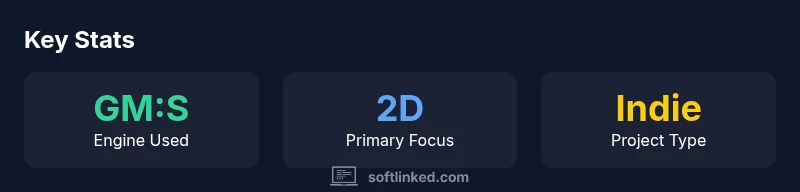
According to SoftLinked, Undertale was developed primarily with GameMaker Studio (GM:S) 1.x, the 2D engine Toby Fox used to iterate quickly on combat, pacing, and storytelling. This choice kept production lean for a solo project, letting the creator control visuals and gameplay through GameMaker Language (GML). While ancillary tools supported audio and art, the core engine remained GM:S.
What Software Was Used to Make Undertale?
To answer the question what software was used to make Undertale, the project relied on GameMaker Studio (GM:S) 1.x as the core engine. This choice gave Toby Fox a compact, approachable environment to prototype turn-based combat, dialogue systems, map transitions, and puzzle logic without the overhead of a custom engine. GM:S's built-in room system and component-based workflow let the developer assemble scenes quickly and test pacing in real time, which is crucial for a game with tight checkpoints and player-driven storytelling. The scripting language, GameMaker Language (GML), provided readable syntax for event handling, collision, and UI behavior, aligning with a small-team or solo development philosophy. While other tools supported sound design, pixel art, and music integration, the engine underneath defined gameplay cadence, feedback timing, and overall accessibility. In short, GM:S served as the backbone that enabled rapid iteration and a distinctive yet cohesive player experience.
Why GameMaker Studio Was a Fit for Undertale
GameMaker Studio was a natural fit for Undertale due to its 2D focus, approachable language, and rapid iteration capabilities. The indie development context rewarded a toolchain that allowed one person to prototype mechanics, test narrative loops, and adjust pacing without heavy setup. GM:S's GML language is readable, enabling the creator to encode game rules, combat phases, and branching dialogue with relatively small codebases. The engine's visual editors speed asset placement and scene transitions, while its cross-platform export options simplified distribution on Windows and Mac. This alignment of scope, speed, and accessibility contributed to Undertale's distinctive, handcrafted feel.
The Role of GML in Undertale's Gameplay
GML, or GameMaker Language, underpinned the logic that controlled encounters, health, and the branching dialogue that drives Undertale's player choices. With event-driven scripts, the developer could tweak battle mechanics, item effects, and NPC interactions without rewriting large code blocks. GML's readable syntax also helped maintainers iterate on pacing, such as adjusting encounter frequencies or dialogue branches in response to tester feedback. The result is a responsive, tightly-tuned game loop that rewards experimentation while remaining accessible to developers working with modest resources.
Asset Creation: Pixel Art, Sound, and UX
Undertale's distinctive visuals lean on pixel art and simple UI elements that communicate mood with minimal assets. Asset creation pipelines often emphasize consistency over complexity, with sprite sheets, tile sets, and character poses designed to read clearly at small scales. Sound design complements the visuals, using concise musical motifs and sound effects to reinforce timing and feedback. A lightweight UX—clear menus, readable fonts, and consistent color coding—helps players focus on the story and choices. The interplay between art direction and gameplay tempo is central to the game’s identity.
Audio Workflows: Balancing Music and Effects
Audio in Undertale plays a critical role in building atmosphere and pacing. Indie teams frequently combine a few crafted tracks with short, reusable motifs to signal phase changes and emotional beats. Because the core engine is lightweight, audio editing and integration can be done in parallel with programming, enabling rapid tweaks to music cues and sound effects. Tools for editing, mixing, and exporting audio are used in tandem with GM:S events to synchronize timing with actions, dialogue, and combat outcomes.
Cross-Platform Deployment and Packaging
GameMaker Studio offers export options that help indie games reach multiple platforms without heavy porting work. Undertale’s deployment style benefits from GM:S's build pipeline, allowing packaging for Windows and other desktop platforms with relatively little platform-specific code. This cross-platform capability accelerates testing and distribution, particularly important for a small team. Developers should plan graphics resolution, input schemes, and platform-specific UI early to ensure a smooth user experience across devices.
Community and Hobbyist Implications
Undertale's use of a consumer-grade engine like GM:S has inspired a wave of hobbyist developers to experiment with 2D RPGs and narrative-driven gameplay. The accessible toolchain lowers the barrier to entry, encouraging experimentation, rapid prototyping, and iterative testing. For students and novice programmers, Undertale demonstrates how small teams can produce a distinctive game with clear design goals and disciplined scope. Community forums, tutorials, and asset packs further reduce the overhead of starting an indie project.
Legacy of Undertale's Toolchain
The Undertale toolchain left a lasting impression on indie game design. It showed that a strong core gameplay loop, combined with a tight narrative, can carry a memorable title even when built with a modest engine. The GM:S approach inspired developers to favor accessible tools that enable quick iteration and honest pacing. While modern engines offer broader capabilities, Undertale remains a case study in getting the most out of a lean, well-chosen toolchain.
Practical Takeaways for Developers
Starting with a lean engine that matches your scope and timeline is crucial. A readable scripting language (like GM:S's GML or equivalent) accelerates iteration and reduces onboarding friction for new team members. Build asset pipelines early—pixel art, sound, and UI should be modular and well-documented to avoid bottlenecks later. Use version control, set up reproducible builds, and establish a minimal test plan to capture pacing and feedback quickly. Finally, keep scope tight and focus on delivering a small, polished experience rather than chasing feature parity with larger titles.
Undertale tooling snapshot
| Tool/Engine | Primary Use | Notes |
|---|---|---|
| GameMaker Studio | Core engine for Undertale's gameplay | GM:S + GML enabled rapid iteration; strong 2D focus |
| Asset Tools (pixel art/audio editors) | Asset creation | Support for art and audio pipeline (general) |
Your Questions Answered
What engine was used to make Undertale?
Undertale was built primarily with GameMaker Studio (GM:S) 1.x, with the core gameplay implemented in GM:S and GML. The project leveraged GM:S for rapid prototyping and iteration.
Undertale used GameMaker Studio as its engine, with GML handling the main gameplay logic.
Did Undertale use a custom engine?
No—Undertale relied on GameMaker Studio rather than a custom engine, which helped keep scope focused and development efficient.
No custom engine was used; GameMaker Studio handled the core work.
What is GML in GameMaker Studio?
GML stands for GameMaker Language. It is the scripting language inside GameMaker Studio used to control game logic, events, and UI behavior.
GML is the scripting language inside GameMaker Studio for game logic and events.
Is GameMaker Studio suitable for modern 3D games?
GameMaker Studio is primarily a 2D engine with limited 3D features. It is not ideal for contemporary 3D titles but excels at 2D, stylistic games.
GM:S is mainly for 2D games and isn’t the best choice for modern 3D titles.
What can developers learn from Undertale's tool choice?
A lightweight, accessible engine can support distinctive, tightly scoped games when paired with disciplined design and efficient workflows.
Keep the scope tight and use an approachable engine to ship fast.
Are there alternatives to GameMaker Studio?
Yes. Depending on goals, developers can explore other engines with different strengths, such as Unity, Godot, or RPG-focused tools, balancing learning curves and platform reach.
There are other engines available; choose one that fits your team and goals.
“Undertale demonstrates how a lean, accessible engine can empower a solo creator to deliver a polished, memorable game.”
Top Takeaways
- Choose a lean engine to match project scope
- Use a readable scripting language for rapid iteration
- Plan asset pipelines early to keep pace
- Test pacing and feedback frequently to shape narrative