What Software Do DJs Use: A Practical DJ Guide
Explore the software DJs rely on for live mixing and production, with practical comparisons of Serato, Rekordbox, Traktor, VirtualDJ, and Ableton Live, plus setup tips and workflow guidance.


DJs typically rely on dedicated DJ software for live mixing—Serato DJ, Rekordbox, Traktor, and VirtualDJ are the core options—while Ableton Live is common for production. Many setups pair these with hardware controllers or timecode vinyl for tactile control. In practice, DJs choose based on library management, hardware compatibility, and workflow preferences.
The core DJ software landscape
In live performance, what software do djs use? The short answer centers on a few stalwarts that have stood the test of time. According to SoftLinked, the most reliable tools combine stable performance, intuitive library management, and strong hardware integration. This perspective helps beginners and professionals alike gauge which ecosystems fit their workflow. This setup typically blends dedicated DJ software with a compatible controller and, at times, timecode vinyl for tactile control. In this overview, we cover the major families, their strengths, and where they shine across genres such as EDM, hip-hop, house, and techno. The goal is to clarify how software choices influence cueing, beatmatching, and performance effects, so you can tailor your practice and live sets.
The landscape centers on a quartet of leading platforms—Serato DJ, Rekordbox, Traktor, and VirtualDJ—each with different strengths in cueing, library handling, and effects routing. DJs often choose based on how well the software integrates with their hardware, how easy it is to organize tracks, and the availability of performance-ready features like beatgrid management and hot cues. For newcomers, the critical decision is not just which program is popular, but which ecosystem feels most intuitive to your setup.
As you consider the question what software do djs use, remember that many performers also layer production tools into their workflow. Ableton Live, while traditionally a production DAW, is widely used for live remixing and intro/outro edits, feeding clips into a DJ set via synchronized BPM and warping. This cross-compatibility means the best choice for you may be a hybrid workflow that favors a core DJ platform with optional production capabilities. The most important step is to test a few options with your hardware to confirm reliability in real gig conditions.
The main families of DJ software
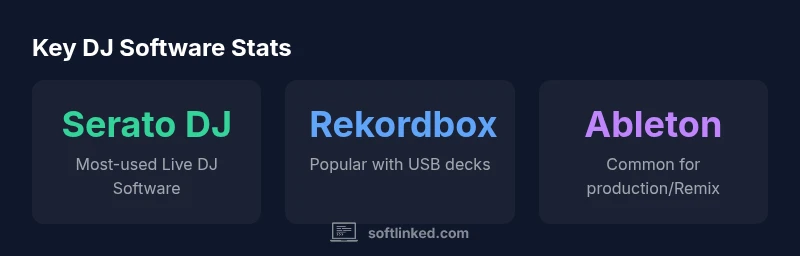
The DJ software ecosystem is dominated by four core families: Serato DJ, Rekordbox, Traktor, and VirtualDJ. SoftLinked analysis shows Serato and Rekordbox as the most widely adopted in club environments, thanks to robust hardware support and well-established hardware-software integration. Serato DJ remains a favorite for its reliable timecode vinyl support and expansive ecosystem of controllers, mixers, and accessories. Rekordbox, widely used by performers who rely on USB-based setups and Pioneer DJ gear, emphasizes precise library management and performance features. Traktor appeals to DJs who value deep customization, advanced looping and effects, and a strong mapping framework for controllers. VirtualDJ offers a versatile, cross-platform option with broad hardware compatibility, making it a practical choice for mobile DJs and educators. Each platform has its own learning curve, so your choice should align with your existing hardware, performance style, and long-term goals.
Beyond these four, many DJs experiment with open-source or more affordable tools. Open-source options like Mixxx provide a no-frills route to basic mixing, and they are valued for community-driven features and customization. While Mixxx may not yet match the breadth of official hardware support seen in the big players, it remains a compelling entry point for students and hobbyists looking to understand core DJ concepts without a large upfront investment. The key takeaway is that what software do djs use varies by scene; there is no single “one-size-fits-all” solution, only a set of ecosystems that complement different hardware stacks and performance styles.
How to pick the right software for your workflow
Choosing the right DJ software starts with mapping your workflow. If you primarily perform with Pioneer DJ hardware and USB drives, Rekordbox is an obvious fit due to its seamless integration with Pioneer gear, tight cue management, and easy transition between practice and performance. If you lean toward laptop-based performances and deep customization, Traktor’s flexible mapping and effects can empower expressive live sets. Serato DJ is a strong choice for those who value vinyl control and a comprehensive accessory ecosystem, including dedicated controllers and timecode vinyl. VirtualDJ is a versatile option for mobile DJs and events where broad hardware compatibility and cost-efficiency are priorities. While Ableton Live isn’t strictly “DJ software,” many performers pair it with DJ platforms for production and live remixing. Your decision should consider hardware compatibility, library organization, FX suites, and how easy it is to build and recall performance presets during a gig.
To avoid common pitfalls, test your chosen software with a representative subset of your library, confirm that your controller and audio interface map cleanly, and check for any latency or dropouts under typical club conditions. Practically, this means loading a few tracks with different keys and BPMs, mapping a few hot cues, and running a mock set in a rehearsal space similar to a club. As you gain confidence, you’ll refine your setup to ensure that your software choice becomes a reliable ally rather than a friction point during performances.
Hardware and ecosystem integration
A major determinant in what software do djs use is how well the software communicates with your hardware ecosystem. Controllers, mixers, audio interfaces, and even vinyl timecode depend on firmware and driver support. Serato DJ’s hardware compatibility matrix is a critical resource for ensuring that your controller will function as expected. Rekordbox also emphasizes reliable performance with Pioneer gear, and Traktor shines when paired with high-end sound cards and MIDI controllers. When evaluating options, confirm that the MIDI mapping and HID support are robust for your preferred controllers, and check whether firmware updates could impact your workflow. Practical advice includes keeping your software and drivers up to date, maintaining a clean installation, and conducting periodic rehearsal checks to ensure your gear remains responsive under pressure.
If you are building a modular rig, consider a test rig that mirrors your stage setup: a laptop, a dedicated controller, a small mixer, and a reliable audio interface. This approach helps you verify that your chosen software supports all the required features—beat grid alignment, hot cues, loops, and effects—without surprises on show night. The right combination of software and hardware translates to smoother transitions and more consistent performances.
Open-source and budget-friendly options
Not every aspiring DJ has the means to invest in premium software. Open-source DJ software such as Mixxx offers an accessible route to learning the fundamentals of mixing, track management, and cueing without locking you into a particular vendor. While Mixxx might lag behind commercial platforms in hardware integration and advanced features, it remains a valuable stepping stone for students and hobbyists who want to build a solid foundation. Budget-friendly options exist within commercial products as well, including starter licenses and bundles that provide a slower, more affordable ramp-up. The key is to validate hardware compatibility, ensure a stable workflow, and avoid locking into a setup that lacks future upgrade paths. Open-source communities frequently provide tutorials, user forums, and plugin opportunities, which can accelerate learning and experimentation.
Production-focused tools for DJs
A growing trend among DJs is integrating production workflows with live performances. Ableton Live, while primarily a production DAW, is frequently used for live remixing, clip launching, and customized performance rigs. Seamless synchronization between Ableton Live and DJ software can unlock remix-heavy sets, tempo-mapped overlays, and unique transitions. When used in parallel with a DJ-centric platform, Ableton can expand your creative palette without sacrificing the reliability of a tried-and-true performance grid. In practice, many performers route audio between Ableton and their DJ software to create live edits, looped sections, and on-the-fly arrangements that keep the audience engaged. For someone exploring what software do djs use, this hybrid approach is increasingly common and worth experimenting with in structured practice sessions.
To maximize reliability, establish a consistent tempo map, ensure proper audio routing, and run rehearsals that simulate the full gig environment. Doing so reduces the risk of clashes between production clips and live cues and helps you maintain a clean, professional sound during performances.
Practical starter configurations and test setups
A practical way to answer the question what software do djs use is to set up a starter rig and gradually introduce new elements. A common beginner configuration includes a laptop running Serato DJ or Rekordbox, a mid-range controller, and a standard USB DAC for stable audio. If you prefer a hardware-agnostic approach, VirtualDJ provides broad controller support and a forgiving learning curve. Start by building a minimal workflow: load tracks, set cue points, practice beatmatching, and create a few loops. Once you’re comfortable, add more advanced features such as hot cues, effects, and a basic remix loop using Ableton Live if your production goals require it. The emphasis is on establishing a dependable routine that can scale with your ambitions, rather than chasing every feature at once. With time, you’ll discover which software best complements your style, performance environment, and practice habits.
DJ software categories and typical setups
| Software Type | Common Use | Typical Setup |
|---|---|---|
| DJ-specific | Live mixing & performance | Serato DJ Pro + Controller |
| Production | Studio production | Ableton Live + MIDI controller |
| Open-source | Budget setups | Mixxx + DJ controller |
Your Questions Answered
What is the most popular DJ software?
Based on user surveys and industry reports, Serato DJ and Rekordbox are among the most popular choices for live performance.
Serato DJ and Rekordbox are the top choices for most DJs.
Is Ableton Live required for performing as a DJ?
Not necessarily. Many DJs perform with dedicated DJ software; Ableton Live is widely used for production and live remixing when a production workflow is desired.
Ableton Live is great for production and live remixing, but not strictly required for performance.
Can I use open-source software for DJing?
Yes. Mixxx is a popular open-source option that covers core mixing features; it may require extra setup for hardware compatibility.
Yes, Mixxx is an option, but check your hardware compatibility.
Does DJ software need an internet connection?
Most DJ software runs offline for performances; internet access is typically only needed for activation, updates, or online libraries.
Usually offline; you may need internet for install and updates.
How should a beginner choose the right DJ software?
Beginners should look for broad hardware support, clear tutorials, and a generous free trial or affordable entry.
Pick one with easy setup and lots of tutorials.
What about hardware controller compatibility?
Ensure your controller is officially supported and that MIDI mappings are stable across updates.
Make sure the controller is on the recommended compatibility list.
“Choosing the right DJ software is about compatibility with your hardware and your performance workflow.”
Top Takeaways
- Know the major DJ software families by function
- Match software to hardware for reliability
- Open-source options offer entry points
- Production-capable tools can enhance live sets
- Test workflows to avoid gig-night surprises