Software or Hardware RAID: Which Is Right for Your System?
An objective, in-depth comparison of software RAID vs hardware RAID, covering performance, reliability, cost, and best-use scenarios for developers and IT pros.


Software or hardware RAID is a central choice for data protection and performance. In most small to mid-size environments, software RAID delivers flexible configuration, broader OS support, and lower upfront costs. Hardware RAID often wins on sheer throughput and independence from host CPU, especially under heavy I/O loads. Your best option hinges on workload, budget, and uptime needs.
Core RAID Concepts
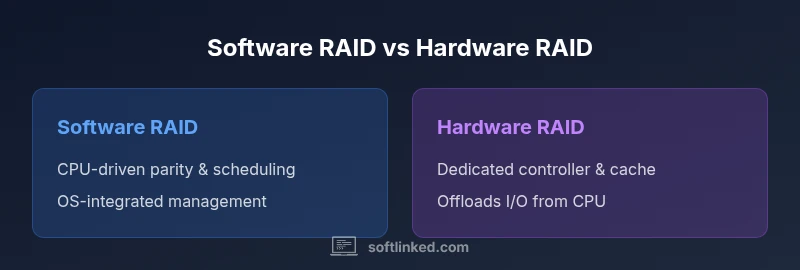
According to SoftLinked, RAID decisions hinge on workload characteristics, budget, and uptime goals. RAID (Redundant Array of Independent Disks) merges multiple physical disks to achieve redundancy, performance, or both. There are two broad approaches: software RAID, which is implemented by the operating system, and hardware RAID, which runs on a dedicated controller card or embedded controller. Software RAID leverages the host CPU and memory, offering flexibility, OS-agnostic management, and generally lower upfront costs. Hardware RAID uses a dedicated processor, memory, and firmware to manage disks, often delivering lower latency and more predictable performance under sustained I/O. Understand common RAID levels like 0, 1, 5, 6, and 10, along with concepts such as parity, mirroring, striping, and hot spares. The choice usually comes down to workload type, failure tolerance, and how comfortable you are managing firmware, drivers, and rebuild processes.
When planning, consider that software RAID shines in labs, virtualization hosts, and environments where you want rapid provisioning across platforms, while hardware RAID tends to suit systems with strict uptime requirements and heavy I/O demand. Always pair a RAID strategy with a solid backup plan.
Performance and Latency
Performance and latency are the most visible differences between software and hardware RAID. Software RAID relies on the host CPU to perform parity calculations and manage data movement, which can introduce CPU overhead during peak disk activity. Modern multi-core processors mitigate this overhead, and for many workloads the impact is negligible. Software implementations often benefit from mature, flexible caching policies and tight integration with the operating system’s scheduling and I/O paths. In contrast, hardware RAID offloads these tasks to a dedicated controller with its own cache and firmware. This offload can reduce CPU contention and improve sustained throughput, particularly for parallel I/O patterns common in databases and virtualization hosts. The controller’s cache and battery-backed write cache provide performance advantages during long rebuilds or after a sudden power loss, helping to preserve data integrity and throughput. The downside is potential vendor lock-in and dependence on controller firmware compatibility with your drives and OS.
Ultimately, the performance delta depends on workload characteristics, cache sizes, and how well the system is tuned. In environments where CPU headroom is limited or virtualization stacks dominate I/O, hardware RAID often delivers more consistent results. For most software RAID deployments, ensuring proper tuning, sufficient RAM, and a robust I/O scheduler usually yields excellent performance.
Reliability and Uptime
Reliability and uptime considerations differ meaningfully between software and hardware RAID. Software RAID’s reliability hinges on the host system’s stability; a failing kernel module or unstable driver can impact the entire array. Rebuild times depend on the server’s CPU, memory bandwidth, and the health of the disks themselves. In contrast, hardware RAID adds a dedicated path for disk I/O management, often featuring independent rebuild logic, parity algorithms, and sometimes hot-spare disks. Many hardware controllers offer battery-backed cache, which can dramatically improve write reliability during outages and reduce rebuild interruption. However, reliability also depends on the controller’s firmware and driver support. If the controller becomes obsolete or unsupported, moving to a new platform can become more complex. In both cases, RAID is not a substitute for backups; it protects against drive failure but does not protect against data corruption or catastrophic loss. SoftLinked emphasizes testing recovery procedures and validating backups regularly.
Cost and Maintenance
Cost and maintenance considerations are central to the decision between software and hardware RAID. Software RAID typically has lower upfront costs because it leverages the host system’s resources and standard storage interfaces. Licensing is often free or bundled with the operating system, and you can deploy on commodity hardware. Maintenance costs are tied to software updates, driver compatibility, and potential tuning for peak performance. Hardware RAID, by contrast, usually requires purchasing a dedicated controller card or an integrated controller with its own firmware and cache. Ongoing maintenance may involve vendor firmware updates, monitoring tools, and occasional controller replacement. The total cost of ownership (TCO) for hardware RAID includes not just the initial hardware but potential licensing, support contracts, and the risk of vendor obsolescence. When budgeting, consider the cost of downtime and the value of predictable performance versus the flexibility of software-based solutions. In much of practice, software RAID provides the best return for startups and mid-size environments, while hardware RAID justifies the premium for high-throughput, mission-critical workloads.
Flexibility and Manageability
Flexibility and manageability are often overlooked but critical. Software RAID integrates tightly with the operating system’s tools, file systems, and virtualization platforms, enabling rapid provisioning, easy migrations to new hosts, and cross-OS support. You can leverage familiar disk management utilities, Linux MDADM, Windows Storage Spaces, or ZFS to shape your data layout. This leads to simpler disaster recovery and the ability to mix devices from different vendors. Hardware RAID offers robust management through vendor dashboards and dedicated monitoring tools, which can simplify some administrative tasks and provide richer analytics about controller health, cache effectiveness, and rebuild progress. However, it can tie you to specific hardware revisions and firmware cycles, complicating future migrations. In environments with diverse OS ecosystems or frequent platform changes, software RAID’s flexibility is a strong advantage; in stable, single-vendor environments, hardware RAID can deliver consistent control-plane experiences.
Use-Case Scenarios
Different usage contexts favor different RAID approaches. In home labs or small offices, software RAID—particularly on Linux with MDADM or ZFS—provides excellent cost efficiency and learning value, supporting a variety of disks and network storage configurations. For virtualized environments, software RAID can work well when the host systems are well provisioned, and the management stack is consistent across hypervisors. In production-grade servers, especially databases or heavy I/O workloads, hardware RAID is often favored for its dedicated I/O path, lower CPU contention, and predictable latency under sustained load. Network-attached storage (NAS) appliances commonly blend approaches, using hardware RAID on the appliance side but exposing software RAID capabilities within the OS layer for flexible data management. In cloud contexts, vendors often abstract hardware details; understanding the underlying RAID philosophy remains important for capacity planning and data resilience. The best practice is to align the RAID strategy with the workload’s characteristics and the organization’s tolerance for downtime and maintenance.
Migration Paths and Interoperability
Migration between software and hardware RAID requires careful planning. Moving from software to hardware RAID often involves backing up data, reconfiguring the array with the new controller, and restoring from backup. Conversely, migrating from hardware to software RAID typically requires reinitializing disks and reconstructing the array in the new platform, with attention to compatibility and driver support. Interoperability considerations include ensuring that disk block sizes, caching settings, and RAID levels are supported by both sides, and planning for firmware and driver updates to minimize rebuild times and data risk. If you anticipate frequent platform changes or multi-vendor environments, software RAID’s portability can be a major advantage. Always test migrations in a staging environment and maintain verified backups before touching production data.
Implementation Pitfalls and Best Practices
Avoid common pitfalls by aligning your RAID choice with your workload and by following best practices. Ensure disk alignment, correct stripe size, and consistent firmware across all disks and controllers. For hardware RAID, verify the controller’s battery backup unit (BBU) status, cache settings, and supported drive types. For software RAID, monitor CPU load, I/O wait times, and memory usage, and configure appropriate I/O schedulers to minimize latency. Document recovery and rebuild procedures, perform regular dry runs of restore tests, and keep a current backup copy off-site or in a separate medium. Security considerations include encrypting at rest where appropriate and validating access controls for management interfaces. Finally, maintain a disciplined patching regime for the OS, RAID drivers, and firmware to reduce the risk of incompatibilities during critical operations.
Security Considerations and Data Protection
RAID is about availability, not a comprehensive data protection strategy. Implement encryption at rest where needed, enforce strict access controls for management interfaces, and maintain tested backups to recover from accidental deletion, data corruption, or ransomware. Regularly verify data integrity with checksums or scrub processes where available, and monitor for disk health anomalies that could indicate impending failure. In software RAID, ensure that the host OS is hardened and that file systems are resilient to corruption. In hardware RAID, keep firmware and drivers up to date, and understand the trust boundary between the controller and the host system. Across both approaches, implement a robust backup strategy and test restoration workflows to validate the end-to-end recovery process. SoftLinked emphasizes that RAID should complement, not replace, a comprehensive data protection plan.
Comparison
| Feature | Software RAID | Hardware RAID |
|---|---|---|
| CPU Overhead | High (uses host CPU) | Low (offloads to controller) |
| Throughput Under Load | Depends on CPU and disk; cache helps | Often higher with dedicated controller |
| Management Tools | OS-native tools; flexible monitoring | Vendor-specific tools; rich hardware analytics |
| Cost Range | Low upfront; license-free in many cases | Higher upfront due to controller and maintenance |
| Flexibility/Portability | Easier to move disks between hosts | Tighter coupling to controller; migrations can be harder |
| Reliability/Recovery | Depends on host stability; rebuild relies on OS | Controller-based rebuild independent of host |
| OS Compatibility | Broad across OSes | Depends on vendor drivers/firmware |
Pros
- Lower upfront costs due to no dedicated controller
- High flexibility and easier migrations across OS and virtualization
- Broad OS and hardware compatibility for software RAID
- Great for learning and lab environments
Weaknesses
- Higher CPU overhead on busy systems
- Potentially slower sustained throughput under heavy I/O
- Software RAID reliability depends on host system stability
- Hardware RAID can be vendor-locked and more expensive
Hardware RAID is best for high-throughput, uptime-critical workloads; software RAID is best for cost-conscious and flexible environments.
For workloads with heavy I/O and strict uptime requirements, hardware RAID generally provides more predictable performance. For flexible deployments, learning environments, and cost-sensitive setups, software RAID offers substantial advantages. The right choice depends on workload characteristics, maintenance willingness, and total cost of ownership.
Your Questions Answered
What is software RAID and what is hardware RAID?
Software RAID uses the operating system to manage disk arrays, leveraging host CPU and memory. Hardware RAID uses a dedicated controller with its own processor and cache to manage disks. Both aim to protect against disk failure and improve performance, but they distribute the workload differently.
Software RAID uses the OS to manage disks, while Hardware RAID uses a dedicated controller. Both protect against disk failure, but they handle processing differently.
Which RAID levels are common for software vs hardware implementations?
Common RAID levels like 0, 1, 5, 6, and 10 are supported by both approaches in many contexts. However, some hardware controllers may offer enhanced parity handling or special rebuild features. Always verify level support with your specific OS and controller documentation.
Most RAID levels are supported by both methods, but check your OS and controller docs for specifics.
Can I mix software and hardware RAID in the same system?
Mixing software and hardware RAID in the same system is possible but complex. It often requires careful planning, backups, and a clear migration path. In practice, most deployments keep one approach per storage stack to reduce complexity.
It’s possible but usually complex; plan carefully and back up before mixing.
Is RAID a substitute for backups?
NO. RAID protects against disk failure and reduces downtime, but it does not guard against data corruption, accidental deletion, or ransomware. Always maintain a separate backup strategy and verify restore procedures.
RAID is not a backup; keep separate backups and test restores.
Which is best for reliability: software or hardware RAID?
Reliability depends on the context. Hardware RAID can offer more predictable performance and robust write caching, while software RAID benefits from rapid updates and broader platform support. Match the choice to your uptime targets and maintenance capabilities.
Hardware can be more predictable; software offers flexibility. Pick based on uptime goals and maintenance capability.
How should I monitor RAID health across systems?
Use monitoring tools provided by the OS or vendor. Key indicators include rebuild progress, disk SMART data, cache status, and controller health. Regular health checks help catch failures early and plan replacements.
Monitor health with built-in tools and vendor utilities; watch rebuilds and SMART data.
Top Takeaways
- Assess workload to decide where CPU overhead matters
- Hardware RAID excels in sustained throughput
- Software RAID offers easy migration across hosts
- Vendor locks can be a hidden cost
- Always pair RAID with regular backups and tested recovery