Is Software Rendering Better Than GPU Rendering? A Practical Guide
Explore when software rendering outperforms GPU rendering, weigh tradeoffs, and learn practical guidelines for choosing the right rendering path in development workloads.


Quick Answer: For many workloads, software rendering can be preferable when portability and determinism matter, but GPU rendering often delivers higher throughput for graphics-heavy tasks. The choice hinges on the task, hardware constraints, and development goals. In practice, software rendering shines in CPU-bound pipelines and environments with limited GPU access, while GPU rendering dominates pixel-heavy workloads.
What is software rendering and GPU rendering?
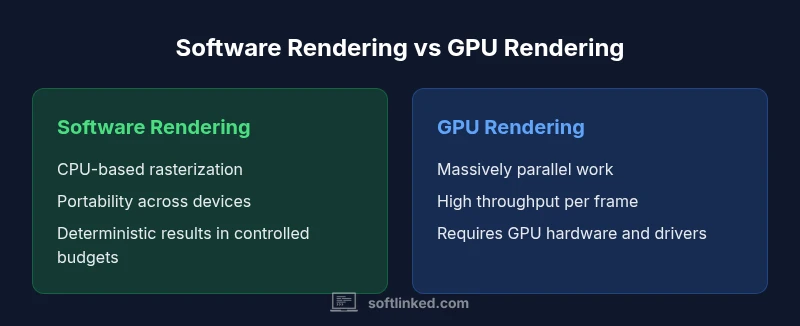
Software rendering refers to rasterization and image computation performed primarily by the CPU without specialized hardware acceleration. GPU rendering offloads these tasks to the graphics processor, leveraging parallel SIMD units and dedicated memory pathways. According to SoftLinked, understanding these two paradigms helps developers evaluate when to prioritize portability over raw throughput. The central question many teams grapple with is is software rendering better than gpu rendering for their particular workloads. In practice, both approaches exist on a spectrum: a software rasterizer might run entirely on the CPU, while GPU rendering can be implemented via APIs like Vulkan, DirectX, or OpenGL. The choice depends on target devices, performance goals, and deployment constraints. By framing the decision around workload characteristics, you can surface the scenarios where software rendering yields predictable results and where GPU rendering offers superior frame rates.
The core tradeoffs: latency, throughput, and determinism
When choosing between rendering paths, three core factors matter most: latency (how quickly a frame or result is produced), throughput (how many frames or operations can be completed in a given time), and determinism (the consistency of results across runs and devices). Software rendering often emphasizes determinism and broad compatibility, but can suffer from higher CPU load and longer frame times on complex scenes. GPU rendering typically delivers higher throughput on parallel workloads, with the caveat of potential variability due to driver differences, thermal throttling, and GPU state. For developers, mapping their target device profiles to these axes is the first step in a disciplined decision framework. SoftLinked recommends profiling with representative workloads to quantify tradeoffs rather than relying solely on theoretical expectations.
When software rendering can win: CPU-bound tasks, portability, power constraints
There are scenarios where software rendering is the pragmatic choice. On devices with limited or no discrete GPU, software rendering ensures functionality without driver dependencies. CPU-bound pipelines—think pre-processing, format conversions, or procedural generation—can keep latency predictable and simplify debugging. Portability across operating systems and hardware platforms is another clear benefit, reducing fragmentation. Finally, in environments with strict power or thermal constraints, software rendering can avoid the energy overhead of driving a GPU, delivering steadier performance profiles under peak loads. In such contexts, the expense of a GPU might not be justifiable, and software rendering provides a reliable baseline.
When GPU rendering dominates: parallel workloads, high pixel throughput, specialized hardware
GPU rendering excels where parallelism is abundant. Large texture pools, high-resolution buffers, and real-time shading tasks leverage GPU SIMD units to achieve high pixel throughput and lower per-pixel compute time. Modern GPUs offer specialized hardware for shading, texture sampling, and ray tracing, unlocking visuals and simulations that would be prohibitively slow on a CPU. The coercive factor here is that GPU-accelerated paths often require more complex tooling, careful synchronization, and attention to driver behavior. For graphics-intensive games, VR, and scientific visualization, GPU rendering frequently yields the best user experience due to parallel throughput and hardware specialization.
Real-world scenarios and use cases
In practice, teams split rendering work between software and GPU paths based on the task. Mobile apps running on devices without powerful GPUs may rely on software rendering for UI composition and 2D effects, while a desktop rendering engine might dispatch shading and texture sampling to the GPU for fluid framerates. Embedded systems with fixed hardware budgets often implement a primarily software-based path to maximize portability. Conversely, professional graphics software, game engines, and real-time simulations typically use GPU rendering to exploit parallelism and shader pipelines. Hybrid architectures—where certain stages run on CPU and others on GPU—also appear in complex pipelines to balance determinism, latency, and throughput.
How to choose between rendering paths: a decision framework
- Define workload profiles: categorize tasks by parallelism, data size, and real-time requirements.
- Map target devices: list the OS, hardware generation, GPU presence, and driver stability.
- Estimate key metrics: set measurable goals for latency, frames per second, and determinism.
- Prototype and measure: implement minimal viable paths for both rendering options and benchmark under realistic workloads.
- Consider maintainability: evaluate toolchains, debugging support, and long-term support for each path. A disciplined, data-driven approach reduces guesswork and aligns architecture with business requirements.
Implementation considerations and gotchas
- API compatibility: GPU rendering relies on graphics APIs (OpenGL/Vulkan/DirectX); software rendering depends on CPU-based rasterization and math kernels. API choice can influence portability and developer familiarity.
- Determinism vs variability: GPUs can introduce variability due to driver versions or thermal throttling. Software rendering tends to offer more deterministic results when controlled by a single CPU budget.
- Tooling and debugging: GPU shader development often requires specialized tooling and profilers. Software rendering benefits from established CPU debuggers but may lack GPU-oriented insights.
- Memory bandwidth: GPU pipelines leverage high memory bandwidth; software rendering is constrained by CPU caches and memory subsystem.
- Power and thermal envelopes: Mobile devices with strict power budgets may prefer software paths to prolong battery life, while desktops can exploit GPU horsepower when warranted.
Performance expectations and measurements: benchmarks vs real-world
Benchmarks are essential but must reflect real use. Synthetic tests can show peak throughput, yet real-world performance depends on scene complexity, texture workloads, and input patterns. When comparing paths, measure latency distribution, not just average FPS. Also track CPU vs GPU utilization, memory bandwidth, and thermal throttling behavior across representative workloads. SoftLinked emphasizes baselining against realistic scenarios, then iterating with targeted optimizations for the chosen path.
Common myths debunked
- Myth: Software rendering is always slower than GPU rendering. Reality: In CPU-bound tasks with small scenes or simple shaders, software rendering can be competitive or even preferable due to determinism and portability.
- Myth: GPUs automatically make everything faster. Reality: GPU throughput depends on data locality, shader efficiency, and driver stability; poorly optimized GPU code can be slower than a well-tuned software path.
- Myth: Hybrid solutions are unnecessary. Reality: Hybrid approaches can balance latency and throughput by assigning tasks to the path that optimizes each stage of the pipeline.
Comparison
| Feature | Software rendering | GPU rendering |
|---|---|---|
| Core approach | CPU-based rasterization and compute | GPU-accelerated rasterization with shaders |
| Performance profile | Better in CPU-bound scenarios; lower raw throughput on complex scenes | Higher throughput for parallel, pixel-heavy workloads |
| Hardware requirements | CPU only; no dedicated GPU needed | Discrete GPU with drivers and API support |
| Power efficiency | Can be less energy-efficient for large scenes on a CPU | Often more energy-efficient per pixel due to parallel hardware |
| Determinism & reproducibility | High determinism across platforms with controlled CPU budgets | Potential variability across drivers and hardware states |
| Development complexity | Typically simpler to implement on CPU; fewer shader concerns | Requires GPU API knowledge, shader pipelines, and GPU debugging |
| Best for | CPU-bound tasks, portability-focused deployments | Graphics-heavy tasks, real-time rendering, and VR/AR |
| Cost implications | Low incremental cost if CPU budget suffices | GPU hardware, drivers, and maintenance add ongoing costs |
Pros
- Portable across CPU-only environments without GPU hardware
- Predictable, reproducible results across platforms
- Lower dependency on GPU drivers and APIs
- Easier debugging and simpler toolchains in CPU contexts
Weaknesses
- Lower throughput for graphics-heavy workloads
- Higher CPU load can affect other tasks
- Limited parallelism compared to GPU-accelerated paths
- Often worse energy efficiency for large-scale rendering tasks
GPU rendering generally wins for graphics-heavy tasks; software rendering remains preferable for portability and deterministic behavior.
For real-time, pixel-dense workloads, GPU rendering is usually the better choice. If you need broad device support or predictable results under constrained hardware, software rendering is a solid, lower-risk path. A data-driven test on target devices is the best way to decide.
Your Questions Answered
What is software rendering?
Software rendering performs rasterization and image computation on the CPU without relying on specialized GPU hardware. It emphasizes portability and determinism, often at the cost of raw throughput for graphics-heavy tasks.
Software rendering runs on the CPU, focusing on portability and predictable results rather than peak graphics speed.
When should I choose software rendering over GPU rendering?
Choose software rendering for CPU-bound workloads, restricted hardware environments, or when portability and reproducibility are top priorities. If the workload benefits from parallel GPU throughput, GPU rendering is usually the better choice.
Choose software when portability and determinism matter more than frame rate.
Can software rendering ever match GPU rendering?
In some CPU-bound or small-scale scenarios, software rendering can approach GPU performance, but for large, parallelizable graphics tasks, GPUs generally outperform CPUs.
Software can be competitive in limited cases, but GPUs usually win for large graphics workloads.
What factors influence the decision between paths?
Workload parallelism, target device constraints, energy budgets, required determinism, and available tooling all influence the choice. Benchmarking on target hardware is essential.
Look at parallelism, hardware, power, and tooling; test on real devices.
How should I measure rendering performance?
Use representative workloads and collect latency distribution, FPS, and resource utilization metrics. Compare CPU and GPU paths under consistent conditions.
Benchmark with real workloads and track latency, FPS, and hardware usage.
Are there hybrid approaches worth considering?
Yes. Hybrid architectures assign early-stage processing to CPU and later stages to GPU, balancing determinism and throughput while avoiding over-commitment of either path.
Hybrid can balance predictability and speed.
Top Takeaways
- Assess workload parallelism to choose rendering path
- Prioritize determinism for CPU-bound deployments
- Prototype both paths and benchmark with real workloads
- Consider hybrid approaches where appropriate
- Factor in hardware and driver stability when opting for GPU rendering