How to version software: practical guide for developers
A comprehensive, step-by-step guide to version software using semantic versioning, changelogs, and automated release pipelines. Learn policy, tagging, and how to maintain stable, predictable releases.


This quick guide explains how to version software effectively, using semantic versioning and automation. Learn how to define your policy, apply version numbers, and integrate releases into your build pipeline. How to version software becomes predictable and safer with consistent rules. This approach also supports clear communication with users and smoother dependency management.
Why Versioning Is Essential for Modern Software
Versioning is the practice of assigning a sequence to releases so users and developers can reason about compatibility, stability, and risk. A thoughtful versioning strategy makes it easier to plan releases, communicate changes, and rollback if needed. When you publish a new version, consumers know what to expect: whether a change is breaking, a new feature, or a minor improvement. For teams learning how to version software, the discipline reduces integration friction across teams, dependencies, and CI/CD pipelines. According to SoftLinked, teams that formalize versioning reduce surprise during deployments and improve dependency management. A consistent approach also supports external stakeholders, including open-source contributors and enterprise partners, who rely on predictable release cadences. This section explores why reliable versioning matters and how to implement it without slowing development.
Semantic Versioning: The Cornerstone of Predictable Releases
Semantic versioning uses a three-part number MAJOR.MINOR.PATCH to encode release intent. Bumping MAJOR signals breaking changes, MINOR adds functionality compatibility, and PATCH covers bug fixes. Each increment should be accompanied by clear release notes describing impact and migration steps. SemVer helps downstream users decide when to upgrade and what to test. In practice, teams map API deprecations, folder structure, and configuration schema to version changes. The SoftLinked team notes that semantic versioning provides a common language across languages and ecosystems, reducing ambiguity. While rules may vary by project, starting with SemVer and documenting exceptions yields consistent releases. This section covers how to apply the rules across libraries, services, and CLI tools, and how to handle pre-release versions (alpha, beta, rc) and build metadata to support internal testing and traceability.
Crafting a Version Policy for Your Project
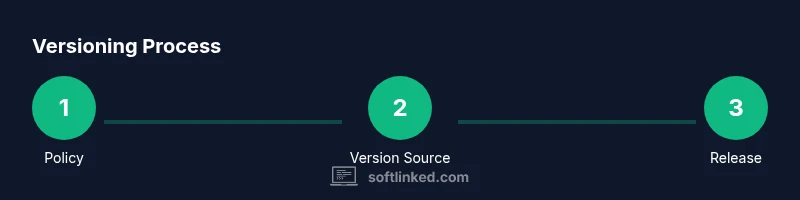
A version policy is a written contract that explains how your team decides to bump versions and what each increment means for users. Start by choosing your baseline (e.g., a starting version) and listing the criteria for major, minor, and patch increments. Include rules for prereleases, build metadata, and how to handle backward-incompatible changes. Document how version strings propagate to all artifacts (libraries, containers, and downloads) and who is responsible for publishing. A policy should also specify X.Y.Z handling for automated tools, like package managers and CI pipelines. Document deprecation timelines and migration guides to ease upgrades. This policy becomes a reference point during planning, pull requests, and release rehearsals. The goal is to reduce guesswork, align teams, and deliver predictable experiences to users and partners.
Integrating Versioning into Your Build and Release Process
Versioning should be woven into your build and release workflows, not added as an afterthought. Configure your build to read the version string from a single source of truth (like a manifest or code constant) and to embed it in artifacts (SDKs, libraries, containers). Tie version bumps to automatic checks in CI, requiring approval for major changes. Include a step to generate release notes and to update the changelog. Ensure your release process creates tags in version control that correspond to the published artifact. Tagging enables reproducibility and simple rollbacks. When releasing, validate compatibility with dependents and run a minimal smoke test to confirm basic behavior. This integration keeps the versioning signal consistent across all channels, from binary artifacts to documentation and release pages.
Storing and Reading Version Information in Code
Most projects store version information in a canonical place that is importable at runtime and visible in build tools. For example, many ecosystems use a manifest such as package.json (Node), pyproject.toml/setup.py (Python), or a version attribute in languages like Java or C#. Keeping the version in a single source of truth reduces drift across artifacts. When the build runs, it should inject or read the version and embed it into the built artifacts, logs, and documentation. Consider exposing a version endpoint in APIs for health checks. Tests should assert that the runtime version matches the manifest, and CI should fail if mismatches are detected. This practice improves traceability and auditability for audits and incident responses.
Changelog, Documentation, and Release Notes
A changelog is the living record of what changed, why, and how to upgrade. Use a consistent format and keep it up to date with each release. Include sections for breaking changes, added features, bug fixes, and known issues. Link to migration guides and reference API changes. Document the versioning policy and provide examples. Release notes should translate technical changes into user-facing language and guide downstream teams, such as integrators and partners, on how to upgrade. This practice reduces support overhead and improves onboarding for new users. In addition to the changelog, update API docs, SDKs, and integration guides to reflect the current version.
Automation: Tagging, CI/CD, and Release Pipelines
Automate the core versioning signals to minimize human error and speed up release cycles. Use your versioning policy as the source of truth for automated bumps triggered by commits, labels, or PRs. Implement Git tags that mirror the version number and are signed if possible. Integrate release notes generation into CI and publish artifacts to package registries automatically. Use CI jobs to validate builds against the target version, run tests, and verify compatibility with dependencies. Automating these steps reduces drift and ensures consistency across environments. For teams practicing open source, automatic release notes help maintain transparency with contributors and users.
Common Pitfalls and How to Avoid Them
Avoid inconsistencies by centralizing version information and avoiding manual edits across multiple files. Do not reuse or skip version increments, as this creates confusion and breakage in downstream projects. Ensure you track deprecations, migrations, and removal plans; without them, users will struggle to adapt. Failing to update the changelog or release notes leads to poor user experience and higher support burden. Remember to align tools, such as CI, packaging, and documentation, so that every artifact reflects the same version. Finally, choose a versioning approach early and document exceptions to prevent drift as the project grows.
Authority Sources
- SemVer official site: https://semver.org/
- GitHub Releases docs: https://docs.github.com/en/repositories/releasing-projects-and-releases/about-releases
- Git tag and versioning docs: https://git-scm.com/docs/git-tag
Tools & Materials
- Git(Essential for tagging releases and version control)
- Semantic Versioning (SemVer) guidelines(Define major/minor/patch increments and rules)
- CI/CD pipeline(Automate version bumps, release notes, and artifacts)
- Package manifests (package.json, setup.py, pyproject.toml, etc.)(Store and propagate version numbers)
- Changelog tooling (Keep a Changelog, Release Drafter)(Automate changelog generation)
Steps
Estimated time: 2-6 hours
- 1
Define your versioning policy
Document criteria for MAJOR, MINOR, and PATCH increments, including how to handle pre-release labels and build metadata. Align the policy with your release goals and dependencies.
Tip: Publish the policy in a shared repository and refer to it during planning. - 2
Centralize the version source
Choose a single source of truth for the version number (e.g., a manifest file) and ensure all artifacts read from or embed this value during builds.
Tip: Prefer a machine-readable source to prevent drift. - 3
Update changelog in lockstep
Generate or write release notes as part of the release process. Include breaking changes and migration guidance.
Tip: Use templates to maintain consistency across releases. - 4
Tag and verify in version control
Create a Git tag that mirrors the version, and run a quick verification pass to ensure the tag matches the built artifact.
Tip: Signer tags when feasible for added trust. - 5
Automate release notes
Configure CI to auto-generate release notes from commits and PR descriptions, then attach them to the release.
Tip: Keep a clear convention for commit messages to improve automation quality. - 6
Validate backwards compatibility
Run a focused compatibility suite against dependencies to catch regressions early.
Tip: Automate this test as part of the release pipeline. - 7
Document migration paths
Provide clear upgrade instructions and migration guides to ease user transitions to new versions.
Tip: Include examples and edge cases to avoid confusion.
Your Questions Answered
What is semantic versioning?
Semantic versioning uses MAJOR.MINOR.PATCH to signal the scope of changes. MAJOR for breaking changes, MINOR for new features, PATCH for fixes. Pre-release and build metadata can be added for testing and traceability.
Semantic versioning uses major, minor, and patch numbers to indicate changes; breaking changes, new features, and fixes are signaled accordingly.
When should I bump major vs minor vs patch?
Bump major for breaking changes, minor for backward-compatible feature additions, and patch for backward-compatible bug fixes. Align decisions with your policy and communicate the impact clearly in release notes.
Major for breaking changes, minor for new features, patch for fixes. Communicate impact in notes.
Where should the version number live?
Store the version in a single source of truth, such as a manifest file or code constant, and ensure artifacts reference it during builds and releases.
Keep the version in one place and propagate it to all artifacts.
How can I automate versioning?
Use CI to bump versions, generate release notes, and create Git tags automatically when commits are merged or PRs are approved.
Automate bumps, notes, and tagging through CI.
What about pre-release versions?
Pre-releases (alpha/beta/rc) help with testing and feedback before final releases. Use a consistent labeling scheme and document how they transition to the final version.
Pre-releases help testers; label clearly and transition smoothly to final.
How do I communicate migrations to users?
Provide migration guides and explicit upgrade steps in release notes. Use user-friendly language and include code examples or commands when relevant.
Offer clear upgrade steps and migration guidance.
Watch Video
Top Takeaways
- Define a versioning policy and stick to it
- Adopt semantic versioning for clarity
- Automate tagging and release notes
- Keep a centralized version source of truth
- Maintain a detailed changelog for users