How to Use CRM Software: A Practical Guide
Learn how to use CRM software effectively to manage contacts, track deals, automate tasks, and gain operational insights. A comprehensive, step-by-step 2026 guide covering setup, data hygiene, workflows, reporting, and best practices.


This guide teaches you how to use CRM software to manage contacts, track sales pipelines, and automate follow-ups. You'll learn essential setup tasks, daily workflows, data hygiene practices, and how to measure success with built-in reports. By the end, you'll be able to design repeatable processes that scale with your team.
Why CRM software matters for modern teams
According to SoftLinked, CRM software helps teams align sales, marketing, and customer service by centralizing data, standardizing processes, and creating a single source of truth. In practice, a well-implemented CRM reduces data silos, speeds up customer responses, and makes collaboration easier across departments. The SoftLinked team found that organizations using CRM systems tend to see clearer ownership of customer journeys and more consistent follow-ups, which lead to higher win rates and better retention. This block explains the core value propositions, common pain points, and the mindset shift required to adopt CRM successfully. Expect to see how CRM supports not just day-to-day tasks but strategic planning, forecasting, and customer success efforts alike.
Core concepts you should understand before setup
Before you invest time in setup, anchor yourself in key concepts: contacts (individuals), accounts (organizations), leads (potential opportunities), opportunities (deals), and activities (tasks, calls, emails). A pipeline represents stages a deal passes through—from qualification to close—while automation covers triggers, actions, and conditional logic. Understand how fields such as name, email, company, deal size, close date, and stage feed reports and dashboards. Data hygiene—deduplication, validation, and consistent field usage—creates reliable analytics. Finally, adoption requires roles and permissions so teammates see the right information at the right time, without clutter.
A practical workflow: setup, data hygiene, and adoption
Begin with a deliberate setup: map your business processes to CRM stages, align fields with your data model, and create starter templates for leads, accounts, and opportunities. Import or migrate data in batches, then deduplicate records and standardize formats (emails, phone numbers). Assign owners and set up a simple pipeline with clear stages and exit criteria. Establish daily routines: log activities, update deal progress, and review dashboards. Expect to iterate on fields and layouts as you learn what your team needs most. SoftLinked analysis shows a strong correlation between disciplined data hygiene and faster onboarding of new teammates.
Customization, pipelines, and automations
Customization unlocks CRM value: tailor fields, views, and dashboards to your team’s workflow. Build pipelines with stages that reflect your sales process and define automated actions for common events (e.g., when a lead is created, assign it to a rep; when a deal advances, notify the team). Use automation templates to speed setup but start with a small scope to avoid over-automation. Create rules for follow-ups (e.g., send a reminder if no activity occurs in 3 days) and use milestones to track progression. Keep configurations lean and review them quarterly to prevent drift.
Measuring success: reports, dashboards, and continuous improvement
Track progress with dashboards that surface key metrics: conversions between stages, average days in each stage, win rate, and forecast accuracy. Define a minimal set of default reports for execs, managers, and frontline users. Schedule regular data audits to catch gaps and drift, then iterate on data models and workflows. A data-driven culture in CRM requires you to close the feedback loop: learn from bottlenecks, adjust processes, and retrain the team. The SoftLinked team notes that ongoing optimization is essential for scaling CRM across growing teams.
Tools & Materials
- CRM software account(Select a plan that supports contacts, accounts, deals, and automation; ensure admin access for configuration.)
- CSV/Excel contact file(Prepare fields: name, email, company, phone, job title, lead source, status.)
- Data cleaning guidelines(Define standards for phone formats, email validation, and deduping rules.)
- Internet connection(Stable connection for setup, imports, and automation testing.)
- Computer or mobile device(Access the CRM via desktop or mobile app; ensure up-to-date software.)
- Email integration credentials(Configure sending/receiving email within the CRM for activity logging.)
- Onboarding docs(Guides, templates, and best practices for new users.)
Steps
Estimated time: Estimated total time: 2-3 hours
- 1
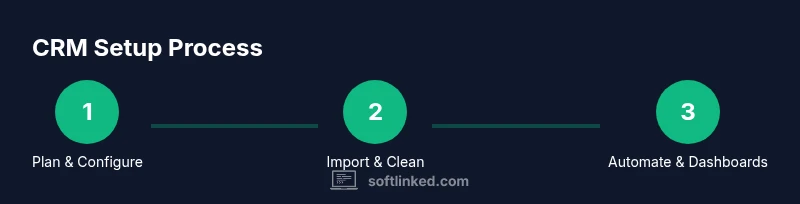
Choose and configure your CRM
Select a suitable CRM plan, enable core modules (contacts, accounts, deals), and assign an admin. Define basic user roles and permissions to prevent data access conflicts. This step sets the foundation for clean data and scalable workflows.
Tip: Start with a minimal viable configuration and expand as your team grows. - 2
Import and deduplicate contacts
Import your existing contacts using a clean schema. Map fields consistently and run a deduplication pass to avoid duplicates. Validate key fields like email and phone to maintain data quality.
Tip: Use a test import first to catch mapping issues before importing the full file. - 3
Define pipelines and stages
Create a simple sales pipeline with clear stages (e.g., Qualification, Discovery, Proposal, Negotiation, Closed-Won/Lose). Associate ownership and due dates with each stage to drive accountability.
Tip: Keep stages intuitive; too many stages reduce visibility and slow progress. - 4
Set up automations for routine tasks
Configure automations for common tasks (new lead → assign owner, overdue deals → reminder, post-close follow-up → task creation). Start small to measure impact before expanding.
Tip: Document automation triggers and expected outcomes for transparency. - 5
Create dashboards and reports
Build dashboards that answer key questions: pipeline health, conversion rates, and forecast accuracy. Schedule automated exports for stakeholders and review metrics weekly.
Tip: Use filters to segment by team, region, or product line for targeted insights. - 6
Train your team and enforce data hygiene
Run onboarding sessions, share templates, and establish a data hygiene routine (weekly dedupe, monthly field review). Encourage practitioners to log activities consistently.
Tip: Make data entry the default workflow; friction-free logging boosts adoption. - 7
Review, iterate, and scale
Hold a quarterly review to assess what’s working and what isn’t. Adjust pipelines, fields, and automations to align with evolving business processes.
Tip: Treat CRM as a living system; small, regular updates beat large, infrequent overhauls.
Your Questions Answered
How do I choose the right CRM for a small team?
Start by listing must-have features (contacts, deals, automation, mobile access) and compare vendor plans. Look for ease of use, data migration support, and scalable pricing. A pilot with a small user group helps you measure impact before full rollout.
For small teams, list must-have features, test ease of use, and run a short pilot to gauge impact before buying.
What data should I import first into a CRM?
Import the essentials: contacts, accounts, and current deals. Include fields for name, email, company, status, and owner. Deduplicate and validate critical fields like email addresses during the import.
Import core data first—contacts, accounts, and deals—while validating key fields to keep data clean.
Can CRM replace email for tracking communications?
CRM tracks interactions across channels inside a centralized timeline, but you’ll still use email for actual messages. Integrate your email to log communications automatically and keep a complete history.
CRM centralizes interactions, but email remains the primary message channel; integrate for automatic logging.
How do automations impact team productivity?
Automations reduce manual follow-ups and ensure timely tasks, freeing time for high-value work. Start with simple triggers and measure time saved and task completion rates before expanding.
Automations save time by handling routine tasks, letting your team focus on strategy and relationship-building.
What are common CRM adoption pitfalls?
Common issues include incomplete data, over-customization, lack of user training, and unclear ownership. Mitigate by starting simple, providing onboarding, and enforcing data standards.
Pitfalls include messy data and poor training; prevent them with a simple start and clear ownership.
How can I measure CRM success?
Track pipeline velocity, conversion rates, forecast accuracy, and user engagement with dashboards. Use these metrics to justify ongoing investment and guide process improvements.
Measure success with pipeline velocity, conversions, and dashboards to guide continuous improvements.
Watch Video
Top Takeaways
- Define a clear data model before importing records.
- Keep automation scope modest and purposeful.
- Regularly clean and deduplicate data for reliable analytics.
- Use role-based access to protect data and support collaboration.
- Track pipeline metrics to guide continuous improvement.