Create Software Without Coding: A Practical Guide
Learn how to build software without traditional coding using no-code and low-code tools. This educational guide covers concepts, workflows, tooling, governance, and best practices to ship apps faster with minimal code.


With no-code and low-code tools, you can create functional software by visually modeling data, UI, and automated workflows. This approach speeds prototyping, reduces reliance on developers, and lets you test ideas quickly. This guide walks you through tool selection, project planning, building, testing, and deploying without writing code. Along the way, you'll understand trade-offs, data governance, and how to avoid common pitfalls.
What no-code means for you
No-code and low-code approaches let non-developers and developers alike turn ideas into working software without writing traditional line-by-line code. At a high level, no-code tools provide visual interfaces for data modeling, user interface design, and process automation. Low-code adds the possibility to insert tiny bits of code when needed, but the majority of the app is assembled through drag-and-drop components and configuration.
For aspiring software engineers, understanding no-code is essential because it widens the set of problems you can tackle and accelerates prototyping. For product managers and business analysts, no-code offers a practical bridge to technical teams, enabling more iterative experimentation. The SoftLinked team emphasizes that mastering these tools doesn't eliminate software engineering; it enhances collaboration and speeds up feedback loops. From this perspective, no-code becomes a first-class skill in a developer's toolkit, not a replacement for traditional programming.
Key concepts include visual data modeling, reusable components, and rule-driven workflows. By mapping your real-world needs into entities, relationships, forms, and automations, you can deliver a minimum viable product (MVP) to customers sooner. As you grow, you may layer in automation, API integrations, and custom logic to handle edge cases. The goal is to focus on outcomes: what the app should accomplish, for whom, and under what conditions.
The stack: data, UI, and logic
No-code software rests on three core layers:
- Data: Represent entities (customers, products, orders) with clear schemas, validation, and relationships. Good data models prevent orphaned records and simplify reporting.
- UI: Drag-and-drop interfaces build forms, dashboards, and navigation. The goal is clarity, accessibility, and responsive design across devices.
- Logic: Visual rules and workflows automate actions, approvals, and notifications. You configure triggers (events), conditions (if/then), and outcomes (tasks, updates, API calls).
In practice, you connect these layers so a user action changes the data state, which then updates the UI and triggers downstream processes. This triad is the backbone of most no-code projects and defines how quickly you can turn an idea into a usable product.
No-code vs traditional development: trade-offs
Choosing no-code over traditional development is about trade-offs. No-code offers speed, lower upfront costs, easier maintenance, and closer alignment between business needs and software outcomes. It excels for prototypes, internal tools, and lightweight apps with predictable workflows. However, it can constrain advanced custom logic, performance optimizations, and highly specialized integrations.
Traditional development shines when you require scalable architectures, fine-grained control over security, or highly customized performance. It enables deep integrations, bespoke user experiences, and complex data processing. The SoftLinked team notes that most successful no-code projects start as MVPs or automation layers and then evolve into hybrid approaches, where critical parts are rewritten in code while the rest remains in no-code tooling for agility.
When to use no-code: use cases
No-code shines for:
- Rapid prototyping and MVPs to validate ideas with real users.
- Internal tooling: dashboards, data entry apps, and approval workflows.
- Automation: routing data between services, triggering emails, and updating CRMs.
- Front-end forms and simple dashboards that require minimal custom logic.
Avoid no-code when you anticipate heavy computational needs, custom real-time processing, or workloads that demand ultra-low latency. Also consider governance and data security requirements that may push you toward more controlled development environments. The SoftLinked approach recommends starting with a lightweight, auditable no-code solution and planning handoffs to engineering for more complex components if needed.
A practical workflow: plan, prototype, test, deploy
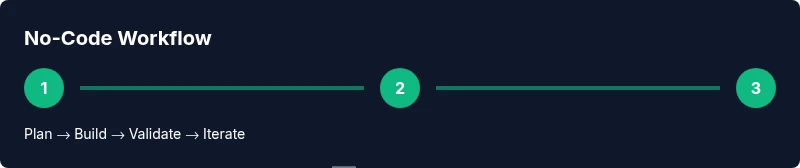
A disciplined workflow helps ensure no-code projects stay aligned with business goals. Start with a clear objective and success metrics. Gather user stories and create a simplified data model. Build a clickable prototype to validate the user journey before connecting real data.
Next, implement core workflows, add essential integrations, and set up basic security rules. Test with real users, capture feedback, and adjust. When ready, deploy to a staged environment, monitor usage, and measure outcomes against your success metrics. This iterative loop keeps the project lean and focused on value delivery. The SoftLinked team emphasizes documenting decisions and assumptions at every stage to support future maintenance.
Tooling categories and what they do
No-code ecosystems typically include:
- Visual app builders: drag-and-drop screens and components.
- Data/back-end services: stores, schemas, and validations.
- Automation/workflow engines: triggers, rules, and actions.
- Integrations/connectors: APIs to connect external systems.
- AI-assisted assistants: assist with content, routing, and decision-making.
Choosing the right mix depends on your problem domain, data complexity, and required integrations. Start with a minimal set that covers data, UI, and a couple of core automations, then expand as you validate user needs.
Designing data models in no-code
Data modeling in no-code involves defining entities, attributes, and relationships with constraints and validation rules. Start with core entities (e.g., User, Task, Invoice), then establish relationships (one-to-many, many-to-many). Use simple naming conventions, consistent data types, and guardrails for data integrity. Avoid over-normalizing; leverage derived fields for reporting to reduce runtime calculations.
Good data models support reusable forms, validations, and permissions. When you expose data through the UI, consider required fields, defaults, and error messages. Clear data models also help with reporting and analytics, enabling you to generate insights without exporting raw datasets.
Implementing business logic with rules and automations
Rules translate business policy into automated actions. They can be event-driven (on record creation), condition-driven (if-then), or scheduled (daily summaries). Build a small set of core rules first, then expand. Use descriptive names and inline comments to keep logic readable.
Automations orchestrate tasks across systems, such as creating tickets, sending emails, or updating statuses. Design workflows with rejection paths and clear error handling. When multiple applications are involved, ensure data synchronization is reliable and idempotent. The SoftLinked guidance highlights starting with end-user outcomes and mapping rules to those outcomes, rather than over-engineering upfront.
Testing, debugging, and QA
Testing in no-code projects should mirror traditional QA: unit checks for data validation, integration tests for connectors, and user acceptance testing for the final user experience. Create test datasets that mirror real usage and verify edge cases (missing data, invalid inputs, conflicted updates).
Debugging typically involves examining logs from automation tasks, validating API responses, and checking permissions. Establish a baseline suite of tests and run them after every major change. Collect user feedback regularly, then refine rules and workflows. Regularly review data quality and performance to prevent hidden regressions as you scale.
Security, compliance, and governance
Security in no-code apps hinges on access control, data segregation, and secure integrations. Enforce least-privilege permissions, role-based access where possible, and regular reviews of user rights. When integrating external services, prefer OAuth or token-based authentication and scope-limited access.
Governance requires documenting who can modify data models, workflows, and automations. Establish change management processes, version histories, and rollback options. For compliance, map data handling to relevant regulations and maintain audit trails. The SoftLinked approach emphasizes treating no-code projects as legitimate software assets requiring the same care for security and governance as traditional code.
Deploying and maintaining no-code apps
Deployment in no-code tools often means publishing to production with a click, but it should still follow a plan: confirm data integrity, run final validations, and set up monitoring and alerts. After deployment, monitor performance, usage metrics, and error rates. Schedule regular reviews to prune unused automations, optimize data models, and refresh integrations.
Maintenance is ongoing: update forms, refine UI, and adjust workflows based on feedback. Consider establishing a lightweight release schedule and a rollback plan. With proper governance and disciplined practice, no-code apps can scale in parallel with traditional software stacks.
Authority sources and templates
For foundational guidance on software engineering principles and governance, consult credible sources such as:
- https://nist.gov
- https://sei.cmu.edu
- https://mit.edu
In addition to formal sources, adopt practical templates and learning resources to accelerate your no-code journey. Look for reusable templates that map to common business processes, such as lead capture to CRM, task assignment workflows, and approval pipelines. These templates help you start quickly while maintaining clean design and robust data models. The SoftLinked team recommends starting from templates that align with your real-world use case and customizing them to your organization’s standards.
Real-world templates you can adapt
Templates give you proven starting points for common business problems. Consider adapting templates for:
- Customer onboarding forms that feed CRM and marketing automation.
- Project intake workflows that route requests to the right teams.
- Help desk ticket flows that trigger SLAs and escalations.
When adapting templates, focus on mapping user roles, permissions, data schemas, and required approvals. Validate each template against a small set of real users before broad rollout. This practice reduces risk and accelerates delivery while ensuring your app remains scalable and maintainable.
Tools & Materials
- Computer with reliable internet connection(80+ Mbps recommended; ensure a backup plan for connectivity)
- Access to at least one no-code / low-code platform(Create a free account to start; consider a paid plan for integrations)
- Initial requirements document or user stories(Capture goals, users, and success criteria)
- Sample dataset or spreadsheet(Used for data modeling and testing)
- Stakeholder list and acceptance criteria(Clarify who approves milestones and what counts as done)
- UI/UX references or sketches(Helpful for layout decisions and accessibility)
Steps
Estimated time: 3-6 hours
- 1
Define objective and audience
State the problem you want to solve, who will use the app, and what success looks like. Capture the key user journeys and the minimum viable capability you’ll ship.
Tip: Write one sentence that describes the primary user goal. - 2
Map data requirements
Identify core entities, attributes, and relationships. Draft a lightweight data model and outline validation rules.
Tip: Avoid over-structuring early; keep fields to what you truly need. - 3
Choose the no-code approach
Decide whether a pure no-code build suffices or if a hybrid approach is needed for complex logic.
Tip: If you’ll need custom logic later, plan for a clean handoff to development. - 4
Sketch the UI and flows
Create rough screens and user flows showing how users move through the app and how data updates.
Tip: Focus on clarity and accessibility; iterate with feedback early. - 5
Build core data and UI
Assemble the data model and UI screens using drag-and-drop components; keep styling consistent.
Tip: Use templates or starter components to speed setup. - 6
Implement automated logic
Add triggers, conditions, and actions to automate routine tasks and data updates.
Tip: Test each rule with edge cases to ensure reliability. - 7
Integrate external services
Connect essential tools (CRM, email, analytics) and verify data flow between systems.
Tip: Start with one or two critical integrations; expand gradually. - 8
Test with real users
Run a controlled usability test, gather feedback, and log any defects or pain points.
Tip: Create a simple feedback form and track issues systematically. - 9
Deploy and monitor
Publish the app to production, set up monitoring, and review performance against success criteria.
Tip: Define an early maintenance plan and responsible owner.
Your Questions Answered
What is no-code, exactly?
No-code refers to tools and platforms that let you build software using visual interfaces, models, and rules rather than traditional programming. It’s ideal for rapid prototyping and internal tools, though some complex use cases may require traditional development.
No-code lets you build apps with visuals and rules instead of code, great for quick prototypes and simple tools, though very complex needs may still require traditional development.
Can no-code apps be scaled in production?
Many no-code platforms support production deployments for moderate workloads and can be scaled with proper architecture and governance. For very high traffic or highly customized requirements, you may combine no-code for the frontend and automation with coded services for critical bottlenecks.
No-code can scale for many moderate workloads, but very large or highly specialized systems may need coded components later.
What’s the difference between no-code and low-code?
No-code emphasizes visual configuration with minimal or no code. Low-code allows small amounts of code for extended custom behavior while keeping most work in visual design. The choice depends on your needs for customization and speed.
No-code uses visuals with no code; low-code adds small bits of code for extra customization, balancing speed with flexibility.
Is security harder in no-code?
Security in no-code relies on platform defaults plus your configuration: access controls, data permissions, and secure integrations. Always review permissions, use role-based access, and monitor data flows.
Security in no-code depends on platform features and how you configure access and integrations; review permissions and monitor data flows carefully.
Where should I start if I’m new to no-code?
Begin with a small MVP task, map data, sketch UI, and implement one automated workflow. Use templates, follow best practices for data modeling, and validate with real users before expanding.
Start with a small MVP, map data, sketch the UI, and build one automation. Validate with real users before expanding.
Watch Video
Top Takeaways
- Define clear outcomes before building.
- Choose the right tool mix for data, UI, and automation.
- Prototype, test, and iterate with real users.
- Governance and security aren’t optional in no-code.
- Plan for evolution: start no-code, then consider hybrid approaches if needed.